
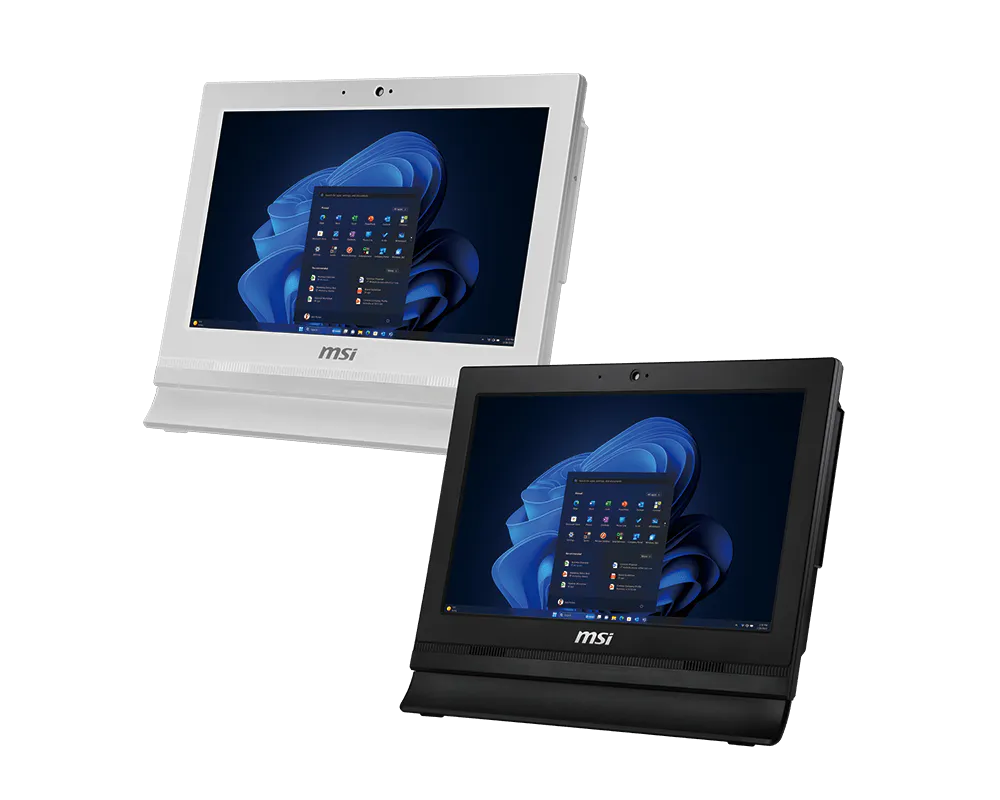
Specifications for
PRO AP162T ADL
Marketing Name
Marketing Name
PRO AP162T ADL
OS
OS
Windows 11 Home - MSI recommends Windows 11 Pro for business
CPU
CPU
Intel® N200
Intel® N100
Intel® N100
Graphics
Graphics
Intel® UHD Graphics
Chipset
Chipset
Intel® SoC
Memory
Memory
1x DDR4 3200MHz SO-DIMMs, up to 16GB
Storage
Storage
1x M.2 SSD (PCIE)
1x 2.5” HDD with HDD Caddy
1x 2.5” HDD with HDD Caddy
LAN
LAN
2x Realtek RTL8111H
Wireless LAN
Wireless LAN
Intel® Wi-Fi 6E AX211
Intel® Wi-Fi AC 9462 (either one)
Intel® Wi-Fi AC 9462 (either one)
Bluetooth
Bluetooth
5.3 (AX211) / 5.1 (AC 9462)
Audio
Audio
Realtek® ALC256
Audio Speaker
Audio Speaker
2x 2.5W
I/O
I/O
Side:
1x Card reader
2 x USB 3.2 Gen 2 Type A
Rear:
1 x Line-out/Microphone-in
4 x USB 2.0 Type A
2 x RJ-45 LAN
1 x VGA Port
2 x Serial Port (COM Port)
1 x Parallel Port (Printer Port)
1x Card reader
2 x USB 3.2 Gen 2 Type A
Rear:
1 x Line-out/Microphone-in
4 x USB 2.0 Type A
2 x RJ-45 LAN
1 x VGA Port
2 x Serial Port (COM Port)
1 x Parallel Port (Printer Port)
Webcam
Webcam
Built-in HD Webcam
Touch Panel
Touch Panel
Resistive Single Touch (PRO AP162T ADL)
Non-touch (PRO AP162 ADL)
Non-touch (PRO AP162 ADL)
Panel Resolution
Panel Resolution
15.6" IPS Grade Panel LED Backlight (1920 x 1080 FHD)
AC Adapter
AC Adapter
65W
AIO Wall Mount Kit III
AIO Wall Mount Kit III
VESA standard (STD 100*100mm) (Optional)
DIMENSION (WxDxH)
DIMENSION (WxDxH)
399.5 x 69.2 x 313.9 mm (15.73 x 2.72 x 12.36 inch)
Net Weight
Net Weight
3.94 kg (8.69 lbs)
Gross Weight
Gross Weight
5.78 kg (12.74 lbs)
SECURITY UTILITY & DEVICE
SECURITY UTILITY & DEVICE
MSI Center: System Diagnosis
Certificates
Certificates
FCC, CB/CE, UL & CUL, VCCI, RCM
Keyboard / Mouse
Keyboard / Mouse
Optional
MANAGEMENT UTILITY
MANAGEMENT UTILITY
MSI Center: Hardware Monitoring, Free Up Memory, Clean Up Disk, MSI Recovery, F3 Recovery, Devices Speed Up, Smart Priority, Smart Image Finder, Live Update, Microsoft App Update, System Info, Troubleshooting, Contact Us, MSI Forum & Channel
MSI Display Kit: Split Window, Display Setting (Orientation, resolution, refresh rate, size of text and app), Display Color Setting (Customizable Link App: Eye Saver Mode, Personal setting, Standard, Gaming, FPS, RTS/RPG, Cinema), Connect to wireless display, On-screen keyboard, Mouse Sensitivity, Power setting, Magnifier (Zoom in / Zoom out), Project way setting (internal/ Clone/ Extend/ External)
MSI Display Kit: Split Window, Display Setting (Orientation, resolution, refresh rate, size of text and app), Display Color Setting (Customizable Link App: Eye Saver Mode, Personal setting, Standard, Gaming, FPS, RTS/RPG, Cinema), Connect to wireless display, On-screen keyboard, Mouse Sensitivity, Power setting, Magnifier (Zoom in / Zoom out), Project way setting (internal/ Clone/ Extend/ External)