
Step. 1
Download the VEGAS PRO Download Manager at below. Please Make Sure You Are Connected To the Internet Through All Process.


Step. 2
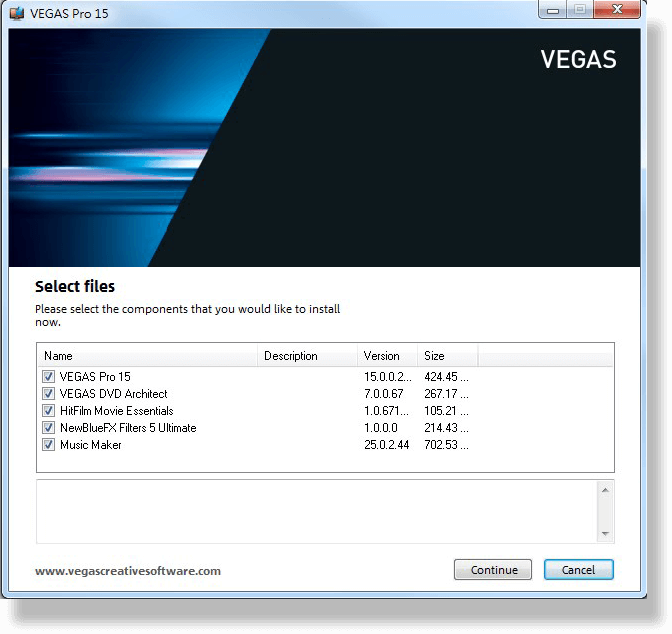
Launch The Download Manager & Start To Install VEGAS PRO.
Step. 3
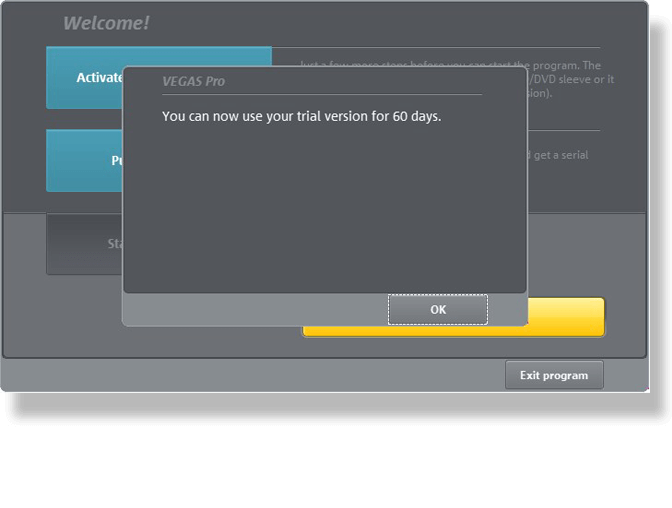
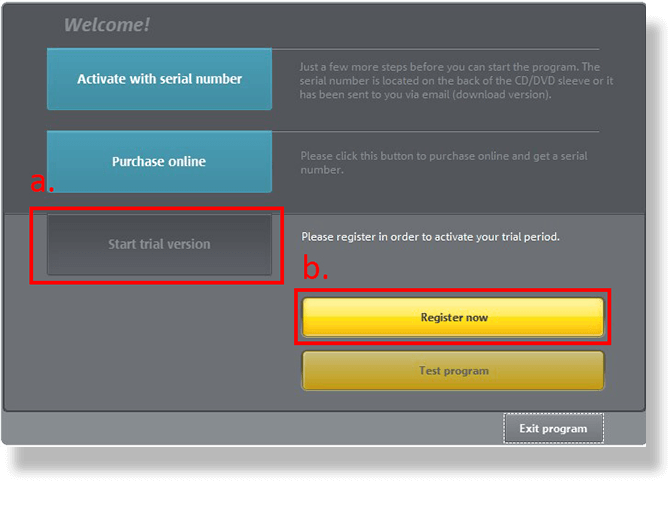
After Finishing Installation, Launch VEGAS PRO, Click “Start Trial Version” and “Register Now”.
Step. 4
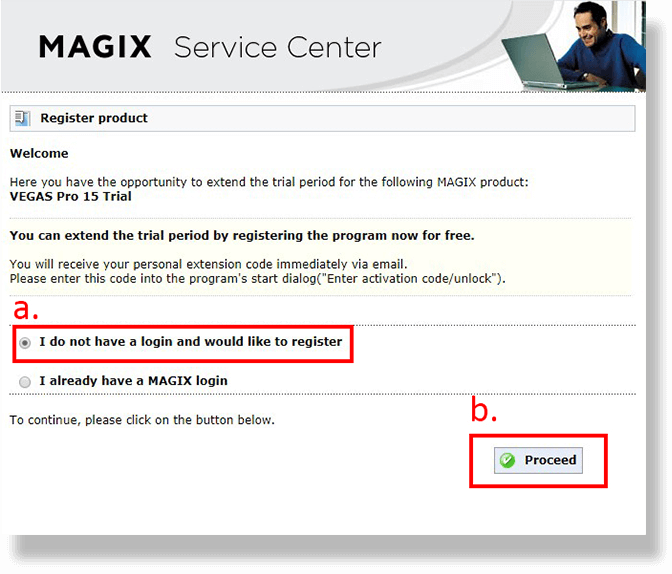
You Will Be Led To MAGIX Service Center. Register a Membership, & Activation Code Will Be Sent To Your Register Mail Address.
Step. 5
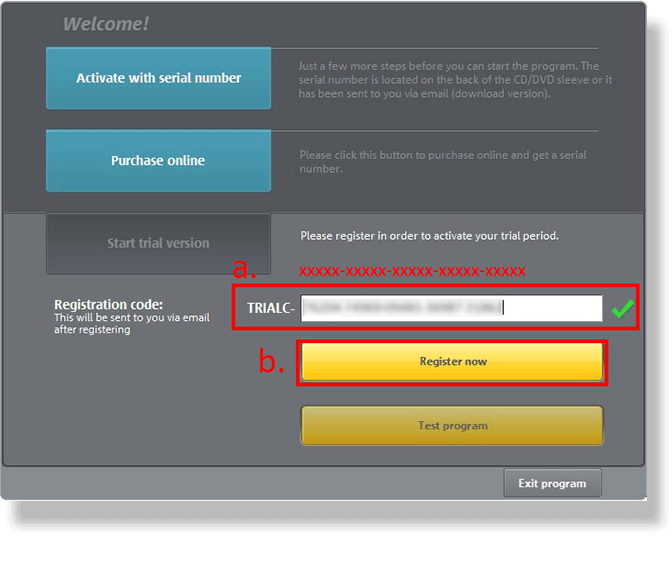
Enter the Activation Code. If the Code Were Correct, a Green Tick Will Show Up, and Click “Register Now” Again.
Step. 6
Congrats! Enjoy the Great Editing Software & Powerful PC Setup