MSI X3D Gaming Mode Enhances Gaming Performance on AMD Ryzen Processors
Motherboards
MSI X3D Gaming Mode boosts gaming performance on AMD Ryzen processors, including the Ryzen 7 9800X3D. By enabling this feature in the BIOS, users can experience performance improvements in certain games.
X3D Gaming Mode adjusts the processor's core or Simultaneous Multithreading (SMT) settings, which affects multi-core performance in CPU-intensive applications. The performance improvements in games may vary depending on the title, so users can choose whether to activate X3D Gaming Mode based on their specific needs and the games they play most often.
Performance Gains of 2%-20% at 1080p Resolution
Tests show that at 1080p resolution, X3D Gaming Mode can increase performance by 2%-20%. The exact boost depends on the game.
For example, Metro Exodus sees a 2% improvement, while Far Cry 6 experiences up to a 20% performance boost.

How to Enable X3D Gaming Mode
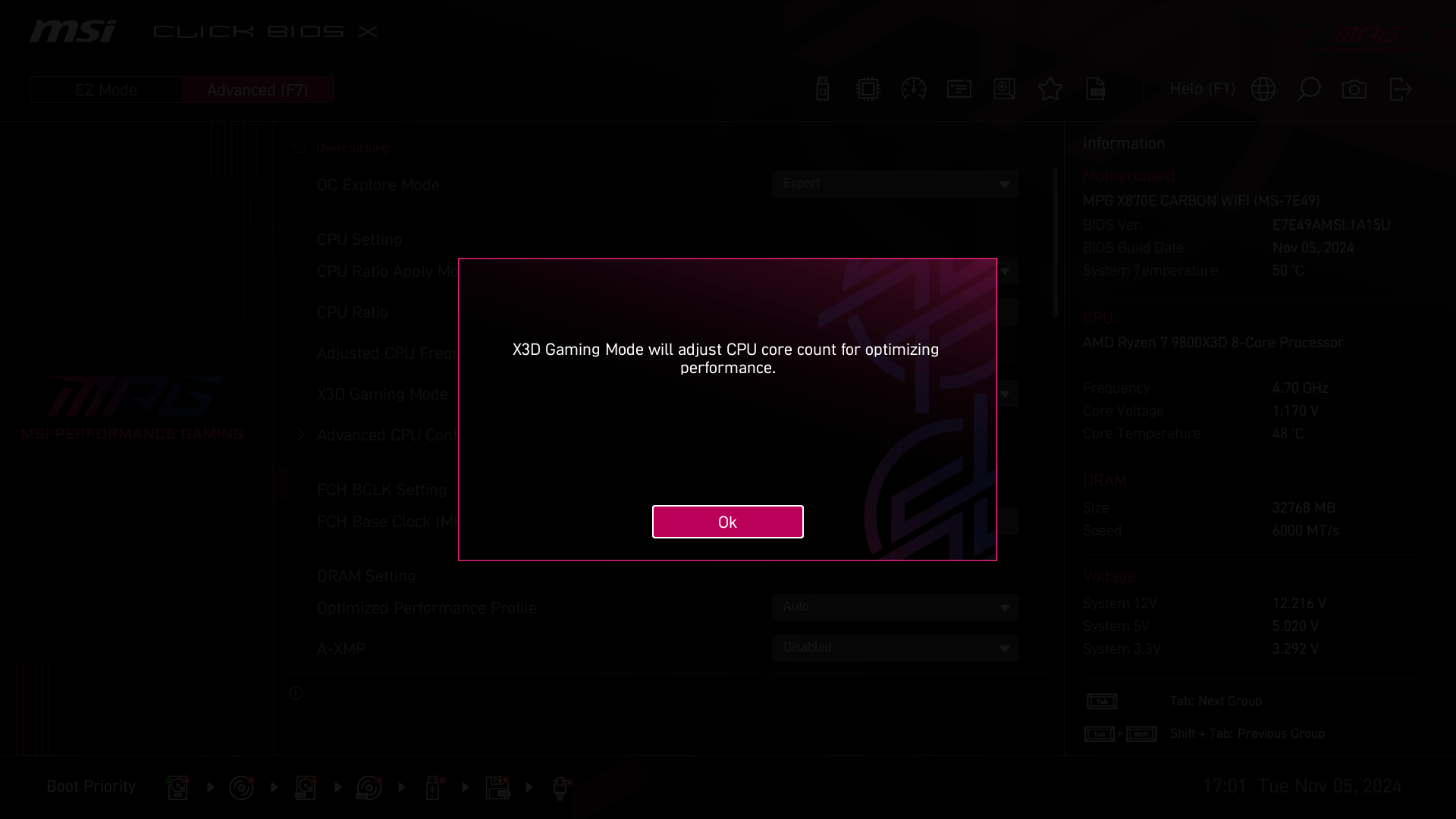
To activate X3D Gaming Mode, enter Click BIOS X, press F7 to switch to Advanced Mode, and go to the Overclocking page. There, you can enable X3D Gaming Mode. A warning will appear informing users that enabling this feature will adjust the CPU core count.

Test System:
- CPU: AMD Ryzen 7 9800X3D
- Motherboard: MSI MPG X870E CARBON WIFI
- Memory: Galax DDR5-7200 16GBx2
- Graphics Card: MSI GeForce RTX 4090 SUPRIM X 24G
- SSD: Kingston SNV2S/2000G
- CPU Cooler: MSI MAG CORELIQUID I360
- Power Supply: MSI MEG Ai1300P PCIE5
- Operating System: Windows 11 Pro 24H2, build 26100.2033
- Game Settings: Black Myth: Wukong - High; all other games set to maximum quality
Note:
Performance may vary based on hardware and configuration.
Results are based on testing with an RTX 4090 GPU; results may differ with other graphics cards.
The effect of X3D Gaming Mode on gaming varies by game and GPU used.