[How To] Update Firmware for MSI USB-C Docking Station
Answer
Please follow the update steps described in this article to update the MSI USB-C multifunction Docking Station firmware.
Please note: Before performing the update steps, please unplug all external devices and transmission cables on the MSI USB-C Docking Station platform, and download the latest firmware version from the official product page.
This article applies only to the first-generation MSI USB-C Docking Station platform (MSI USB-C Docking Station).
1. Download the latest version of the MSI USB-C Docking Station platform firmware
a. Visit the MSI official website and search for the product name.
b. Click "Download" to enter the download page.
c. Click "Firmware" to download the installation package.
2. Open the compressed package and extract it to the target directory, then double-click to execute EZ-USB HX3PD Configuration Utility.exe.
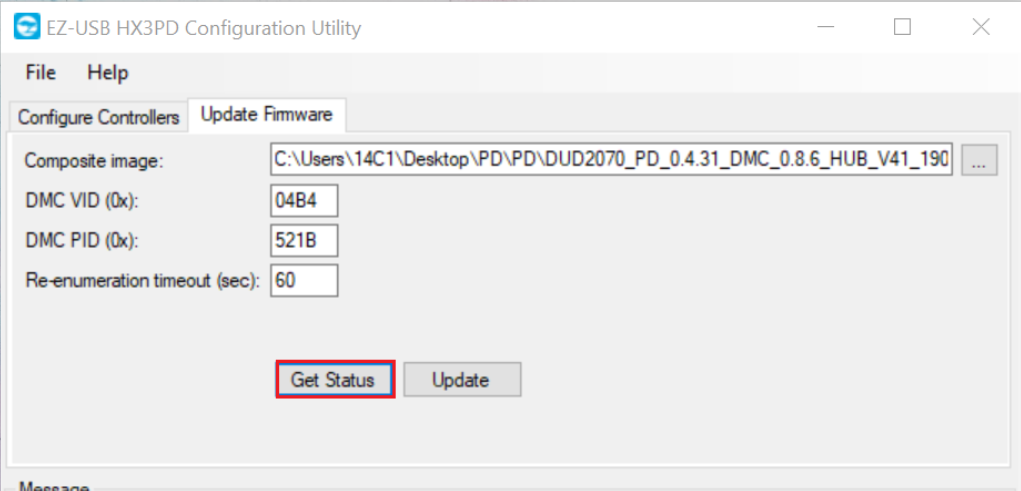
3. Select the"Update Firmware" tab and click"Get Status" to export the MSI USB-C Docking Station platform system information.
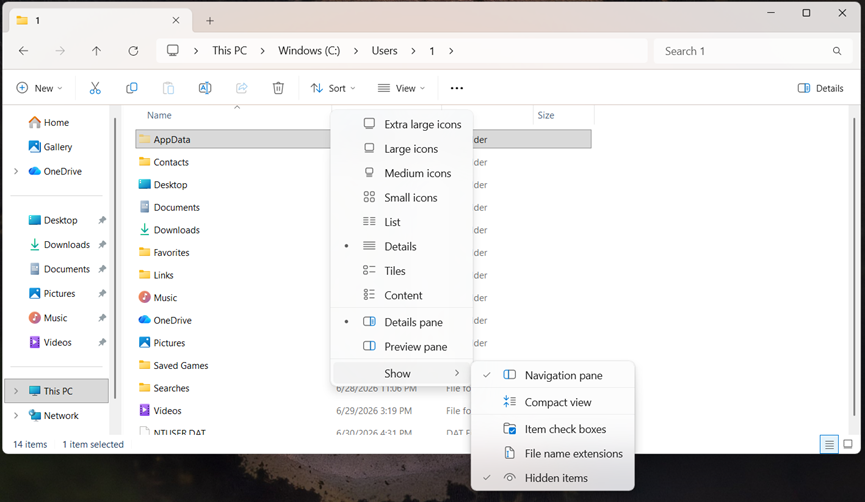
4. Open File Explorer and navigate to C:\Users\(User name), and check the hidden items in the "View" tab at the top. The folder named AppData will now be displayed.
5. Go to the C:\Users\(User name)\AppData\Roaming\HX3PDConfigUtility\Logs folder and open the file named dock_update.txt.
6. In the file, you can see the firmware version of the MSI USB-C Docking Station platform. Please confirm that it is the latest version shown on the MSI official website.
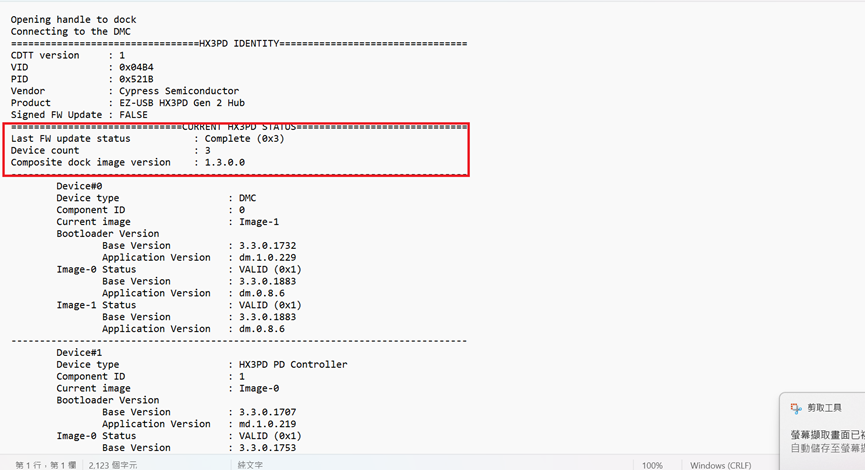
7. If the firmware of your MSI USB-C Docking Station platform is not the latest version, please go back to the "EZ-USB HX3PD Configuration Utility.exe" program, click the "Update Firmware" tab, then click the button next to "Composite image", find the downloaded firmware path, and select .BIN files.
8. Click"Update "to update the MSI USB-C Docking Station platform firmware.
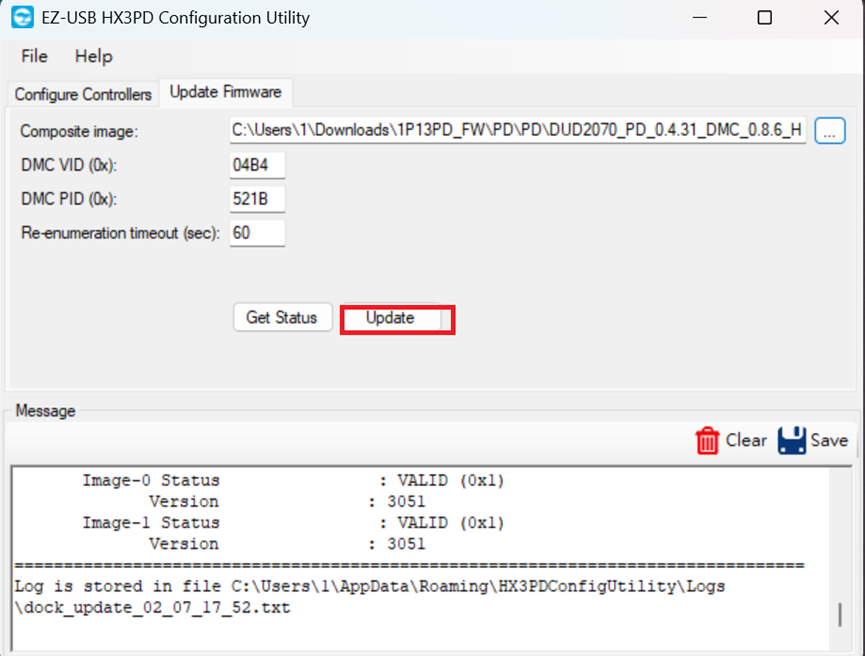
9. After the update is complete, the Message area below will display "Firmware Update completed with status: COMPLETED(0x3)."
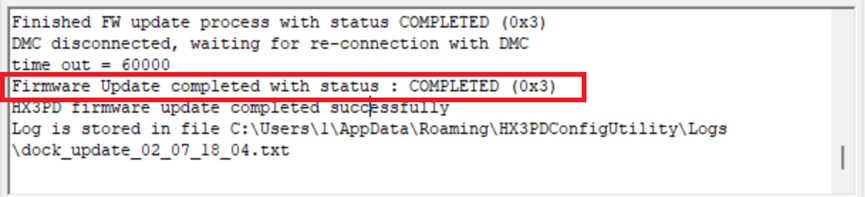
10. Click Get Status" again to confirm whether the MSI USB-C Docking Station platform firmware has been updated to the latest version.