How to install Windows XP when AHCI is enabled?
Answer
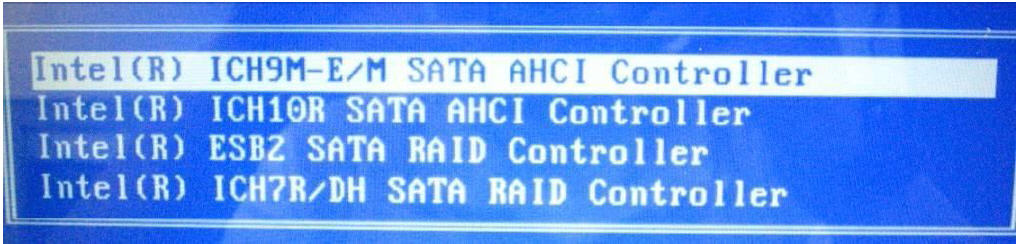
In order to install Windows XP, you need to install AHCI driver first using an external floppy drive (AHCI driver is available for download in MSI website, download it based from the model of your notebook and extract it to a floppy disk.). Then proceed to below steps accordingly:. 1. Please make sure that Windows XP installation disc is inside the cd/dvd-rom drive; and the external floppy drive is properly connected into the computer. 2. When installation begins, press “F6” when prompted "Press F6 if you need to install a third party SCSI or RAID driver." Note: the message will show up during the installation process, please pay attention especially to the lower part of the screen where installation status is being flashed. 3. Then, after pressing “S”, you shall see the message, “Please insert the disk labeled Manufacturer-supplied hardware support disk into Drive A:" please insert the self-made AHCI driver into the external floppy drive and press “enter.” 4. After pressing “enter”, you will see that there will be lists of AHCI drivers available; select the suitable driver for your system. For example: If the XP system is 32bit, then select the X86 drivers. 5. Now, you can continue to install Windows XP mormally.