[Product Information] Click to Do Introduction and Operation
Answer
What is Click to Do:
Click to Do is an AI feature built in the Windows 11 24H2 on Copilot+ PCs after updating to OS Build 26100.4061(KB5058411). It can identify text and images on screens and users then can take action on these contents, such as copying the contents, opening the selected text in a text editor, searching for the selected text by using Microsoft Edge and Bing, and so on. For more information about Click to Do, please refer to Microsoft’s website.
How to use Click to Do:
Click to Do is enabled by default after updating to OS Build 26100.4061(KB5058411).
To trigger Click to Do:
- Quick launch keys:
Hold Windows key and use mouse click or hold Windows key + Q to enter Click to Do and take actions on what you clicked. When Click to Do is active, the cursor will turn into blue and white.
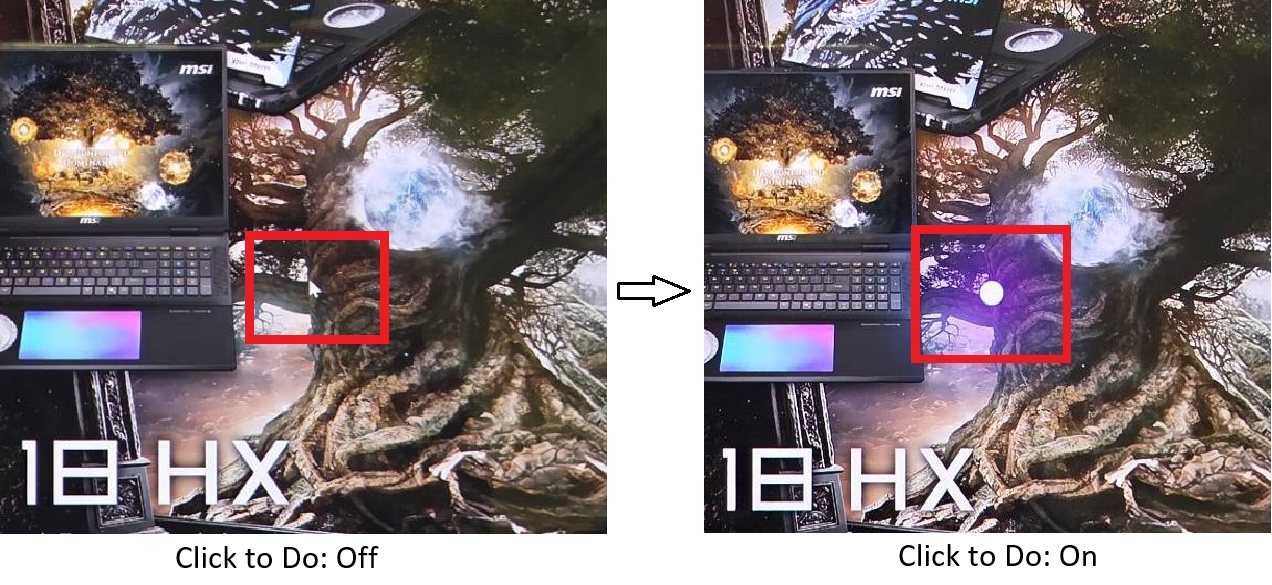
- Right swipe on touch enabled PCs.
- From the Snipping Tool menu if Snipping Tool is installed.
How to disable Click to Do:
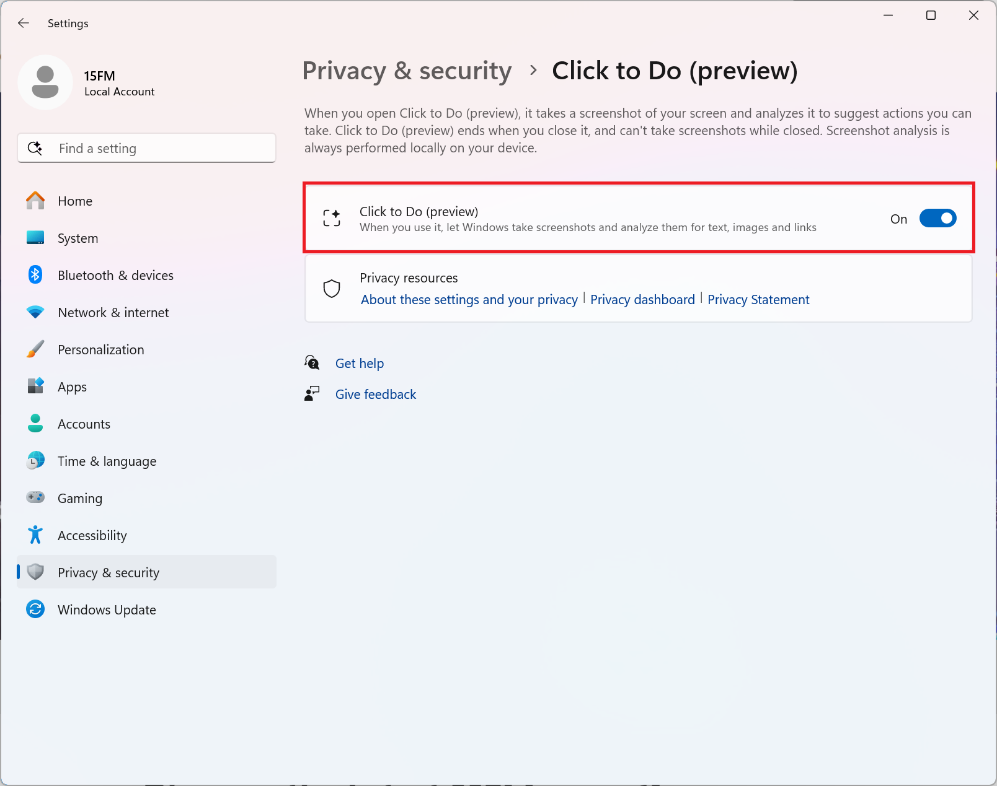
- Go to Settings > Privacy & security > Click to Do.
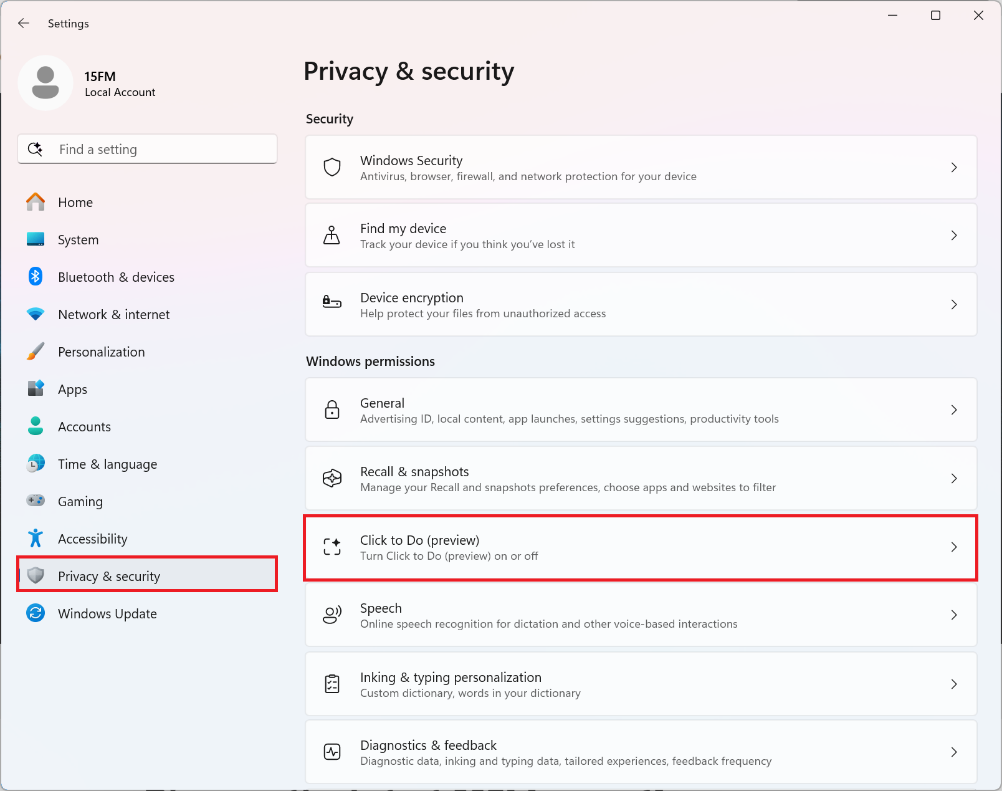
- Set the Click to Do setting to Off.
Models
If the above answers do not resolve your issue, please
Contact Us