[Product Information] Windows Secure Boot certificates update
Answer
Secure Boot is a key security feature that prevents unauthorized software from running during the system startup process. Since Microsoft’s original 2011 certificate will expire in June 2026, it must be replaced with the new 2023 certificate to ensure that the system can continue receiving security updates for Windows boot components.
Official reference: Act now: Secure Boot certificates expire in June 2026
This article applies to all MSI notebooks.
What Happens After the Certificate Expires?
Even after the original certificate expires, the computer can still boot into Windows normally. However, the following issues may occur:
- Security updates may be blocked: The system may no longer be able to install security patches for the bootloader.
- Reduced security: The system startup process may become more vulnerable to low-level malware such as bootkits.
- Recovery difficulties: If boot files become corrupted in the future, newer recovery media may be blocked by the BIOS due to a certificate mismatch.
How to Update the Certificate on an MSI Notebook?
Most users will receive the required updates through Windows Update without any additional action. Refer to the information below to understand MSI’s support method based on the processor generation:
- Systems with Intel 7th–11th Gen / AMD Ryzen 3000H–5000U processors
These systems primarily rely on Windows security updates to transition the certificate.
- It is recommended to wait for Windows Update to automatically deliver the certificate update. Microsoft is expected to complete this process automatically through monthly cumulative updates starting in 2026.
*Note: This method requires Windows 11 or enrollment in Windows 10 Consumer Extended Security Updates (ESU). - If an earlier update is required, refer to Microsoft’s official guide to manually apply the certificate update (see Method 3 below).
- It is recommended to wait for Windows Update to automatically deliver the certificate update. Microsoft is expected to complete this process automatically through monthly cumulative updates starting in 2026.
- Systems with Intel 12th Gen / AMD Ryzen 5000H or newer processors
MSI has gradually released BIOS versions that include the new certificates for these and later-generation models.
- Go to the MSI Support page and download and update to the latest BIOS that includes the following description: “Update Secure Boot Key: Windows UEFI CA 2023 & Microsoft UEFI CA 2023”.
*Note: Before updating the BIOS, please save the BitLocker recovery key. - After updating the BIOS, it is recommended to wait for Windows Update to automatically enable the certificate. If an earlier update is required, refer to Microsoft’s instructions for manual activation (see Method 3 below).
- Reference: [How To] How to Update BIOS on a System with BitLocker Enabled
- Go to the MSI Support page and download and update to the latest BIOS that includes the following description: “Update Secure Boot Key: Windows UEFI CA 2023 & Microsoft UEFI CA 2023”.
- Manually apply the registry update (advanced users / IT administrators)
If early testing is required or centralized deployment is managed by IT, refer to Microsoft’s official instructions for the Registry update method.
Frequently Asked Questions
Q: How can I confirm whether the MSI notebook has been successfully updated?
A: You can use Windows Security to verify whether the update has been successfully received. For detailed instructions, refer to Secure Boot certificate update status in the Windows Security app.
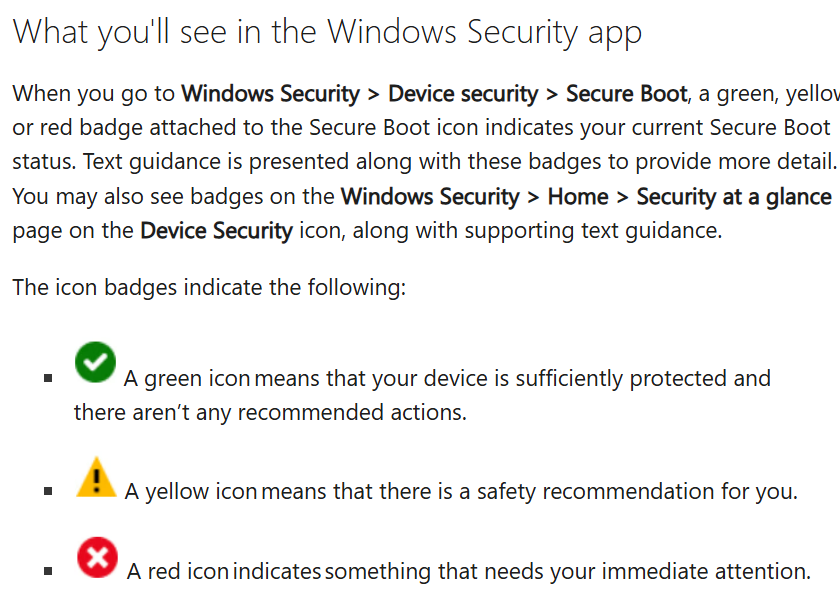
You can also check the current certificate status using the following methods:
- If the notebook has been fully updated and the new certificate has been enabled, Event ID 1808 in Event Viewer – TPM-WMI will display “This device has updated Secure Boot CA/keys,” indicating that the system has fully enabled the new certificate.

- If the notebook has been updated to a BIOS version that includes the new certificate, but the certificate has not yet been enabled, Event ID 1801 in Event Viewer – TPM-WMI will display “Updated Secure Boot certificates are available on this device but have not yet been applied to the firmware. Review the published guidance to complete the update and maintain full protection.” In this case, simply enable Windows Update and allow Microsoft’s monthly cumulative updates to automatically enable the new certificate. If you want to resolve Event ID 1801 immediately, refer to Method 3 above to manually apply the registry update.

- If the notebook has not been updated to a BIOS version containing the new certificate, or if an older model does not have a BIOS update that includes the new certificate, Event ID 1801 in Event Viewer – TPM-WMI will display “Secure Boot CA/keys need to be updated.” In this case, simply enable Windows Update and allow Microsoft’s monthly cumulative updates to automatically install the new certificate. If you want to resolve Event ID 1801 immediately, refer to Method 3 above to manually apply the registry update.
