[Troubleshooting] System crash with stop code VIDEO_MEMORY_MANAGEMENT_INTERNAL (0x10E)
Answer
If your system repeatedly crashes with the stop code VIDEO_MEMORY_MANAGEMENT_INTERNAL (0x10E) during daily tasks such as web browsing, editing Microsoft Office documents, or connecting to an external monitor via HDMI, follow the steps below to update the Intel® NPU driver to version 32.0.100.4841 or newer and resolve the issue.
Step 1: Get the driver from Windows Update (Optional updates)
- Go to Start > Settings > Windows Update, and click Check for updates.
- Go to Advanced options > Optional updates > Driver updates.
- Select Intel Corporation ComputeAccelerator Driver Update (32.0.100.4841), and click Download & install.
- Restart the system after the installation is complete.
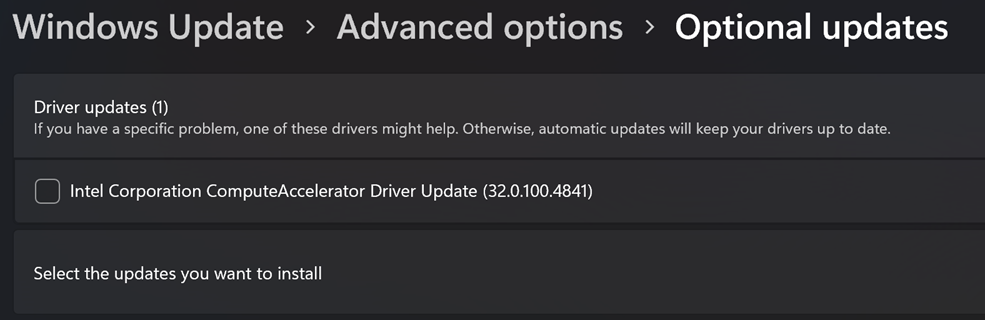
*If the NPU driver cannot be found in Optional updates, continue to Step 2.
Step 2: Download and install the driver from the MSI website
- On the MSI website, enter your laptop's product name in the search bar in the top-right corner.
- Select your model > Support > Driver > Chipset, and download the Intel NPU driver.
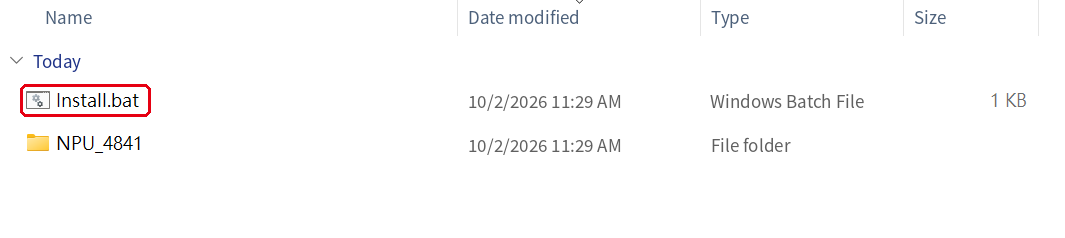
- Unzip the downloaded file, right-click Install.bat, and select Run as administrator.
- Wait until the installation is complete, then restart the system.
FAQ
Q: How To Check the Intel NPU Driver Version?
- Right-click the Start button and select Device Manager.
- Expand Neural processors, and double-click Intel(R) AI Boost.
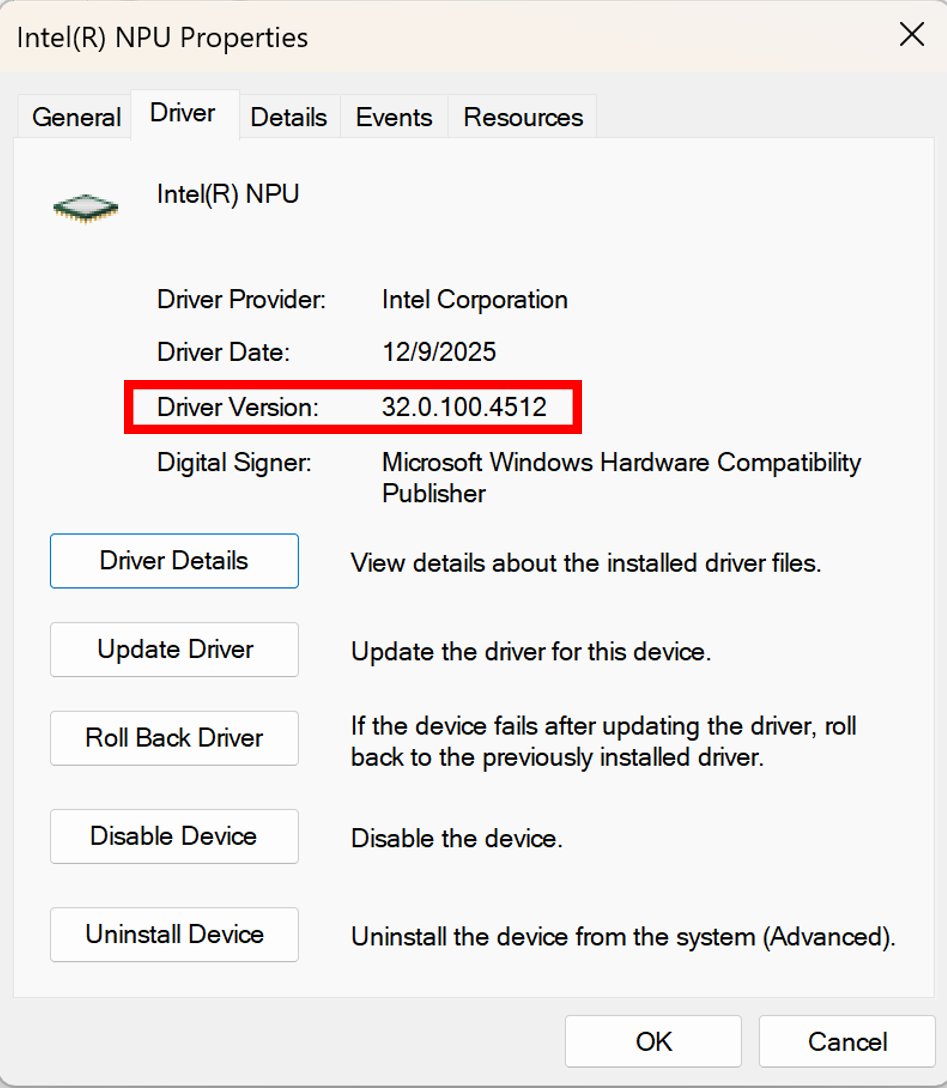
- On the Driver tab, confirm that the Driver Version is 32.0.100.4841 or newer.
Q: What if the driver version is still the older version after following the steps?
Refer to the FAQ below to perform a clean installation of the driver. If the issue persists after following these steps, contact MSI Customer Service.
[Troubleshooting] No response after installing the NPU driver. How to confirm that the NPU driver has been installed / updated correctly?