[Product Information] Memory Capacity on Laptops Equipped with NVIDIA RTX Spark
LastUpdate : Thu, 29 Oct 2026
Answer
MSI laptops equipped with NVIDIA RTX Spark support up to 128 GB of unified memory, allowing larger AI models and agents to run locally while also supporting demanding creative and 3D workloads.
To check the current memory allocation and adjust the dedicated GPU memory for different workloads, please refer to the information below.
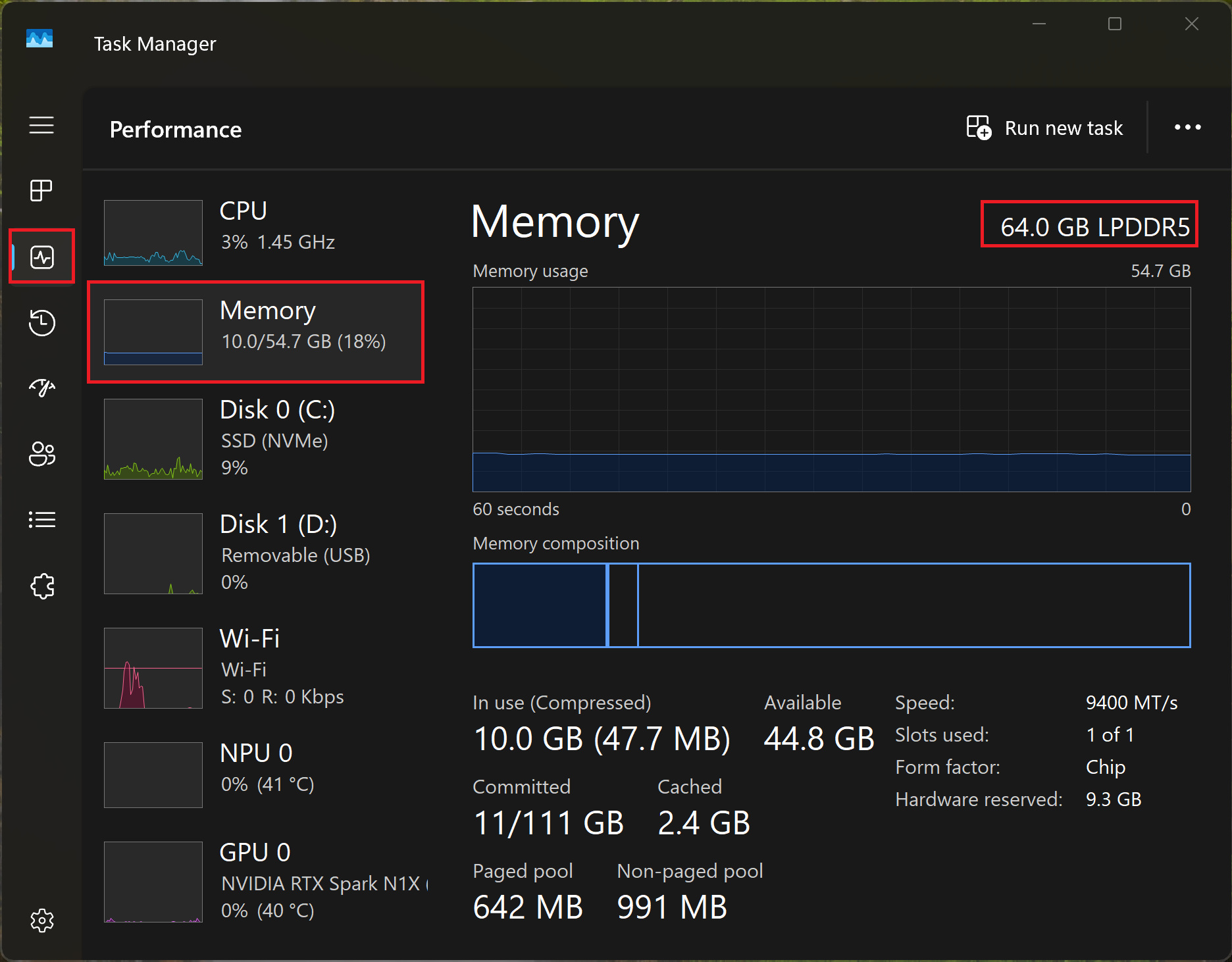
Check the current memory capacity in Task Manager.
- Physical installed memory capacity
Go to Task Manager > Performance > Memory and check the total installed memory shown at the top-right corner.
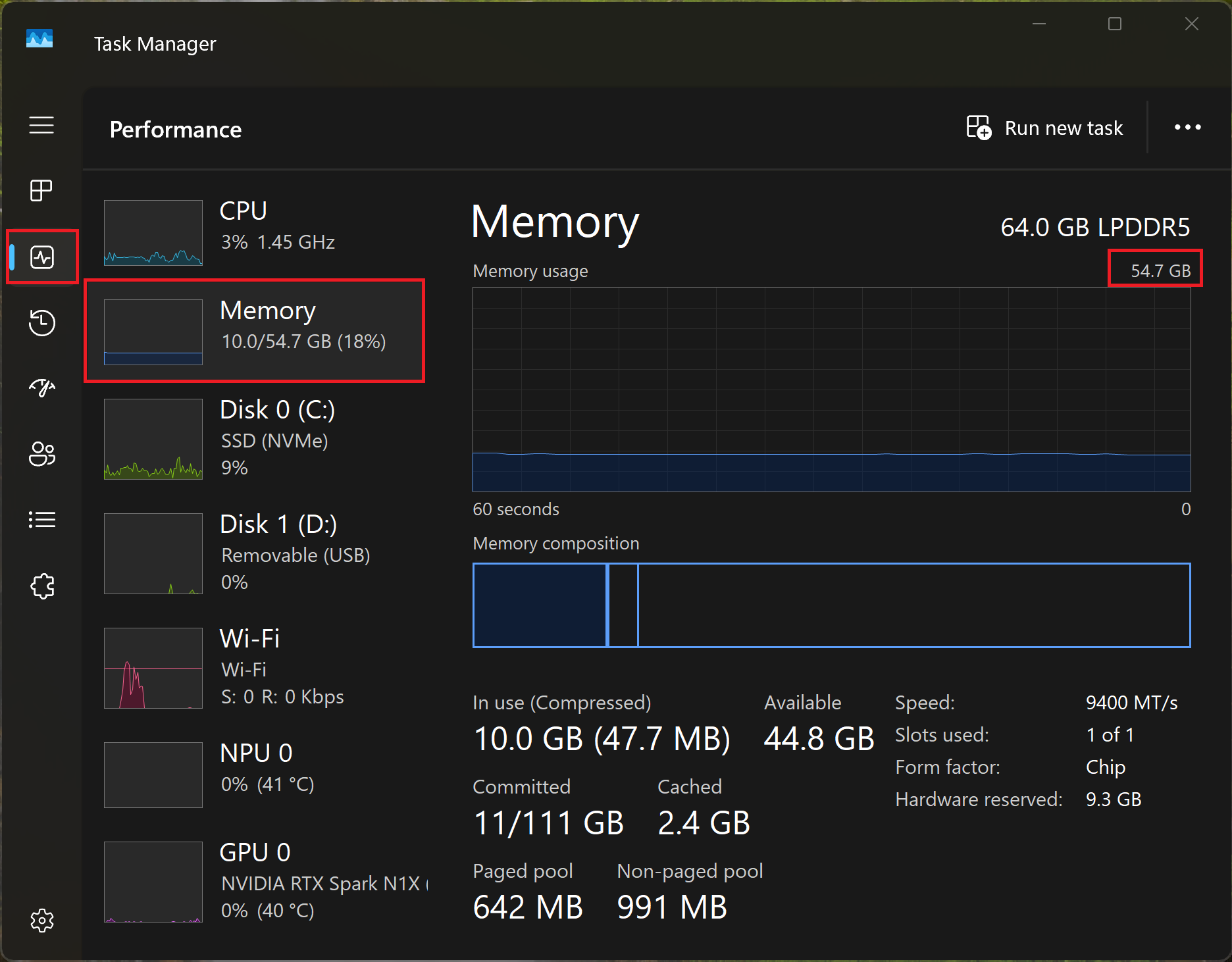
- Current system memory
Go to Task Manager > Performance > Memory and check the amount of memory currently available to Windows.
*The available system memory is affected by the amount of memory reserved as dedicated GPU memory and other hardware-reserved memory.
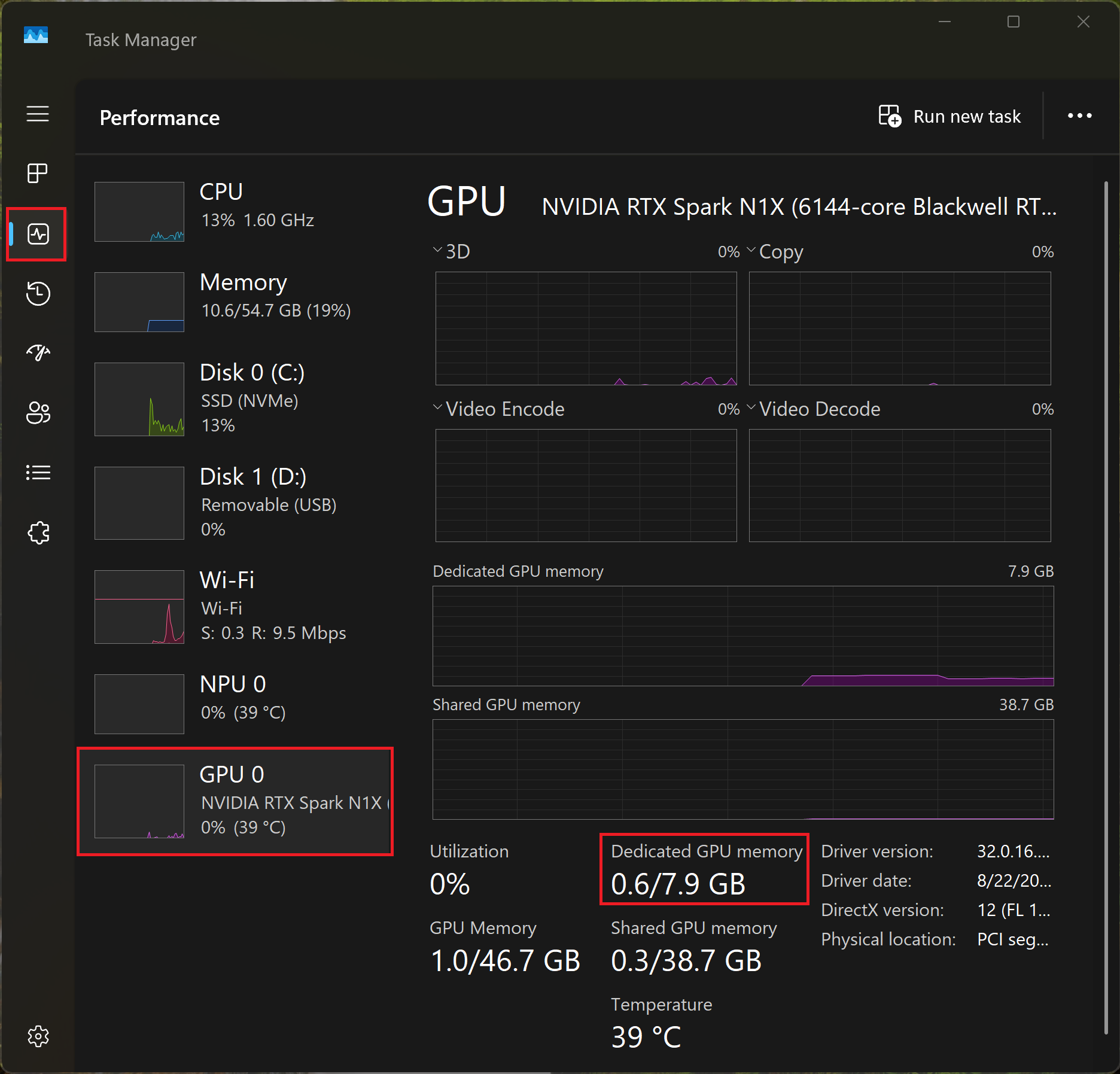
- Dedicated GPU memory (VRAM)
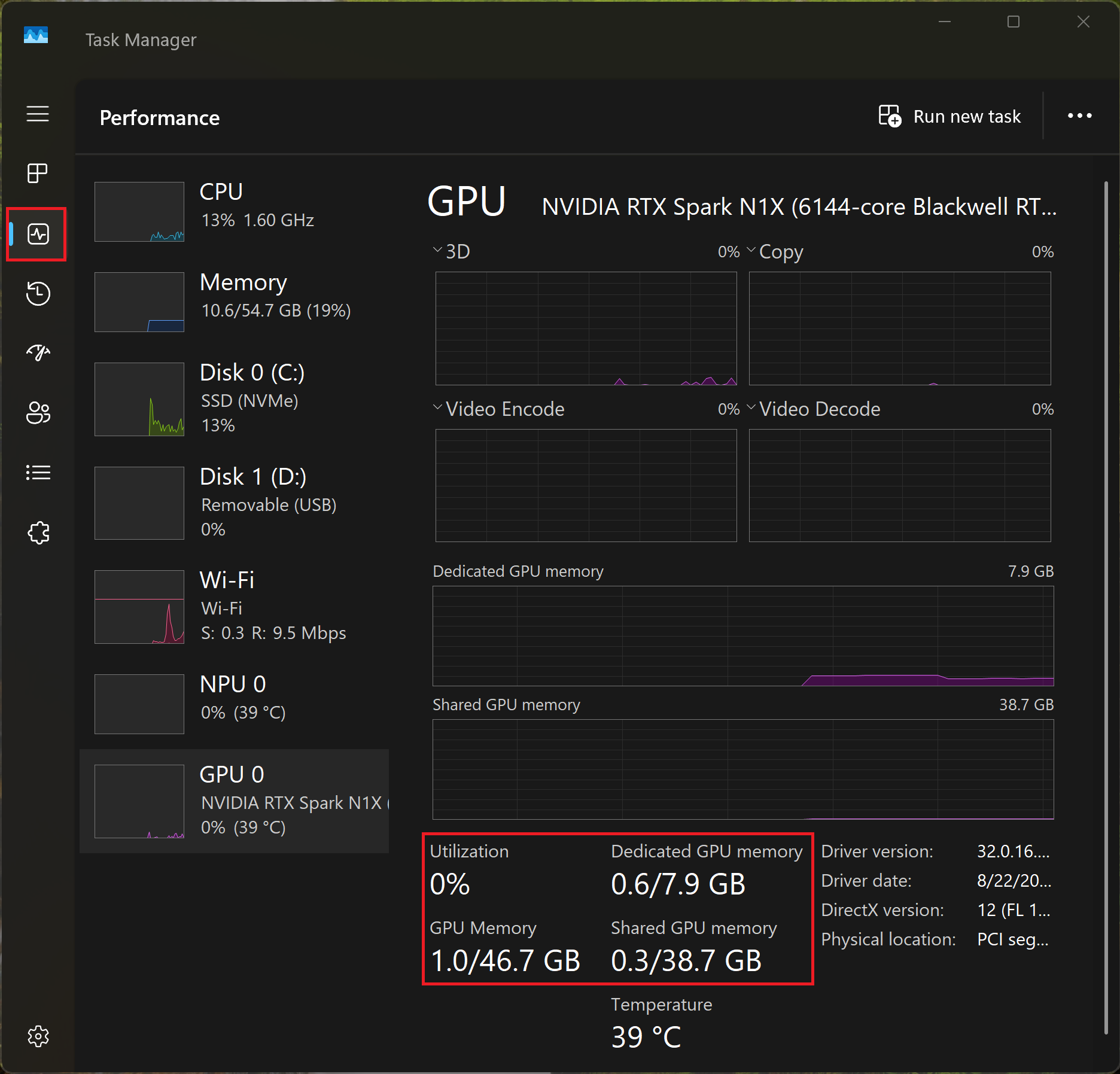
Go to Task Manager > Performance > GPU and check the Dedicated GPU memory value.
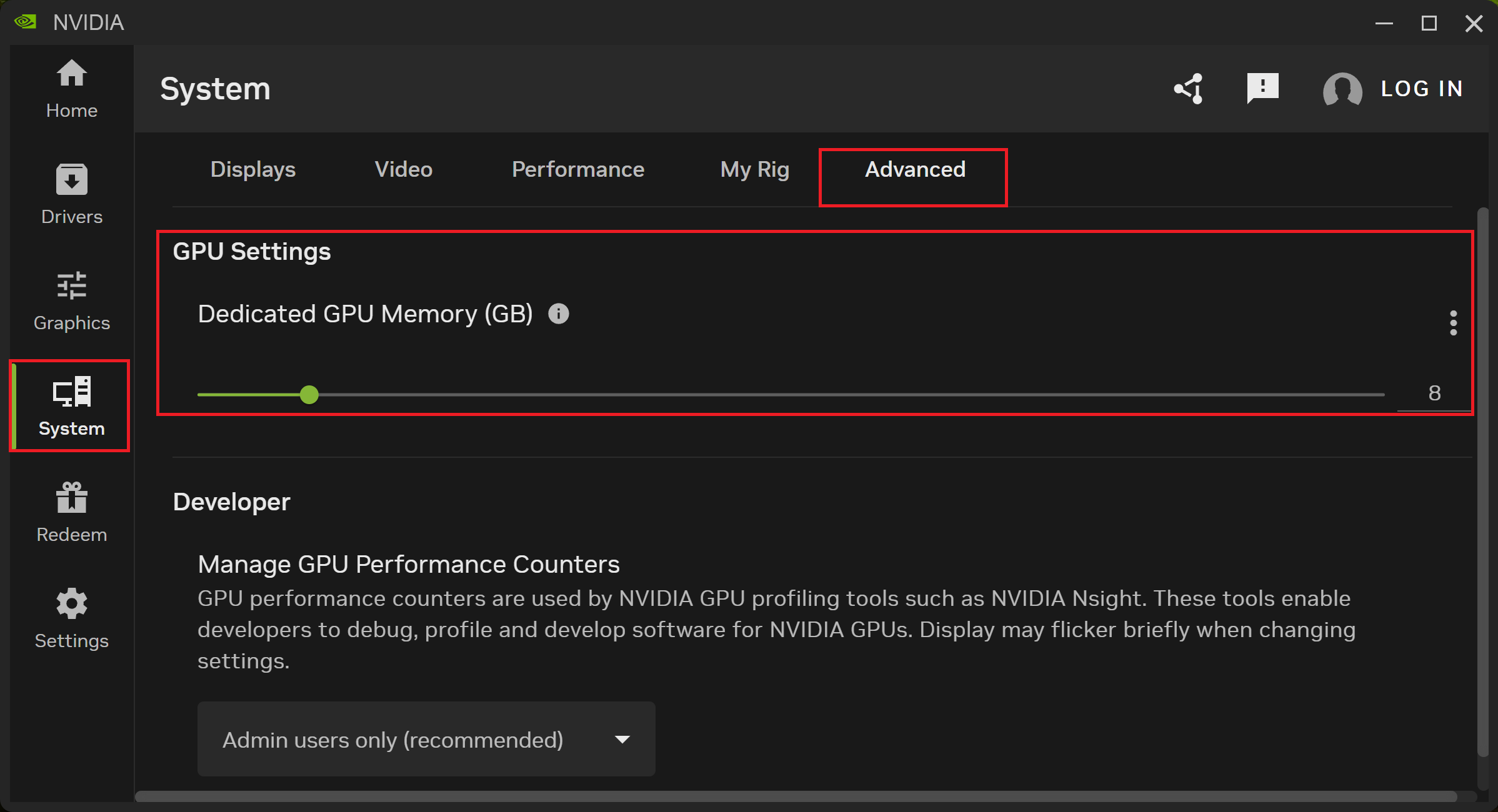
Adjust the dedicated GPU memory for different usage scenarios.
- Open NVIDIA App > System > Advanced > GPU Settings.
- Adjust the dedicated GPU memory capacity according to the workload requirements.
FAQ
Q: Why can the total GPU memory shown on the GPU page be larger than the dedicated GPU memory?
A: GPU Memory consists of the following two parts:
- Dedicated GPU Memory: Memory reserved from the physical memory for GPU workloads.
- Shared GPU Memory: System memory managed by Windows and dynamically made available to the GPU based on workload requirements. This value does not mean that the system has an additional equivalent amount of physical memory installed.
Models
Prestige N16 Flip AI+ C1XMT