[Windows 8/8.1] How can I make the charms no show when I potion the upper-right corner? (For Windows 8 & Windows 8.1 system)
LastUpdate : Mon, 27 Jun 2016
Answer
Please follow the steps below
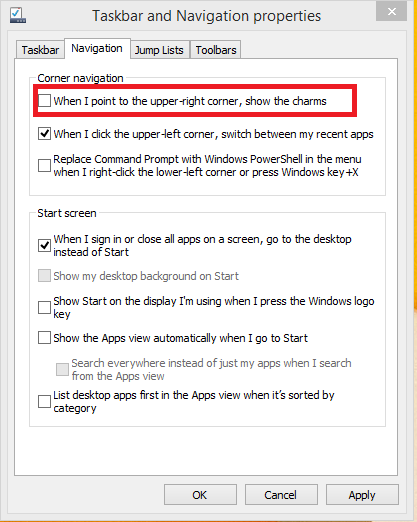
1. Right click on the task bar at the bottom of the screen, choose properties.
2. On the Navigation tab, uncheck the option “When I point to the upper-right corner, show the charms”.
Reference
If the above answers do not resolve your issue, please
Contact Us