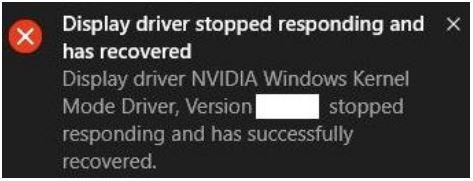
What should I do there is an error message “Display driver stopped responding and has recovered” showing up at the lower right corner after updating NVIDIA generic graphics driver?
Answer
This phenomenon is called TDR (Timeout Detection and Recovery), a protection mechanism on Windows system, to prevent any unexpected system crash. TDR may be encountered after updating NVIDIA generic graphics driver under specific user scenarios.
Before NVIDIA provide a fix on the problem, there has been a new BIOS released on MSI website which greatly improves the chances TDR problem may encountered after updating NVIDIA generic graphics driver.
You can download the latest BIOS E1812IMS.11C from here:
http://download.msi.com/bos_exe/nb/E1812IMS.11C.zip
BIOS update guide:
https://www.msi.com/files/pdf/Flash_BIOS_by_UEFI_BIOS_Setup_Utility_en.pdf
Since there are many possible causes which encountered TDR, if updating BIOS doesn’t help with the problem, please refer to the FAQ below for further troubleshooting steps.
https://www.msi.com/asset/global/picture/faq/10015790@2016-0223-0132-016448@faq_0000000002112_en.pdf
Reference
Models
- GT80 2QC Titan SLI
- GT80 2QD Titan SLI
- GT80 2QE Titan SLI