[Product Information] Nahimic 3 Sound Tracker Features and How to Use
Answer
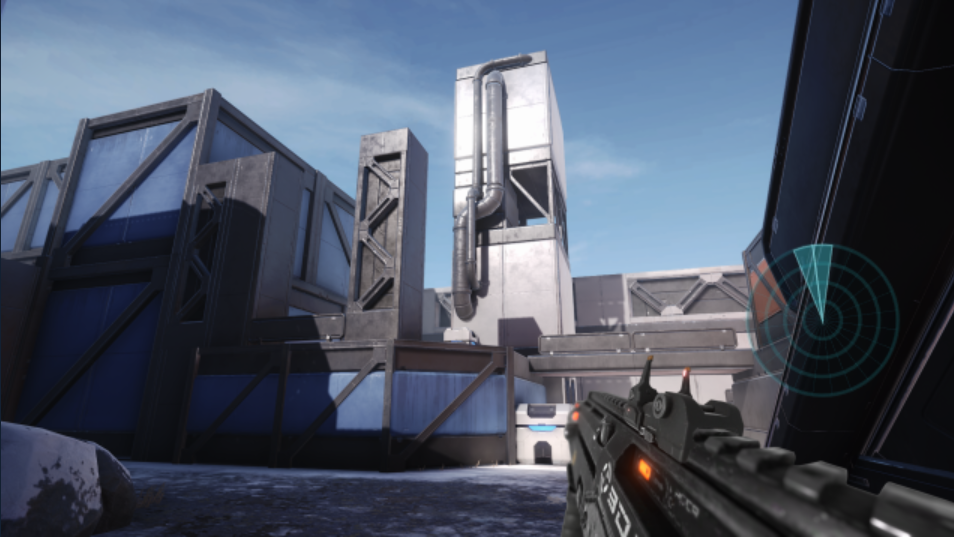
Nahimic Sound Tracker is an exclusive feature of the Nahimic audio processing software included with MSI laptops. Designed for first-person shooter (FPS) players, it converts in-game sound sources, such as gunfire and footsteps, into visual indicators on the screen to help players accurately locate potential threats. For more information about how to use this feature, refer to the instructions below.
This article applies to all MSI laptops equipped with Nahimic audio processing.
How to Check Support
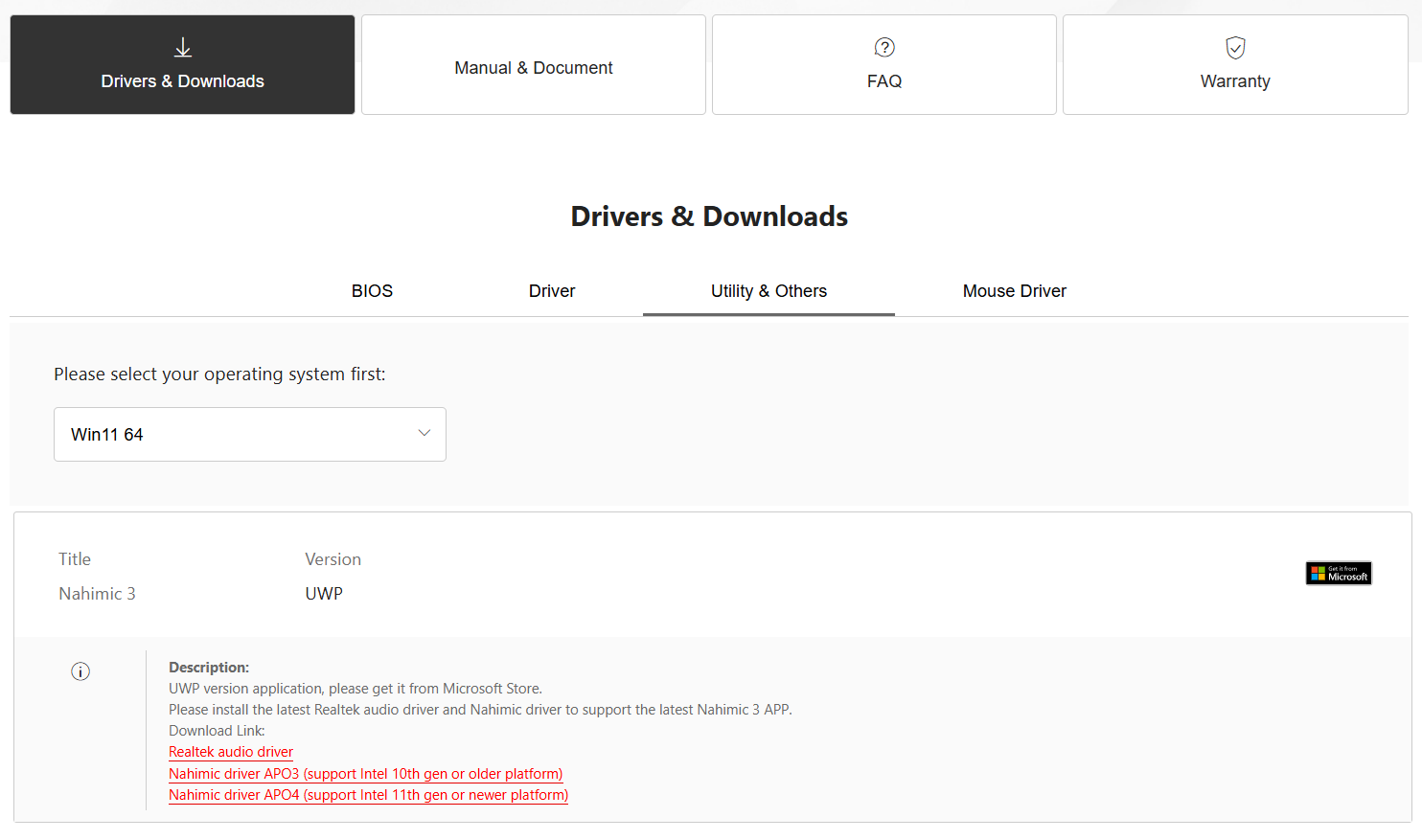
Search for the product name on the MSI website. If a download link is available under Download > Utility, the product supports Nahimic 3.
Game Fairness
Although Sound Tracker can enhance the gaming experience, some online games may classify this type of visual assistance as a tool that affects fair play. If an anti-cheat system detects the feature, you may be unable to sign in to the game or your account may be suspended. Before using Sound Tracker, confirm that the game is included in the official Nahimic supported games list.
Enabling and Configuring Sound Tracker
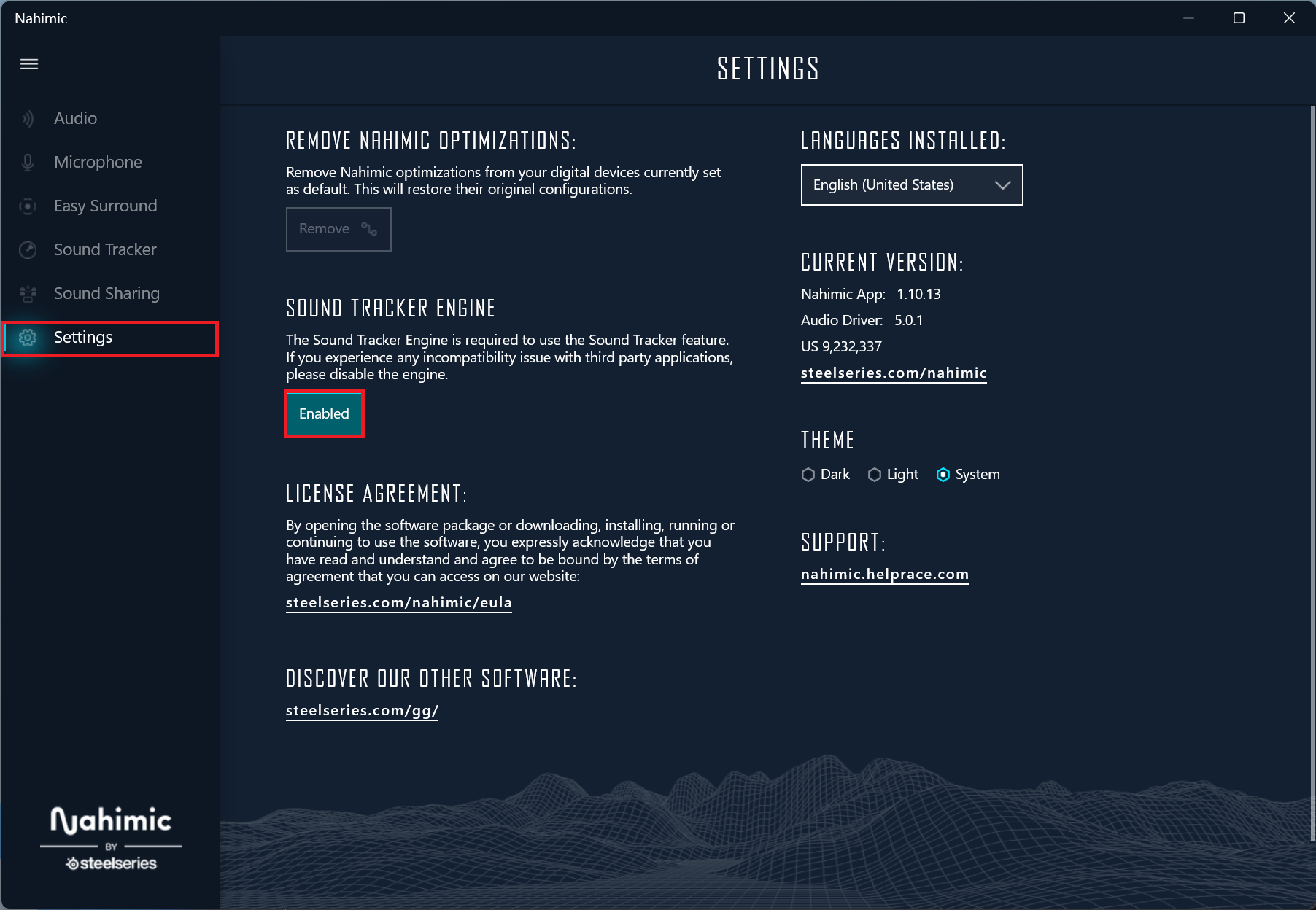
- Open the Nahimic application, go to "Settings", and enable the Sound Tracker Engine.
- Go to "Sound Tracker", and then click the icon in the upper-left corner to enable the feature.
- Use the panel below to adjust the size, transparency, color, and position. Click the desired location on the screen to place the indicator.
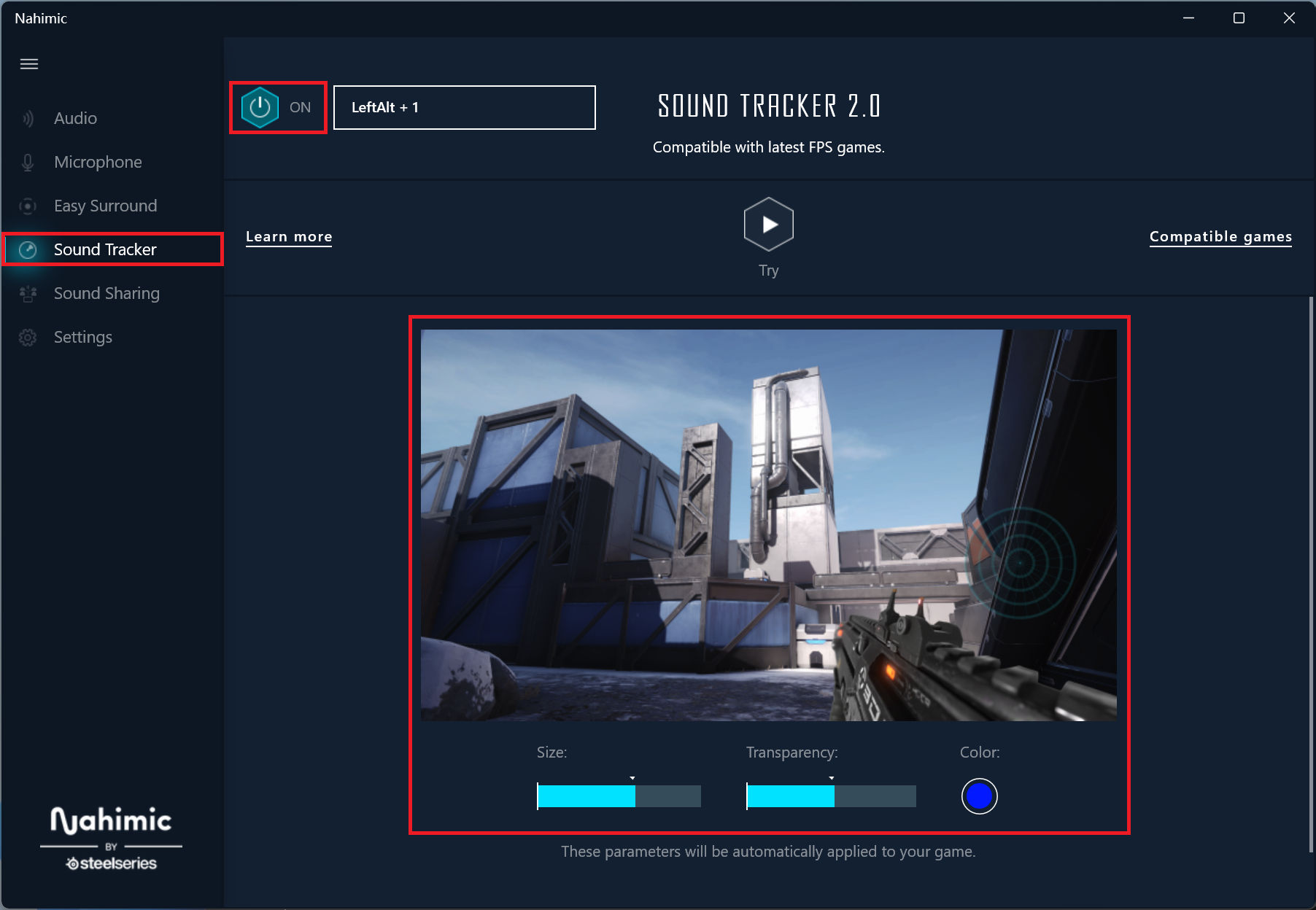
*Because this feature may cause compatibility conflicts with content-creation software, such as 3D modeling or design applications, it is disabled by default starting with Nahimic 3 version 1.4.14. If you encounter issues in such software after enabling the feature, disable Sound Tracker first and check whether the issue is resolved.
FAQ
Q: How does this technology determine whether a sound is coming from the front, rear, left, or right?
A: Sound Tracker relies on 5.1- or 7.1-channel audio output from the game. For the most accurate directional positioning, set the in-game audio output mode to Home Theater or Multichannel Speakers instead of standard two-channel stereo.
If the above answers do not resolve your issue, please
Contact Us