[Troubleshooting] Why the battery level drops quickly in sleep mode
Answer
MSI notebooks have supported Modern Standby starting from 11th Gen Intel CPU platforms. Modern Standby provides network connectivity and instant wake functionality under a low-power sleep mode. To maintain network connection, allow notifications, and support music playback during sleep mode, the system may consume more battery power.
To prevent the battery from draining quickly while the system is in sleep mode, users who usually enter sleep mode by closing the lid or pressing the power button are advised to use Hibernate mode instead of Sleep mode when the system will not be used for an extended period of time. Please refer to the following steps to apply the recommended settings.
*This article applies to MSI notebook products equipped with 11th Gen Intel CPUs or later.
You can use either of the following methods:
Method 1: Set in MSI Center / MSI Center Pro / MSI Center S
- MSI Center
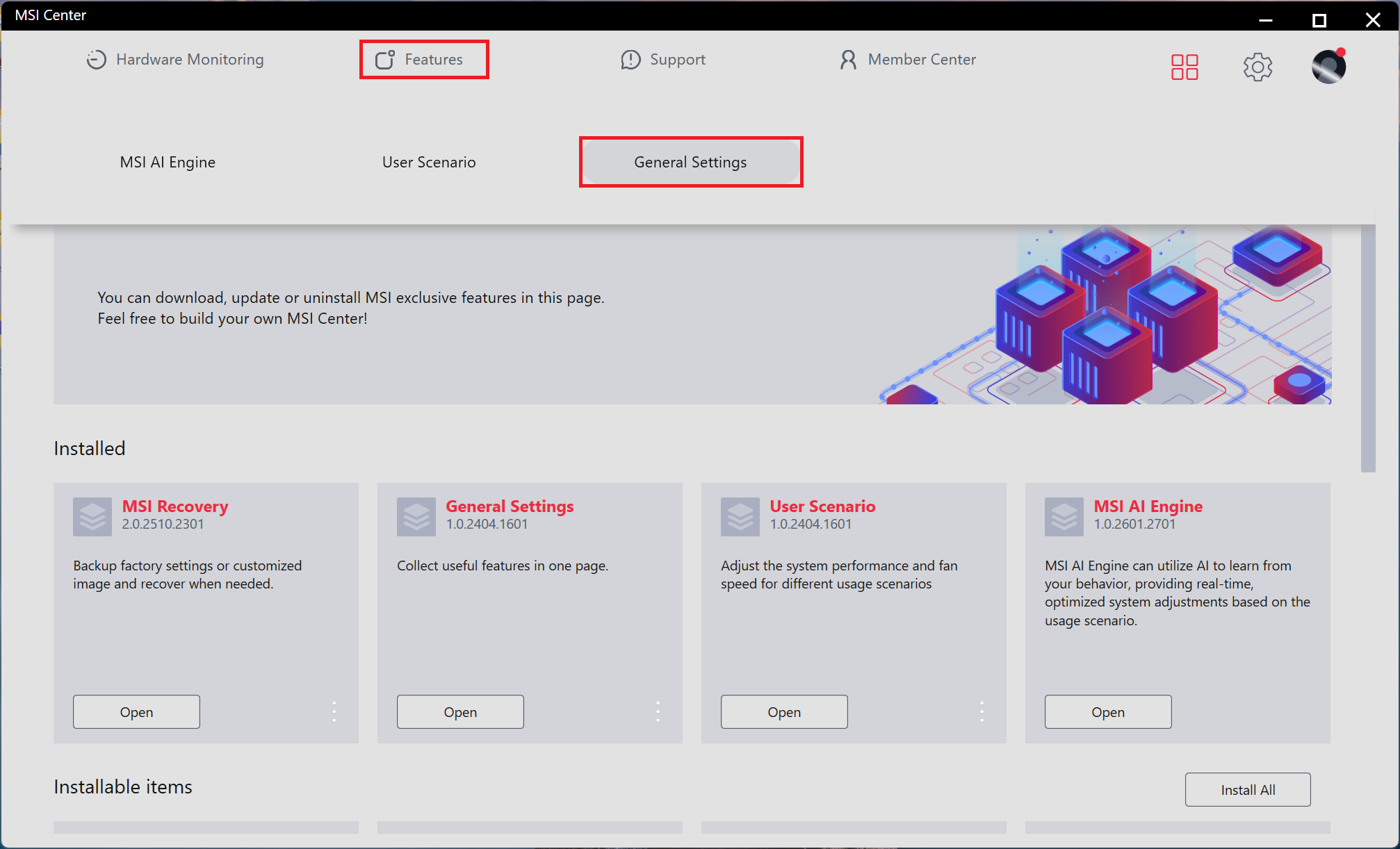
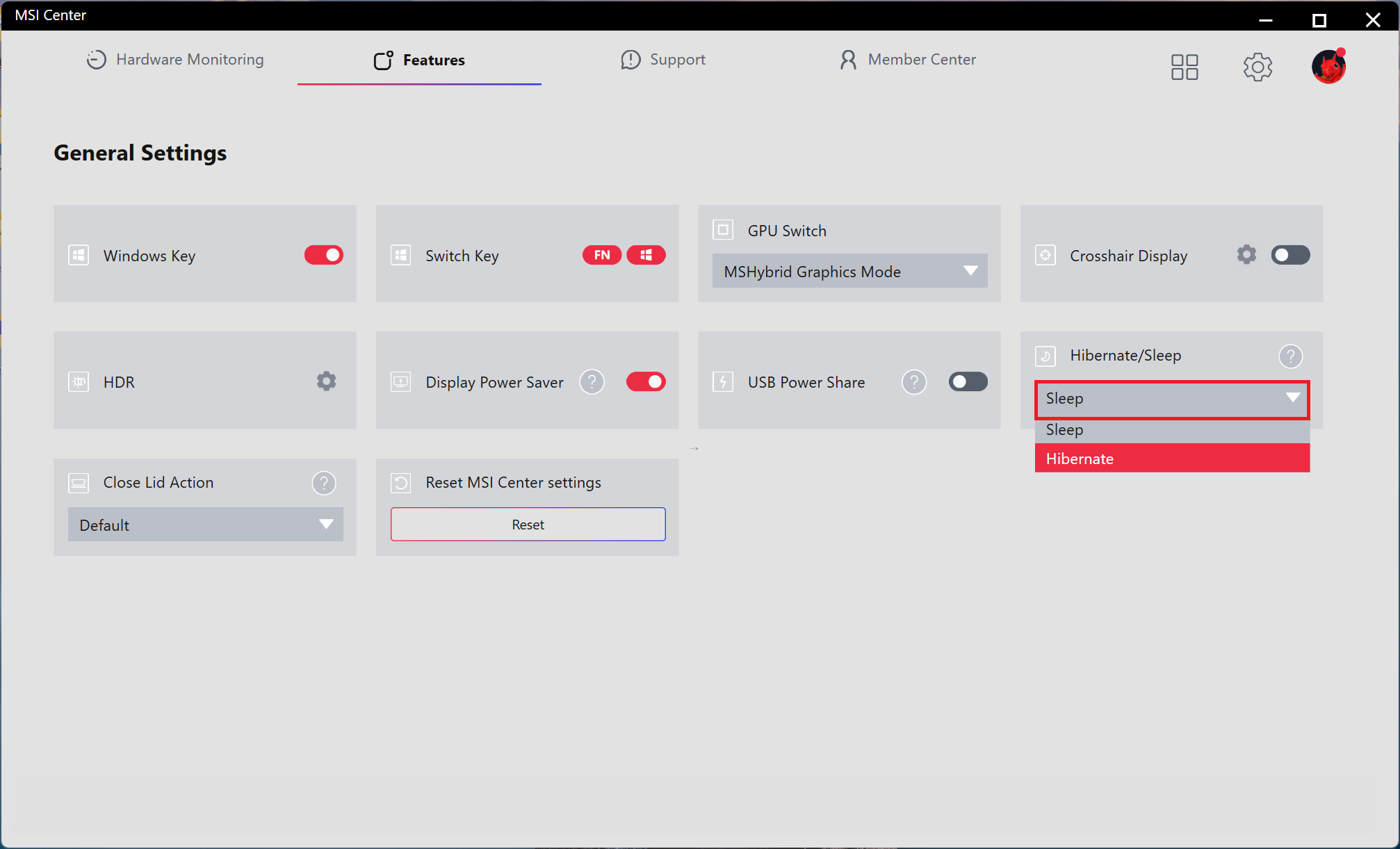
Go to Features > General Settings, and change the "Hibernate / Sleep" to Hibernate.
- MSI Center Pro
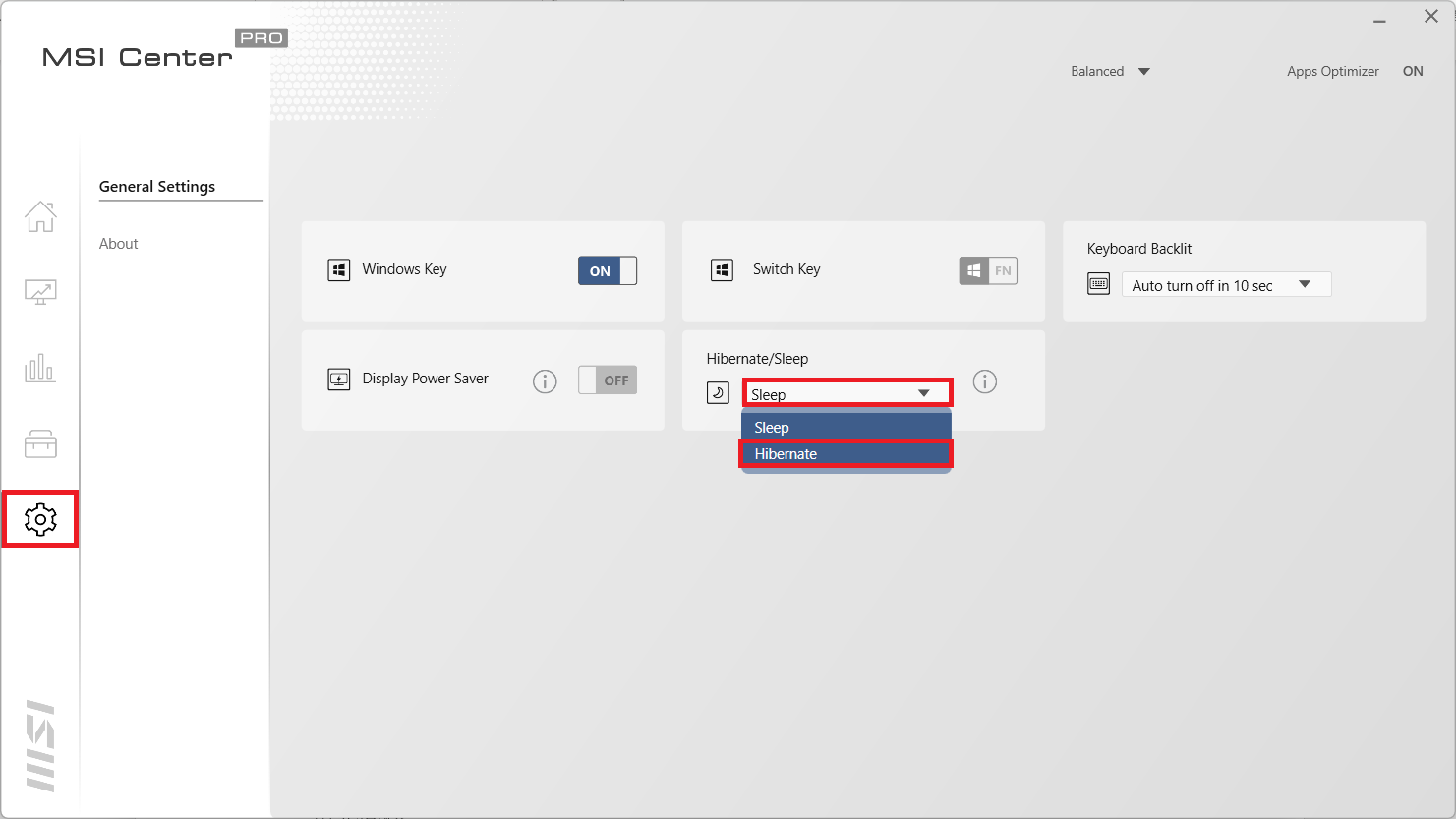
Go to Settings > General Settings, and change the "Hibernate / Sleep" option to Hibernate.
- MSI Center S
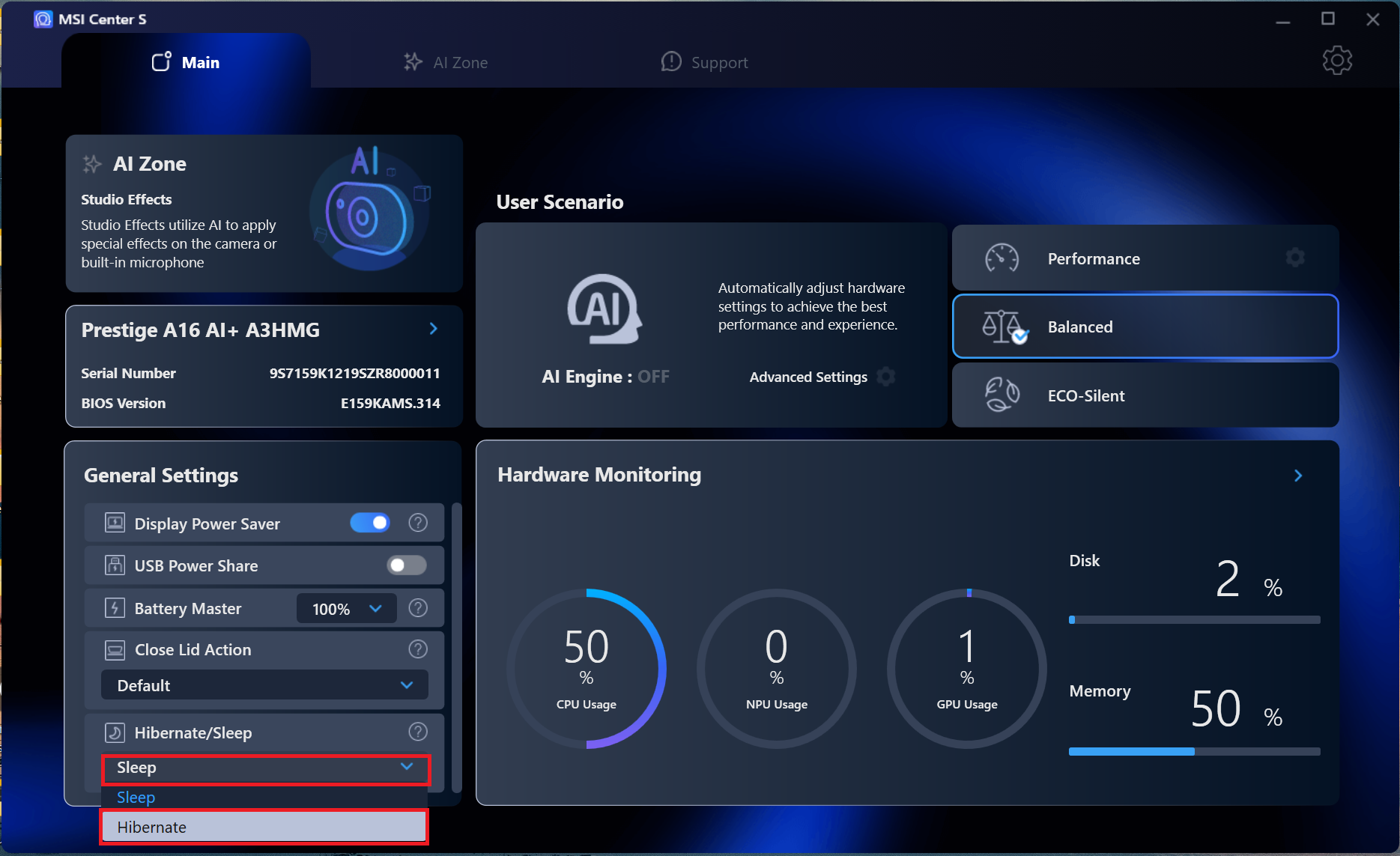
On the lower-left corner of the home page, change the "Hibernate / Sleep" option to Hibernate.
Method 2: Set in Control Panel
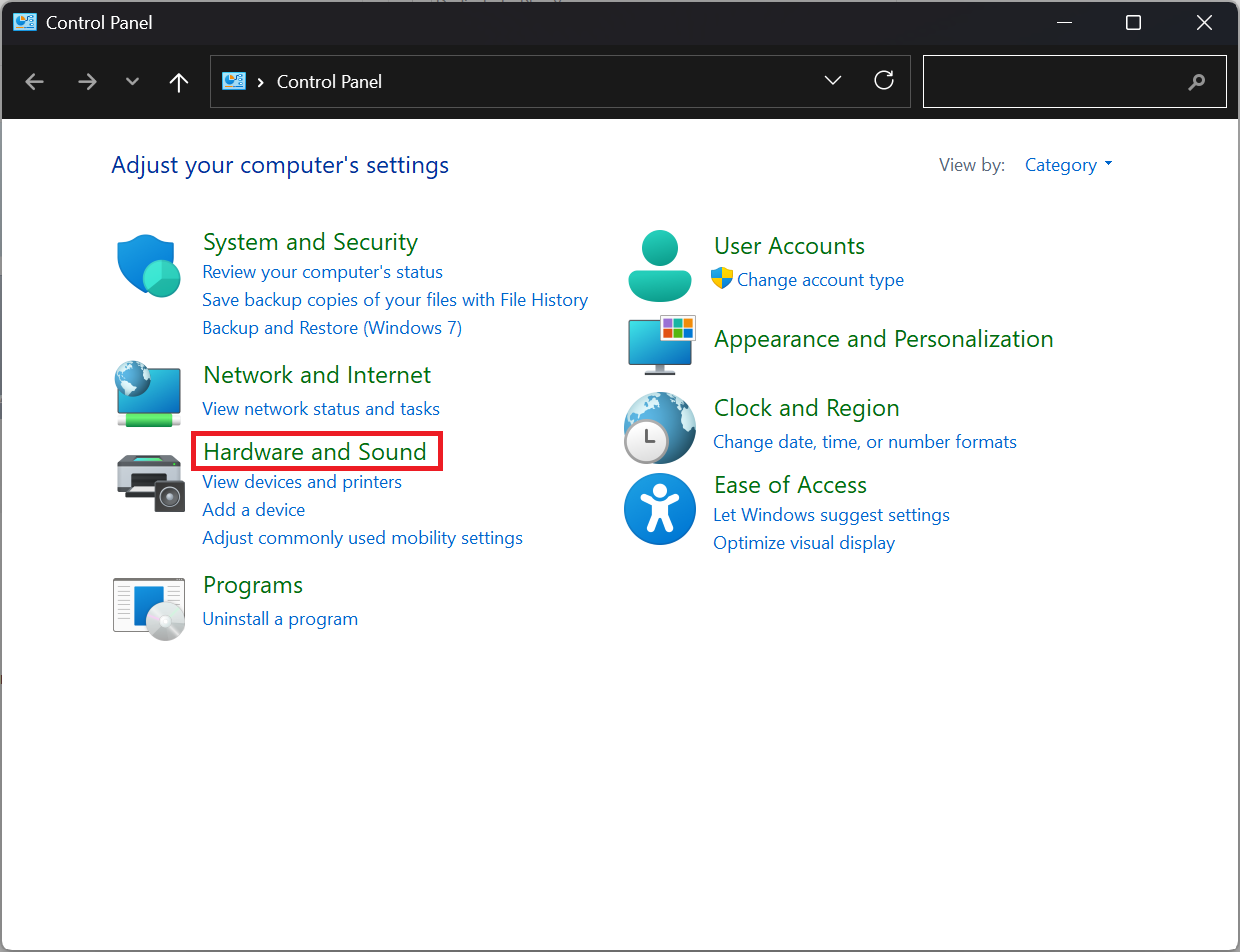
- Go to Control Panel > Hardware and Sound.
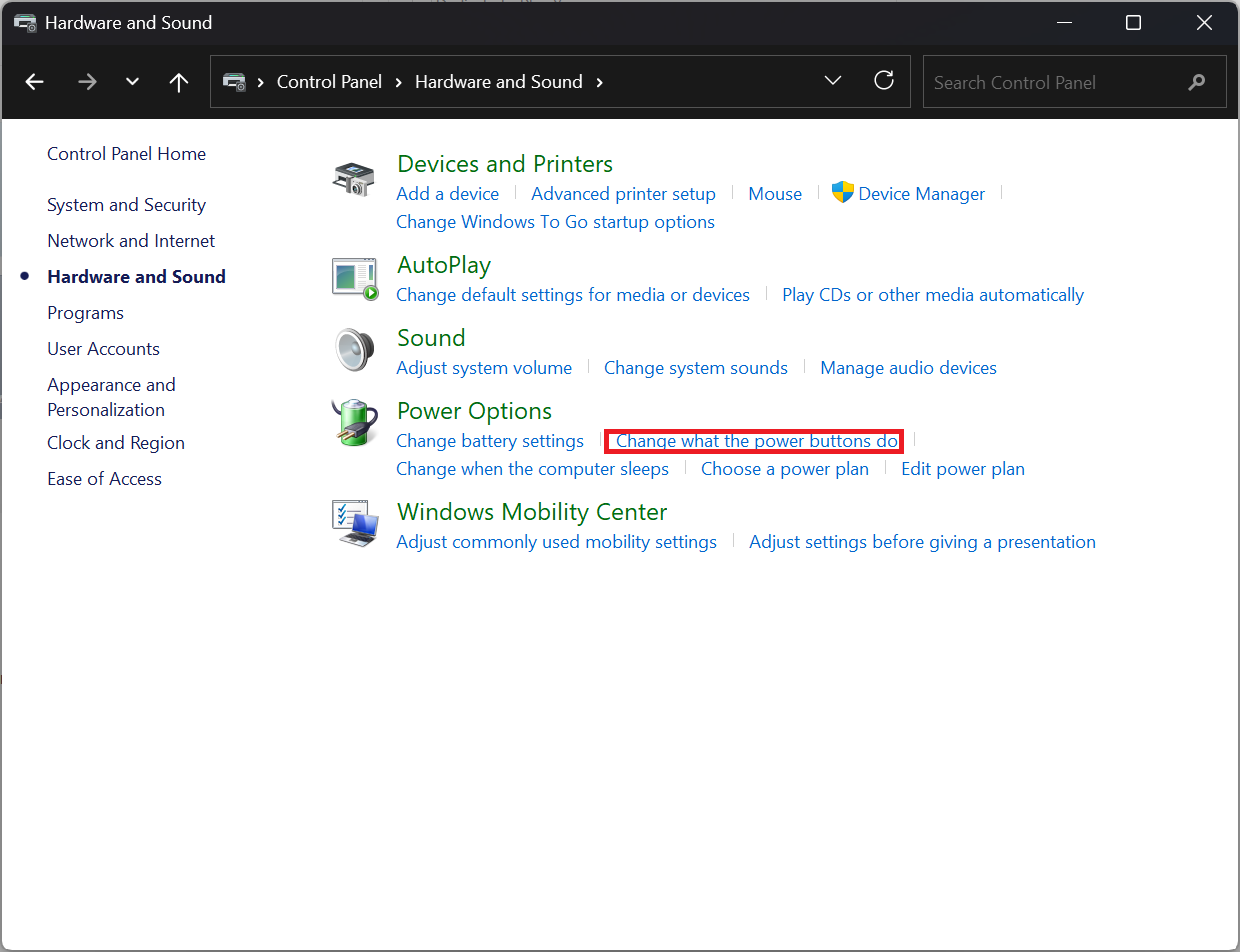
- Under Power Options, select "Change what the power buttons do".
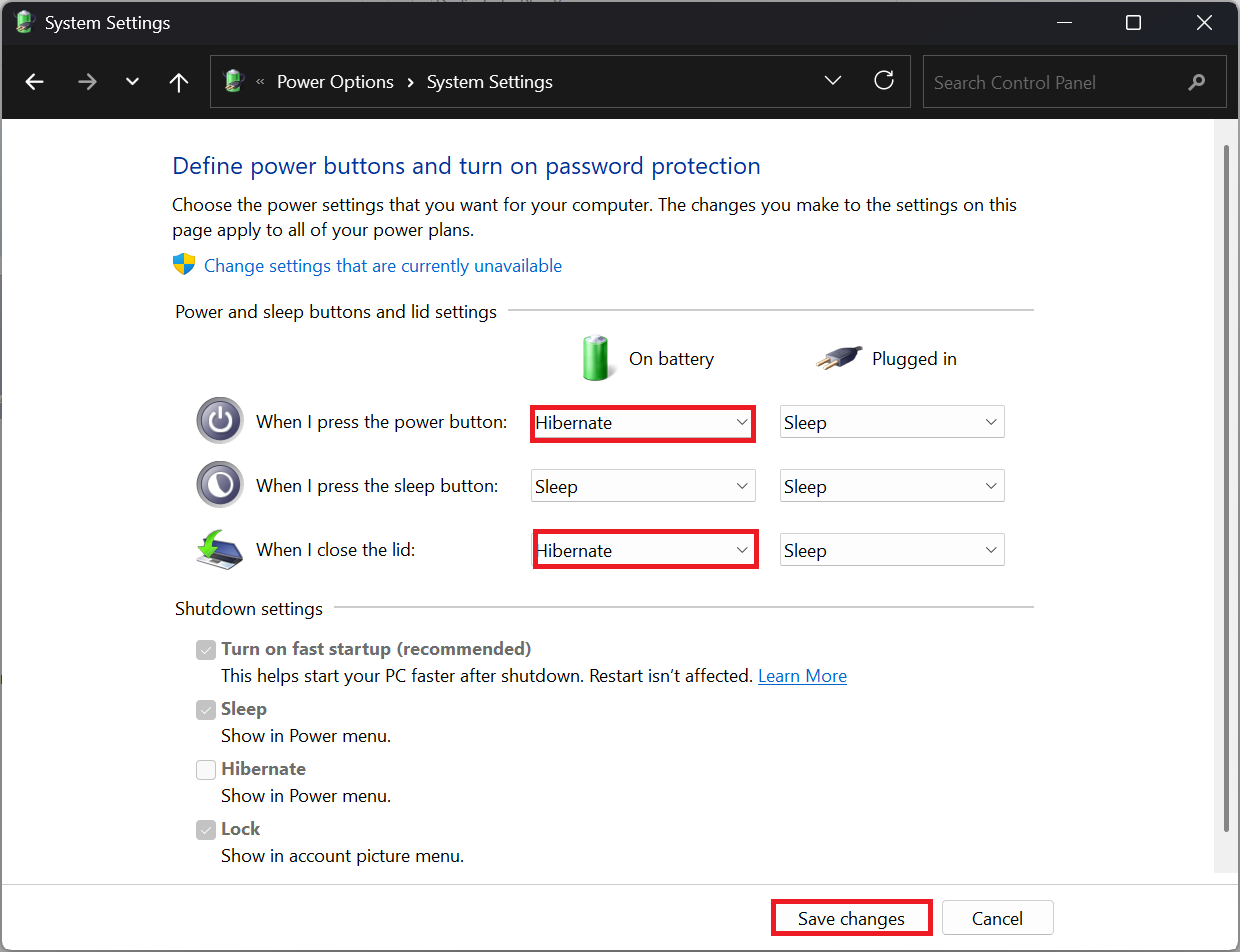
- Set When I press the power button or When I close the lid to Hibernate, then save the changes.
FAQ
Q: Which notebooks does this guide apply to?
A: This article applies to MSI notebook products equipped with Intel 11th Gen CPUs or later that support Modern Standby. To check whether your notebook supports Modern Standby, please refer to [Product Information] Modern Standby.
Q: What is Modern Standby, and how does it affect the system?
A: Modern Standby is a low-power sleep mode that provides network connectivity and instant wake functionality. It allows the system to receive notifications or play music while in sleep mode, but it may also consume more battery power.
Q: Why is it recommended to change Sleep mode to Hibernate mode?
A: This is mainly to prevent the battery from draining quickly during sleep. For users who usually close the lid or press the power button to enter sleep mode and leave the system unused for an extended period of time, using Hibernate mode can save power more effectively.
Q: When should I change the setting to Hibernate?
A: You should change the setting to Hibernate when you expect not to use the system for an extended period of time, but are used to closing the lid or pressing the power button to put the computer into a power-saving state.