[Product Information] Identify the Correct Keyboard Lighting Control Software
Answer
MSI notebooks use different keyboard lighting control solutions depending on the product series and generation. Installing incompatible software may prevent the system from detecting the keyboard properly or cause RGB lighting effects to stop functioning.
This article explains how to identify the correct keyboard lighting software for your MSI notebook.
This FAQ applies to all MSI notebooks.
Step 1. Check Whether Your Keyboard Supports RGB Lighting
Not all backlit keyboards support customizable RGB lighting. Before installing any lighting control software, verify your keyboard specifications.
- Visit the MSI official website, enter your notebook's full model name in the search box.
- Open the product page for your notebook, and select the Specifications tab.
- Locate the Keyboard section, and verify the keyboard type:
- Per-Key RGB Backlight Keyboard

- RGB Backlight Keyboard

- If the specification only shows Single Color Backlight, or without the term RGB, the keyboard only supports a single-color backlight and does not support software-controlled RGB color customization.

- Per-Key RGB Backlight Keyboard
Step 2. Determine Which Lighting Control Software Your Notebook Uses
After confirming that your notebook supports RGB lighting, identify the correct software platform used to control the keyboard lighting.
- Go to your notebook's product page, select Support, and open the Utility & Others tab.
- If SteelSeries GG appears in the download list, the keyboard lighting is controlled through SteelSeries' dedicated lighting platform. Please download and install SteelSeries GG to configure keyboard lighting effects.

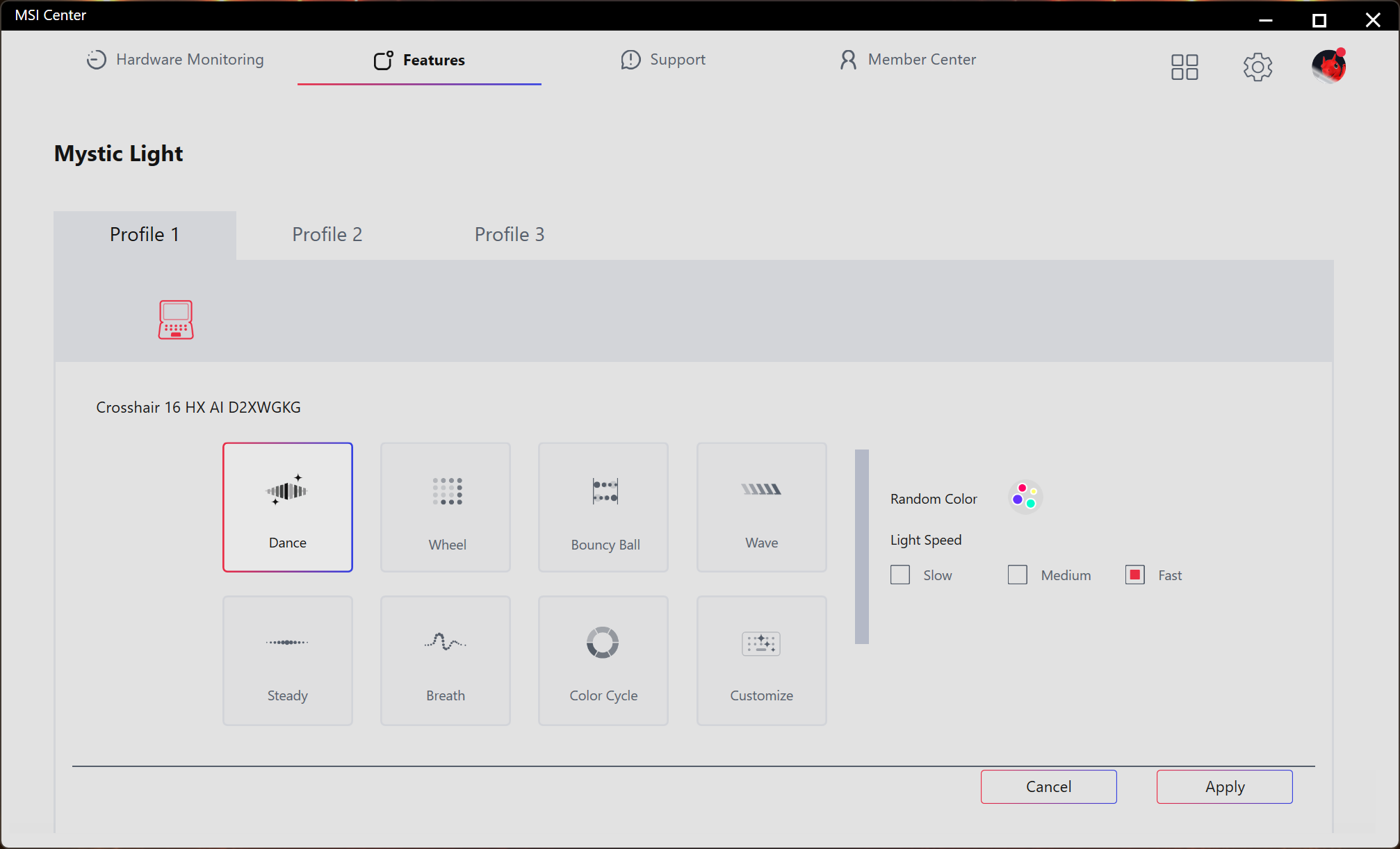
- If SteelSeries GG is not available on the support page, keyboard lighting is managed through MSI Center. Please donwload and install the Mystic Light from Feature Sets and configure lighting effects.
FAQ
Q: What is the difference between "Per-Key RGB" and "RGB Backlight"?
A: A Per-Key RGB keyboard allows each individual key to be configured with a different color, enabling advanced lighting effects and customization.
A standard RGB Backlight keyboard typically allows the entire keyboard, or specific lighting zones, to display the same color or effect simultaneously.
Both types require compatible software to configure lighting effects.
Q: Why do some MSI notebooks use SteelSeries GG while others use MSI Center?
A: Different MSI notebook series use different keyboard controllers and hardware platforms. Installing software intended for a different platform may prevent the lighting software from communicating with the keyboard hardware correctly.
Q: I installed the correct software, but my keyboard lighting is still not working. What should I do?
A: Please refer to [Troubleshooting] The keyboard RGB backlight doesn't light up or work properly