[Troubleshooting] Disable Windows 11's Animation Effects to Avoid Screen Flickering
LastUpdate : Thu, 27 Jan 2022
Answer
Windows 11's animation effects provide users playful but equal parts useful to provide an important visual cue for daily user micro-interactions. However, screen flickers might happen under some specific operations.
To avoid the screen flicker caused by the animation effects, follow the steps to set it disabled.
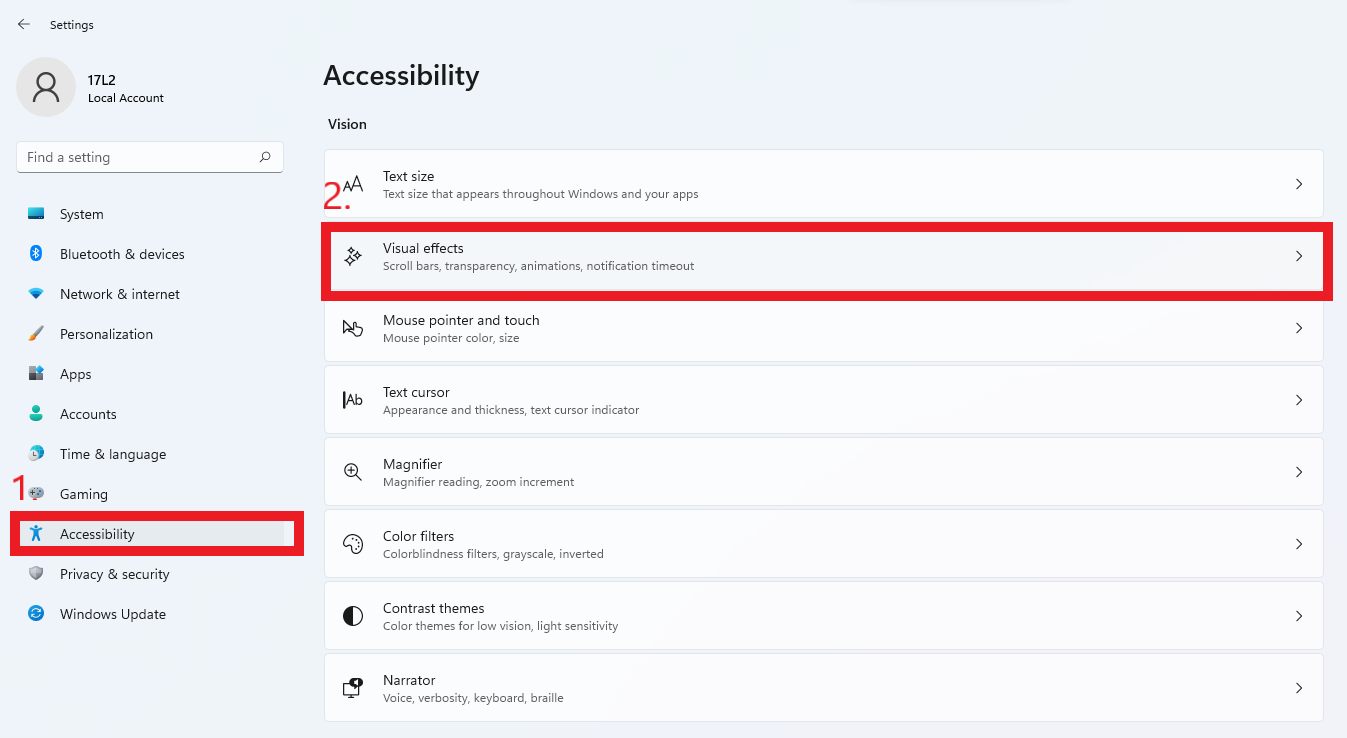
1. Click on the Windows icon > Settings > Accessibility, and click on Visual effects.
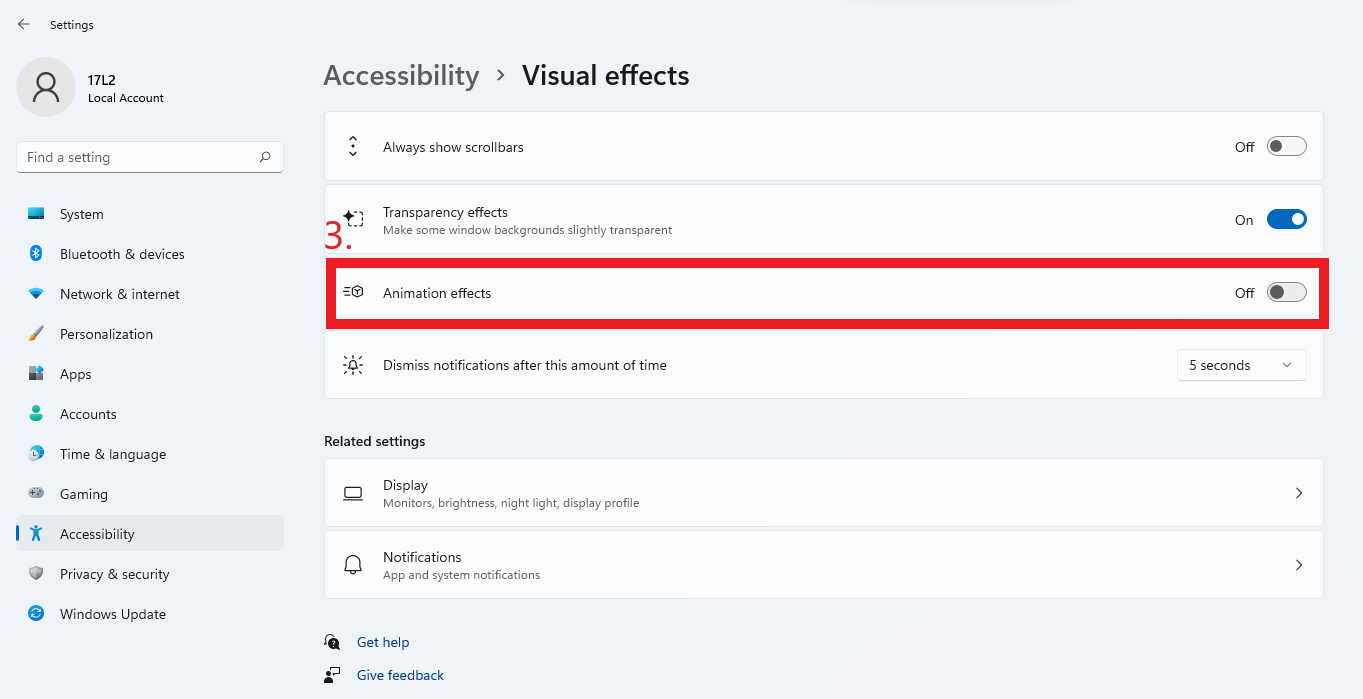
2. Click the switch to turn off the Animation effects.