I have 3-pin CPU fan connecting at CPU_FAN1 pin header, and it always spin at full speed, can I change it ?
LastUpdate : Tue, 07 Mar 2017
Answer
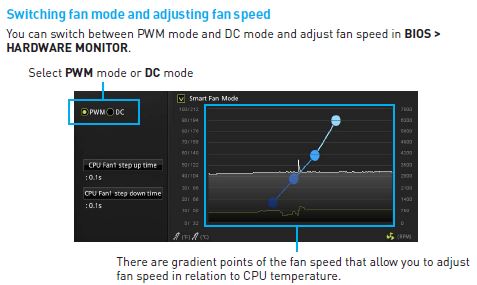
Yes, please go to BIOS > Hardware Monitor, change "CPU 1" from "PWM" to "DC" mode at left column, then you can control the fan speed of 3-pin fan.
Reference
Models
Z270-A PRO