[Product Information] How to Know the Graphics Card VRAM Size
Answer
VRAM (Video RAM) is an important resource used by the graphics card to process game visuals, image effects, resolution, and texture data. When the amount of video memory required by the game settings exceeds the available system VRAM, it may result in reduced game performance, visual abnormalities, or messages such as Video Memory Exceeded.
If you need to check the current system VRAM capacity, please follow the steps below to view the dedicated video memory size of the GPU.
Note: The integrated graphics built into the processor may not have dedicated video memory.
NVIDIA:
Applicable to models equipped with NVIDIA discrete graphics.
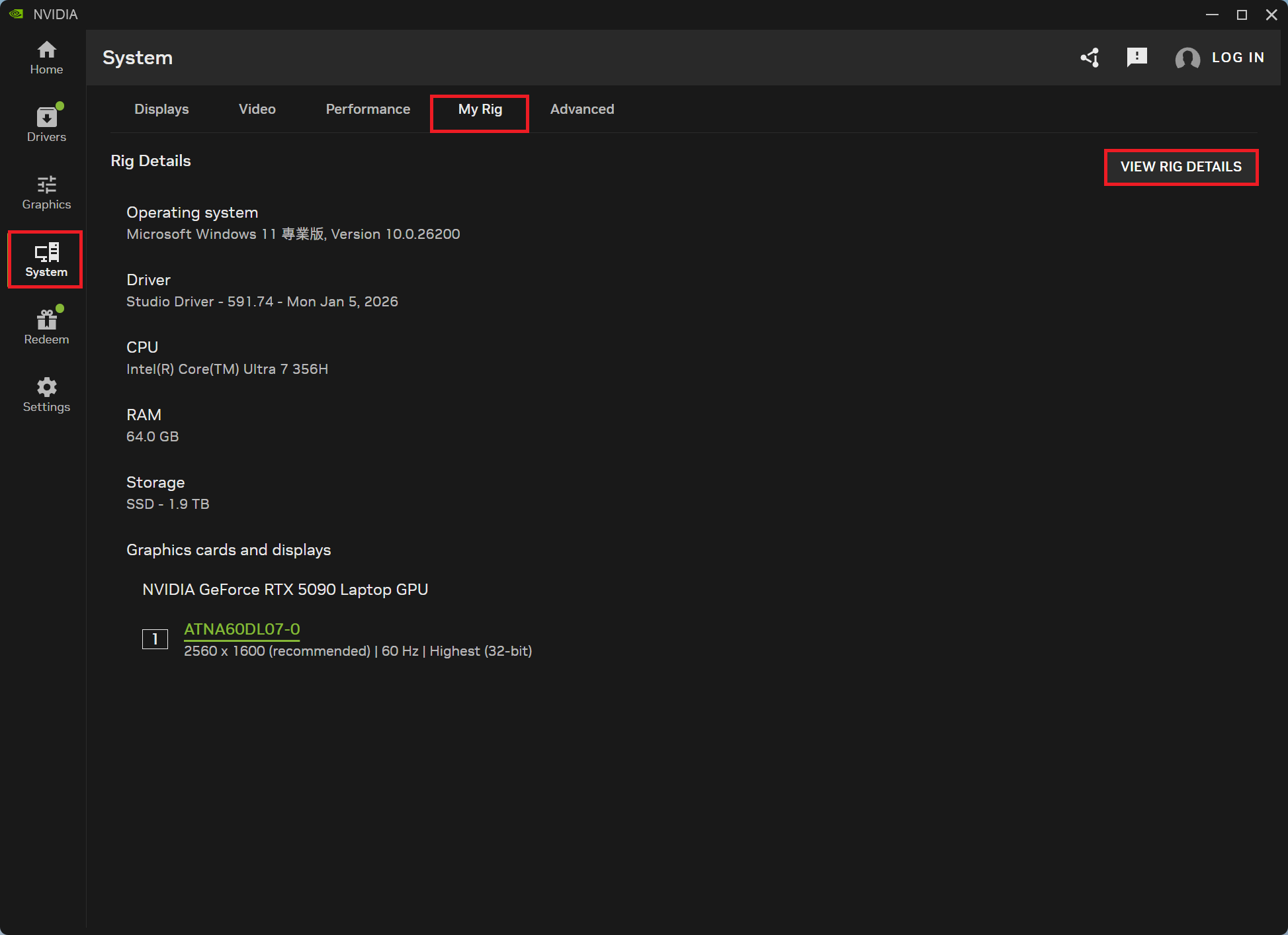
- Open NVIDIA App > System > My Rig > View Rig Details
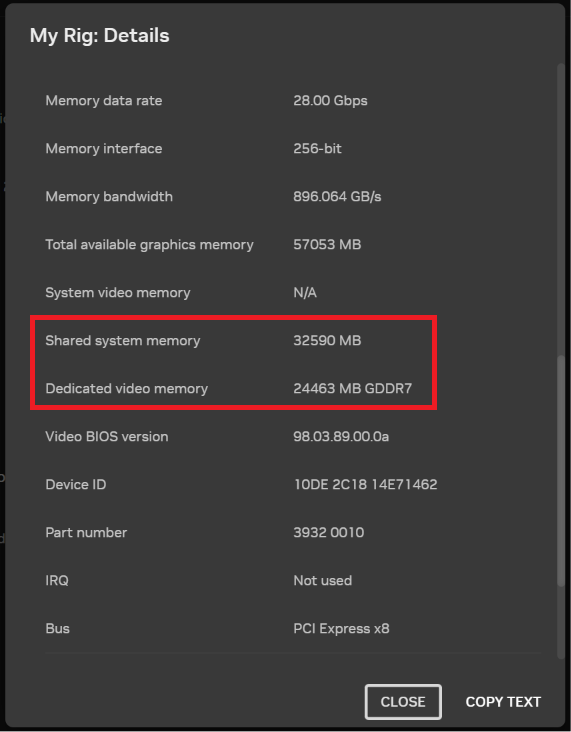
- Check the Dedicated Video Memory and Shared System Memory sizes
AMD:
Applicable to models equipped with AMD processors.
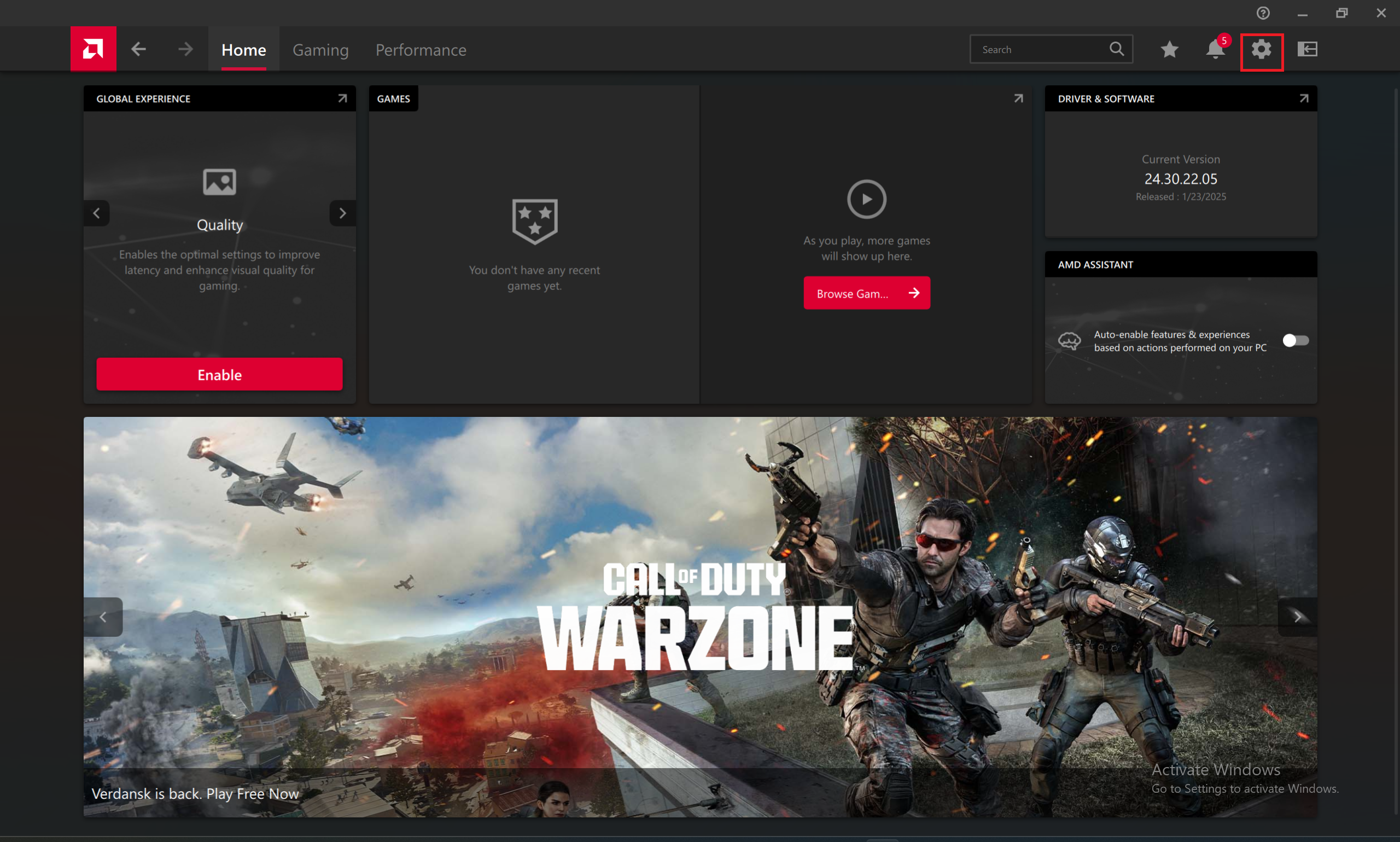
- Open AMD Software: Adrenalin Edition > Gear icon
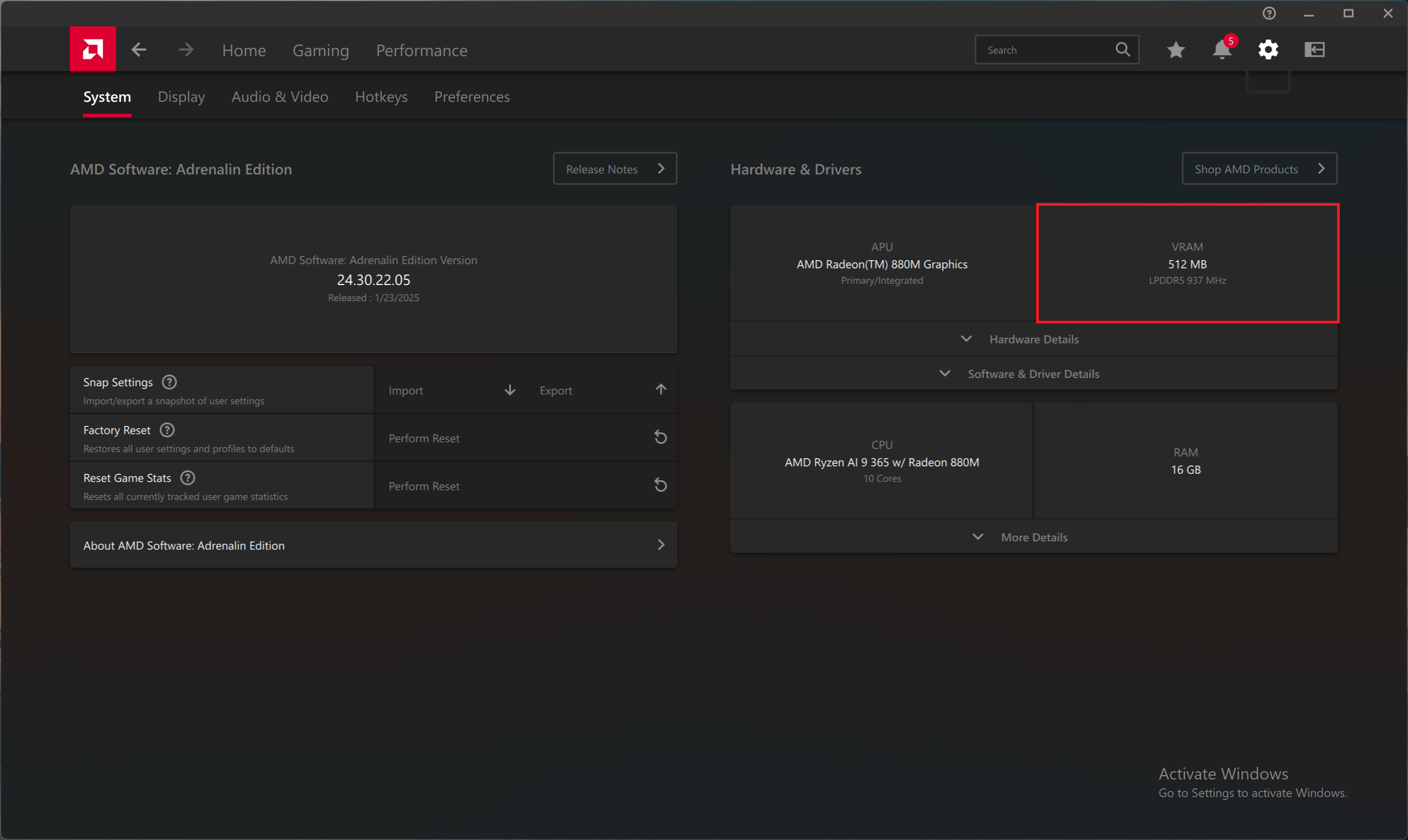
- Check the VRAM size under Hardware & Driver
Intel:
Applicable to models equipped with Intel processors.
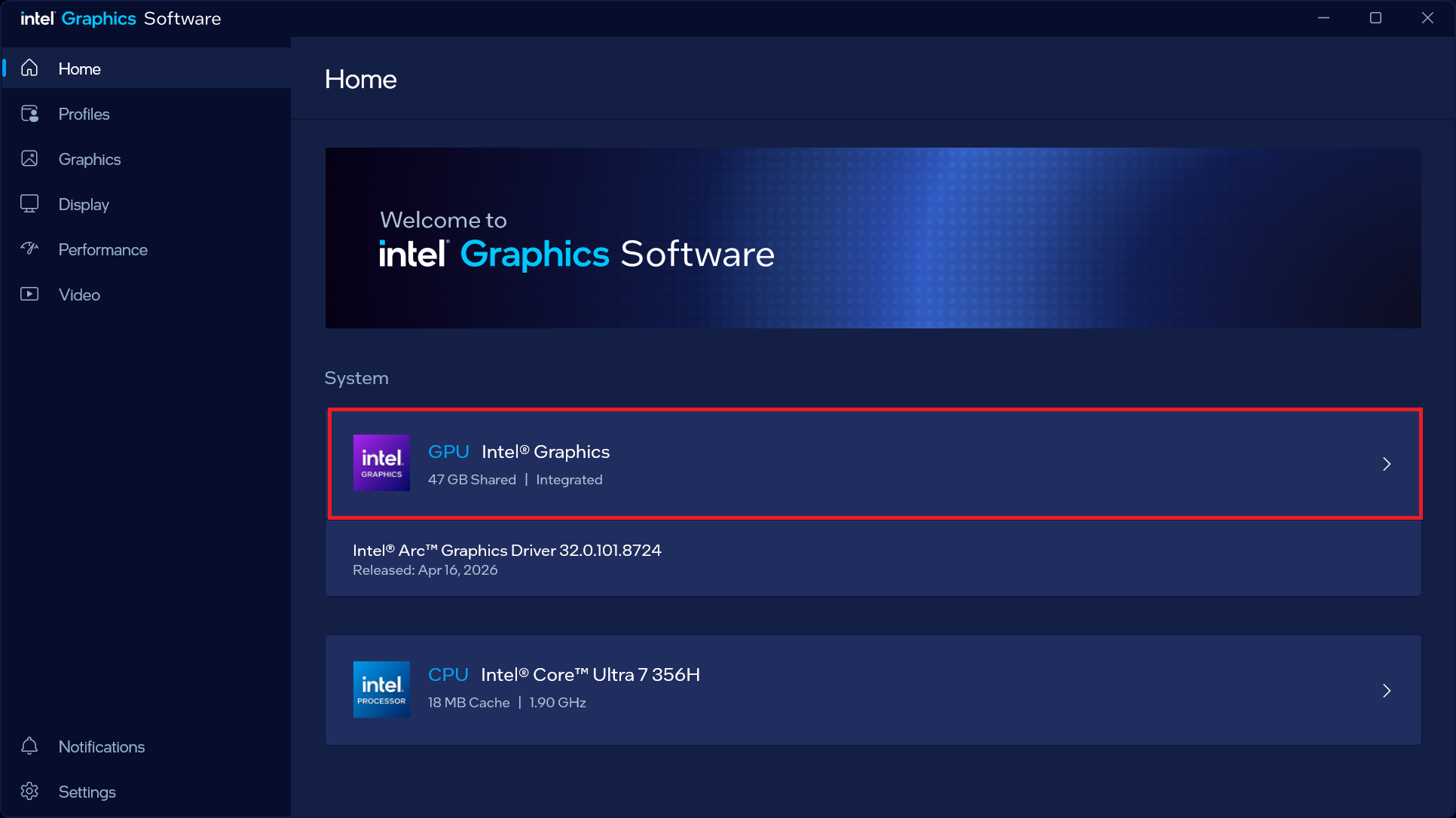
- Open Intel Graphics Command Center > Select GPU under System
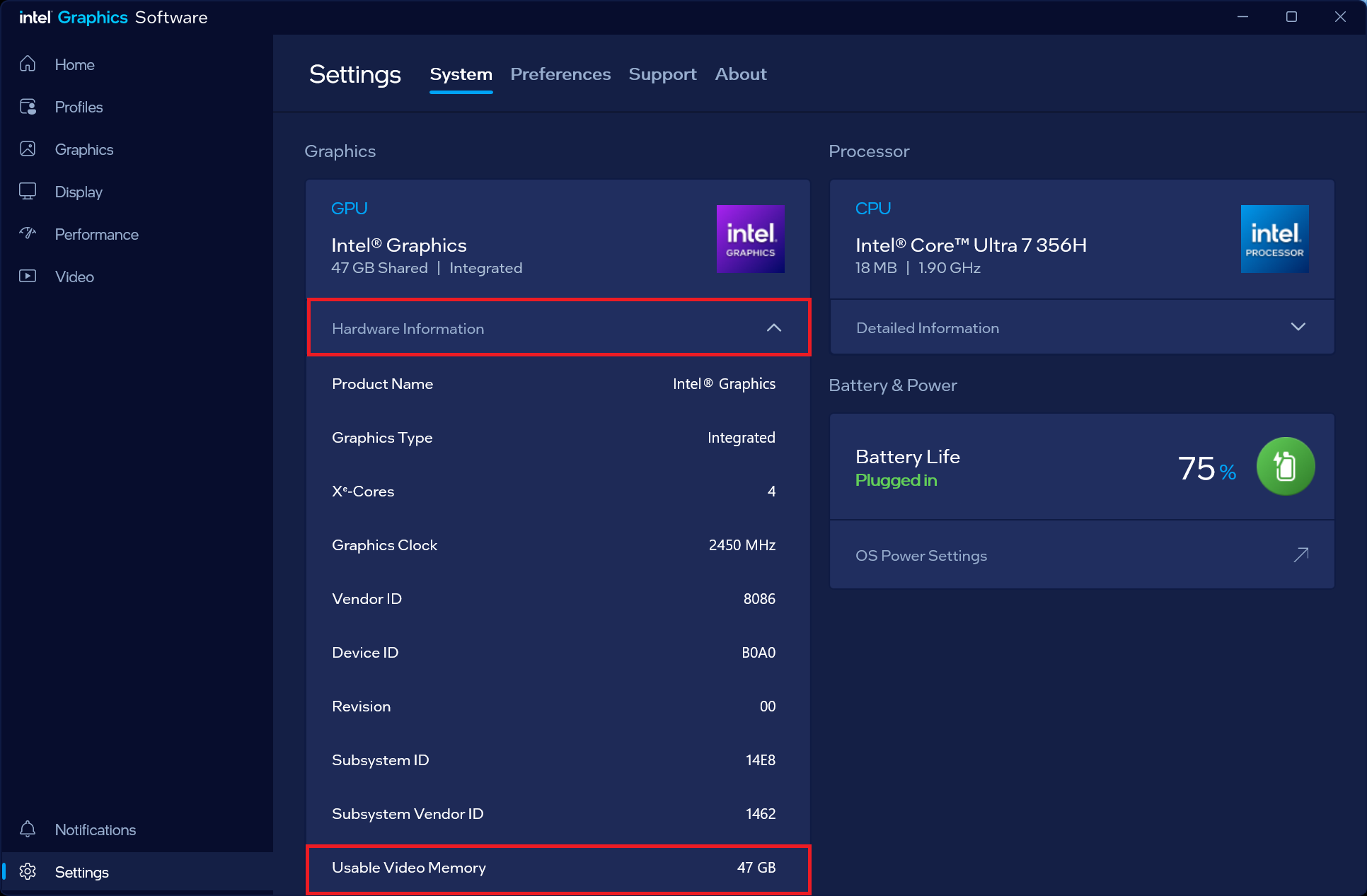
- Under GPU, click Hardware Information and check Available Video Memory
FAQ
Q: What is VRAM, and how does it affect gaming performance?
A: VRAM (Video Random Access Memory) is high-speed memory dedicated to the GPU, allowing the GPU to quickly access image data and perform graphics processing. When the required video memory exceeds the available VRAM, the system may use Shared GPU Memory as supplemental memory. However, because shared system memory is slower to access, this may result in lower FPS, stuttering, delayed texture loading, or warning messages such as "Video Memory Exceeded."
Q: Why is it important to check the VRAM capacity?
A: Settings such as game resolution, Texture Quality, Ray Tracing, and high-resolution assets can increase VRAM usage. Knowing the amount of available VRAM can help you choose appropriate graphics settings and avoid performance or stability issues caused by insufficient video memory.
Q: Do all computers have dedicated VRAM?
A: Computers equipped with a discrete GPU typically have dedicated VRAM. Systems using an integrated GPU built into the processor usually do not have dedicated VRAM and instead share a portion of the system memory for graphics use.
Q: When should I check VRAM usage?
A: When running demanding games or graphics-intensive content creation workloads, if you experience a noticeable drop in FPS, stuttering, abnormal texture loading, or low video memory warnings, it is recommended to check the current VRAM usage and available capacity, then adjust the game resolution or graphics settings as needed.
Q: Can the VRAM capacity be increased?
A: For systems with a discrete GPU, VRAM capacity is determined by the hardware and cannot be increased through the BIOS or Windows. For systems using integrated graphics, some platforms may allow the amount of memory reserved for the integrated GPU to be adjusted in the BIOS. Available options vary by model.
Related Articles
[How To] Adjust Integrated Graphics Memory (VRAM) Size in AMD Software