[How To] Find Support Webpage and Download Software for MSI Product
Answer
If you need to optimize computer performance or resolve hardware compatibility issues, the MSI official website provides complete download services for BIOS, firmware, drivers, utility software, and user manuals. Please follow the standardized operating procedure below.
This article applies to all MSI laptop products.
1. Use Microsoft Edge or Google Chrome to visit the MSI official website. If you want to switch country and language, scroll down to the bottom and click the globe icon in the lower-right corner to select.

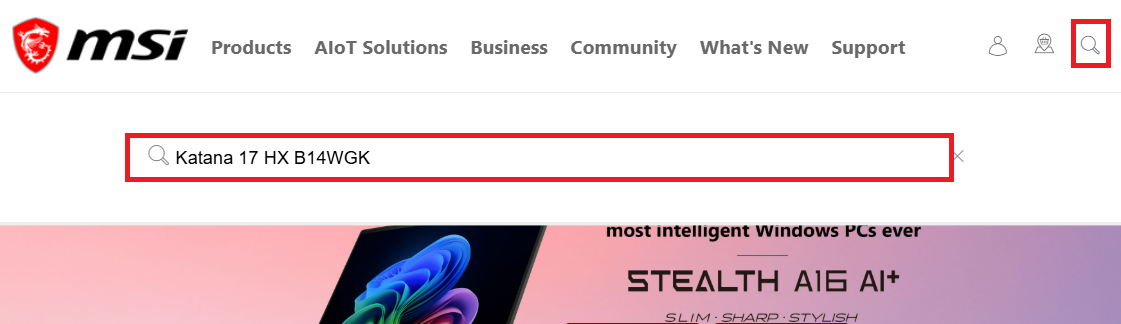
2. Click the search icon in the upper-right corner of the MSI homepage, and enter the product model in the search bar to search for the product.
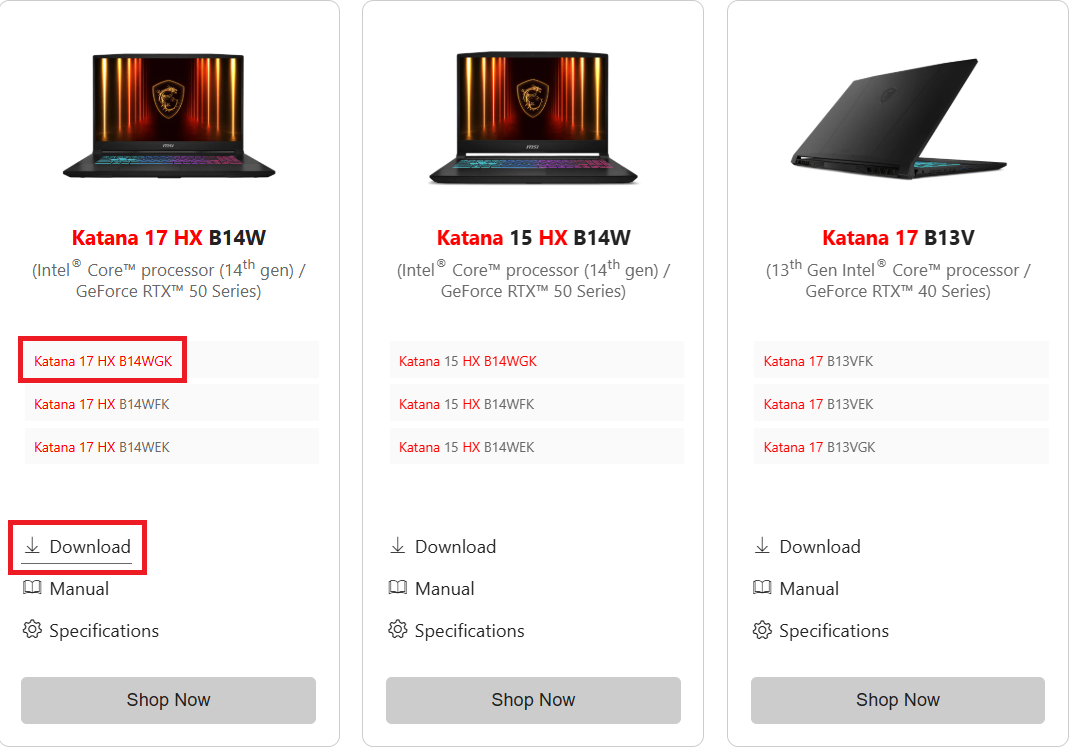
3. Find the product that exactly matches the product model, then click Download.
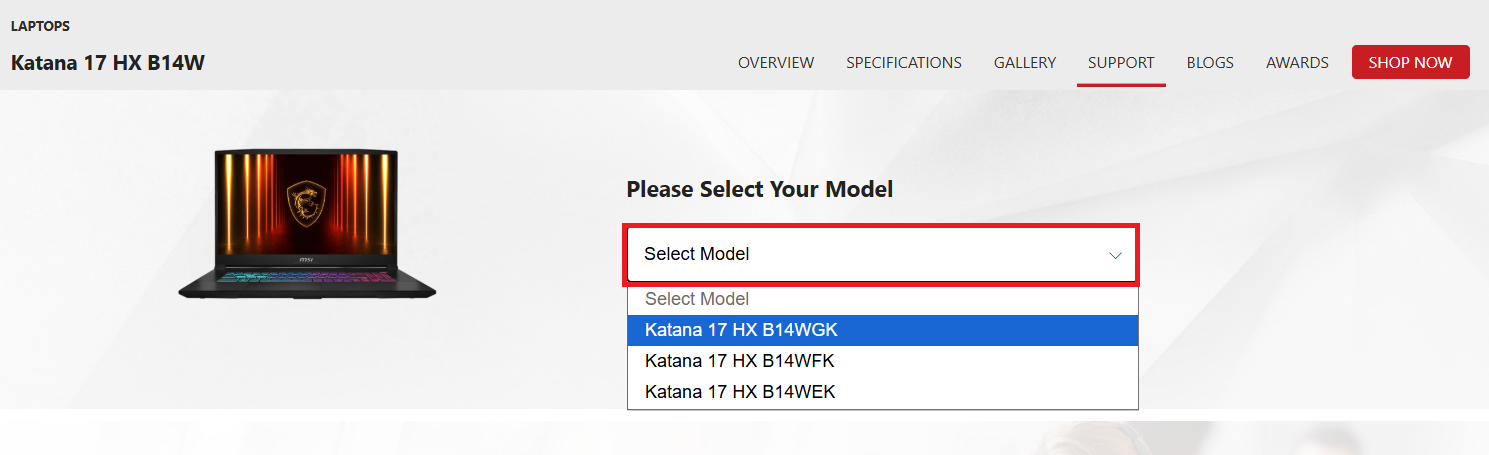
4. Select the corresponding product model to enter the product support page.
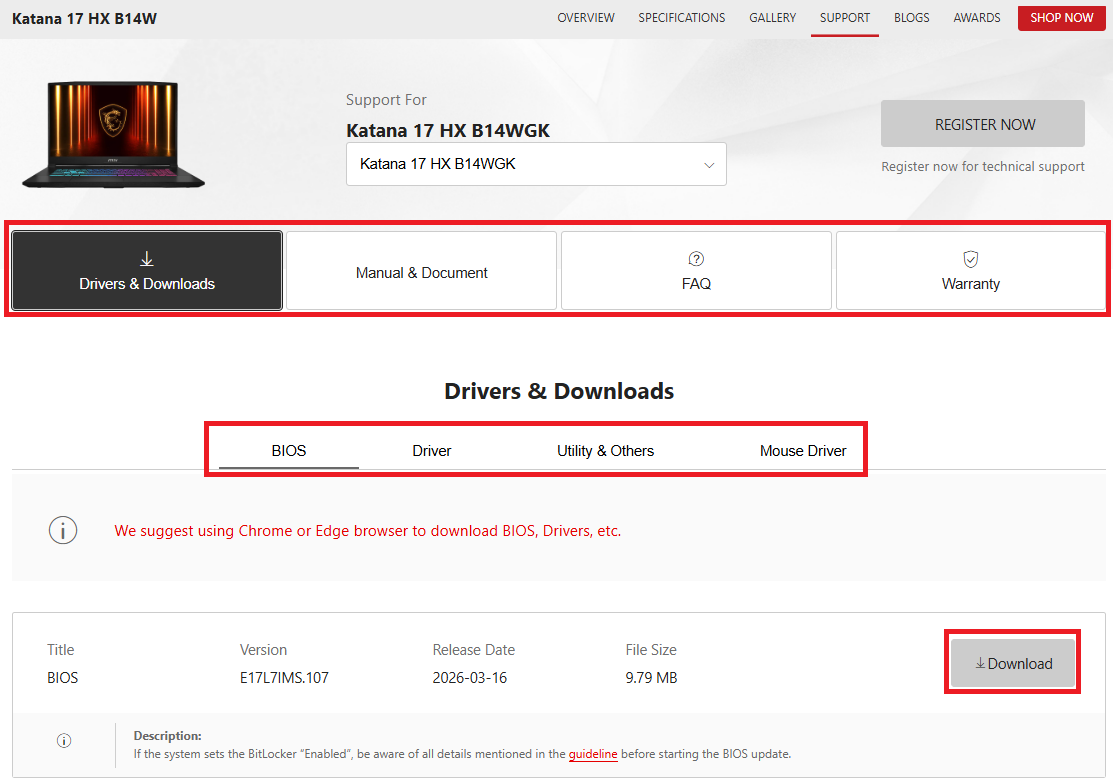
5. Switch tabs according to your needs (such as BIOS, Drivers, Manual, etc.), find the file you want to download, and click Download.
FAQ
Q: What content is provided on the support page?
A: It includes the latest BIOS update files, hardware firmware, device drivers, dedicated utility software, and detailed product user manuals.
Q: Where can I find official resources?
A: Please make sure to download from the support page of the MSI official website (https://www.msi.com) to avoid downloading files from unknown sources.
Q: When should I check for updates?
A: When you have newly installed the Windows operating system, when you encounter abnormal hardware behavior, or when you periodically check whether the official website has released important security updates.
Q: How can I make sure I download the correct file?
A: Please confirm that your product model exactly matches the searched name, and before downloading the driver, first confirm your current Windows version and select the corresponding download link.