[How To] Restore MSI Claw to Factory System Settings
Answer
If your MSI Claw handheld is experiencing system issues or you need to wipe personal data and start over, the built-in MSI Recovery feature lets you restore the system back to its original factory state. This article walks through how to enter the recovery environment and complete the restore.
This article applies to all MSI Claw series handhelds
Notice:
1. Back up all personal data before starting the restore — the process will erase everything currently on the system.
2. Keep the device connected to AC power for the entire duration of the restore.
3. This method only applies to MSI Claw units with a factory pre-installed Windows OS. It does not apply to FreeDOS models (units shipped without Windows) or units where Windows was manually reinstalled by the user.
4. If your system has already been wiped, this guide does not apply — instead, follow [How To] Install Windows on an MSI Laptop or Handheld with FreeDOS to reinstall the OS.
Steps:
1. Restart the system.
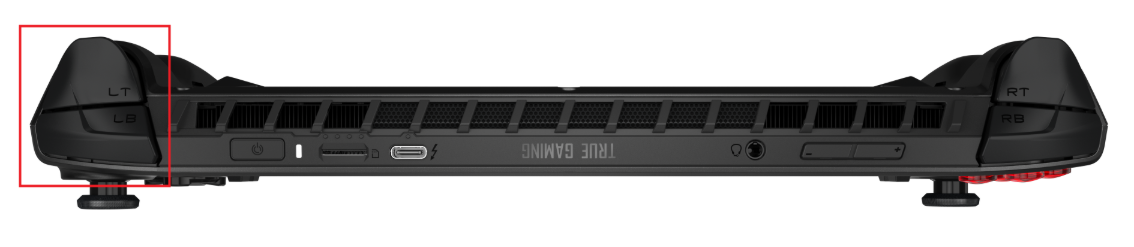
2. When the MSI logo appears, press and hold LB+LT until the device enters the Windows Recovery Environment (WinRE).
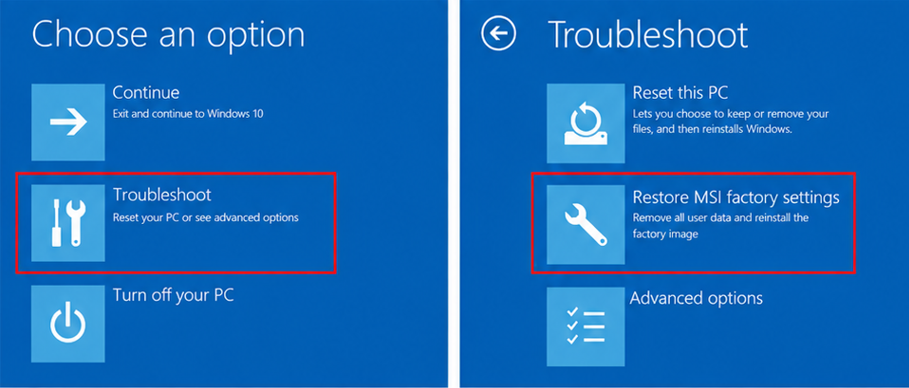
3. Select Troubleshoot > Restore MSI factory settings.
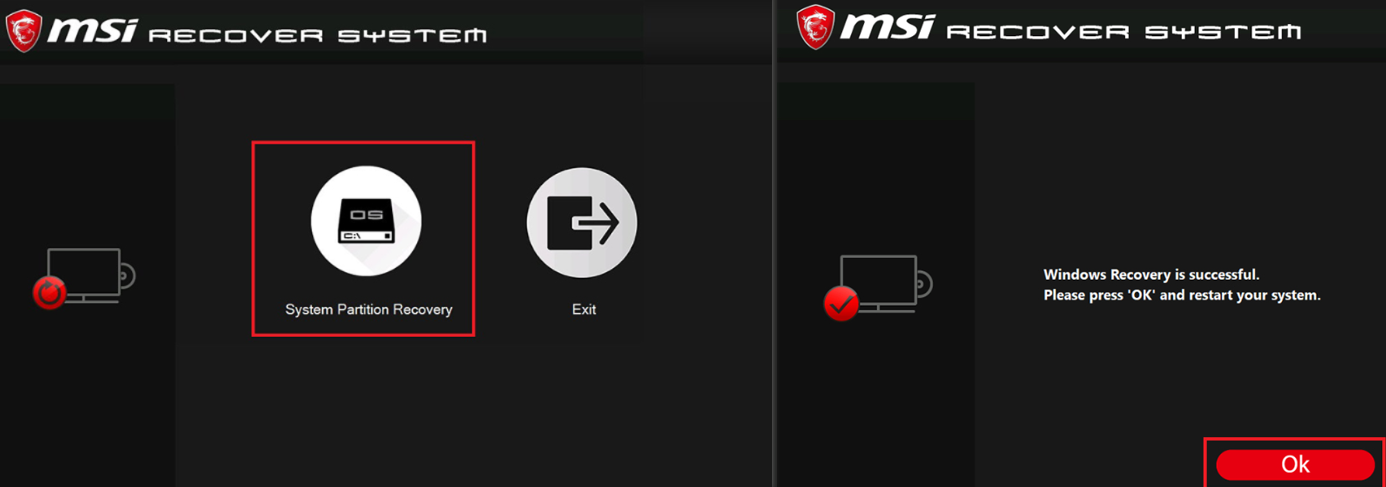
4. Select System Partition Recovery to begin the restore.
5. Follow the on-screen instructions until you see the "Windows rRecovery si successful" message, then select OK.
FAQ
Q: Will pre-installed software like MSI Center M still be there after the restore?
A: Yes — the restore reverts the device to its original factory image, so factory-installed software is restored along with it. On the first boot afterward, follow the on-screen prompts to complete initial setup again.
Q: Does the LB+LT combination work on every MSI Claw model?
A: Yes, the key combination listed in this article applies to all MSI Claw series handhelds.