[Product Information] MSI OLED Care
Answer
To extend the lifespan of laptops equipped with OLED display panels, MSI developed MSI OLED Care. Integrated into MSI Center, this feature is designed to help prevent image retention, commonly known as burn-in, which may occur on OLED displays. It provides a variety of automated protection settings. Please refer to the following article to learn how to use MSI OLED Care.
This article applies to MSI laptops equipped with OLED display panels.
How to identify the display panel specifications:
Export the system information, and then search for the display panel specifications using a search engine.

How to get MSI OLED Care
MSI Center
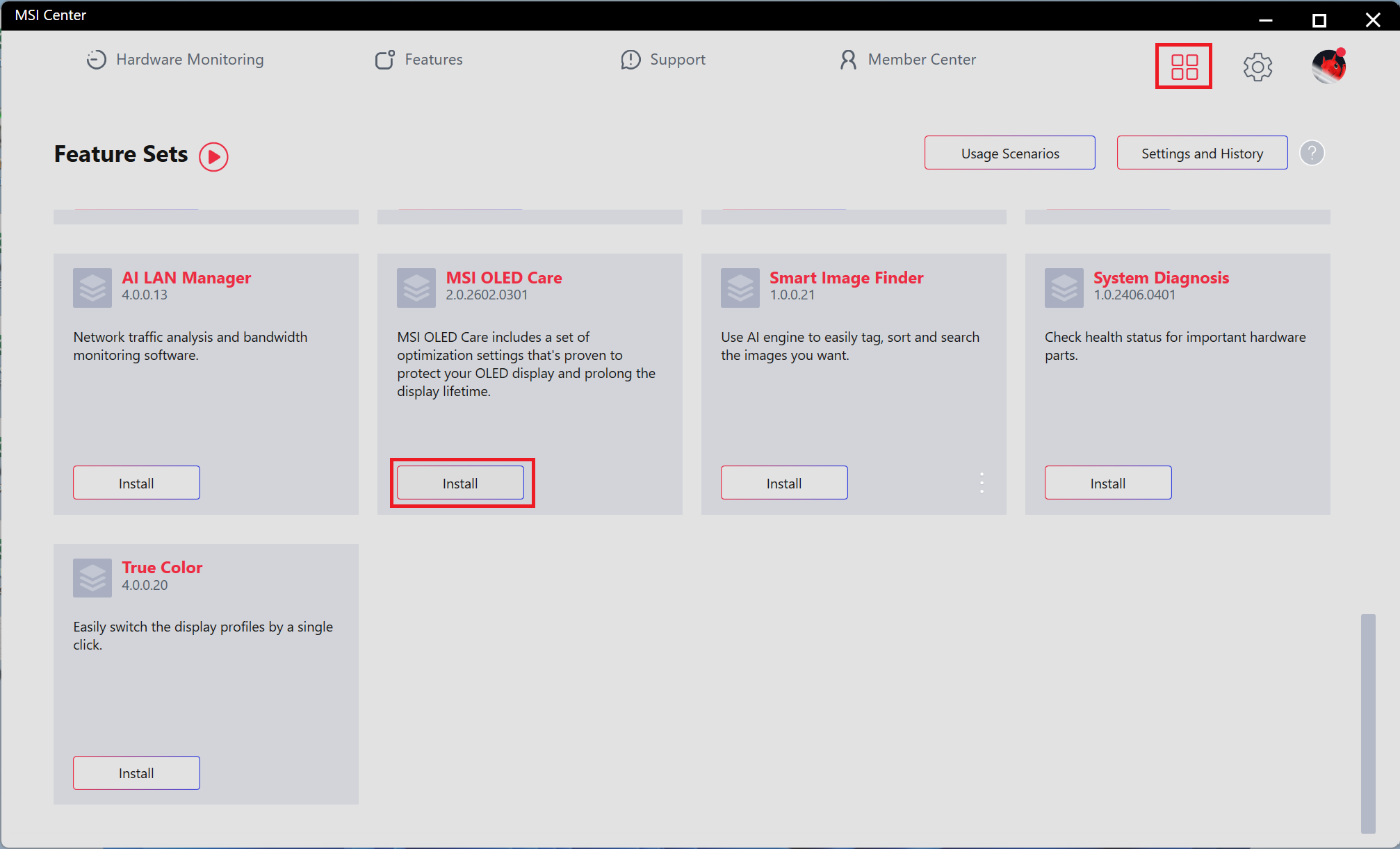
- Open MSI Center > select “Feature Sets.”
- Locate “MSI OLED Care” and select “Install.”
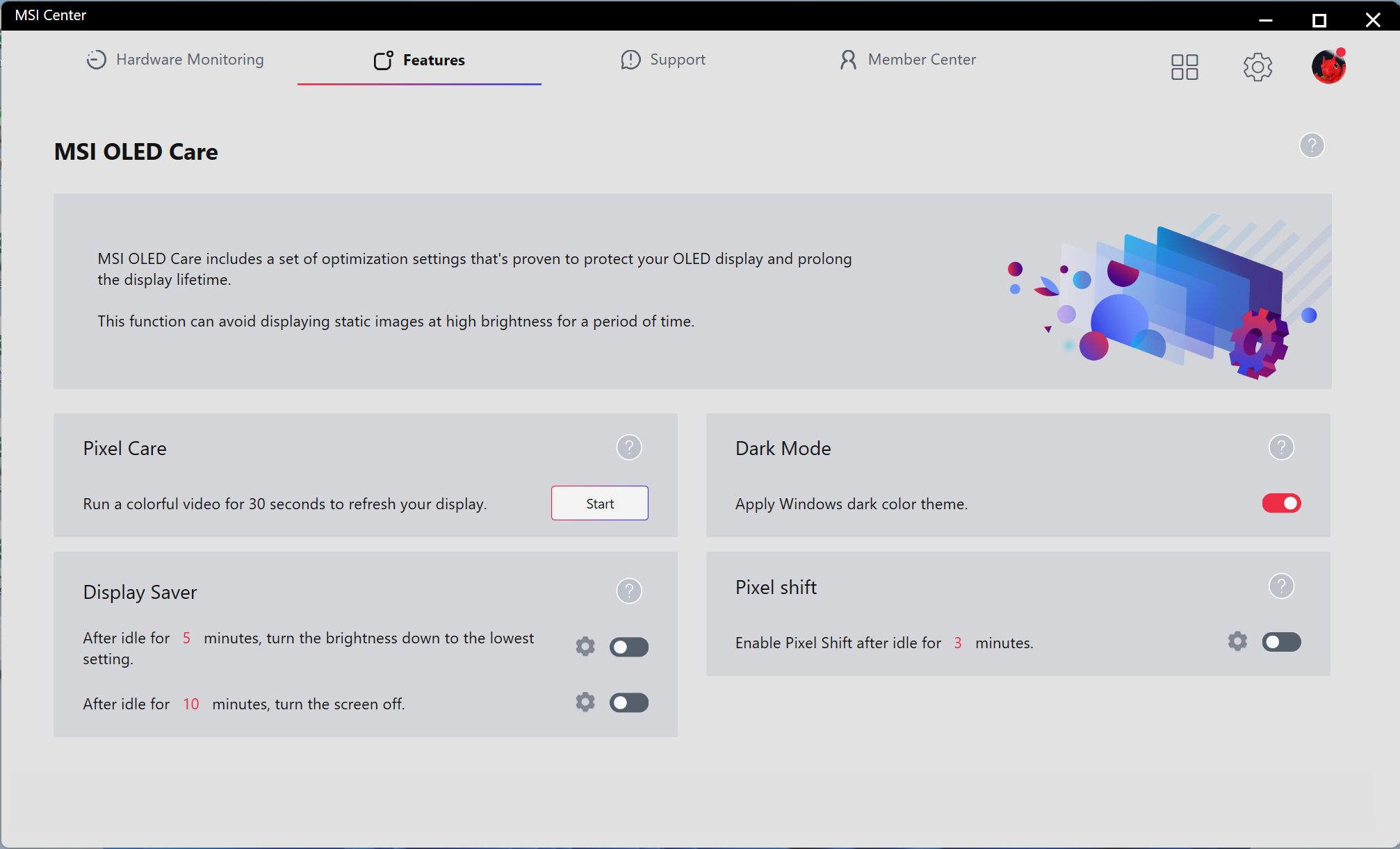
- Open MSI OLED Care and configure the desired mode.
MSI Center S
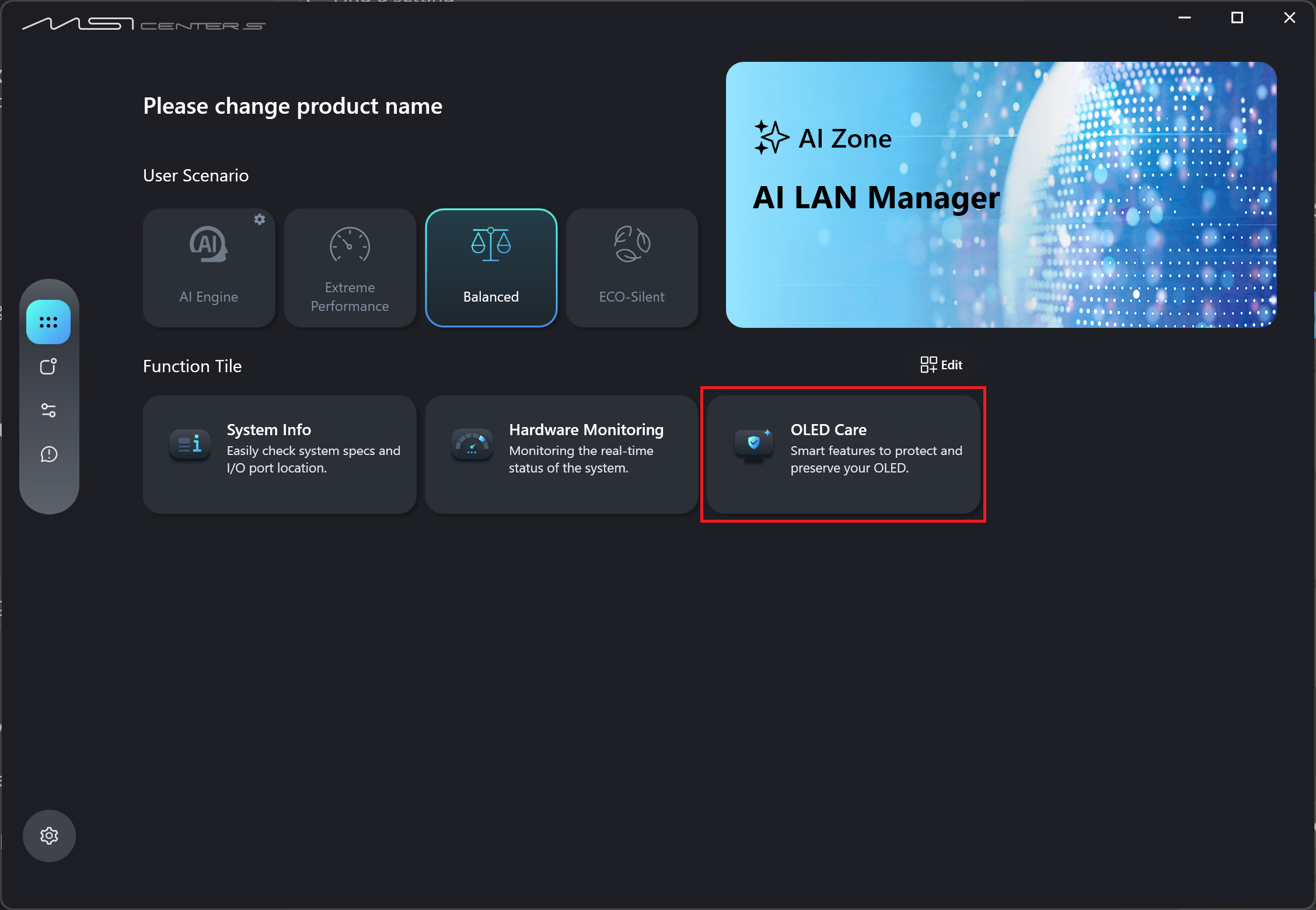
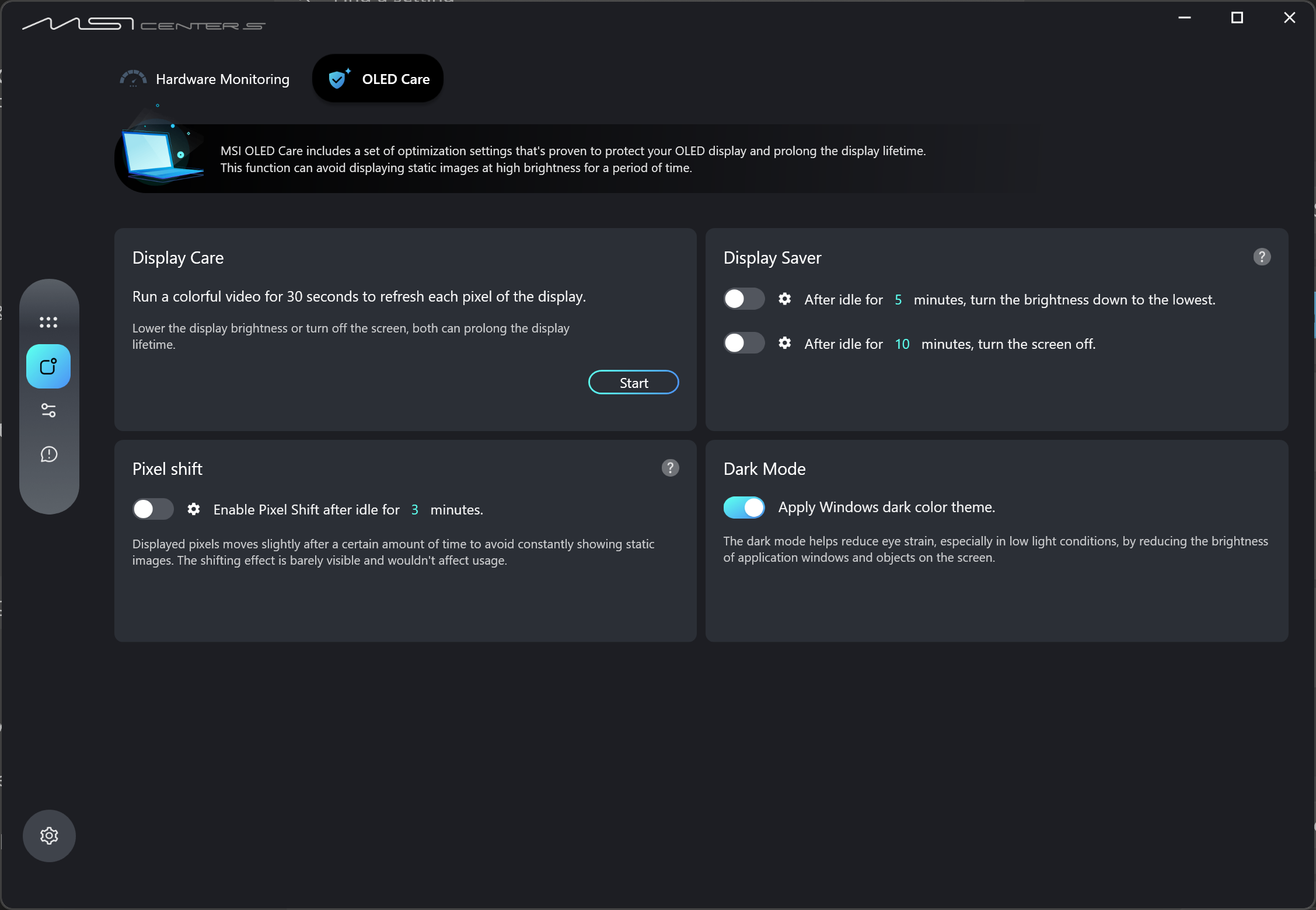
- Open MSI Center S > MSI OLED Care, and configure the desired mode.
FAQ
Q: Does this feature apply to all MSI laptops?
A: This feature is available only on MSI laptops equipped with OLED display panels. If your laptop uses a standard LCD or IPS panel, this feature will not appear in MSI Center because these panel types are less susceptible to image retention.
Q: Why does an OLED display require special care?
A: OLED panels use self-emissive pixels made of organic materials. If a static image is displayed at maximum brightness for an extended period, certain pixels may wear unevenly and cause irreversible burn-in. MSI OLED Care helps balance the load on the pixels through dynamic adjustments, thereby extending the lifespan of the display.
Q: Is enabling only “Hide Taskbar” sufficient? Why is it recommended to enable multiple options?
A: Different features address different burn-in risks. For example, “Hide Taskbar” reduces the risk caused by fixed icons at the bottom of the screen, while “Pixel Shift” helps prevent image retention along the edges of static full-screen windows. Enabling multiple features creates multiple layers of protection and minimizes the risk of display aging.
Q: What should I do if MSI OLED Care is not available in MSI Center or MSI Center S?
A: Please confirm if your laptop comes with an OLED panel first, and refer to the following information to perform a clean installation of MSI Center/MSI Center S。If the problem remains, please contact MSI service center.
1. [How To] Clean Install MSI Center (UWP), Dragon Center (UWP), or MSI Center Pro
2. [How To] Clean Install MSI Center S