[Troubleshooting] Unstable Bluetooth connection or disconnected
Answer
Bluetooth connection may become unstable or disconnected, or show an error in Device Manager if a change is made to the device (e.g., running Windows Update). If the Bluetooth connection encounters the situations mentioned above, please refer to the following troubleshooting steps.
This article applies to all MSI laptop products.
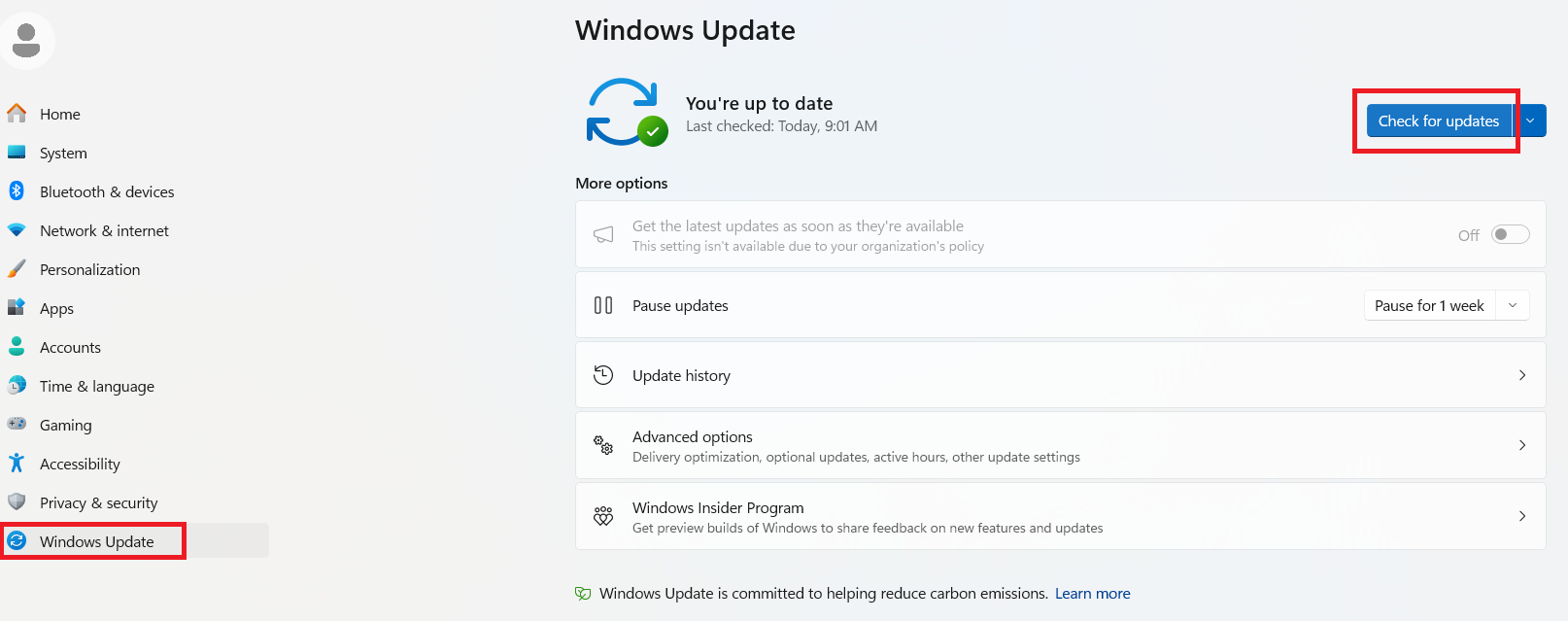
1. Run “Windows Update” manually
Go to “Settings” > “Windows Update”> click “Check for updates” until there are no new updates or optional updates.
2. Remove and reset all connected Bluetooth devices and cross-check with different Bluetooth devices.
Please refer to [How To] Pair/Remove the Bluetooth Devices
3. Perform a clean installation of the WLAN & Bluetooth driver.
Please refer to:
a. [How To] Uninstall/Install Bluetooth driver
b. [How To] Wireless LAN (WLAN) Driver Install/Update Guide
c. [How To] Uninstall/Install Killer driver and Killer Control Center
4. Perform an EC reset
a. Ensure your laptop is completely powered off, disconnect the laptop from any power source, and remove all external devices connected to it, including the Internet, mouse, printer, and so on.
b. Press and hold the power button on your laptop for around 30 seconds to drain any remaining power.
c. Confirm the system will not power on by pressing the power button; if the system boots up, return to step 2 and do the EC reset again.
d. Reconnect the power adapter to your laptop and power it on.
If the problem remains after following the steps above, please contact the local MSI service center for further assistance.
FAQ
Q: When troubleshooting a Bluetooth issue, why is it recommended to reinstall the WLAN driver as well?
A: This is because WLAN and Bluetooth are integrated into the same wireless module. Although they use separate drivers, both functions may be affected by the module’s driver compatibility, initialization, and power management. Reinstalling both drivers helps restore a clean and compatible wireless environment, especially when the issue occurs after Windows Update, Bluetooth disappears from Device Manager, or WLAN and Bluetooth are both unstable.
Related Topics:
[Troubleshooting] The connection of Wi-Fi adapter is unstable or disconnected