

[Desktop] How to check HDD and SSD compatibility
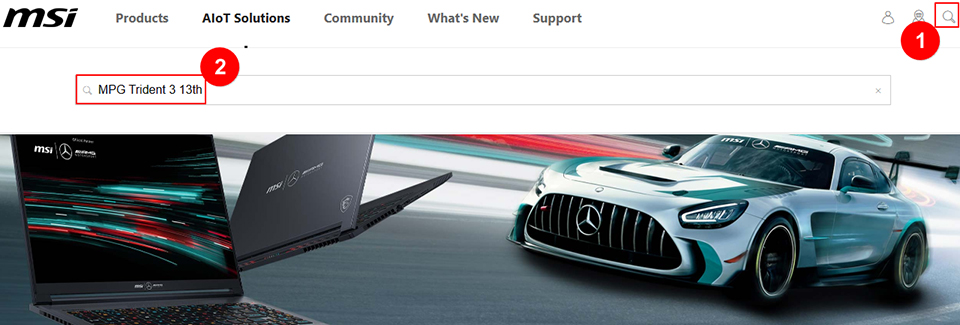
1. Visit the official MSI website and click on the magnifying glass icon in the top right corner. For example, if you have the MPG Trident 3 13th, click on the "magnifying glass" icon in the upper right corner, enter "MPG Trident 3 13th," and press the "Enter" key to search.
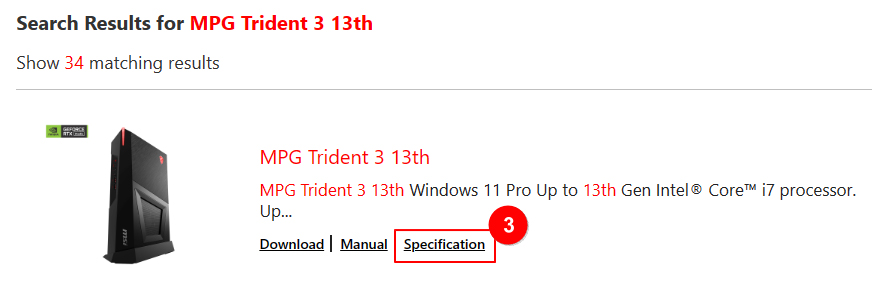
2. Find “MPG Trident 3 13th” and click “Specification.”
3. Review details about the hard drive support for the current host.
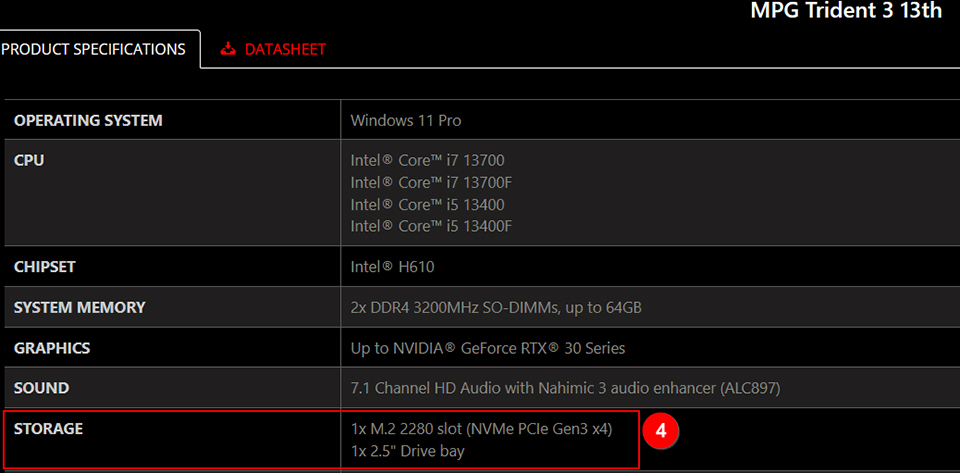
4. From the last image, click "Support" → "Support List" sequentially, and view the HDD support list.
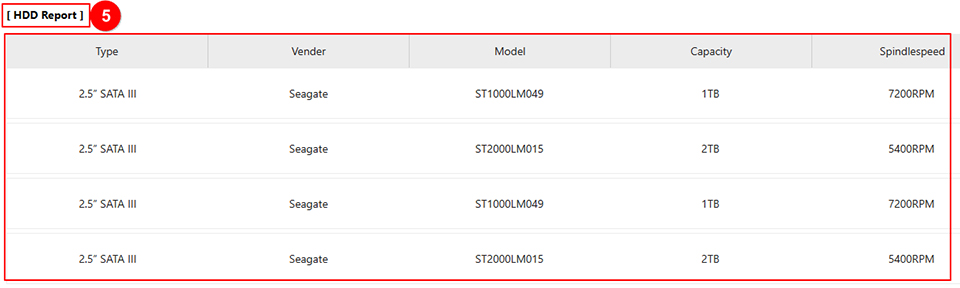
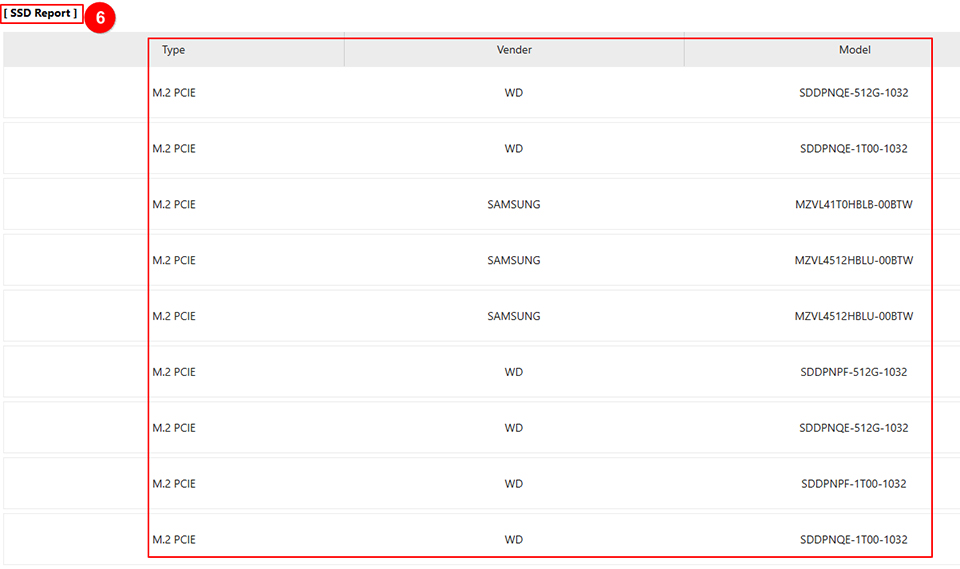
5. View “SSD Report”.