




Computer Reset and Data Sanitization
Note:
- Do not unplug the adapter or force shutdown during the reset process.
- The reset process takes 30 minutes to several hours depending on the model/specifications.
- The screen may go dark for long periods of times during the reset process, (sometimes over 15 minutes), and the device may automatically restart during this period. These are perfectly normal, please wait patiently.
- MSI is not responsible or obligated to the confidentiality for the security of any data on the device sent over. It is recommended for users to back up their data and delete all data on the computer.
Please refer to the following steps to clear all personal files, applications and settings on the drives completely:
1. Enter Windows Recovery Environment (WinRE)
Windows 11:
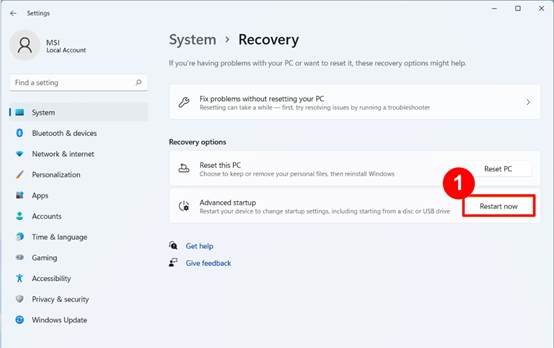
Select "Start up" → "Settings" → "System" → "Recovery" → Select "Restart now” under Advanced startup.
Windows 10:
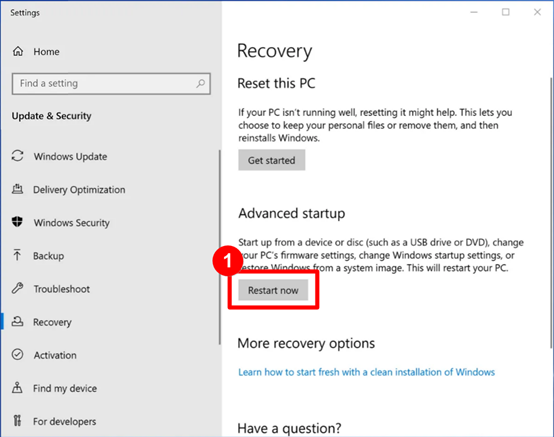
Select "Start up" →" Settings" → "System→" Update & Security" → "Recovery" → Select "Restart now” under Advanced startup.
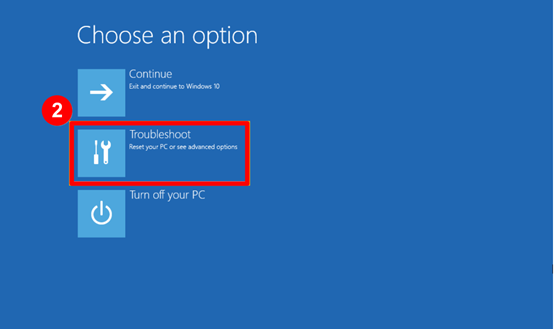
2. Select “Troubleshoot”
3. Select “Reset This PC”

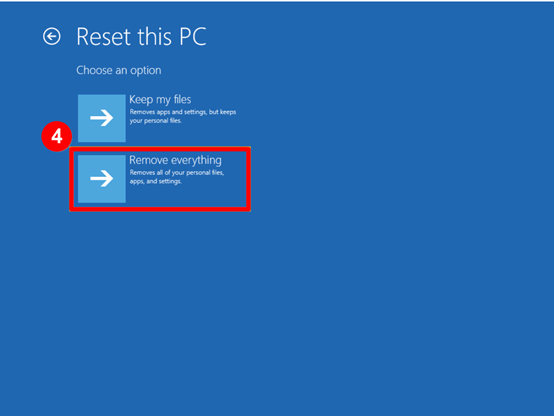
4. Select “Remove everything”
5. Select “Local reinstall”
Note: You can also choose “Cloud download” to reinstall the Windows system, but this method can only be used when the computer is connected to the Internet.

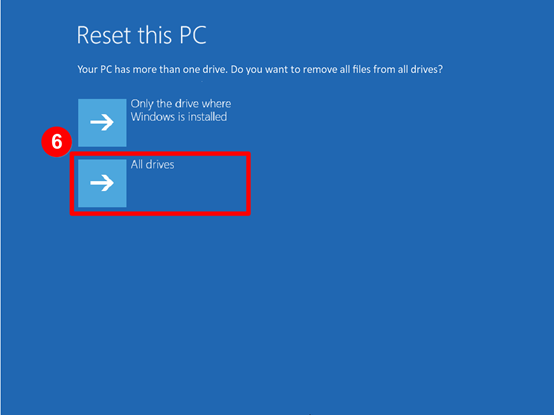
6. If your computer has more than one drive or sector, the system will ask you whether to remove the data on all drives or sectors. Please select “All drives”.”
7. Select “Fully clean the drive”

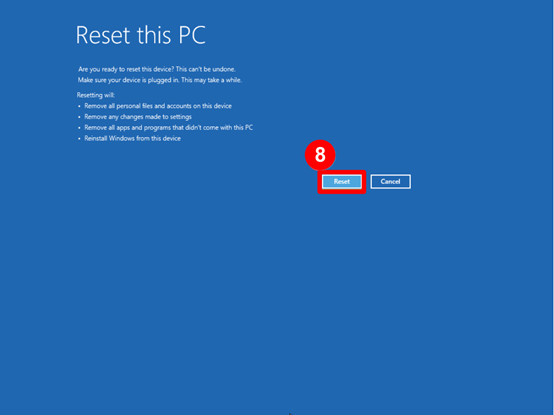
8. Select “Reset”. The computer will clear all data and settings and reinstall Windows.
* Note: Data cannot be recovered after selecting “Reset”. Users should back up their data before resetting the computer and running the data clearing process.
9. The system will start resetting the computer and run the data clearing process. If you have any difficulties or questions related to the operations described above, please contact MSI Customer Service to provide you with further assistance.
