





[Notebook] Unable to Access BIOS Settings
If your laptop is unable to enter the BIOS/UEFI settings, please refer to the following steps for troubleshooting.
Initial determination
Continuously press the DEL key during startup to access the BIOS settings. If unsuccessful, check if the keyboard is functioning properly.
Disable Fast Startup
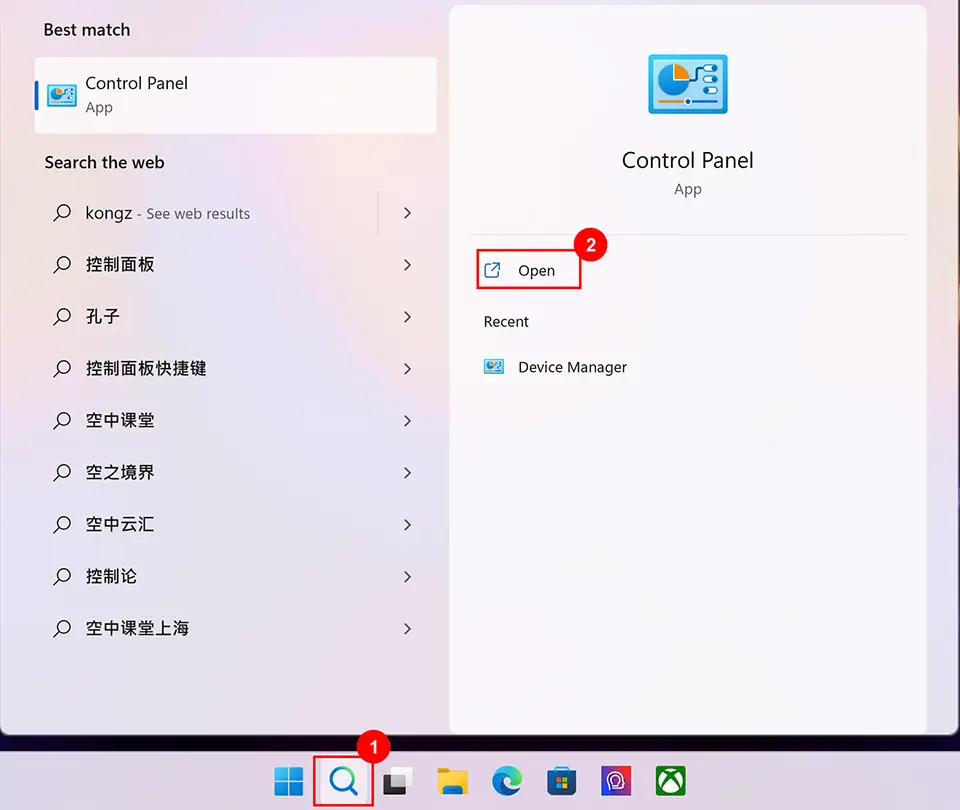
1. Type "Control Panel" in the Windows search bar and click on "Open".
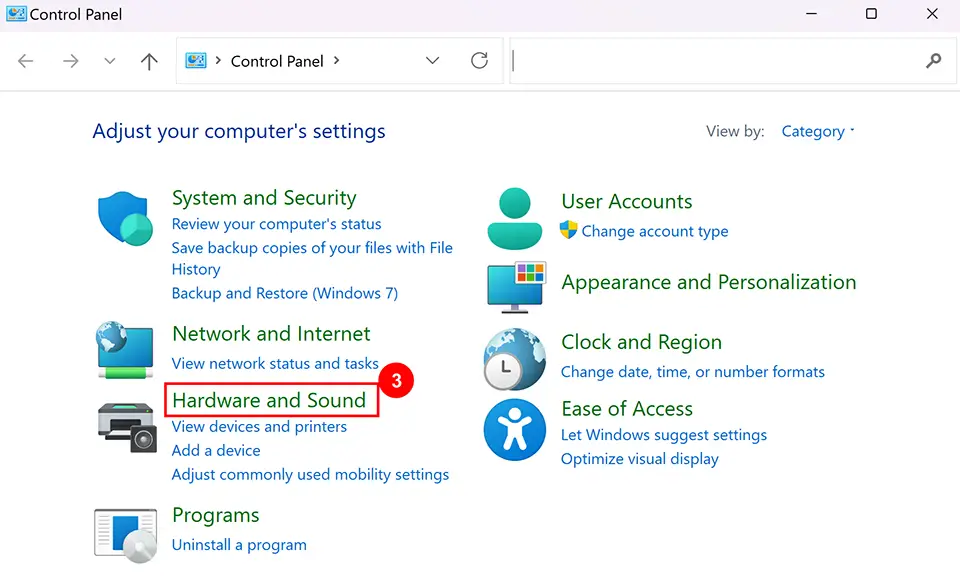
2. Click “Hardware and Sound”.
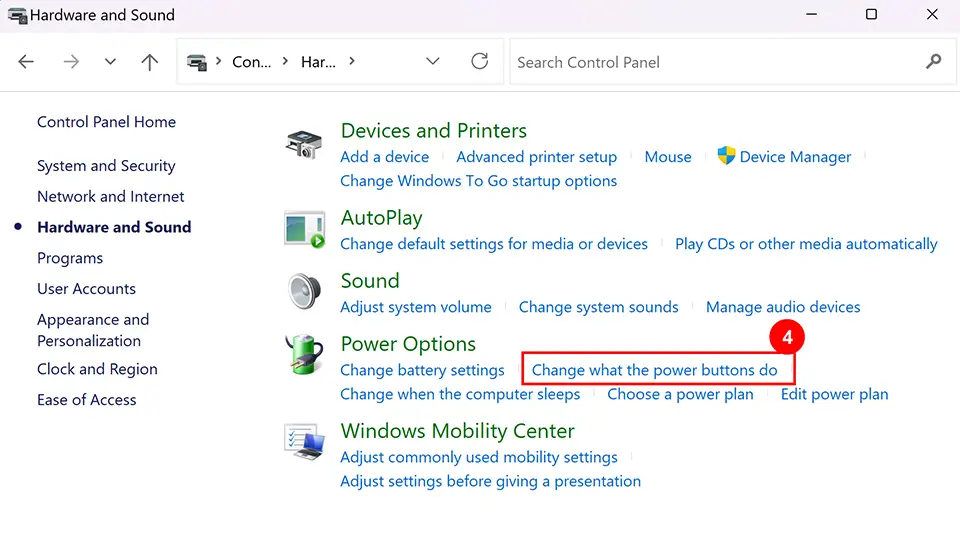
3. Under Power Options, click "Change what the power buttons do."
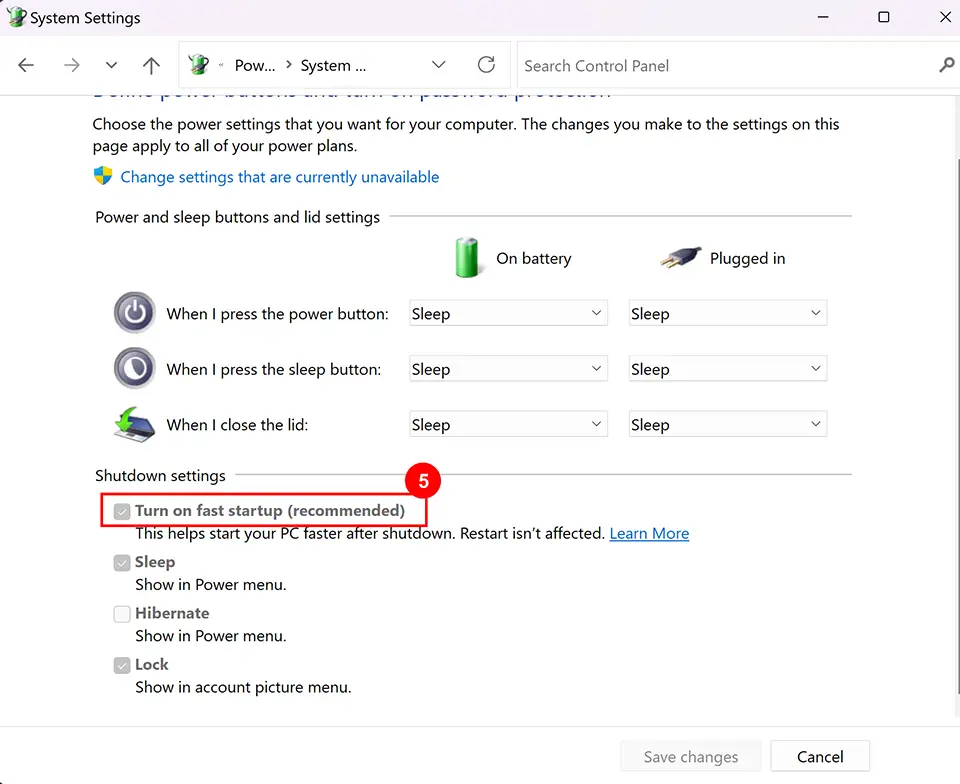
4. Uncheck “Turn on fast startup” and save changes.
5. Finally, restart the computer and press the DEL key during startup to verify if you can access the BIOS settings.