




[Notebook] Abnormal Battery Condition After Long-Term Inactivity
When a notebook is not used for an extended period, the battery will still slowly discharge. If the battery discharges to a voltage lower than the specified level, it may result in the following issues:
1. Decreased battery capacity.
2. Shortened battery lifespan.
3. Severe over-discharge may cause the battery to become unchargeable and unusable.
MSI reminds you that if you do not use your notebook for a long time, please be sure to charge the battery regularly to avoid over-discharge due to low battery power, which may lead to battery damage. It is best to keep the battery charged at 50% and stored in a dry environment to ensure battery health. After charging the battery again, it is also recommended to reset EC to extend the time required for the next charge. Please follow the steps below to reset EC:
1. Turn off the computer.
2. Remove the power source.
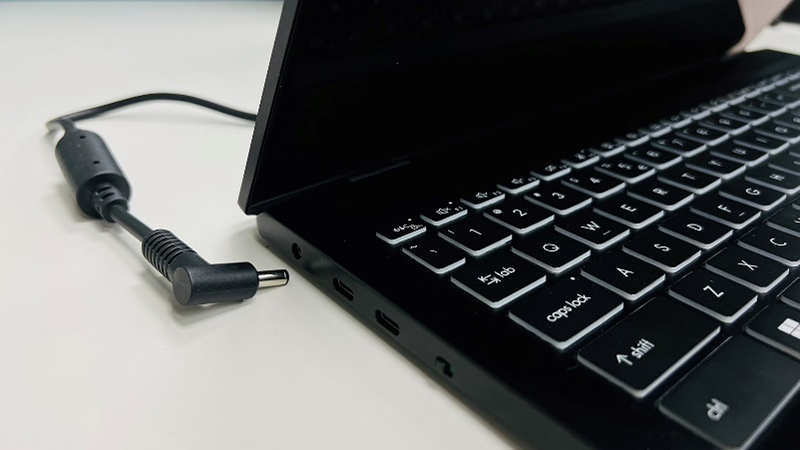
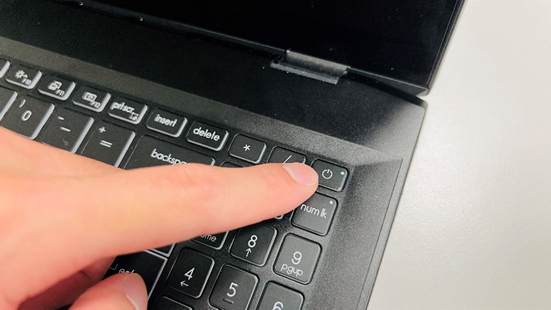
3. Press and hold the power button for 30 seconds to reset.
4. Reconnect the power source and start the computer normally.
Note:
1. If the battery is removable, you can also reset the computer by removing the battery for 15 minutes before reinserting it.
2. After resetting, the notebook computer cannot be turned on by pressing the power button; this is normal and it means that the EC was reset successfully. The power adapter must be connected to start the battery when powering on for the first time after resetting, otherwise the battery cannot be used to power on the notebook computer.
Battery damage caused by over-discharge is irreversible. If you encounter this issue, please reach out to the MSI customer service center for further assistance.