

[Notebook] Decreased Game Performance After Updating NVIDIA App
Starting in November 2024, the NVIDIA GeForce Experience application will be replaced by the new NVIDIA App. Users who manually update to the NVIDIA App may experience a drop in game performance after the update.
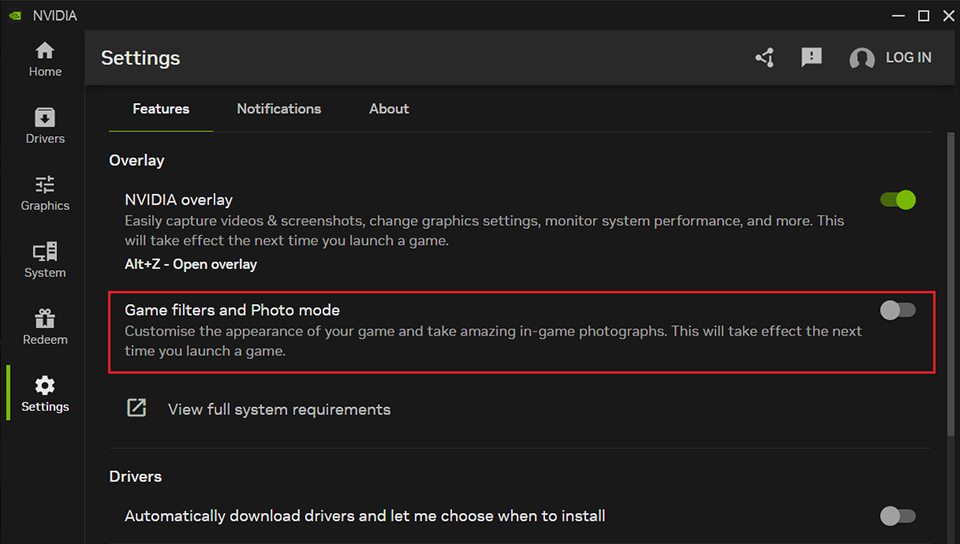
This issue occurs because the "Game filters and Photo mode" option is enabled by default in the new NVIDIA App, which can impact in-game performance.
Please refer to the steps below to disable the option and restore performance:
1. Open the NVIDIA App.
2. Click "Settings" from the left panel.
3. In the "Features" section, ensure that "Game filters and Photo mode" is turned off, or manually toggle the switch to disable it.