MSI COMMANDER, COMMANDED BY YOURSELF
MSI Commander Unit (MCU) can transmit and receive all the data in battlefield to search & give your target a surprise attack.

 Download
WHAT IS MSI COMMANDER UNIT (MCU)?
MSI Commander Unit (MCU) is a Microcontroller Unit with the patented MSI technology to contain a small computer on a single integrated circuit. It controls the hardware and operation of MSI Curved GamingTM Monitor to link with your Gaming PC.

Through the MCU & MSI Gaming OSD, you can easily control the setting of MSI Curved GamingTM Monitor and its RGB lighting effects, Mystic Light, which can synchronize with your games to provide you the best gaming experience & show your personal style.


MSI REMOTE DISPLAY
Control Your MSI Gaming Monitor with MSI Remote Display APP on Android Smartphone. Allow you to control the contrast ratio, brightness and black equalizer, etc., right from your Android phone. You can even choose the LED effects for the selected gaming monitor with MSI Mystic Light to match your personal style.


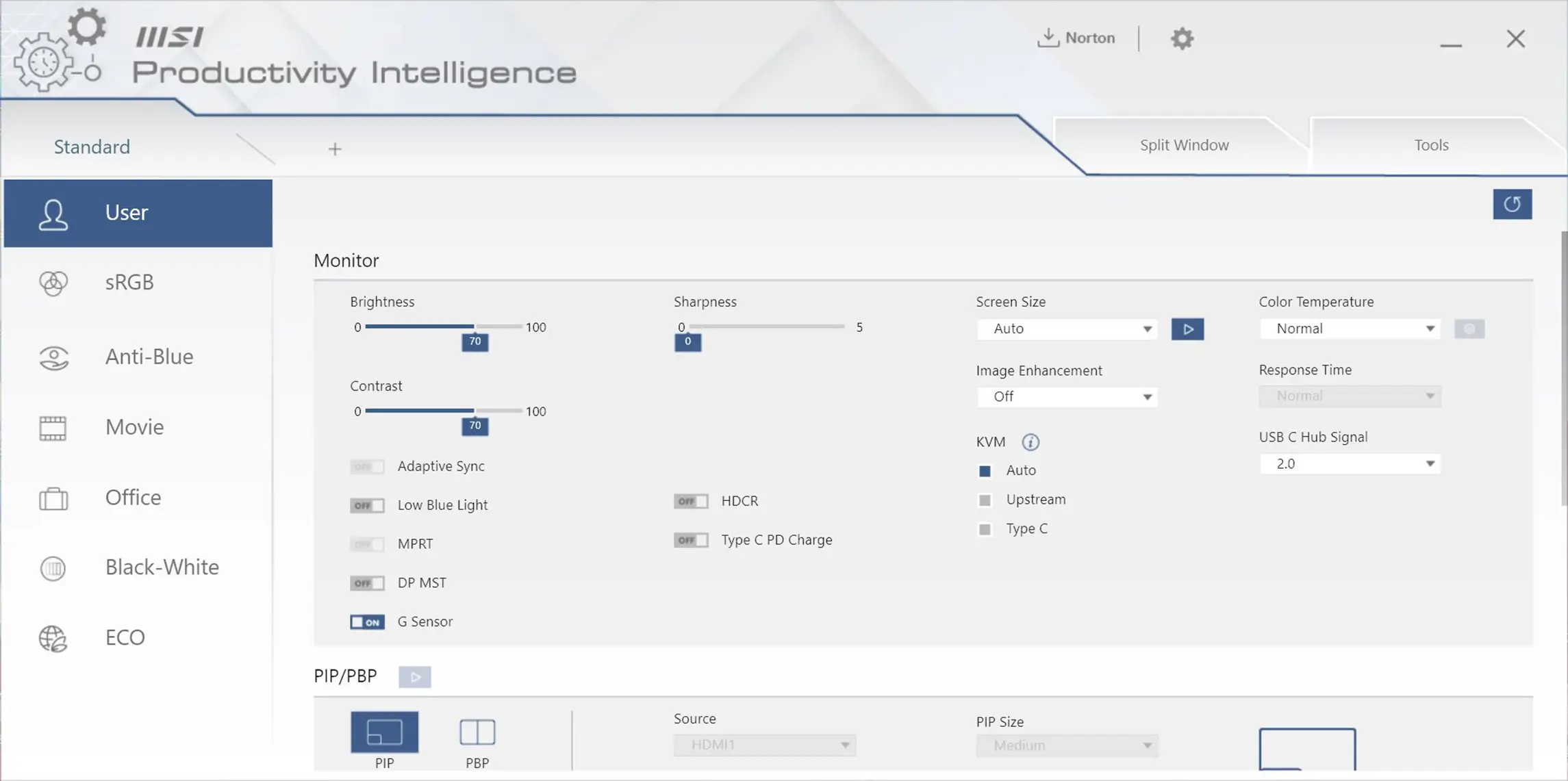
Effortlessly Stand Above The Clouds with Productivity Intelligence (P.I.)
Effortlessly increase your efficiency & enjoy a smart life with the exclusive MSI Productivity Intelligence (P.I.) app which provides the smartest tools with efficient functions to you while working with it everyday
Smart
Efficient
Intuitive