


The MSI QD-OLED gaming monitor features a 31.5-inch UHD (3840 x 2160) QD-OLED panel, 240Hz refresh rate, and 0.03ms (GtG) response time. Its 4th-gen Tandem QD-OLED panel utilizes EL Gen 3 technology to deliver vivid colors and better light efficiency. The addition of DarkArmor Film ensures deeper black levels and improved scratch resistance. MSI’s Uniform Luminance allows gamers to customize HDR curves for superior picture quality. To protect the panel, the AI Care Sensor detects user presence to activate OLED protection and prevent burn-in. Comprehensive connectivity includes DisplayPort 2.1a (UHBR20), HDMI™ 2.1, and USB Type-C with 98W power delivery. This monitor delivers an exceptional gaming and viewing experience.

MSI
AWARDS


Official Monitor and PC Partner
MSI is the Official Monitor and PC Partner of World of Warcraft: Midnight and Diablo IV: Lord of Hatred. Dominate every realm with breathtaking visuals and unstoppable performance. Gear up with an MSI monitor and PC, and bring your epic battles to life.
©/TM/® 2026 Blizzard Entertainment, Inc.


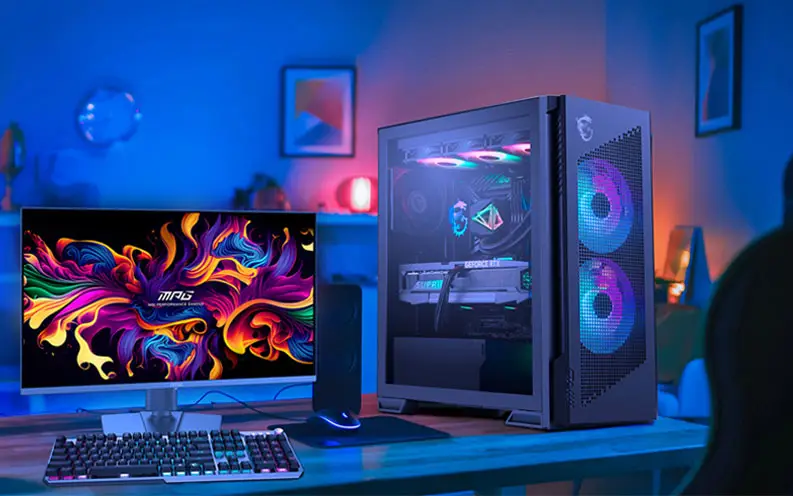
MSI's premium MPG series is engineered for gamers who demand strong performance and sleek design. Each product showcases cutting-edge aesthetics and vibrant colors, reflecting MPG's commitment to exceptional design. With optimized configurations, MPG creates a visually striking and powerful gaming experience that leads the trends.
Learn more >

overview






Warranty


98W PD

Intelligence
App
Motion Blur


DarkArmor Film
Deeper Black Visuals, Enhanced Durability
DarkArmor Film
Equipped with DarkArmor Film, the MSI QD-OLED gaming monitor eliminates the purple tint common on previous QD-OLEDs, enhancing light absorption to boost black levels by 40% for superior contrast in well-lit rooms. It also upgrades surface hardness from 2H to 3H, providing 2.5x better resistance against accidental abrasions.
2.5x Scratch Resistance
Uniform Luminance
Precision HDR Brightness, Smoother Visuals
Uniform Luminance

Uniform Luminance grants you fully customizable HDR brightness for precise control on the MSI QD-OLED gaming monitor. By fine-tuning points on the curves, it prevents sudden, aggressive dimming and ensures seamless transitions, delivering smoother visuals tailored to your preference.
Default Peak 1000
Sudden brightness drop.
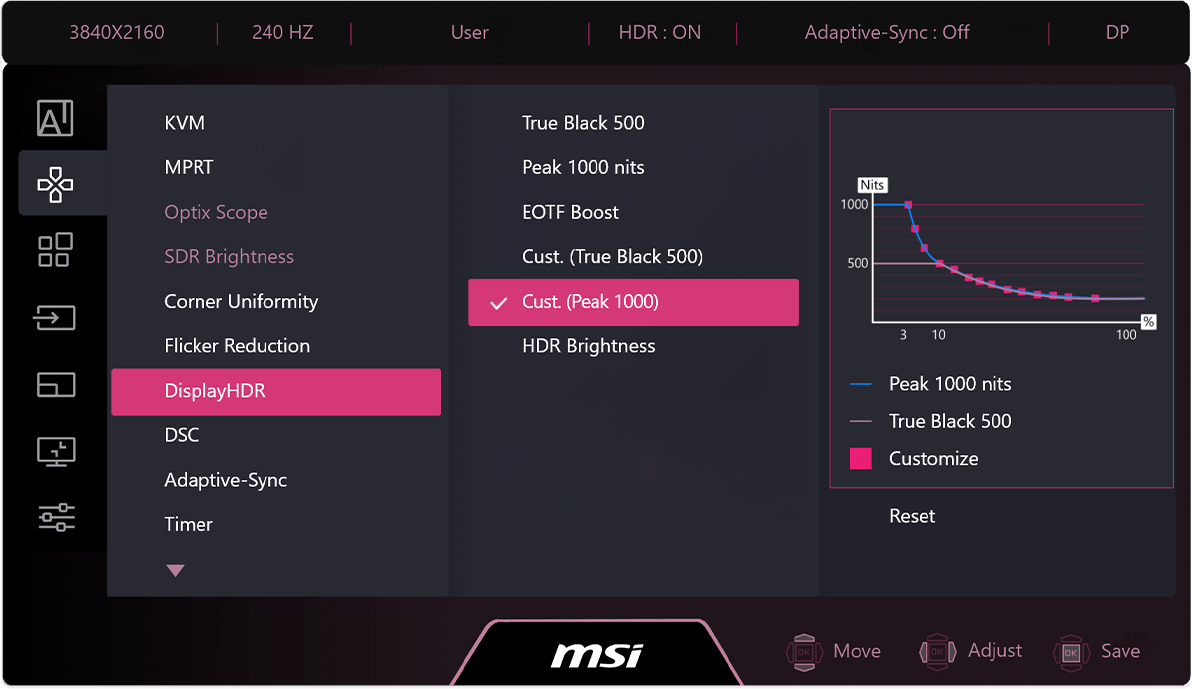
Cust. Peak 1000
Smooth brightness transition.

Cust. Peak 1000 (Lowest)
Brightness remains consistent.

Screen images simulated. Recorded footage may not accurately reflect actual brightness or color performance due to camera limitations.
Brightness cannot exceed the curve limits due to panel hardware restrictions.
Breathtaking Visuals, Ultimate Performance
4th-Gen QD-OLED
-
 Penta Tandem™
-
Visual Benefit
-
Smooth Motion
-
TrueBright™

+30% Light Efficiency
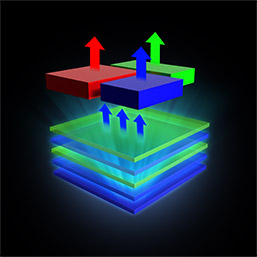
The MSI QD-OLED gaming monitor the QD-OLED Penta Tandem™ panel, which integrates a 5-layer light-emitting structure to boost light efficiency by up to 30%. It sustains a peak HDR brightness of 1300 nits with lower power consumption, delivering brilliant visuals and superior light emission.


Exceptional Color & Contrast
The MSI QD-OLED gaming monitor delievers lifelike precision with 99% DCI-P3 coverage and Delta E ≤ 2 accuracy. Featuring a 1.5M:1 contrast ratio and VESA DisplayHDR True Black 500 certification, the panel delivers deep, inky blacks and vibrant highlights at 1000 nits peak brightness.





Ultra Fluid Precision Motion
The MSI QD-OLED gaming monitor dominates fast-paced gameplay with a blistering 240Hz refresh rate and 0.03ms GtG response time. Certified with ClearMR 13000, this panel eliminates motion blur and ghosting to ensure every movement is rendered with pinpoint clarity.


The New Standard for Luminance
The MSI QD-OLED gaming monitor is TrueBright™ certified, setting a new standard for perceived display quality by measuring brightness as the eye sees it rather than just raw output. This certification guarantees the panel delivers superior contrast and striking visual clarity.
Smart Protection, Extended Lifespan
OLED Care 3.0
-
AI Care Sensor
-
-
-

The AI Care Sensor technology in the MSI QD-OLED gaming monitor uses a CMOS sensor to detect images every 0.2 seconds and, powered by an AI chip with an NPU (Neural Processing Unit) algorithm, accurately identifies human presence to prevent false detection and unintended screen turn-offs.
Real Human Detection
Distinguishes humans from static objects in real time to eliminate false triggers and ensure accurate detection.
Wake on Approach & Lock on Leave
Automatically locks the screen when you step away to prevent burn-in and wakes instantly upon your return.
Adaptive Dimming
Auto-dims the display to save power, enhance privacy, and prevent burn-in.
Auto Brightness and Color Temperature
Auto-adjusts brightness and color temperature for optimal viewing comfort in any lighting.

Multi-Platform Support

Monitor Mode
Works seamlessly across Windows OS, macOS, Linux, and consoles.

System Mode
Integrated with Windows 11 Presence interface for direct sensor control.
All visual data is processed locally and in real time by an NPU-based chip, instantly converted into digital signals without any storage. No images are saved or transmitted, ensuring complete on-device privacy and protecting user data at all times.


MSI OLED Protection on the MSI QD-OLED gaming monitor actively detects static images and automatically adjusts brightness to prevent burn-in and ensure a longer panel lifespan.
Multi-Icon Detection
Automatically detects static app icons and reduces their luminance to prevent image retention.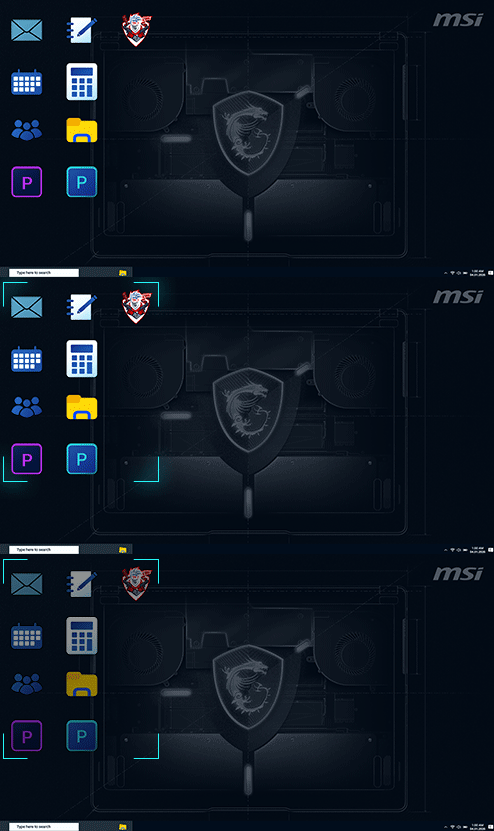
Boundary Detection
Dims high-contrast boundaries between images or backgrounds after a set duration.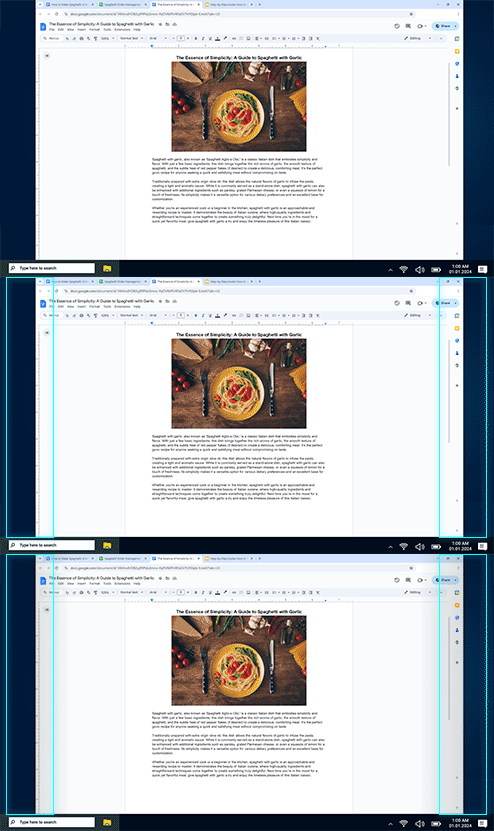
Taskbar Detection
Identifies the desktop taskbar and automatically lowers its brightness to prevent burn-in.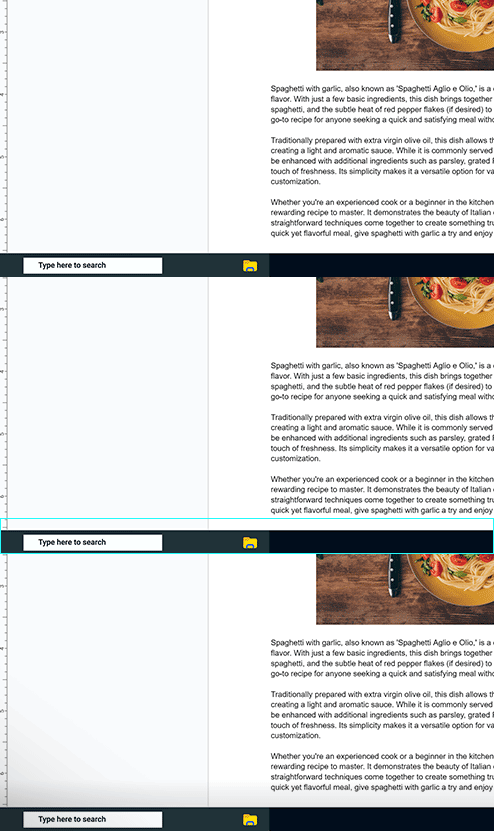
Multi-logo Detection
Detects multiple static logos and reduces their luminance to protect the panel.
Pixel Shift
Periodically moves screen pixels at regular intervals to ensure static images do not remain in the exact same position.
Panel Protect
Automatically activates Pixel Refresh after 4 hours of usage to maintain panel health.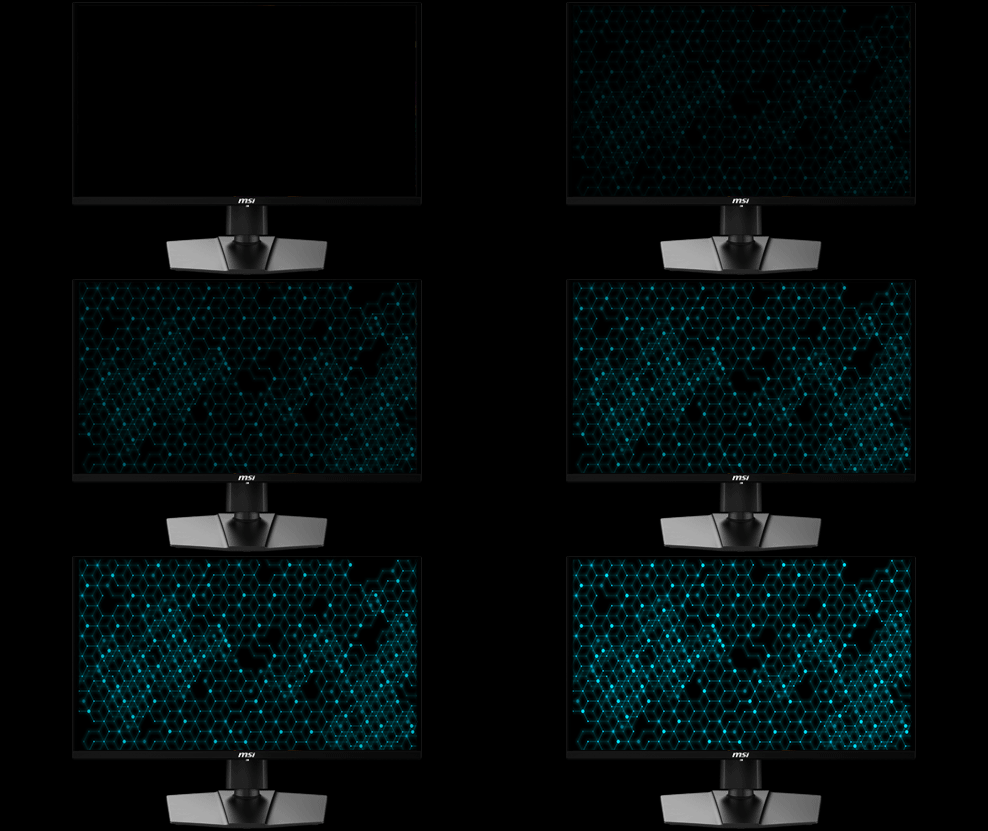
Static Screen Detection
Automatically dims the entire screen brightness when a static image is displayed for a prolonged period.
A custom heatsink and advanced graphene film on the MSI QD-OLED gaming monitor maximize heat dissipation, protecting the OLED panel and extending its lifespan.

The MSI QD-OLED gaming monitor ensures seamless play and work without interruptions. The mandatory panel refresh cycle is now extended to 24 hours, with a single reminder 30 minutes prior. For effortless protection, the refresh automatically activates during standby or power off.

4hours
16hours
24hours
New
Between 4hrs and 24hrs
Over 24hrs
Previous
Notifications every 4hrs
Over 16hrs


Versatile Ports for Your Flexibility
Comprehensive Connectivity
-
-
-

Full 80Gbps Bandwidth
Experience next-gen performance with the MSI QD-OLED gaming monitor, featuring DisplayPort 2.1a (UHBR20). It delivers a massive 80Gbps bandwidth, offering 2.5 times the speed of DP 1.4a. This natively supports uncompressed 4K at 240Hz without DSC, fully unlocking DSR and DLDSR capabilities for ultimate visual fidelity.

USB Type-C with 98W Power Delivery
With USB Type-C connection on the MSI QD-OLED gaming monitor, allowing you to power your device (up to 98W) and effortlessly display by DisplayPort Alt mode.



Optimized for Comfort, Clarity, and Color
Visual Enhancement
-
OLED Anti-Flicker PRO
-
Super Low Motion Blur
-
Personalized Color
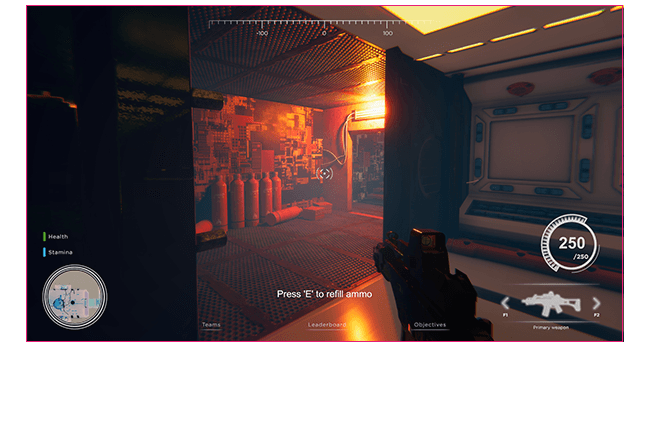
OLED Anti-Flicker PRO Off
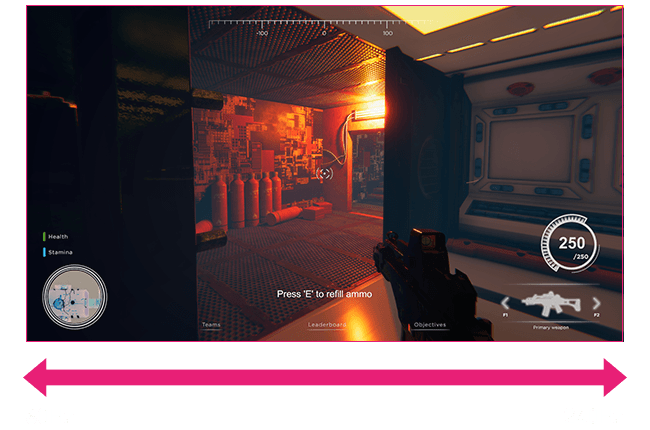
OLED Anti-Flicker PRO On

Comfortable Viewing Experience
The MSI QD-OLED gaming monitor features OLED Anti-Flicker PRO, offering three adjustable levels to significantly reduce distracting screen flicker. This technology ensures a consistently smooth and comfortable viewing experience when VRR is enabled.
SLMB Off

Motion blur visible, harder to focus on targets.
SLMB On

Sharper motion, reduced blur, and easier target tracking.
*Note: SLMB is available at 180Hz & 240Hz only and cannot be used simultaneously with VRR.
Enhanced Motion Clarity
The MSI QD-OLED gaming monitor utilizes Super Low Motion Blur (SLMB) to effectively eliminate ghosting and motion blur. This technology keeps fast-moving objects sharp and effortlessly trackable.
Precision Color Control
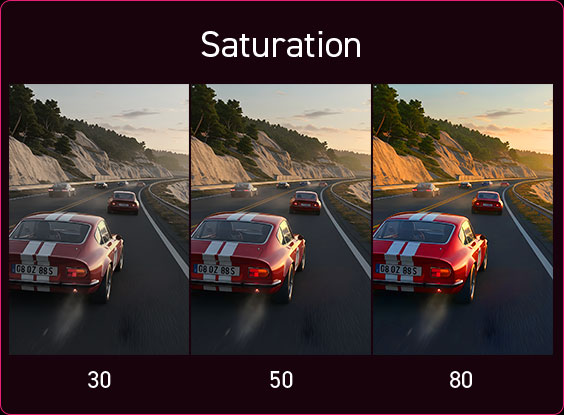
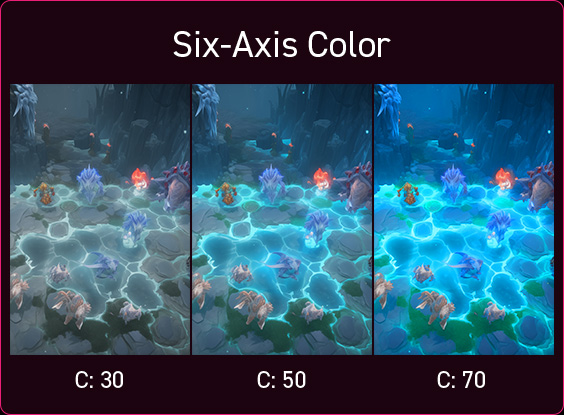
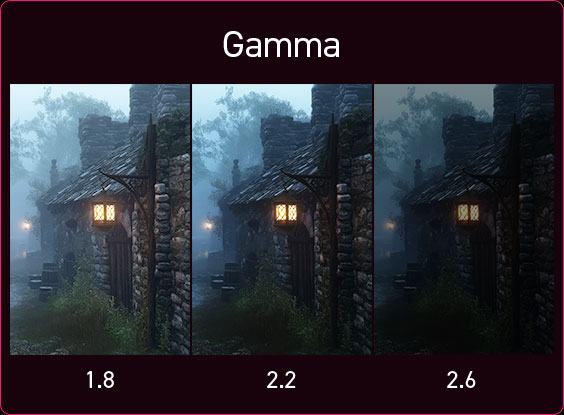
The MSI QD-OLED gaming monitor features advanced color settings to fine-tune the visual experience. Saturation, Six-Axis Color, and Gamma levels can be easily adjusted to create customized color profiles that perfectly match specific viewing requirements.
Gaming Intelligence App
Smart Settings, Effortless Control
Gaming Intelligence App

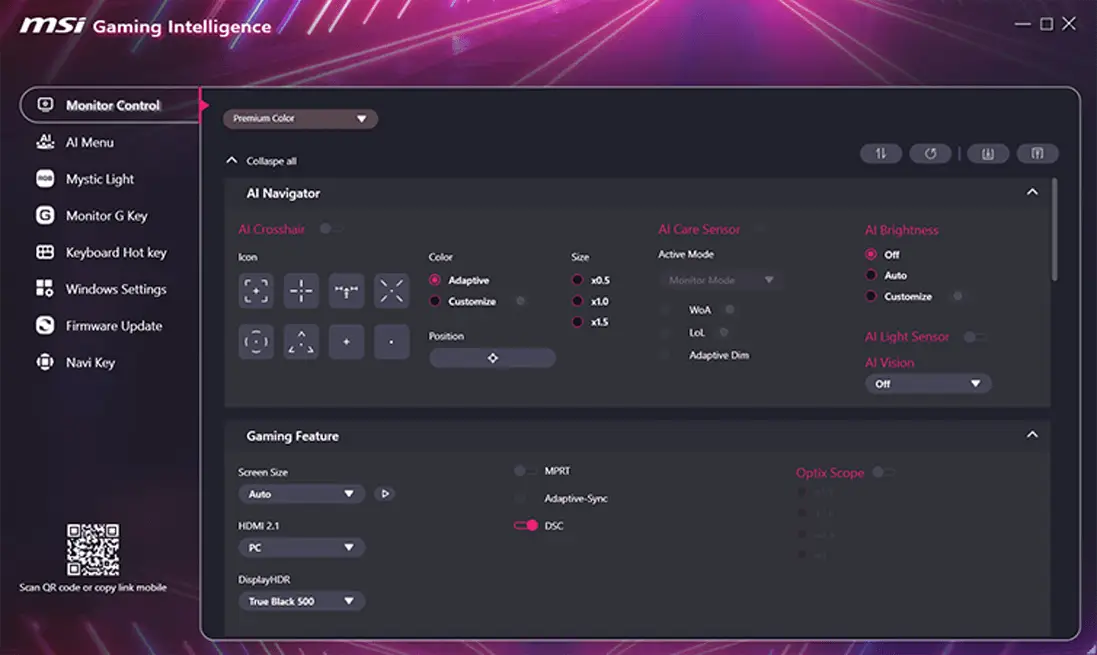
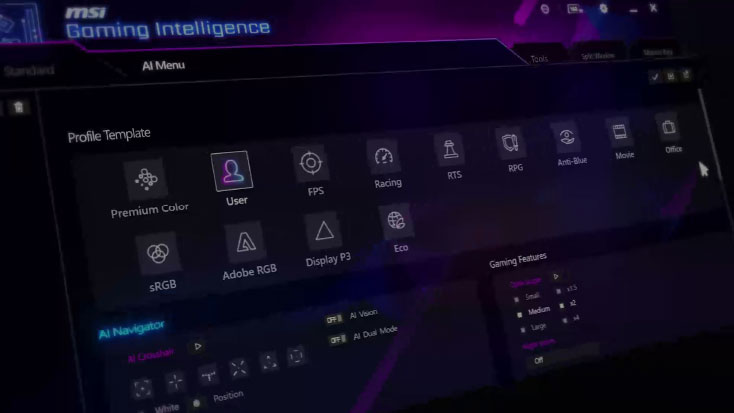
Take full control of the MSI QD-OLED gaming monitor with the Gaming Intelligence app on PC or the Remote Display app on Android. Easily fine-tune display settings, manage AI functions, and customize individual application profiles via the AI Menu without reaching for monitor buttons.

AI Gaming Assistance
AI NAVIGATOR
-
 AI Menu
-
AI Crosshair
-
AI VISION
Personalized Display Profile for Every Game
AI Menu on the MSI QD-OLED gaming monitor customizes display settings that auto-activate when you launch a game, including AI Crosshair, AI Vision, as well as brightness, contrast, and more. You can also easily export and import profiles to share with friends or apply them on a new monitor.

- Add Your Application
- Customize Profile Settings
- Apply Settings
- Quick Setup Share

Smart Dynamic Crosshair
The MSI QD-OLED gaming monitor features an aim dot that automatically changes color, making it visible at any time. This prevents the aim dot from overlapping with the background color, which can be problematic for aiming.
Intelligent Visual Enhancement
The new AI Vision technology on the MSI QD-OLED gaming monitor can not only reveal details in dark areas but also enhance overall brightness and saturate colors, bringing brightness to your day.

Aspect Ratio Options
Flexible Screen Sizes of Your Choice
Aspect Ratio Options
The MSI QD-OLED gaming monitor supports a variety of aspect ratios, allowing selection between 27” and 24.5” imagery. Choose the size you want at your leisure, and elevate your gaming experience to the utmost.


Adaptive Sync
Tear-Free, Stutter-Free Gaming
G-SYNC™ Compatible & AMD FreeSync™ Premium Pro Technology
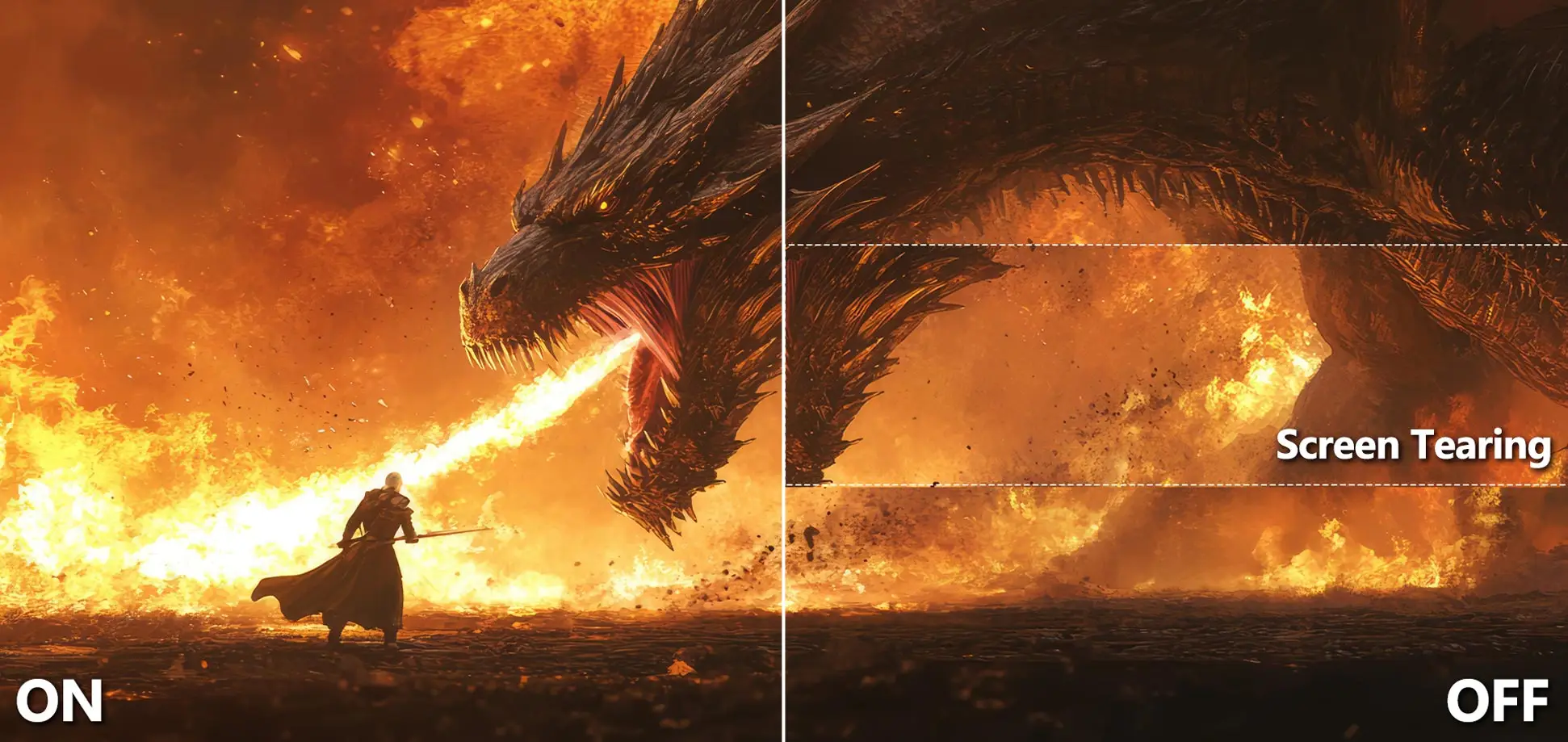
Experience fluid, tear-free performance with the MSI QD-OLED gaming monitor,
featuring G-SYNC™ Compatible & AMD FreeSync™ Premium Pro technology.
It eliminates screen tearing and stuttering for an ultra-smooth visual experience.

*Certifications may still be in progress. Please check the respective official websites for the latest compatibility list.
Unlocked Potential, Seamless Gameplay
Your Gaming Control
-
KVM
-
Console Mode
-
Firmware Update
-
Optix Scope
-
Navi Key

Seamless Device Switching
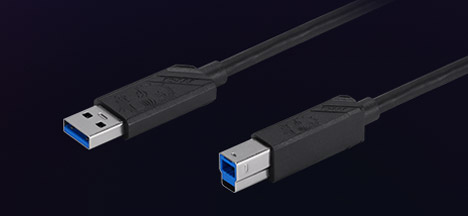
Control two devices effortlessly using a single keyboard, mouse, and the MSI QD-OLED gaming monitor.

HDMI™ 2.1 Full Bandwidth
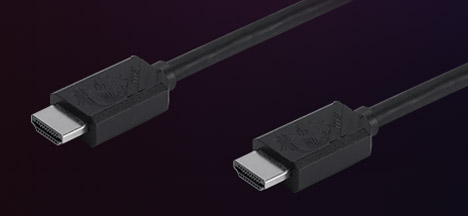
Maximize your console gaming experience with the MSI QD-OLED gaming monitor, featuring HDMI™ 2.1. It delivers a full 48Gbps bandwidth, VRR, and ALLM support for smooth 120Hz gameplay. Built-in HDMI™ CEC allows your controller to instantly wake the monitor and automatically apply tailored visual modes.

Hassle-Free Firmware Updates
Keep the MSI QD-OLED gaming monitor in peak condition. Firmware update support allows you to easily apply the latest MSI updates, ensuring your display is always perfectly optimized.

Precision Aim Magnifier
Gain a tactical advantage with the built-in Optix Scope on the MSI QD-OLED gaming monitor. Quickly toggle between multi-stage zoom levels and maintain consistent magnification no matter which weapon you equip.

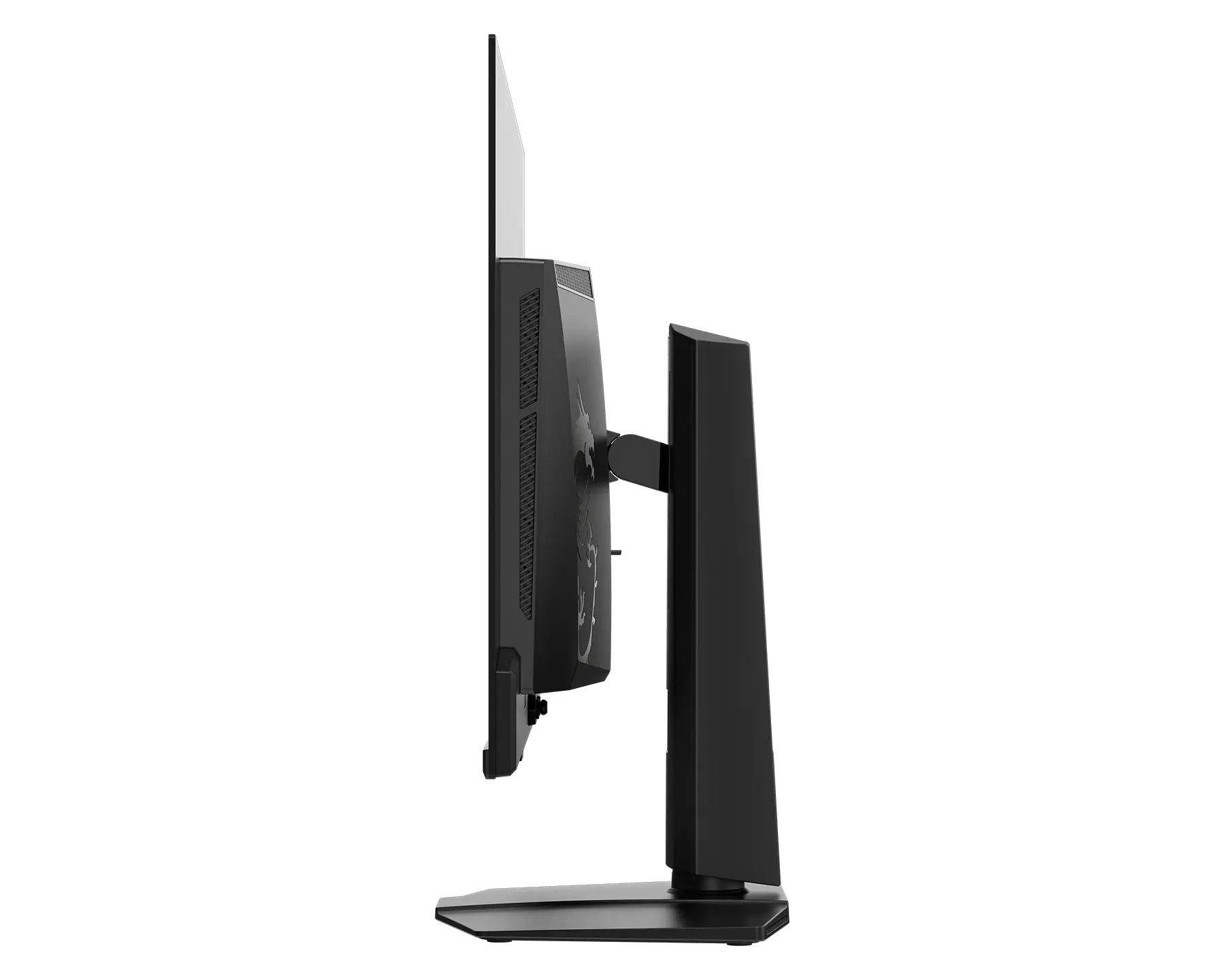
Flat Stand Design
Maximize Your Desk Space
Flat Stand Design
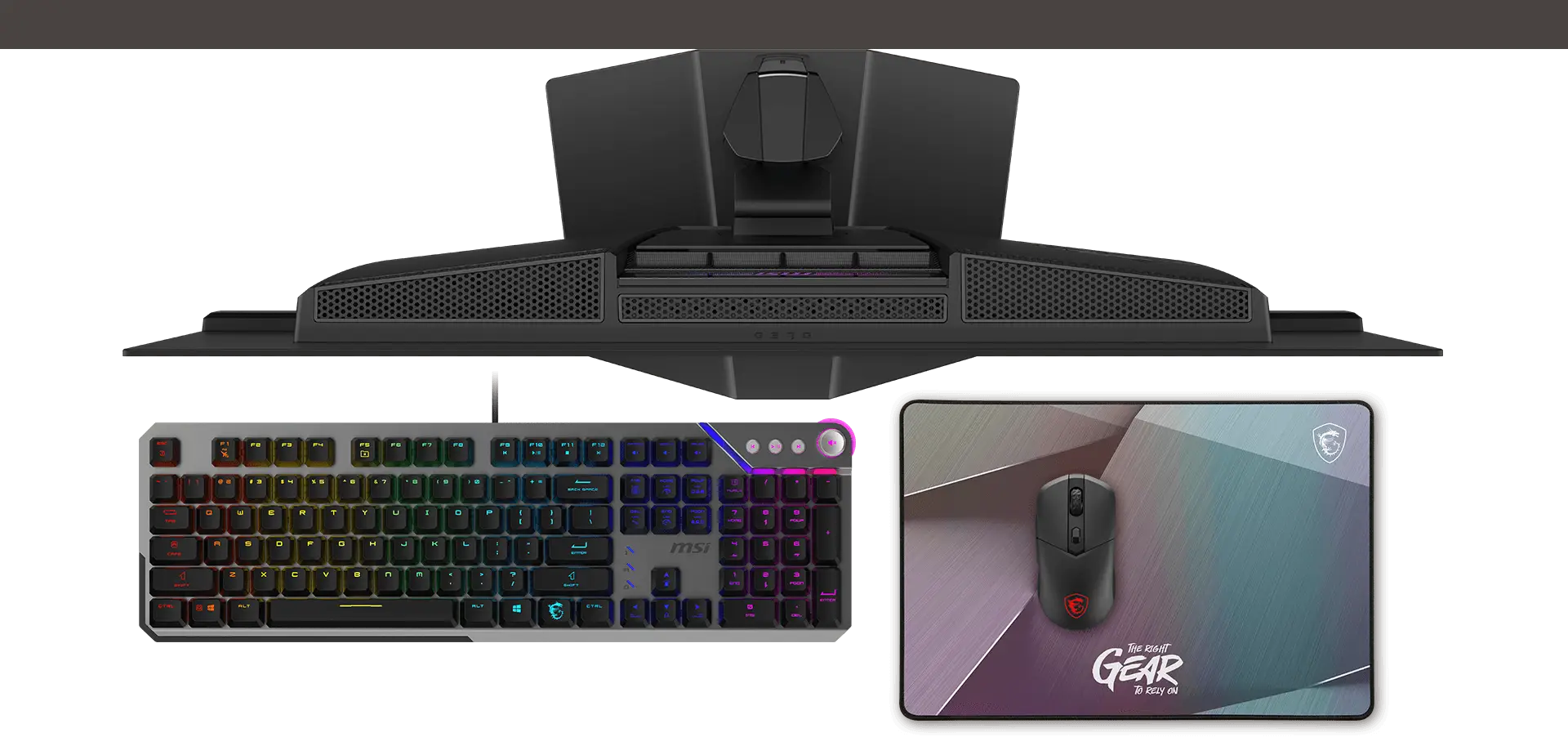
The MSI QD-OLED gaming monitor's flat stand design adapts to your desk setup and peripherals, maximizing limited space and creating a clean, spacious environment for competitive play.
Ergonomic Design
Adjust to Your Perfect Angle
Ergonomic Design
The MSI QD-OLED gaming monitor's sleek, adjustable stand lets you easily fine-tune the height, tilt, and swivel to your exact preference. For a minimalist setup, it also supports standard VESA mounting.
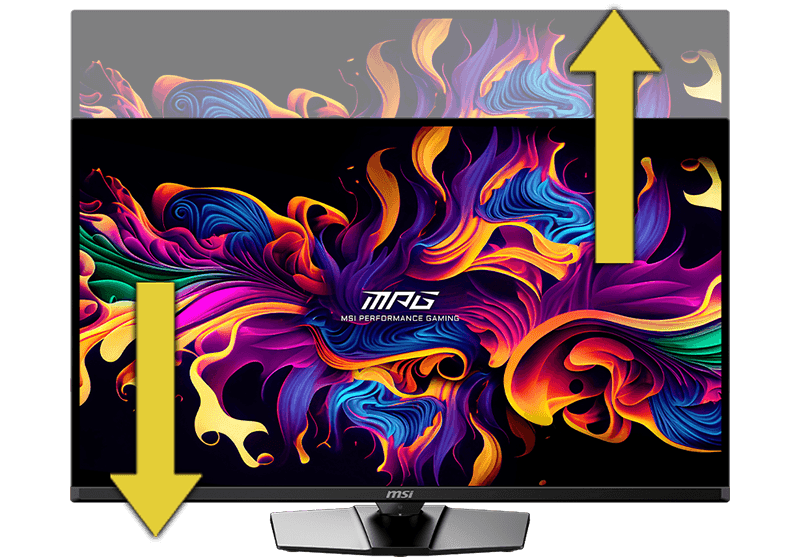
[ 0 ~ 110 mm ]
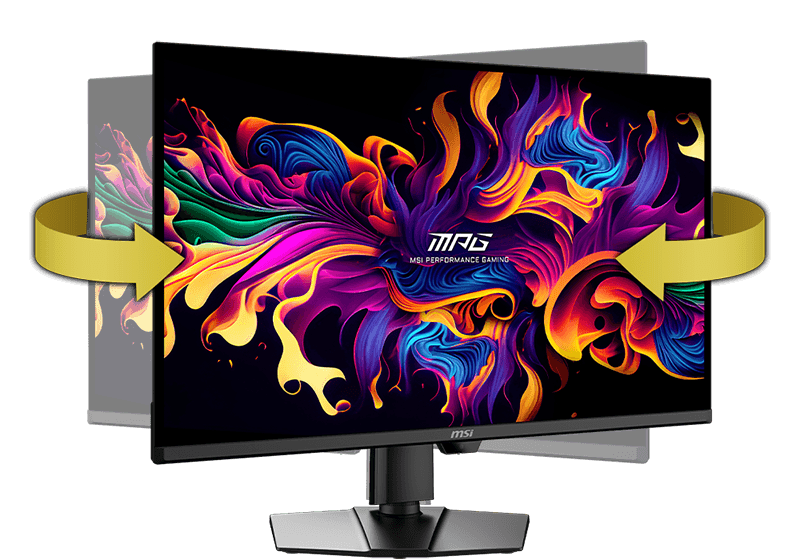
[ -30° ~ 30° ]
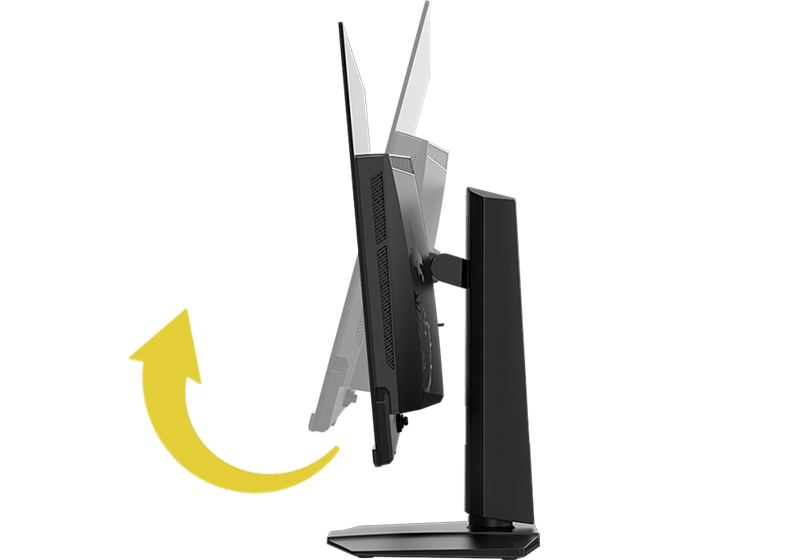
[ -5° ~ 15° ]
Flexible Connectivity for Your Needs
Complete I/O Ports
-

- Panel Size31.5"
- Panel TypeQD-OLED
- Aspect Ratio16:9
- Panel Resolution3840 x 2160 (UHD)
- Refresh Rate240Hz
- Response Time0.03ms (GtG)
Personalize Your Colors and Vibe
Vivid Ambient Lighting
-
Mystic Light
-
Windows Dynamic Lighting

Control Your RGB Vibe
Create soft ambient lighting that seamlessly syncs with all your Mystic Light-enabled gaming gear.

Direct Windows Control
Effortlessly control and synchronize RGB effects across connected devices directly through the Windows 11 OS. Customize brightness and lighting patterns for a fully cohesive setup.
Build the Ultimate Battle Station
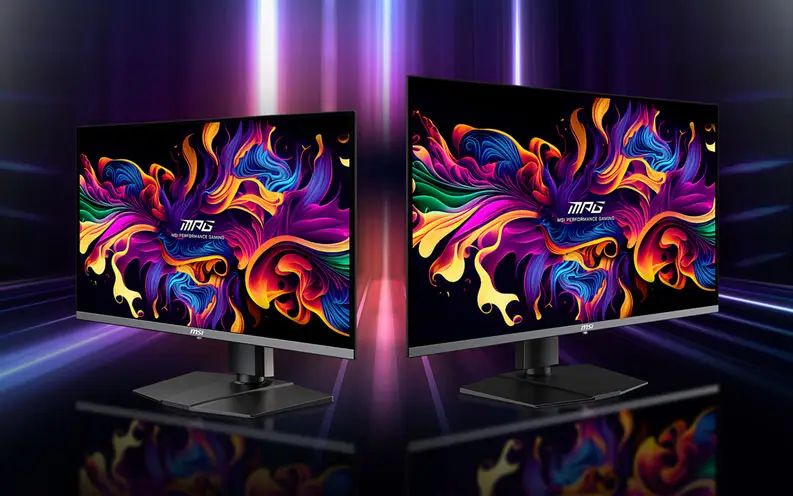

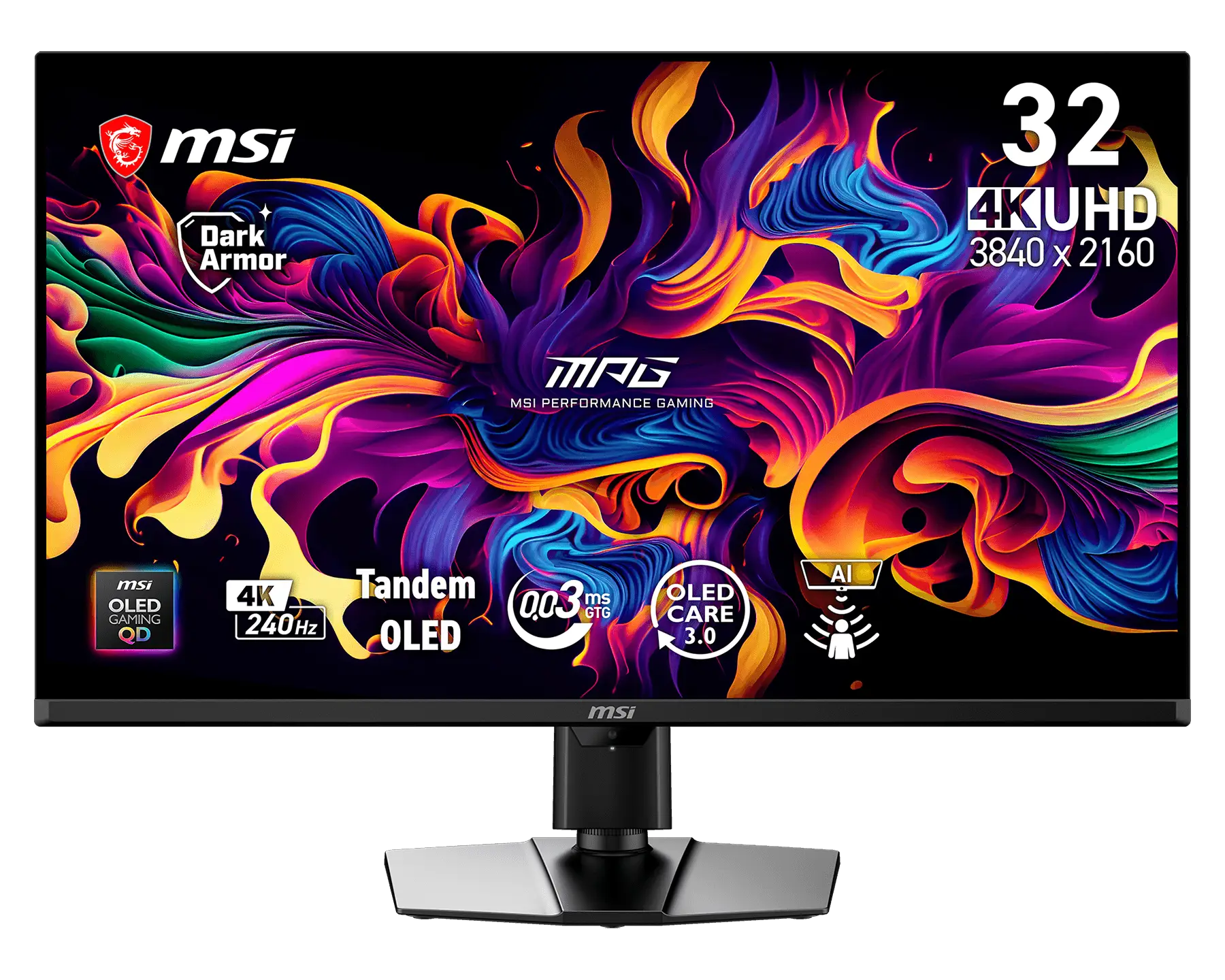


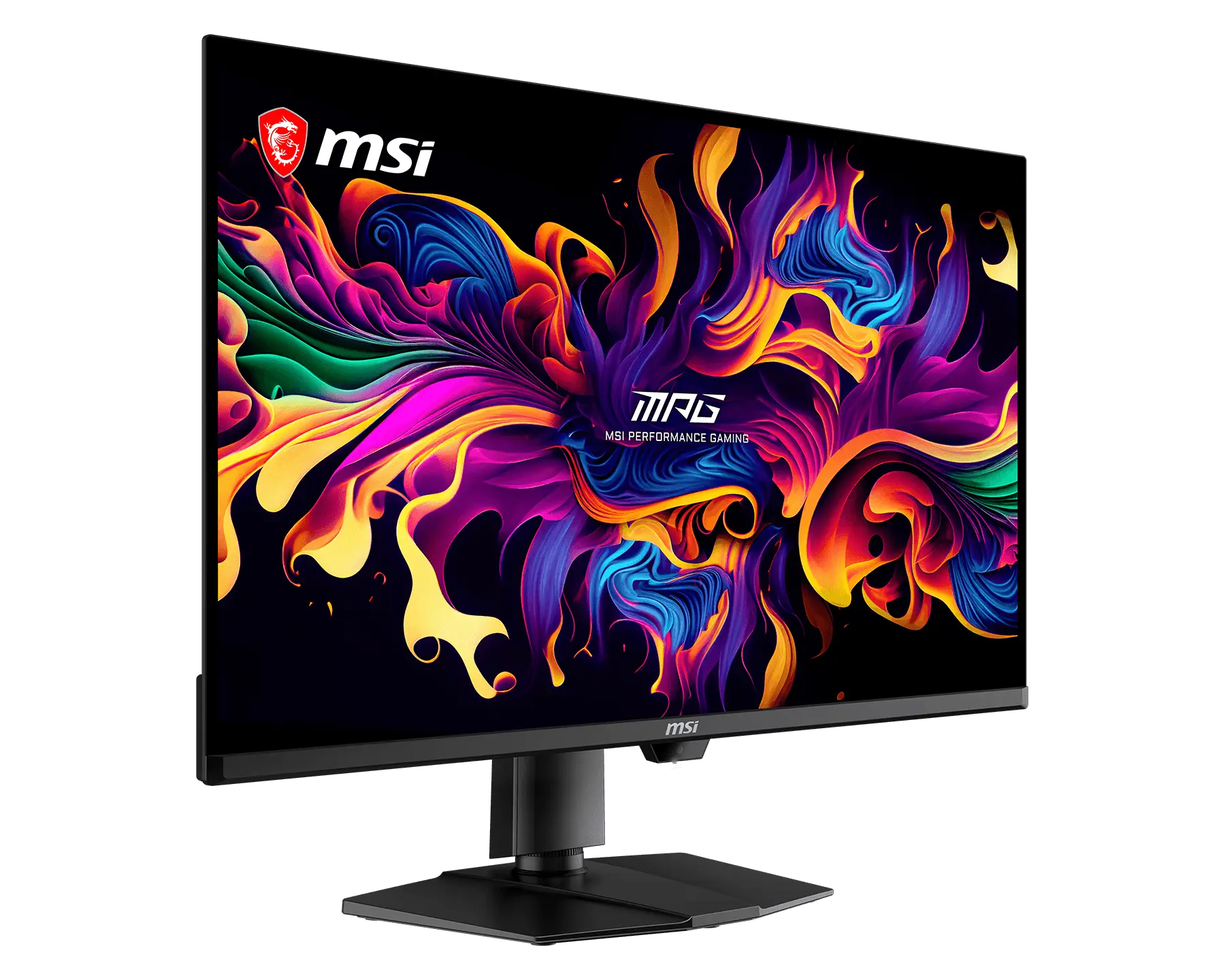
MPG 322UR QD-OLED X24
- The latest 4th-Gen QD-OLED Panel – With stunning image quality and fast response time.
- 5-layer tandem OLED panel with EL Gen 3 technology – Light efficiency up to 30%.
- DarkArmor Film- Delivers 40% deeper blacks and a 2.5x more scratch-resistant screen surface.
- Uniform Luminance - HDR Curve Customization allowing you to customize the HDR curve and enjoy a smoothly uniform HDR experience.
- MSI OLED Care 3.0 – AI Care Sensor reduced the risk of OLED image sticking / burn-in.
- Incredible HDR visual – VESA DisplayHDR True Black 500.
- Peak 1000 Nits-delivers a superior HDR experience with 1000 nits peak brightness.
- Ensures the color meets the market standard – Delta E≤2.
- Crystal-Clear Motion – VESA ClearMR 13000 certified.
- 3-Year Burn-In Warranty – Including coverage for OLED burn-in.


All images and descriptions are for illustrative purposes only. Visual representation of the products may not be perfectly accurate. Product specification, functions and appearance may vary by models and differ from country to country. All specifications are subject to change without notice. Although we endeavor to present the most precise and comprehensive information at the time of publication, a small number of items may contain typography or photography errors. Some products and configuration may not be available in all markets or launch time differs. Supplies are limited. We recommend you to check with your local supplier for exact offers and detail specifications.
The terms HDMI™, HDMI™ High-Definition Multimedia Interface, HDMI™ Trade dress and the HDMI™ Logos are trademarks or registered trademarks of HDMI™ Licensing Administrator, Inc.