2025 Cyborg Series – Futuristic Design Meets Everyday Portability
Laptops
Step into the future with the MSI Cyborg Series—a bold fusion of cybernetic aesthetics and powerful performance. Designed for casual gamers who crave portability without compromise, the Cyborg lineup redefines mobility with translucent chassis designs, customizable RGB keyboard, and cutting-edge hardware. Whether you’re a student, traveler, or casual gamer, Cyborg delivers the perfect balance of style and substance.

↑ The all-new 2025 Cyborg Series continues its legacy of portability and futuristic design, now available in more size options than ever.
Translucent Innovation: The Art of Cyborg's Chassis Design
The Cyborg Series offers multiple size options—17", 15", and 14"—designed with portability in mind. Ideal for frequent travelers and students, it provides powerful performance without the bulk.
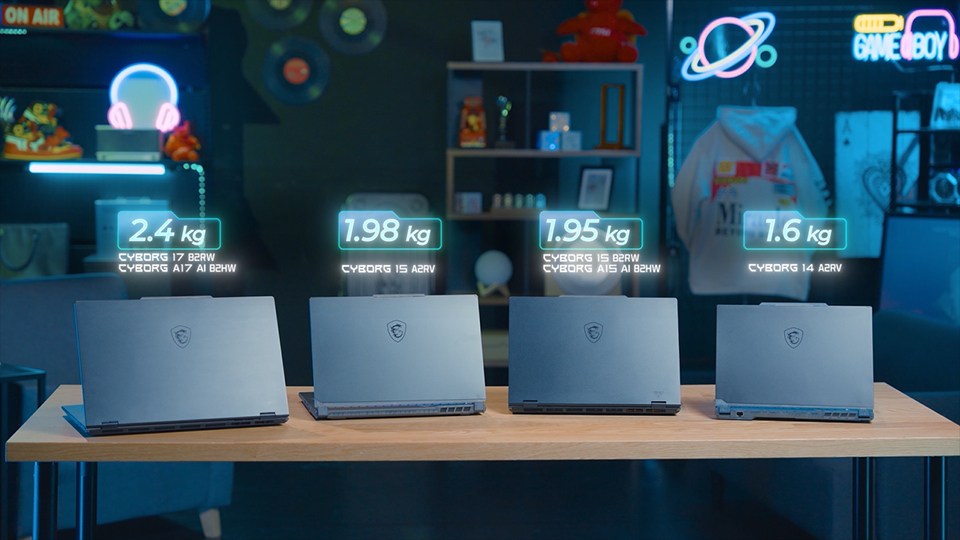
↑ The Cyborg Series comes in multiple sizes, all crafted for easy portability.
The Cyborg Series debuts with a striking metallic chassis accented by translucent elements, capturing the essence of futuristic design. The Cyborg 17 and Cyborg 15 with B-suffix model name (B2HWx/B2RWx) delve deeper into the Cybernetic and Organism concept. Featuring a translucent mid-layer that subtly reveals the inner framework, the design is enhanced by exoskeletal curves that give the surface a bold, mechanical aesthetic.
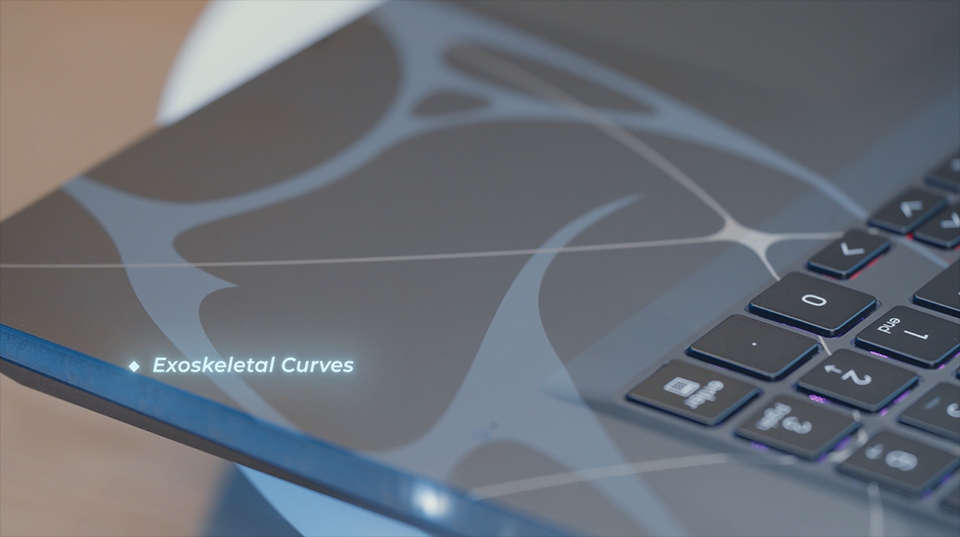
↑ The Cyborg 17 and Cyborg 15 with B-suffix model name embrace the Cybernetic-Organism concept, featuring exoskeletal curves for a bold, mechanical look.
The Cyborg 15 and Cyborg 14 with A-suffix model name (A2RVx) embody translucent materials throughout the chassis. Extend to the bottom, embodying a sophisticated expression of the "True Gaming" spirit.
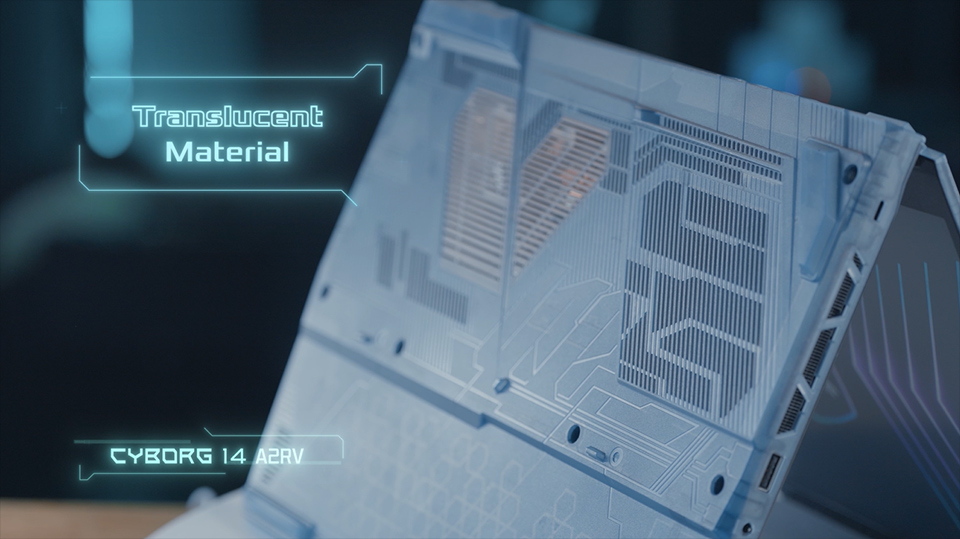
↑ The Cyborg 15 and Cyborg 14 with A-suffix model name feature a translucent bottom side that extends to the sides, delivering a sleek and futuristic design.

↑ Cyborg series’ protruding design at the top allows for easy one-handed opening and closing.
AI Meets Efficiency: Optimized CPU and GPU for the Modern Gamer
The CPU offers both Intel and AMD platform, with up to Intel® Core™ 7 processor and AMD Ryzen™ 7 Processor. The AMD CPU is now handling AI tasks specifically with NPU inside, leading to improved power consumption and efficiency.
The GPU is pairing with up to NVIDIA® GeForce RTX™ 5060 Laptop GPU. Thanks to the power efficient design, the Cyborg series could handle graphic-intensive tasks like gaming, content creation with less power consumption and offers longer battery life.
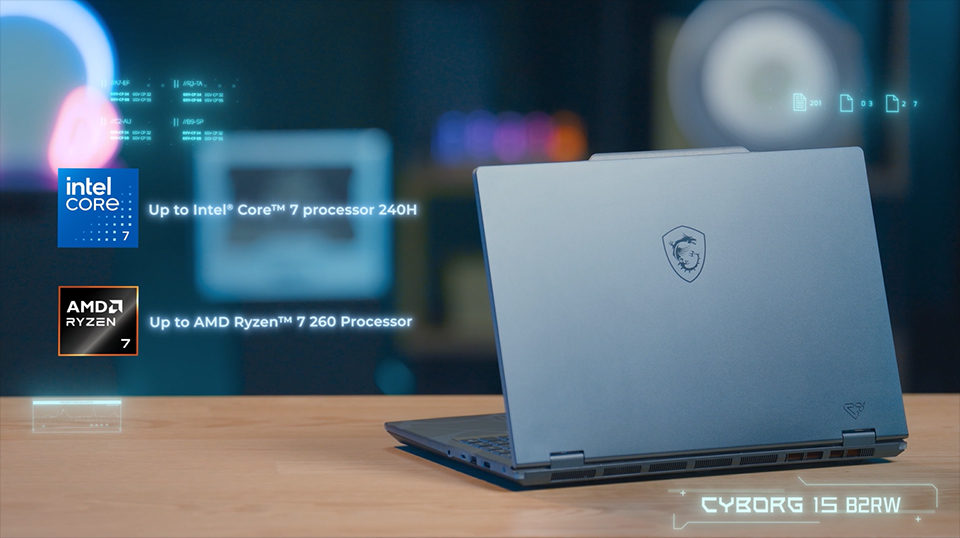
↑ Cyborg offers both Intel and AMD CPU options, with power-efficient GPU design for longer battery life.
Built for Convenience: Essential I/O Where You Need It
The Cyborg Series provides all essential I/O ports, eliminating the need for extra dongles—perfect for on-the-go convenience. The I/O ports support USB 3.2 Gen1 Type-A, USB 3.2 Gen1 Type-C with Display port, HDMI, Gigabit Ethernet for stable connection, Kensington Lock to avoid being stolen, and Audio combo jack.
*The USB design may vary by ID design and CPU combination.
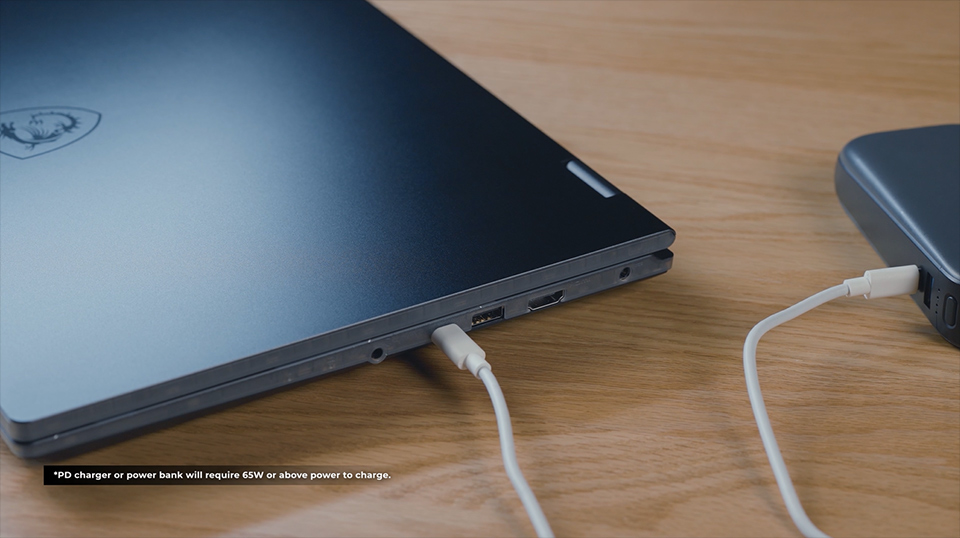
↑ For Cyborg 17 and 15 with B-suffix model (B2HWx/B2RWx), the Type-C port supports PD charging, enabling you to charge your laptop through power bank or PD charger.
In addition, Cyborg series supports HDMI and USB Type-C with Display port, offering up to two extra displays. You could enjoy the game while searching the game walkthrough or streaming.

↑ Support for two external displays enables seamless multitasking.
Convenience Meets Control: User-Friendly Keyboard with 4-Zone RGB Control
The Cyborg series applies 4-Zone RGB keyboard, and each zone can be customized to different color, with diverse mode like breath mode, wave mode, which could be setup in MSI Center – Mystic Light.
MSI has also decorated the WASD keys, arrow keys, and power keys with translucent key caps, allowing players to control and react more quickly and accurately during games.
*The keycap design will vary by model. ** 4-Zone RGB is optional.
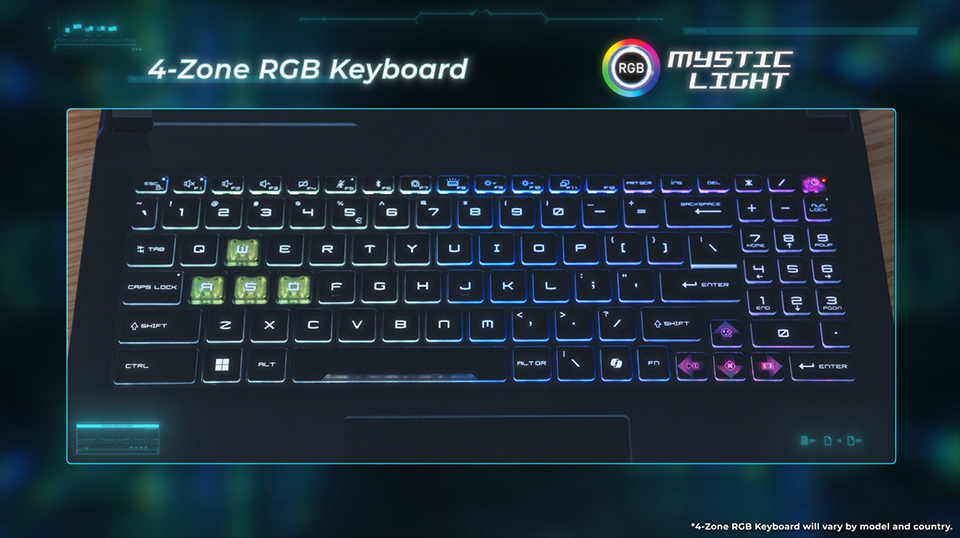
↑ The Cyborg Series features a 4-zone RGB keyboard with customizable colors and profiles, enhancing the immersive gaming vibe.
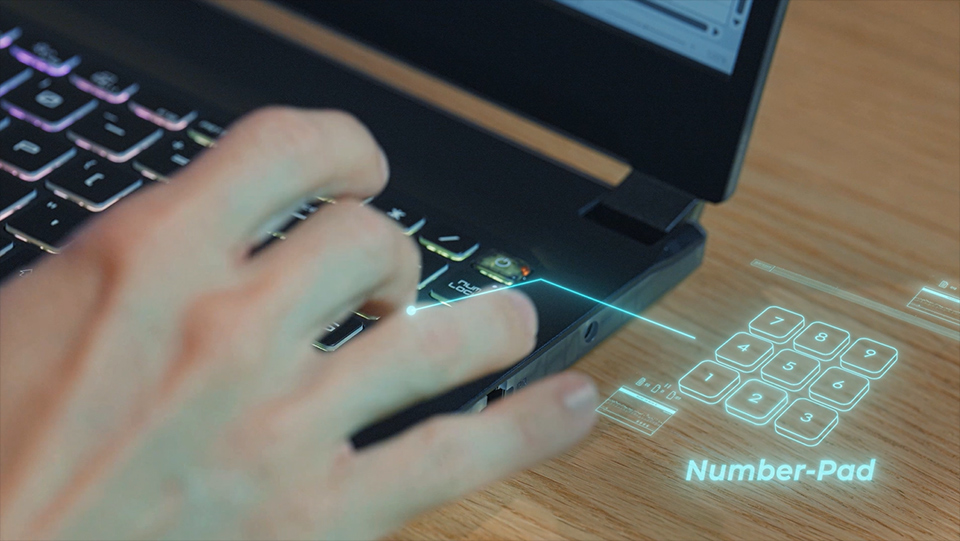
↑ Cyborg 17 and 15 integrate independent number pad, which greatly enhances the convenience while playing some games or doing daily works.
MSI Center: Your All-in-One System Control Hub
The MSI Center is the control center of MSI laptop, you could monitor the system information, setup performance mode, or find some useful tools to enhance user experience. If you’d like to learn more about MSI Center, check the link to know more.
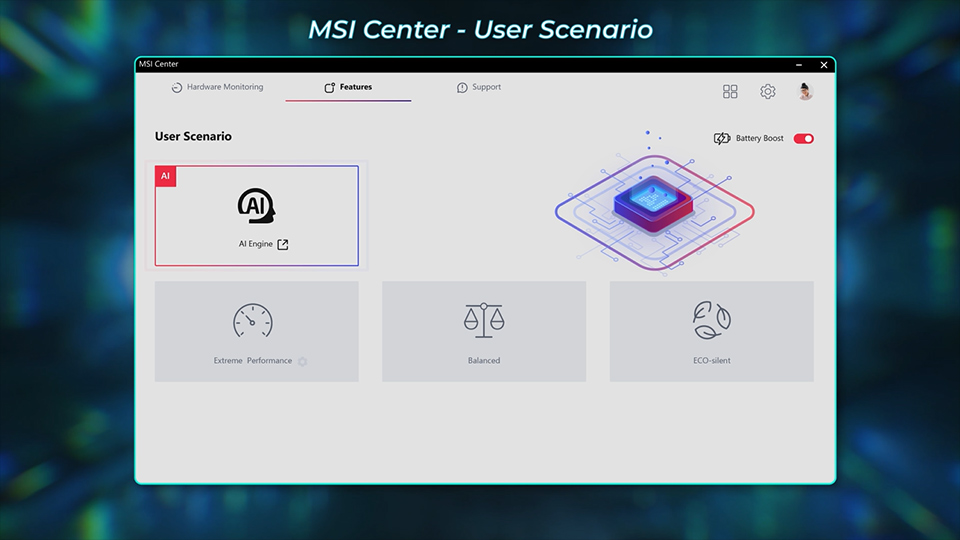
↑ In MSI Center-User Scenario, you can switch performance modes to achieve optimal efficiency.
In addition, the significance of AI has increased in recent years. MSI seamlessly integrates AI into MSI Center. The MSI AI Engine uses the AI power to enhance user experiences. Just go to MSI Center – User Scenario, and click AI Engine. It will detect the current scenario by AI, and automatically adjust the system into different modes.
For example, while launching a game title, it will change to Intelligent gaming mode, turning on the RGB backlit, enhancing the performance, and freeing up the cache from memory to get better game experience without manually setup. For more information, go to MSI AI Engine video to learn more.
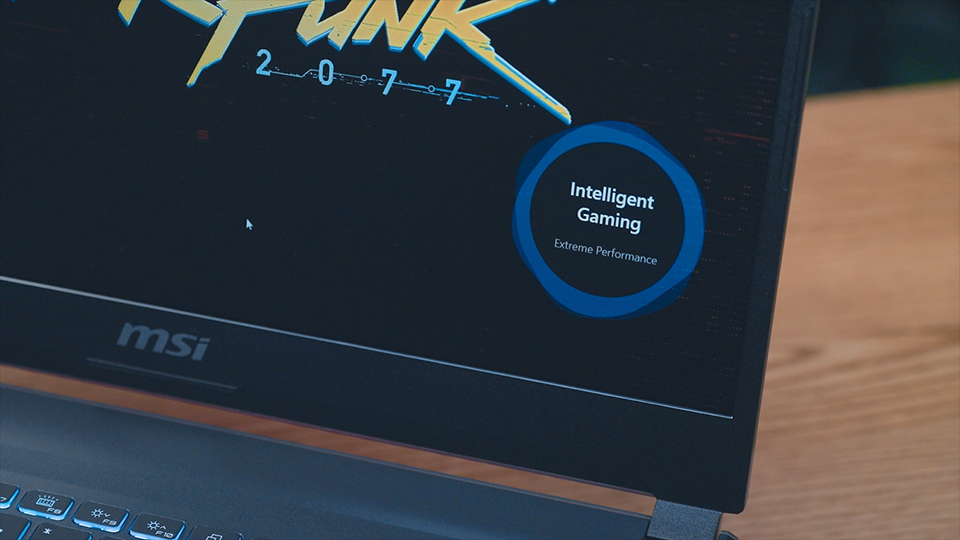
↑ After launching a game, MSI AI Engine activates and switches to Intelligent Gaming mode, optimizing performance, keyboard settings, and more for the best experience.
For network, MSI launches brand new function “AI LAN manager” this year in MSI Center to automatically allocate the internet bandwidth based on different applications.
For example, when gaming while browsing the walkthrough with Google chrome, network priority will be allocated to the game for smoother gameplay. You could also setup the priority of certain apps for more customization. This dynamic management enhances overall performance and ensures seamless connectivity across different applications.
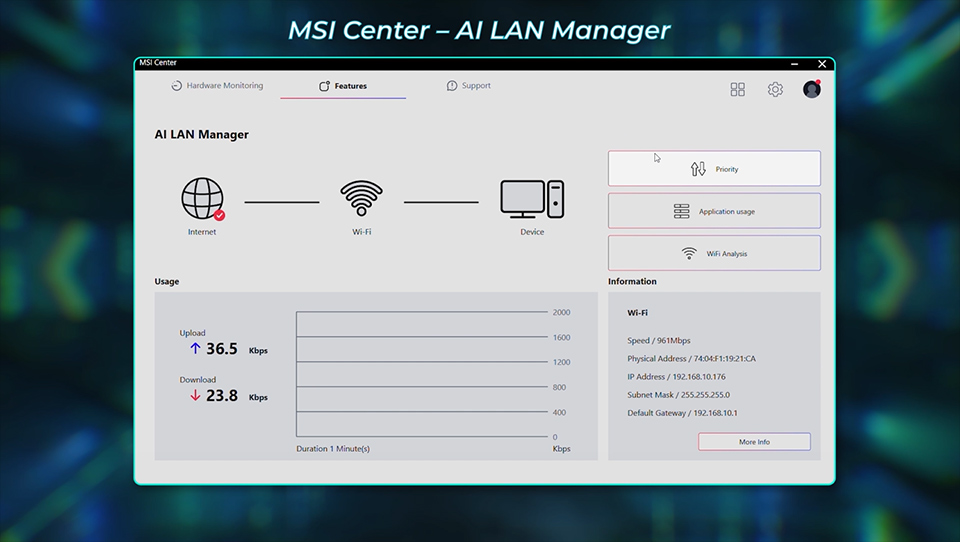
↑ AI LAN Manager automatically allocates network bandwidth, ensuring smooth connectivity for gaming and other scenarios.
AI Robot: Intuitive System Tuning with Natural Language
Another AI tool is also coming this year in MSI RTX 50 laptops. AI Robot is a personal AI assistant built with local Small Language Model, enabling you to use natural language to check system information, control the performance, or even manage the Windows setting, helping you optimize efficiency in both work and life.
*AI Robot is only available in RTX 50 laptops, and can be downloaded here.

↑ AI Robot is your system assistant, allowing you to adjust performance or other settings through natural language commands.
Summary
With its futuristic design, versatile configurations, and intelligent features like MSI AI Engine and AI Robot, the Cyborg Series stands out as a smart choice for those who demand performance and flexibility on the go. From immersive gaming to everyday multitasking, Cyborg is ready to adapt—whenever, wherever. Discover your next-level experience with Cyborg.
2025 Cyborg Series Tutorial Video
https://youtu.be/ZONqF2pFhZE
Cyborg 15 A2R Official Website
https://www.msi.com/Laptop/Cyborg-15-A2RX
Cyborg 14 A2R Official Website
https://www.msi.com/Laptop/Cyborg-14-A2RX
https://youtu.be/ZONqF2pFhZE
Cyborg 15 A2R Official Website
https://www.msi.com/Laptop/Cyborg-15-A2RX
Cyborg 14 A2R Official Website
https://www.msi.com/Laptop/Cyborg-14-A2RX