Alpha 17 - The Best AMD Gaming Laptop
Laptops

Hello everyone, today we gonna explain why our newly launched Alpha 17 is the best AMD gaming laptop. It got mighty performance, strong cooling, great keyboard, versatile connectivity, and decent upgradability. After talking about those advantages on Alpha 17, we will share some useful user tips that can elevate your user experience.

First, let’s see those key strengths making the Alpha 17 the perfect gaming laptop. The first, also the most important advantage of Alpha 17 is its mighty performance. It comes with the most powerful AMD mobile processor - the 16-core, 32- threads Ryzen 9 7945HX processor, which could deliver satisfying single-core performance for gameplay, and second-to-none multi-core performance for multi-threaded workloads. It also sports the full-powered NVIDIA RTX 4070 or 4060 graphics. Along with the DLSS 3 & frame generation technology, the FPS in games can be hugely boosted, promising buttery-smooth gameplay with ultra graphic setting.

To make sure that laptop won’t get hot or loud under long period of gaming or multi-tasking, Alpha 17 had incorporated the latest Cooler Boost 5 tech, consisting of dual fans and 6 heat pipes, promising lower temperature during competitive gameplay. Also, two of the pipes are shared by the CPU & GPU, making the whole thermal more dynamic to CPU or GPU-intensive workloads like rendering or benchmarking.

Thanks to its beefy cooling, the Alpha 17 is able to top the charts of various performance benchmarks. Take CPU performance as as example, it can provide up to 24% more single-core & whopping 2.25x more multi-core performance compared to the former 6900HX processor. Combined with the latest RTX 40 series graphics, Alpha 17 promises the FPS exceeding 60 or even 144 with QHD resolution & ultra graphics settings in most of the AAA game titles. Besides gaming, users can also expect a huge performance leap in 3D rendering or video editing, making it the most well-rounded AMD gaming laptop.

Great keyboard is another spotlight of Alpha 17. It got decent travel with per-key RGB backlight, providing satisfying keypress feel & fancy light effects. For those people who will take it for STEM or office work, they will be flattered by the numpad, which is super convenient when using the software like MATLAB or Excel
Talking about the connectivity, Alpha 17 got everything that users will need. On the left it got one USB Type-A, USB Type-C with DP output and PD charging, and audio combo jack. On the right it got another two USB Type-A ports. We’ve also moved the port pairing with thick cable to the back like power-in, HDMI, RJ-45 Lan, and miniDP.
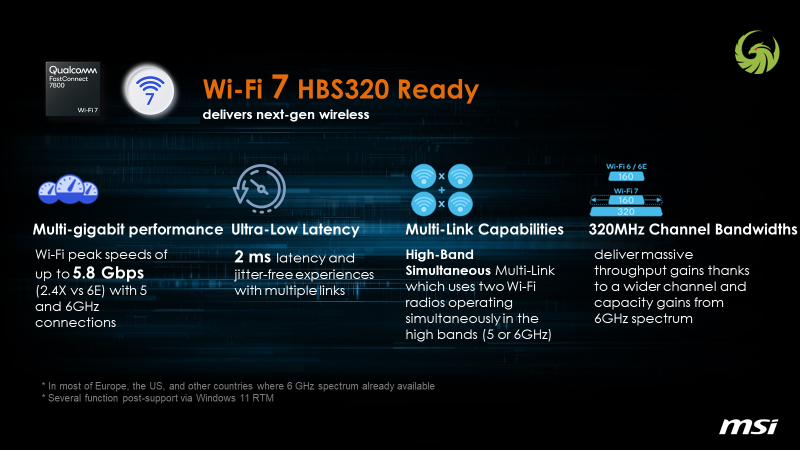
Alpha 17 is also the world’s first gaming laptop equipping WIFI 7. Providing up to whopping 5.8 Gbps bandwidth, ultra-low 2 ms latency and additional 6Hz spectrum for more separated network traffic, lowest network ping can be expected with Alpha 17.
Decent upgradability is the key for a long-lasting laptop and that’s right Alpha 17. It comes with dual memory slots and M.2 slots, supporting up to 64GB of DDR5 memory and over 4TB of PCIe gen4 SSD. All of these gonna be translated into a super powerful & long-lasting laptop for not just immersive gameplay but serious multi-tasking.
So now you know why Alpha 17 is the best AMD gaming laptop and next, we’d like to share some useful tips, which allows you to dive deeper of this beautiful yet powerful laptop.
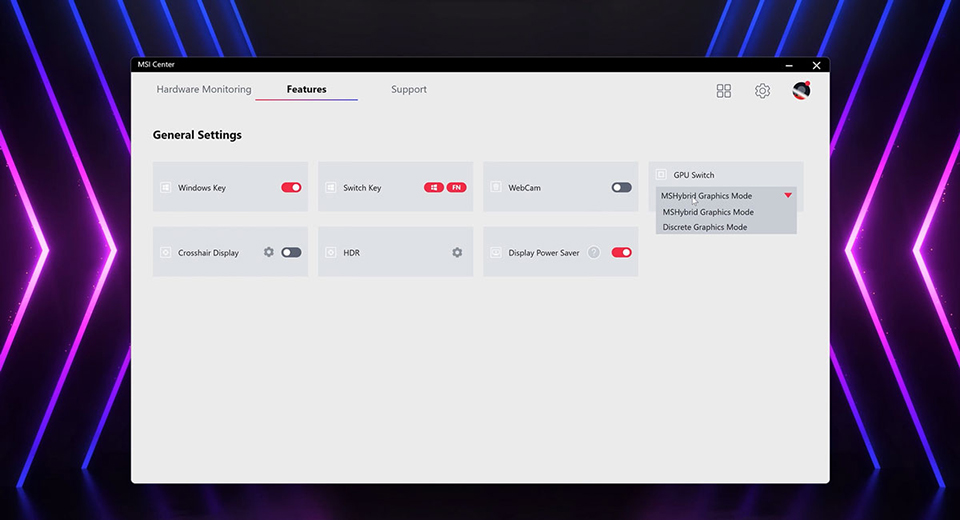
Alpha 17 supports the discrete graphics mode, the so-called MUX switch. It’s has been proved that there’ll be better game performance along with compatibility under discrete graphics mode and all you need do is to launch the MSI Center, find the Features, and in GPU Switch section you can easily switch between different graphics modes, including discrete graphics mode. If you want to save more power while performing lightweight tasks, just switch to MS Hybrid or integrated graphics mode for longer battery life.
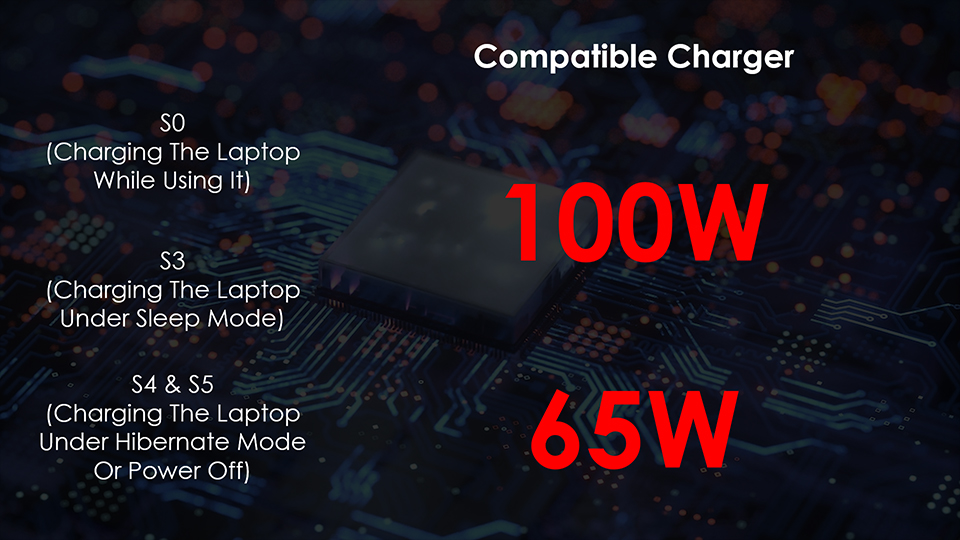
Alpha 17 also supports PD charging, which means you can charge the laptop via the USB-C port on the left. However, there’re several things you need to know before using it. First, if you want to freely charge your laptop even when you’re using it, you need to grab a PD charger with PD 3.0 protocol that can provide at least 100W of power; If you will only charge your laptop when it’s off or in hibernate mode, then you just need a 65W charger. Also, do watch out if your Type-C cable supports at least 65W or even 100W of power delivery. If everything above is ready, you’re free to embrace the convenience brought from PD charging.
To allow you quickly access a series of functions, we have deployed tons of shortcut on function keys row. For example, if you want to switch to different power mode like Extreme Performance for more raw performance, or Balanced for balancing between performance & noise, just press Fn key + F7; If you want to cool down the laptop immediately, you can press Fn + F8 to launch the Cooler Boost, which will boost the fan speed to the highest, allowing the laptop to cool down as quickly as possible; Last but not least, if you want to change the color of keyboard backlight, just press Fn + F9 to switch between different lighting profiles
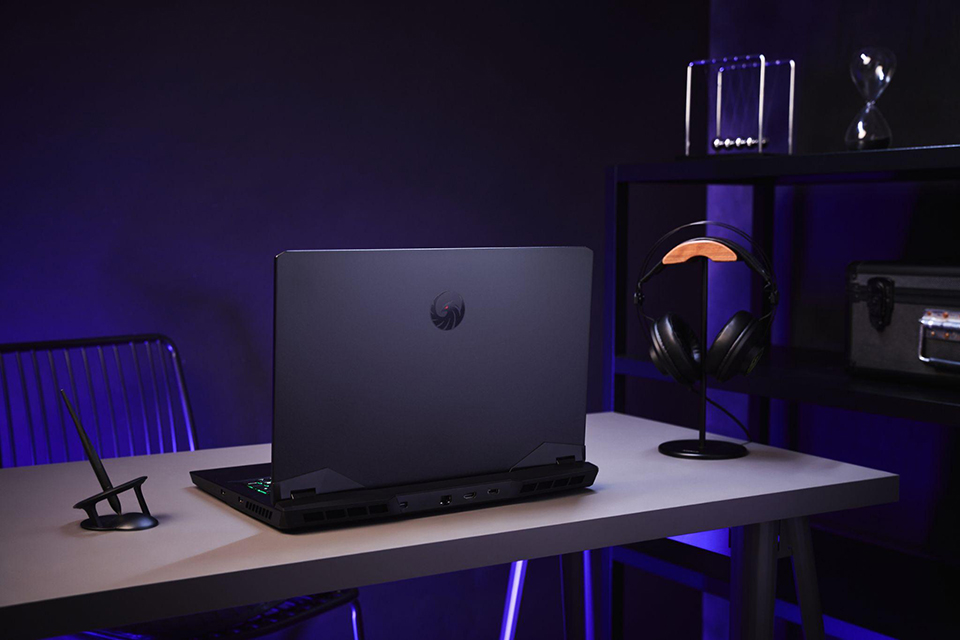
So there you have it, the brand new Alpha 17, coming with mighty performance, strong cooling, great keyboard, versatile connectivity and decent upgradability. If you’re looking for a powerful AMD gaming laptop that got great keyboard and decent upgradability, the brand new Alpha 17 is definitely your best choice.