Seven Dream PC Build Ideas for Every Need
Motherboards ,
Case & Components
Whether you're a gamer chasing peak framerates, a researcher training massive AI models, or a creative professional rendering complex project, getting the perfect build together can be stressful, especially if you’re not immersed in the world of PC hardware.
We’ve eliminated the guesswork and the stress of component matching with this guide. You’ll find seven distinct PC build ideas below, each crafted to deliver incredible performance and stunning aesthetics in equal measure.
Factors to Consider When Picking Your Hardware
A truly great PC is perfectly balanced (as all things should be?), where you have a reason behind every single part you pick.
Hitting this perfect balance is what separates a ‘decent’ build from an incredible one.
Use Case
Your primary use case dictates most hardware picks for your PC.
- Gamers: Prioritize a strong GPU and a CPU that won't bottleneck it. Fast RAM and an NVMe SSD for quick load times are also important with the influx of modern, DirectStorage games. Another factor to keep in mind is networking. Make sure you have access to fast, modern wired and wireless options like 5G LAN and Wi-Fi 7 for reliable connectivity.
- AI Researchers: Focus on the most powerful GPU with lots of VRAM, as this will handle the heavy lifting for model training and running AI workloads. You’ll also need a modern CPU and a large amount of fast RAM.
- Creative Professionals: Your needs typically vary by application. Video editors may benefit from CPUs with specific features like Intel's QuickSync, while 3D artists need powerful GPUs for rendering. Ample, fast storage is a universal need, though, so make sure you have plenty.
Intel vs. AMD (CPU)
Both brands make fantastic desktop processors, so this one often comes down to personal preference.
For the absolute best gaming performance, AMD’s X3D CPUs currently top the charts, while Intel’s offerings still deliver excellent gaming experiences.
That said, we’ve included options from both camps in our builds to give you options from both camps!
Target Resolution and Frame Rates
Your monitor’s capabilities should also factor into your GPU and CPU picks. A high-resolution, high-refresh-rate display requires powerful hardware to get the best out of it. And similarly, avoid pairing a top-of-the-line monitor with a weak GPU/CPU; you’ll end up with a sub-par experience if the resolution is too demanding.
Try and match your components to your display's resolution (1080p, 1440p, 4K) and target frame rate for the best possible experience. For example, grab a high-end GPU if you want to experience 4K gaming without sacrificing visual fidelity.
Cooling and Thermals
Powerful components generate significant heat, and it’s important to handle your temperatures to ensure a smooth gaming experience. Whether you choose air cooling or a liquid AIO cooler, make sure it can handle your CPU's thermal output.
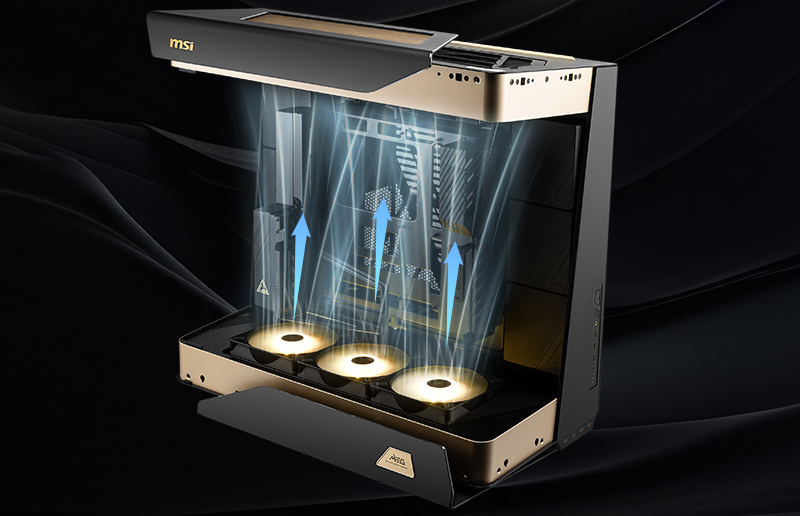
Your PC case’s airflow is equally important to prevent heat from building up inside. The right airflow setup will exhaust the heat away from crucial components like your NVMe SSDs and Graphics Card – enabling longer gaming sessions without any thermal issues.
The Ever-Visible PC Case
In addition to airflow, your case is also a largely personal aesthetic choice. But looks should only be one of the factors you consider when picking your PC’s case.
Make sure it's also compatible with your components. You should also weigh features like tempered glass side panels to show off your build, the number of pre-installed fans, built-in RGB lighting, and front-panel connectivity to add more accessible USB-C ports.
Introducing the EZ PC Builder from MSI
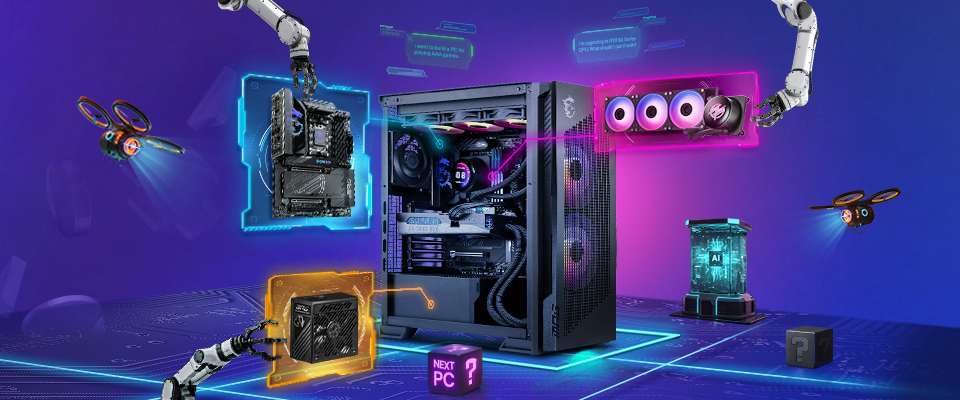
If navigating the complexities of component selection still sounds daunting, there's a simpler path. MSI's EZ PC Builder is an AI Assistant that does the hard work for you. Just tell it your use case and what sort of budget you have in mind, and it’ll generate a complete and fully-compatible parts list.
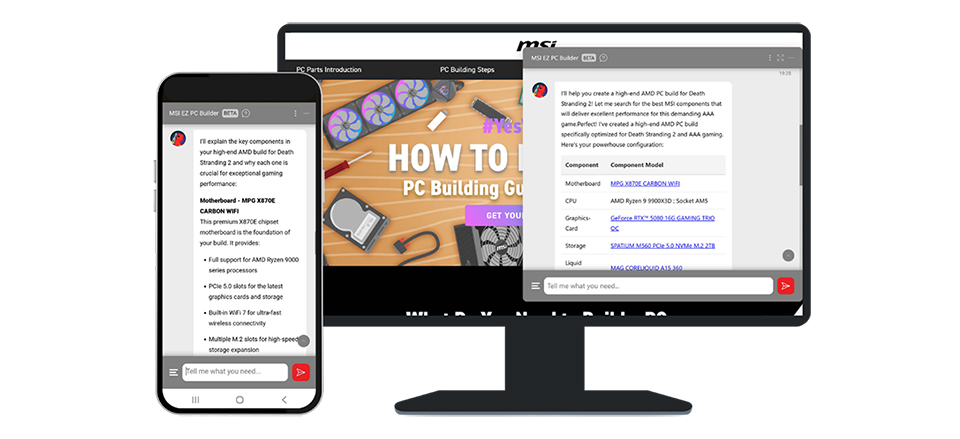
This approach cuts through the research and eliminates potential compatibility headaches, while allowing you to enjoy the experience of building a powerful PC yourself, minus the stress of picking the ‘right’ parts.
That said, if you want some inspiration to get started, we’ve put together seven gorgeous, high-performance PC build ideas below!
Seven PC Build Ideas: Pick Your Theme
For those who prefer a proven, hand-picked blueprint, we've done the heavy lifting. After sifting through scores of components, we balanced specs and looks to create seven purpose-built machines.
These aren't just a list of parts; they’re picked with aesthetics AND performance in mind. We focused on eliminating bottlenecks and delivering exceptional performance, all while looking the part. There’s a build for every goal: dominating the latest games, accelerating complex AI research, or powering through creative projects.
1. The Extreme PC
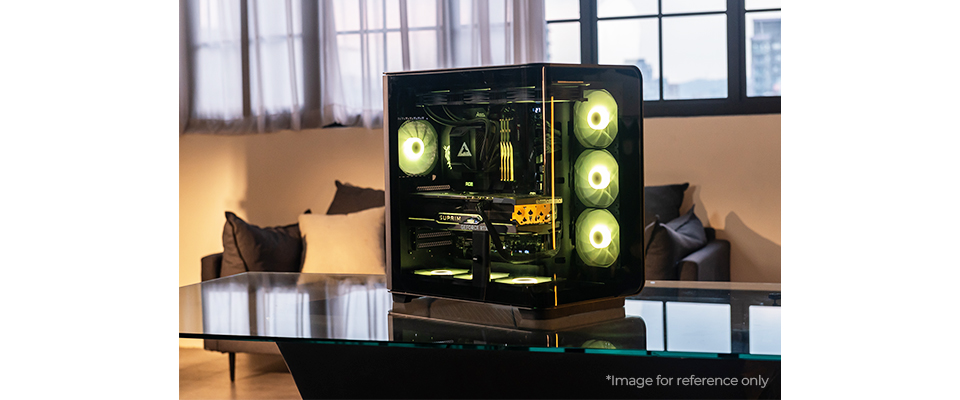
If overkill sounds like your cup of tea because you need the absolute best hardware on shelves today, The Extreme PC is the build for you. It combines the incredible AMD Ryzen 9 9950X3D and the MSI GeForce RTX 5090 32G SUPRIM SOC to deliver the best possible gaming performance you can get today.
Parts List:
Motherboard
MEG X870E ACE MAX
CPU
AMD Ryzen 9 9950X3D
Cooler
Memory
4x64GB DDR5-6400
Power Supply
PC Case
Of course, a top-tier CPU and GPU pair only deserve the best from our MEG lineup – designed to extract every ounce of performance.
The MEG X870E ACE MAX motherboard features a sharp new design and comes equipped with an expanded ROM chip for unmatched compatibility with future AMD’s Ryzen processors releasing on this platform. What’s more, it still boasts all the convenient EZ DIY features and a revamped OC Engine to combine an easy PC building experience with top-notch performance.
Great performance also needs equally great power, which is where the MEG Ai1600T PCIE5 1600-Watt Power Supply steps into the mix! It is ATX 3.1 and PCIe 5.1 ready, and also boasts MSI Center integration – allowing you to monitor wattage and temperatures in real-time.
2. Performance Gaming Beast
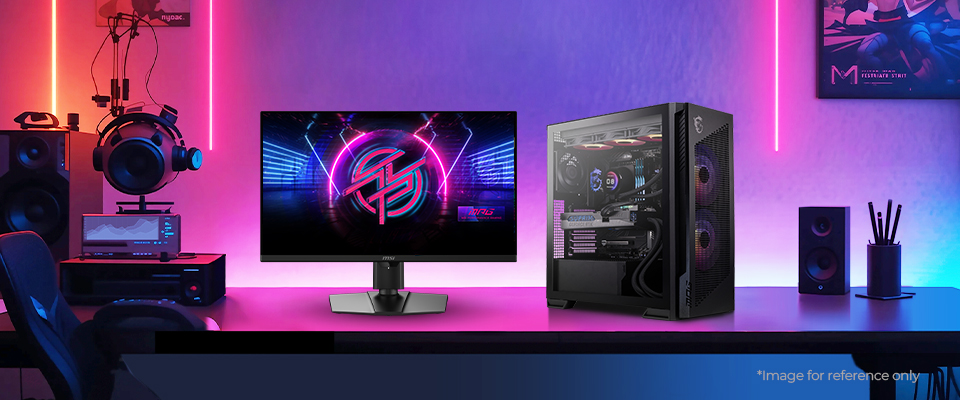
Next, say hello to the Performance Gaming Beast. This build is engineered for one thing: uncompromising 4K gaming. At its heart, two powerhouses, the AMD Ryzen 9800X3D and an MSI GeForce RTX 5080 16G GAMING TRIO OC, work in tandem to deliver fantastic performance in modern titles without turning down graphics settings at the highest resolutions.
Parts List:
Motherboard
MPG X870E CARBON WIFI
CPU
AMD Ryzen 7 9800X3D
Cooler
Memory
2x32GB DDR5-7200
Power Supply
PC Case
This isn't just about raw power, though; we’ve picked parts from our MPG lineup – known for its top-tier performance and fine-tuned customization. These parts will allow you to build a machine that looks just as incredible as it performs, giving you the freedom to tweak it to your personality and space.
Housing this build in the MPG VELOX 300R AIRFLOW PZ case is the best way to strike a balance between looks and excellent airflow. Its tempered glass side panel gives you a clean view of your hardware, and the front mesh ensures your parts always have enough airflow to breathe. Sitting behind this mesh are our large 160mm Dual Layer Blade Fans (pre-installed) that feature interconnected fan blades with an inner and outer ring that rotate simultaneously to enhance rigidity, reduce noise, and minimize vibrations – enabling excellent airflow with minimal noise.
Handling the powerful Ryzen 7 9800X3D is left to our impressive MPG CORELIQUID P13 360 AIO cooler – ensuring peak performance over even the most prolonged gaming sessions. It also boasts a 2.1-inch display atop the waterblock. Not only does this give you yet another way to personalize your machine, but it also lets you keep tabs on system and thermal performance without leaving your game.
3. Your Go-To Gaming Build
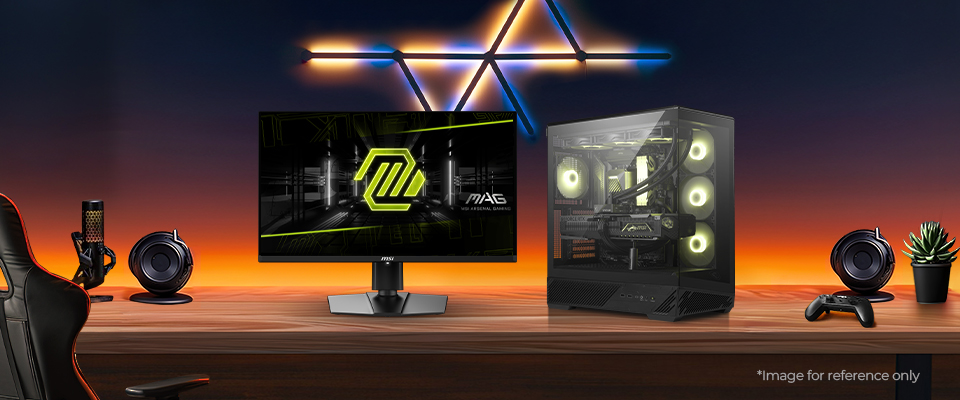
If you don't need the absolute bleeding edge of 4K performance, the Go-To Gaming build hits the perfect sweet spot. It’s the new mainstream king, delivering a killer combo of a premium gaming experience, clean looks, and excellent value.
Parts List:
Motherboard
MPG X870E TOMAHAWK MAX WIFI
CPU
AMD Ryzen 7 9800X3D / AMD Ryzen 7 7800X3D
Cooler
Memory
2x32GB DDR5-6400
Power Supply
PC Case
This build pairs the unmatched gaming value of the Ryzen 7 7800X3D with the excellent value offered by a GeForce RTX 5070 Ti GAMING TRIO OC. And of course, the rest of this hardware also gives you the flexibility to hop up to its modern Ryzen 9000 sibling – the Ryzen 7 9800X3D. The result is a machine perfectly tuned for crushing games at high refresh rates in 1440p, offering a truly premium experience without a top-tier price tag.
We’ve picked the MAG X870E TOMAHAWK MAX WIFI motherboard as the foundation for this build due to its compatibility with future releases on this platform – enabling convenient, drop-in upgrades.
The MAG PANO 130R PZ case offers the perfect showcase for this build, with its 270-degree panoramic glass and back-connect design for a perfectly clean look. And powering this system is the MAG A1000GLS PCIE5 Power Supply to ensure ample, stable power to your precious hardware.
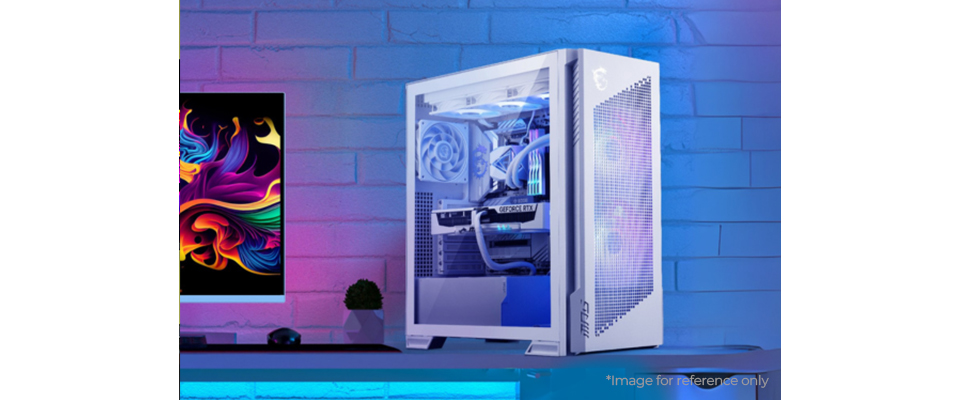
4. Snowy White Performance
For those who think a clean, all-white aesthetic requires compromise, think again. The "Snowy White Performance" build is engineered to deliver elite performance without deviating from a stunning, all-white theme.
Parts List:
Motherboard
CPU
Intel Core Ultra 9 285K
Cooler
Memory
2x32GB DDR5-7200
Power Supply
PC Case
At its core, no pun intended, is the powerful Intel Core Ultra 9 285K processor, paired with a powerful GeForce RTX 5070 Ti GAMING TRIO OC WHITE. This combination provides exceptional horsepower for both high-refresh-rate gaming and demanding creative workloads.
The foundation of this pristine build is the MPG Z890 EDGE TI WIFI motherboard with its striking silver-white heatsinks – specifically engineered to keep power delivery components cool. It comes equipped with next-gen connectivity options, featuring Killer Wi-Fi 7, 5-Gigabit LAN, Thunderbolt 4, as well as PCIe 5.0 compatibility.
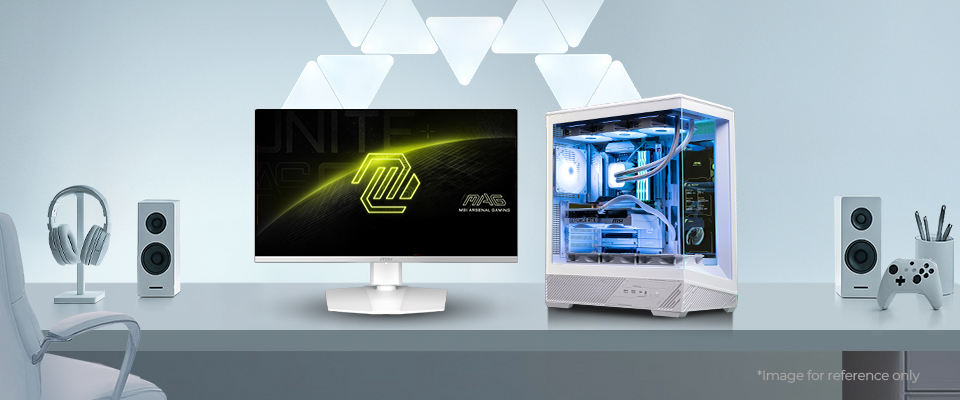
5. The Minimal White PC
For those who prefer a white build that is understated yet powerful, we present the Minimal White PC. This machine is for the enthusiast who values a clean, cohesive aesthetic as much as raw gaming performance.
Parts List:
Motherboard
CPU
AMD Ryzen 7 9800X3D
Cooler
Memory
2x16GB DDR5-6400
Power Supply
PC Case
It pairs the MAG PANO 130R PZ WHITE case with an MAG X870E TOMAHAWK MAX WIFI PZ motherboard for a stunningly clean, all-white build thanks to our back-connect design. The AMD Ryzen 7 9800X3D and a GeForce RTX 5070 12G GAMING TRIO OC WHITE are perfect picks to deliver exceptional frame rates in modern games at resolutions like 1440p.
After scouring our lineup, the MPG CORELIQUID A13 360 WHITE seemed like the best possible candidate for our CPU cooler. In addition to flawlessly matching the all-white theme, it delivers the fantastic cooling performance to make sure you can enjoy peak performance even during those long gaming sessions.
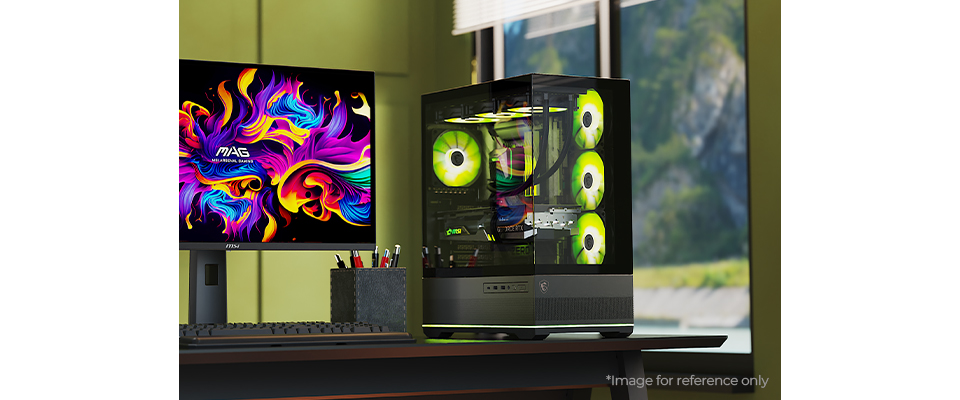
6. The Minimal Dark PC
If a bright, all-white theme isn't you, here’s a ‘dark’ alternative. The Minimal Dark PC offers the same clean, cable-free philosophy, but wrapped in a sleek, all-black theme for a more understated and stealthier look.
Parts List:
Motherboard
CPU
Intel Core Ultra 7 265K
Cooler
Memory
2x16GB DDR5-6400
Power Supply
PC Case
The PRO Z890-S WIFI PZ is the perfect foundation for this build, which also lets you go with Intel’s latest platform. We’re pairing the Intel Core Ultra 7 265K with the GeForce RTX 5070 12G GAMING TRIO OC to deliver outstanding performance in high-refresh-rate gaming and light workstation tasks and, like its white counterpart, leverages a back-connect design to keep your interior completely clean.
7. The All-Rounder Budget Build
Not every dream build needs a top-tier price. The All-Rounder build is our pick for the value-conscious, delivering fantastic performance without breaking the bank. It combines the efficient Intel Core Ultra 7 265 with a GeForce RTX 5060 Ti 16G GAMING TRIO OC, creating a machine that excels at 1080p and 1440p gaming, breezes through productivity, and handles brand-new AI-accelerated workflows.
Parts List:
Motherboard
CPU
Intel Core Ultra 7 265
Cooler
Memory
2x16GB DDR5-6000
Power Supply
PC Case
A value build relies on getting the basics right, and that starts with cooling. The parts are housed in the MAG FORGE 330R AIRFLOW – a case designed to maximize airflow and prevent thermal throttling that can cripple even high-end builds.
Taming the CPU is the MAG COREFROZR AA13, an air cooler that offers excellent, reliable thermal performance without the premium of a liquid cooler. It’s a smart, no-frills choice that ensures your system runs cool and quiet.
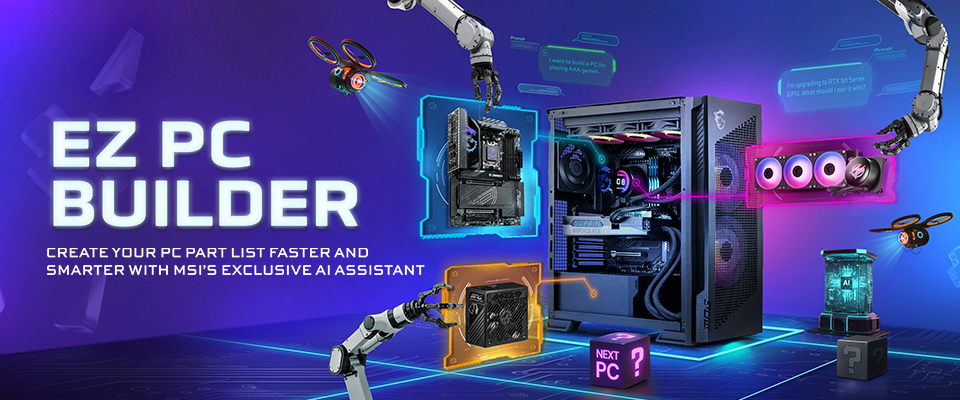
Meet MSI’s EZ PC Builder
If you want to tinker with your dream builds a bit more, head on over to the MSI EZ PC Builder page here. It’s an AI Assistant that’s trained to analyze your requirements and curate a custom list of components for you. It checks for any potential compatibility issues, can accommodate specific aesthetic preferences, and can also tweak an existing list of parts!
A Quick Guide to Using the EZ PC Builder
- Click the floating button on the bottom-right corner of this page, and you should see a small chat window pop open.
- Tell the EZ PC Builder what you need to get a custom parts list.
Example: I want to build the best cost-to-performance PC that can run GTA V at 1440p with a high framerate.