The Ideal Mini PC Solution for Digital Signage, KIOSKs, and Retail: A Comprehensive Guide
All-in-One PCs ,
Desktops
Digital signage, kiosks, and retail spaces are changing fast, becoming more interactive and engaging for customers. They not only cater to what consumers want but also help businesses improve their brand presence and operations. Mini PCs are at the heart of this shift, offering the perfect mix of power, reliability, and space-saving design. This article will guide you on how to pick the right mini PC for these uses, showcase the key areas where they really shine, and recommend some top MSI models that work great in retail, kiosks, and digital signage setups.
Introduction to Mini PCs in Digital Signage, Kiosks, and Retail
Mini PCs are small, compact desktop computers that pack a punch while taking up less space than traditional desktops. In settings like digital signage, kiosks, and retail, these little powerhouses are essential—they help display information, engage customers, and keep important business systems running smoothly. To be effective in these roles, mini PCs need to be strong, energy-efficient, and adaptable enough to handle everything from showing high-definition videos to running interactive features.
Because of this, mini PCs have become reliable and space-saving solutions for advanced tech needs. This guide will dive into what to look for when picking a mini PC for digital signage, kiosks, and retail applications.
1. Performance
If you’re working with demanding tasks like high-resolution digital signage or interactive kiosks, you’ll want a mini PC that has some serious processing power and solid graphics. These mini PCs should handle high-resolution visuals, multiple screens, and interactive interfaces without stuttering. The processor is a big factor in how well a mini PC performs. For digital signage and retail systems that juggle a lot of tasks, an Intel Core i5 or i7 is often a great pick. For kiosks or simpler signage, something like an Intel Celeron should do just fine.
The graphics (GPU) is also important for eye-catching digital signage. Mini PCs with integrated GPUs like Intel UHD or Iris Xe graphics can handle basic signage or setups with multiple screens. Plus, if you go for Intel Core processors with vPro technology, you’ll get smooth performance along with security and remote management options.
2. Connectivity Options
Since many of these applications need to process data in real-time and connect with different devices, having good connectivity options is a must. You’ll want things like USB, HDMI, Ethernet, and Wi-Fi. Mini PCs like the MSI Cubi NUC, and PRO DP10 series have the versatile connections you need for setups with several screens.
3. Energy Efficiency & Reliability :
Mini PCs are well-known for being energy-efficient, which is key for setups that run non-stop, like digital signage and kiosks. It’s smart to choose devices that consume less power to save on energy costs and help with sustainability efforts. Plus, these devices should be tough enough to handle constant use in varied conditions, especially in retail spaces for those that operate round-the-clock (24/7), like digital signage and kiosks.
4. Remote Management & Security Features
If you're running multiple digital signs, kiosks, or retail systems, remote management becomes super important. It’s best to look for mini PCs that let you monitor everything from afar, update software, and troubleshoot issues without being on-site. Tech like Intel vPro and cloud solutions can really make handling lots of devices a breeze. Plus, features like discrete TPM (dTPM) and physical lock design help keep things secure, especially in public spaces like kiosks and retail POS systems.
5. Expandability
Getting enough RAM—like 8GB or more—will keep everything running smoothly, while opting for solid-state drives (SSDs) means faster access to data and more reliability than traditional hard drives (HDDs). For most software and content storage needs, SSDs between 128GB and 512GB are usually a solid pick. Having DDR5 memory support and a range of storage options also makes sure your setup can grow with you.
6. VESA Mountable Design
If you’re after a compact solution, think about devices like the MSI Cubi NUC, PRO DP21, or PRO DP10 series. These can be mounted behind a display using a VESA mount, so they’re perfect for saving space while keeping everything looking good.
Key Considerations for Digital Signage
Digital signage is a handy tool used in many industries to show off content like ads, videos, menus, and information. Whether it’s for indoor or outdoor use, these systems really need to perform well and be flexible.
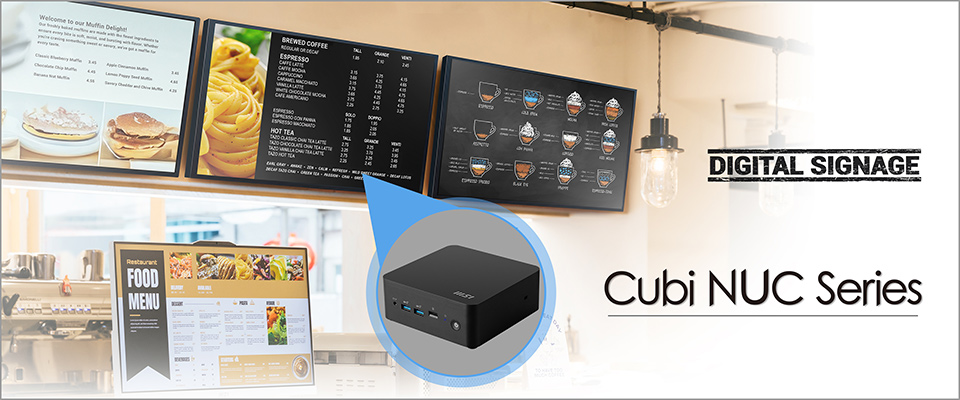
- Display Output: To get the most out of digital signage, you need a device that can handle high-definition and multi-display setups. A solid GPU and several video outputs (like HDMI and DisplayPort) are key for smooth operation. Some mini PCs come with integrated graphics, like Intel Iris Xe, which can take on heavy tasks like 4K video streaming and live updates without a hitch.
- Connectivity: Having a good internet connection is often essential for updating content or streaming live media. Mini PCs with reliable network options, both wired and wireless, are necessary to keep things running smoothly. Plus, you might need to connect some peripherals like touchscreens, sensors, or cameras.
- Software Compatibility: It’s important to make sure mini PCs work with popular digital signage software or cloud-based platforms. Check that the device you’re choosing meets the software's requirements for a smooth experience.
- Remote Management: If you have digital signage set up in multiple locations, being able to monitor and control them remotely can save a lot of time and hassle. Look for mini PCs that come with remote management features, like Intel vPro or similar options.
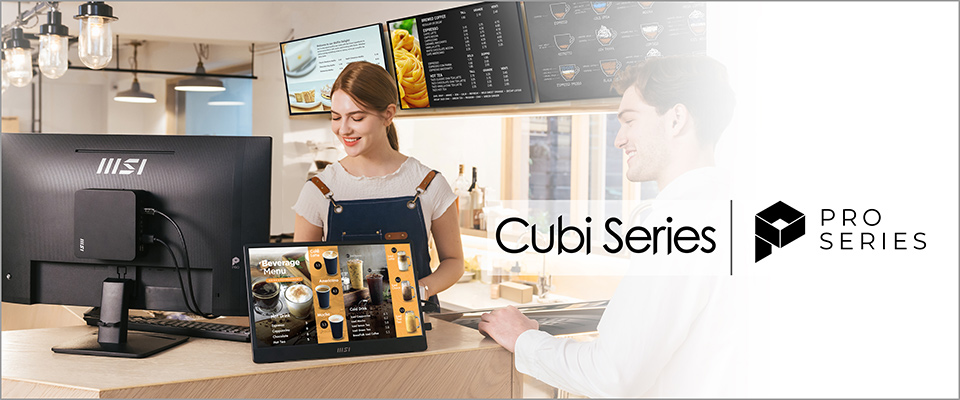
MSI mini PCs are great for powering high-resolution video walls, interactive displays, and keeping content up to date. Their compact design is perfect for discreet placement behind screens. The MSI Cubi NUC 13MQ and Cubi NUC 1M are solid choices for digital signage, as they support multiple displays with Thunderbolt 4 and HDMI to make sure everything flows smoothly.
Key Considerations for Kiosks:
Kiosks are becoming really important for businesses in areas like retail, hospitality, and self-service setups. Whether they're used for ticketing, self-checkouts, or sharing customer info, kiosks need mini PCs that are powerful, durable, and easy to manage.
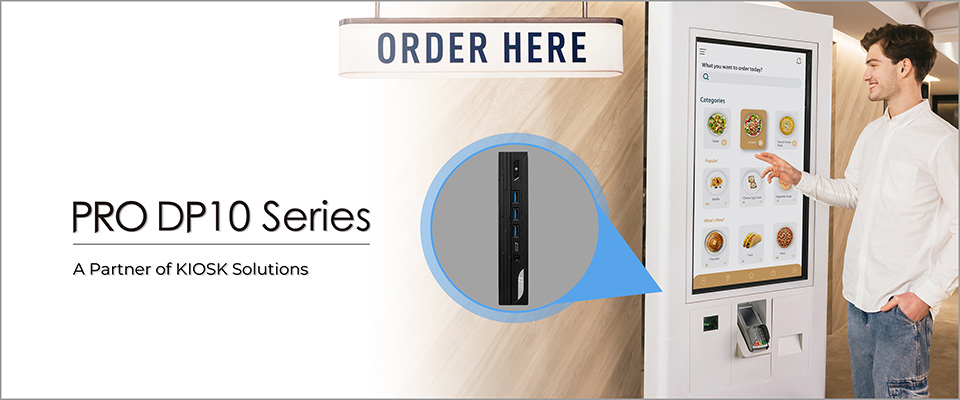
- Performance: Kiosks often run interactive software, so it's a good idea to go for a strong CPU, like the Intel Core i5 or i7. These processors can handle things like multitasking, video streaming, and interactive features without slowing down.
- Touchscreen Support: If the kiosk has a touchscreen, make sure the mini PC works with that specific display tech. Check that it has the right display outputs and supports touch capabilities, whether through USB or HDMI.
- Physical Durability: Since kiosks get a lot of use, mini PCs should be rugged, ideally with fanless designs for quieter operation and better durability in public spaces.
- Security Features: Public kiosks can be targets for tampering, so it's important to have security features like secure boot, Trusted Platform Module (TPM), and data encryption to keep sensitive info safe and stop unauthorized access.
- Energy Efficiency: Since kiosks typically operate 24/7, energy-efficient mini PCs can reduce operational costs, making them an ideal choice for businesses focused on sustainability.
From interactive kiosks in malls to ticketing systems, mini PCs have the power to run software smoothly while looking good. The MSI Cubi NUC series, PRO DP10, and PRO DP21 14MQ are great options to consider, providing solid performance and security for systems that don’t get much supervision.
Key Considerations for Retail
In retail, mini PCs are very handy for things like point-of-sale (POS) systems, digital signs, self-checkout kiosks, managing inventory, and customer service stations. They need to multitask and create a smooth experience for shoppers.
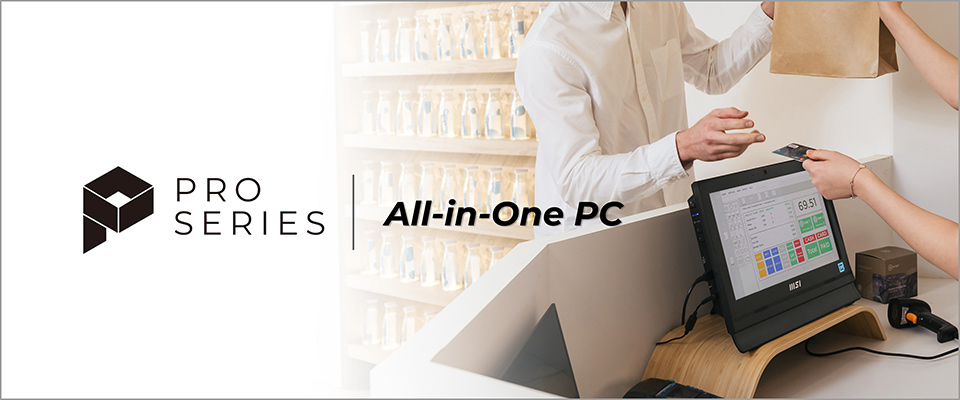
- Connectivity: Retail setups often need USB and COM ports to connect devices like barcode scanners, receipt printers, and card readers. It’s a good idea for mini PCs to have multiple USB ports and Bluetooth for wireless connections.
- POS System Integration: Mini PCs should work well with POS software and be able to connect to hardware like cash drawers and receipt printers.
- Security and Data Protection: Since retail businesses handle sensitive customer info, mini PCs must support secure transactions and come with data protection features like hardware encryption, secure boot, and remote management.
- Customer Interaction: For a better customer experience, retail mini PCs might need to support interactive displays or digital signage for promotions and brand info.
- Space Efficiency: In tight retail spaces, especially small shops or boutiques, mini PCs can fit right in without taking up much counter space while still delivering powerful performance.
MSI Recommendations for Retail, Kiosk, and Digital Signage
Choosing the right mini PC for things like digital signage, kiosks, and retail is very important for keeping everything running smoothly and making sure customers have a great experience. By looking at key factors like performance, connectivity, durability, and energy efficiency, businesses can find mini PCs that are reliable and flexible for the long haul. Whether it's for advertising, self-service kiosks, or point-of-sale systems, mini PCs are a smart choice for today's business environments.
When it comes to mini PCs for different business uses like digital signage and retail, MSI has a solid lineup of devices tailored to meet the needs of these industries. Check out these recommendations:
MSI Cubi NUC 13MQ
This small mini PC packs a punch with Intel vPro® technology, enabling secure and efficient remote management. It has dual Thunderbolt 4 and HDMI ports that can handle up to four displays, which is perfect for digital signage and interactive kiosks. Plus, with a compact design of just 0.826 liters and VESA mount compatibility, it fits easily into tight spaces.
MSI PRO DP21 14MQ
The PRO DP21 14MQ comes with Intel® Core™ processors and DDR5 memory, so it's built for high-performance tasks. With Intel vPro support, it’s all about better manageability, and the dTPM adds an extra layer of security. It even includes a COM port, so it works well with legacy peripherals like barcode scanners and POS systems, which are vital for retail and industrial setups. This model is a great fit for retail systems that need to be dependable and consistent.
MSI Cubi NUC 1M
With its Red Dot Design award-winning design, the Cubi NUC 1M combines sleek aesthetics with functionality. It can handle up to four displays and DDR5 memory, which makes it perfect for retail and kiosks where multitasking and saving space are key.
MSI PRO DP10 13M
If you’re looking for a compact solution, the MSI PRO DP10 13M packs a punch in a tiny package. It’s versatile and offers solid connectivity, making it a great fit for digital signage, retail POS, and interactive kiosks.
MSI PRO AP162T ADL
The MSI PRO AP162T ADL is a stylish all-in-one solution designed for retail that really stands out with its touch functionality. With Intel Alder Lake processors under the hood, it runs smoothly, making it a great fit for customer-facing tasks. The 15.6" IPS LED-backlit screen offers a sharp 1920 x 1080 resolution, delivering clear images and great visibility. Its resistive touchscreen allows for accurate touch interactions, perfect for fields where user-friendly displays matter, like retail or kiosks. Plus, it has a COM port, which means it can connect easily to various devices commonly found in industrial and retail settings.
MSI Modern AM242TP 1M
If you're after a mix of performance and style, the MSI Modern AM242TP 1M is an awesome all-in-one PC. It looks great and has reliable hardware. The 23.8" IPS panel supports 10-point projected capacitive touch, making for a smooth and responsive experience, especially good for multitasking and interactive uses. With anti-glare tech and TUV certification for low blue light and flicker reduction, it's comfortable for long hours of use. These features really boost usability, making this model perfect for retail and professional settings where a visual appeal is key.
When it comes to MSI mini PCs, they truly shine in places that need reliability and advanced connectivity. Their compact designs and solid performance make them a must-have for industries like retail, kiosks, and digital signage. MSI offers a solid range of options, including the Cubi NUC 13MQ, PRO DP21 14MQ, Cubi NUC 1M, PRO DP10 13M, PRO AP162T ADL, and the Modern series All-in-One PCs. These devices are built to keep things running smoothly, secure, and scalable, making them ideal for businesses wanting to ramp up efficiency and improve customer experiences. If versatility, manageability, and cutting-edge tech are what you're after, MSI's mini PCs are definitely the way to go.
Visit the following links for more information on MSI Desktops or All-in-One PCs:
Cubi Series Mini PC:
https://www.msi.com/Business-Productivity-PCs/Products#?tag=Cubi-Series
https://www.msi.com/Business-Productivity-PCs/Products#?tag=Cubi-Series
PRO Series Desktops:
https://www.msi.com/Business-Productivity-PCs/Products#?tag=PRO-Series
https://www.msi.com/Business-Productivity-PCs/Products#?tag=PRO-Series
PRO Series All-in-One PCs:
https://www.msi.com/All-in-One-PCs/Products#?tag=PRO-Series
https://www.msi.com/All-in-One-PCs/Products#?tag=PRO-Series
Modern Series All-in-One PCs:
https://www.msi.com/All-in-One-PCs/Products#?tag=Modern-Series
https://www.msi.com/All-in-One-PCs/Products#?tag=Modern-Series