The Strategic Edge: A Closer Look at the Operability Benefits of MSI Mini PCs
Desktops
In today’s business world, the way we choose hardware has really changed. While having raw power is still important, what really matters now is how productive, reliable, and easy to use the equipment is. Operability might not get as much attention, but it's the unsung hero when it comes to keeping things running smoothly. MSI has nailed this with its range of Mini PCs, like the Cubi NUC series and the PRO DP series, which are designed to make life easier for users.
What Does Operability Mean in a Work Setting?
For MSI desktops, operability means how easy they are to set up, maintain, and use daily. It’s what allows a compact device to perform like a full-sized tower without the usual hassles. Businesses—whether in offices, retail, kiosks, or industrial sites—need computers that are powerful yet simple enough to handle in real-world situations. MSI’s Mini PC lineup meets these needs with a clever mix of compact design and user-friendly features.
Designed for Space Efficiency and Operational Stability
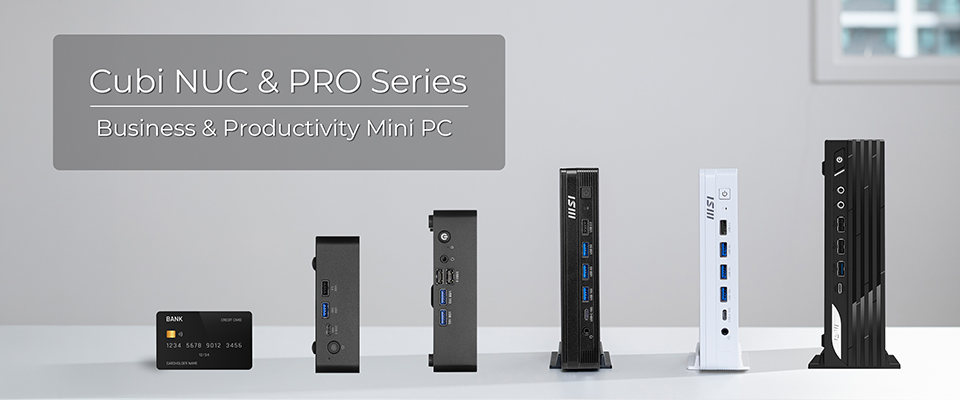
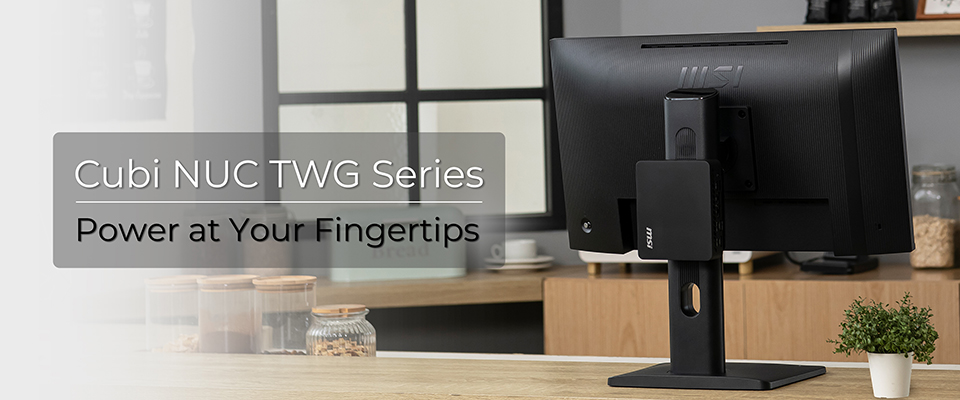
In many business scenarios, especially retail counters, front desks, and kiosks, space is limited, and system reliability is critical. MSI addresses these challenges with ultra-compact designs and features that ensure stable day-to-day operation on the Cubi NUC series mini PCs. Models like the MSI Cubi NUC TWG and MSI Cubi NUC TWG S are purpose-built for such environments, combining a small footprint with intelligent usability features.
- Ultra-compact size: Just 0.55L and only 40.1mm thick, making it easy to fit in tight spots.
- VESA mount support: Cleanly mount it behind monitors or on walls to save even more space.
- Built-in Cable Organizer: Keeps power cable from accidentally disconnecting.
- MSI Power Link: Lets the mini PC turn on or off with a compatible monitor.
- Dual LAN options (2.5G + 1G): Offers flexibility for stable networking.
- Fanless design (TWG S series): Operates quietly and cuts down on maintenance.
These features not only help save space but also tackle common issues like cable troubles, unexpected shutdowns, and annoying noise, making them perfect for always-busy or customer-facing environments.
Built for Easy Maintenance and Future-Ready Upgrades
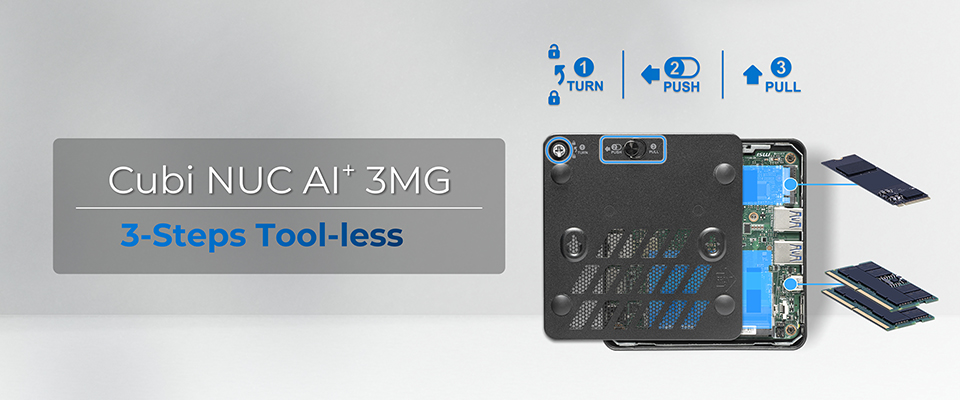
For IT teams, keeping track of multiple systems across different locations can be a real hassle, especially when upgrades or repairs mean a lot of disassembly. MSI makes this easier by designing systems that are simple to access and maintain. Models like the MSI Cubi NUC AI+ 3MG, Cubi Z, PRO DP10, and PRO DP21 series focus on accessibility and flexibility, helping businesses adapt without too much disruption.
- Tool-less design (Cubi NUC AI+ 3MG): Allows for quick access to internal parts.
- Streamlined layouts: Make servicing and replacing parts straightforward.
- Flexible configurations: Support memory or storage upgrades.
- Less downtime during maintenance: Keeps productivity flowing.
This approach reduces the hassle of maintenance and extends the life of the device, allowing businesses to scale or upgrade their systems over time without major interruptions.
Optimized for Everyday Usability and Productivity
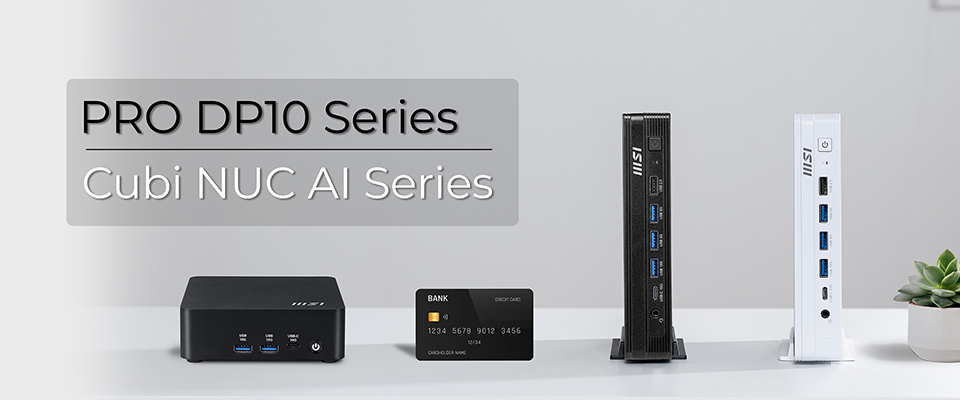
In typical office and commercial settings, keeping things simple is key. Systems should fit right into existing workflows without needing complicated setups or specialized know-how. Devices like the MSI Cubi NUC AI 1UMG and MSI PRO DP10 A14MG are built for easy use while still being flexible.
- Small form factor with just 0.51L (37.5 mm) or 1.1L (34.48 mm) thin design keeps workspaces clean and organized.
- Flexible I/O options ensure compatibility with a wide range of peripherals.
- Support for multiple displays, enhancing multitasking and efficiency.
- Quick and simple deployment reduces setup time across teams
These features let employees concentrate on their work instead of wrestling with technical issues, while IT teams can roll out systems quickly across the departments.
Flexible Deployment Across Diverse Business Scenarios
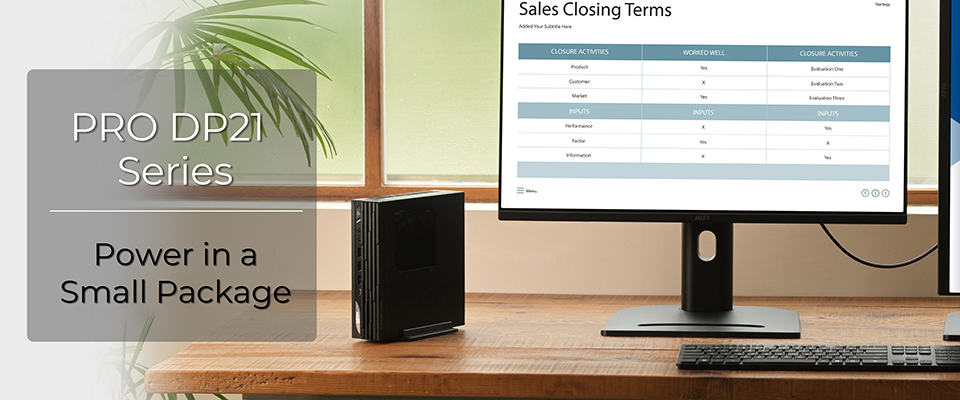
Businesses often need systems that can work in different environments, from back-office setups to customer-facing areas. MSI mini PCs are designed to be adaptable, providing reliable performance and a user-friendly experience no matter the use case. Models like the MSI PRO DP21 14M and MSI PRO DP21 14MQ offer solid platforms that can grow and change as needed.
- Easy installation in kiosks, digital signage, and service counters with a COM port and USB ports.
- Compact design makes it simple to move or expand when necessary.
- Consistent user experience across a variety of setups.
- They work well for both front-end tasks and administrative roles.
With this kind of flexibility, organizations can standardize their IT setup while still meeting different needs across the board.
Operability That Drives Business Efficiency
MSI mini PCs are all about making life easier for businesses. With their compact design and smart features, they're built to tackle the everyday challenges of installing, maintaining, and running operations smoothly.
Here’s what they offer:
- Easy installation with versatile mounting options
- Reliable connectivity with improved cable and power management
- Simple maintenance and upgrade processes for IT teams
- Quiet, low-maintenance designs that fit specialized settings
These perks help companies reduce complications, minimize downtime, and keep productivity flowing. As businesses evolve and grow, MSI mini PCs provide a solid foundation that combines performance and reliability with the convenience modern workplaces require.
Please visit the following link for more information:
https://www.msi.com/Business-Productivity-PCs/Products
https://www.msi.com/Business-Productivity-PCs/Products#?tag=Cubi-Series
https://www.msi.com/Business-Productivity-PCs/Products#?tag=PRO-Series
https://www.msi.com/Business-Productivity-PCs/Products#?tag=Cubi-Series
https://www.msi.com/Business-Productivity-PCs/Products#?tag=PRO-Series