[Troubleshooting] Screen Flickering
Answer
During use, the laptop display may show intermittent flickering, jittering, black screens, or brightness fluctuations.
This can occur randomly during daily operation, gaming, or application switching.
To troubleshoot, follow the steps below.
1. Update the BIOS to the latest version
Visit the MSI official website, search for your laptop model, and download the latest BIOS version from the support page.
[How To] Update BIOS and EC
2. Perform a clean installation of the graphics driver based on GPU type:
Intel Graphics : [How To] Intel graphics driver Clean Install/Update
Nvidia Graphics : [How To] NVIDIA graphics driver Clean Install/Update
AMD Graphics : [How To] Clean Install/Upgrade AMD Graphics Driver and Radeon Software
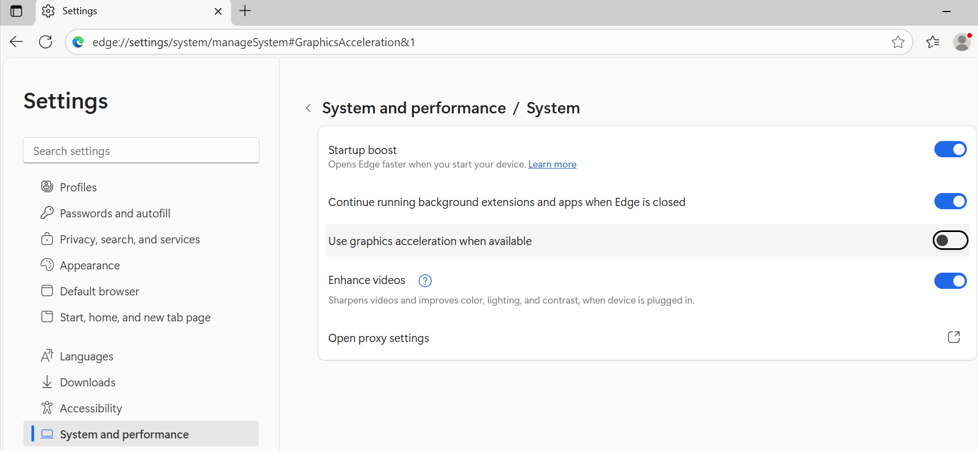
3. Disabling “Hardware Acceleration” in browsers or applications
4. Get the latest update of the web browsers or application
5. Test with an external monitor to verify if the issue is limited to the built-in panel
*If the problem still persists after performing the troubleshooting steps, contact with MSI service team for further assistant.