What Should I Look For In A Gaming PC?
When choosing a gaming PC, focus on the CPU, GPU, RAM, and storage, as they directly impact performance, visuals, frame rates, and loading times. Your choice should match your budget, gaming needs, and future upgrade plans.
4 Must-Know Core Specs Before Buying A PC
- Controls overall system speed and responsiveness
- Impacts performance in CPU-intensive games such as strategy, simulation, and open-world titles
- Helps prevent GPU bottlenecks, ensuring balanced performance
Pick Tips
Choose mid- to high-end CPUs
such as AMD Ryzen™ 5 / 7 / 9 or Intel® Core™ Ultra 5 /
7 / 9 for strong performance and long-term
reliability. In general, higher series numbers mean
newer generations with more power.

- Responsible for graphics rendering and gaming performance
- Affects FPS, resolution, ray tracing, and overall visual quality
- Most important component for high-end gaming
Pick Tips
For 1080p gaming, choose RTX
40/50 Series (or equivalent) mid-range GPUs. For 2K/4K
gaming or ray tracing, aim for higher-tier GPUs such
as RTX 5070 or above.

- Stores temporary data for faster access during gaming and multitasking
- More RAM improves performance when running multiple apps or streaming
- Helps reduce loading times and stuttering in some games
Pick Tips
16GB is a baseline for most
modern games, but 32GB is ideal for high-end gaming,
content creation, and future-proofing. DDR5 offers
improved bandwidth and efficiency for newer platforms.

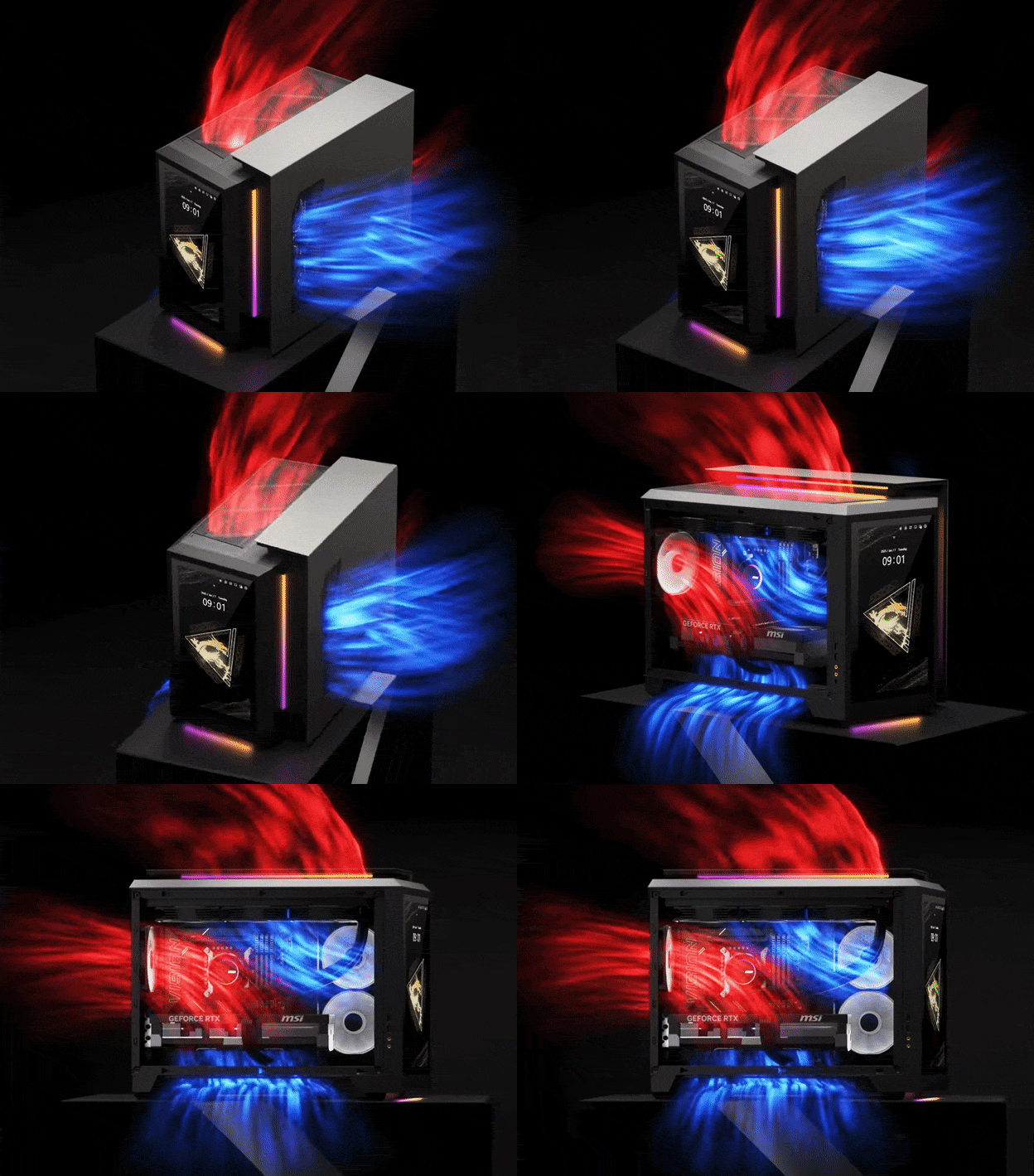
- Helps maintain stable CPU/GPU performance during long gaming sessions
- Better cooling reduces noise and thermal throttling
- Impacts long-term durability and component lifespan
Pick Tips
Look for systems with optimized
airflow, multiple fans, and well-designed chassis
layouts. For high-performance CPUs/GPUs, consider
models with liquid cooling or advanced thermal modules
to keep temperatures under control.

- Controls overall system speed and responsiveness
- Impacts performance in CPU-intensive games such as strategy, simulation, and open-world titles
- Helps prevent GPU bottlenecks, ensuring balanced performance
Pick Tips
Choose mid- to high-end CPUs such as
AMD Ryzen™ 5 / 7 / 9 or Intel® Core™ Ultra 5 / 7 / 9 for
strong performance and long-term reliability. In general,
higher series numbers mean newer generations with more
power.
- The most important component for gaming performance
- Determines FPS (frame rate), visual quality, and in-game resolution (1080p, 1440p, 4K)
- Supports features like ray tracing and realistic lighting
Pick Tips
Choose based on your target
resolution: mid-range GPUs are suitable for 1080p, while
1440p and 4K gaming require high-performance GPUs such as
the NVIDIA GeForce RTX 50 series. Newer series and higher
model numbers generally offer better performance.
- Improves multitasking and system responsiveness
- Supports gaming with background apps or browser tabs
- DDR5 is faster and more efficient than DDR4
Pick Tips
A 32GB RAM capacity is the new
standard for modern gaming, ensuring smooth performance in
recent AAA titles, while 16GB is the minimum for lighter
games and general use.
- Affects game load times and storage capacity
- SSD (Solid State Drive): Faster boot and load times
- HDD (Hard Disk Drive): Larger capacity but slower
Pick Tips
An SSD is essential for modern gaming.
For the best experience, use an SSD at least 1TB for your
operating system and games, and consider additional storage
if needed.
Choose A Form Factor That Fits Your Need
Choosing the right form factor isn’t just about size, it determines your PC’s performance, cooling efficiency, upgrade room, and compatibility, all of which directly impact your gaming experience. Below are the most common options.
- Supports advanced liquid cooling systems
- Fits multiple GPUs and large components
- Ideal for maximum performance and expandability
- Supports most modern GPUs and motherboards
- Balanced size, performance, and upgrade options
- The most popular and versatile choice
- Smaller footprint, saves desk space
- Still supports solid gaming performance
- Great balance between size and power
- Compact, console-killer design
- Fits easily in small spaces or TV cabinets
- Lightweight and portable, ideal for LAN parties or travel
40cm
------------------------------------------------------------


Check Upgradability: Can I Upgrade a Prebuilt Gaming PC?
Yes, most prebuilt gaming PCs are upgradeable, but it depends on the system design and components. Systems built with standard parts are generally easier to upgrade. Understanding your upgrade options helps extend your PC’s lifespan and maximize long-term value.
What Is Most Common to Upgrade?
- GPU (Graphics Card): Upgradeable in most cases through PCIe slots, but limited by power supply and available space.
- RAM (Memory): Usually easy to upgrade if DIMM slots are available.
- Storage: Expandable with M.2 (NVMe) or SATA slots for SSDs and HDDs.
What Else Can You Check For Upgrades?
- PSU (Power Supply): Ensure enough wattage for future GPU upgrades; replaceable if using standard ATX/SFX units.
- Cooling Solution: Larger cases support better airflow and flexible cooling options, including air coolers (simple and cost-effective) or liquid cooling (more efficient and quieter).
- Motherboard Compatibility: Check available RAM slots, storage slots, and overall upgrade support.
Why Choose a Prebuilt Gaming Desktop?
Now that you understand your needs, specs, and upgrade potential, you’re ready to choose your gaming computer. Explore MSI recommended best prebuilt gaming pc, or filter by game performance and specification below to find the right fit for you.
Still deciding between a prebuilt and a custom build? Explore the key differences to find the best option for your needs. Here are some reasons why a prebuilt gaming PC is a great choice:
- Plug-and-play convenience
- Full warranty and support
- No compatibility concerns
- Optimized system with integrated software