MSI 2026 Modern 14S/16S AI+ Laptop Guide: Best Lightweight Laptop for Work, Study, and Everyday Life
Laptops
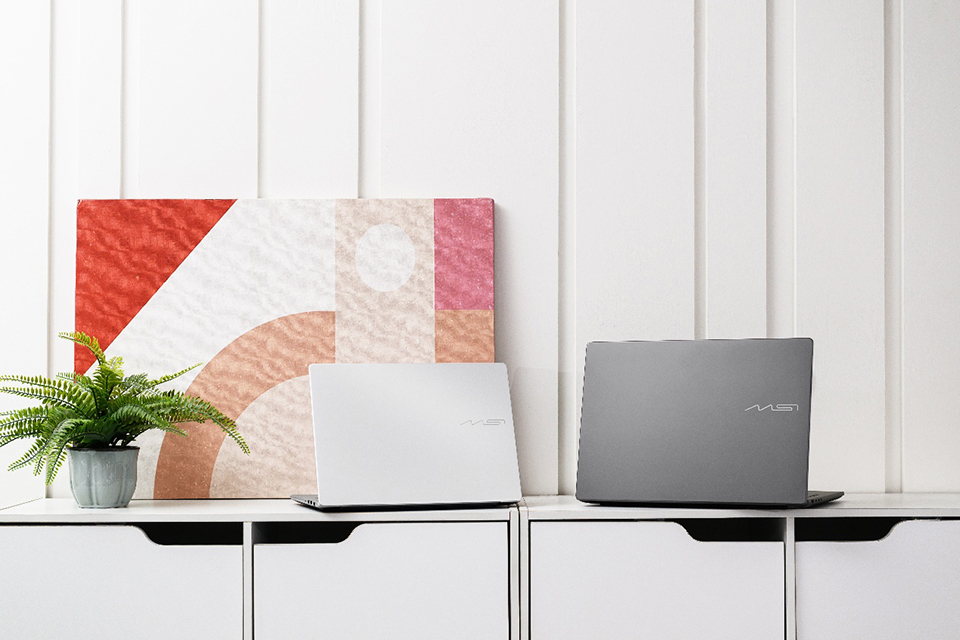
Looking for the best lightweight laptop for work, study, and everyday productivity? The MSI Modern S Series is designed for students, professionals, and anyone who needs a portable laptop that combines premium design, AI-powered features, and practical productivity tools.
Key Features Highlight:
At a glance, here are the features that make the MSI Modern S Series stand out for work, study, and everyday productivity.
- Lightweight aluminum-alloy design – A slim, durable chassis weighing just 1.38 kg (14") or 1.59 kg (16"), making it easy to carry wherever your day takes you.
- OLED display options – Enjoy richer colors, deeper contrast, and an immersive viewing experience for work and entertainment.
- Built-in security features – Protect your privacy with Windows Hello for convenient facial login and a Webcam Privacy Shutter that provides an extra layer of confidence during work, study, and video calls.
- Action Touchpad – Access intuitive gesture controls and convenient shortcuts to simplify everyday tasks.
- MSI Center S – Easily customize performance settings, AI features, and system utilities from one central application.
- Copilot+ PC experiences – Explore next-generation AI features such as Cocreator, Live Captions, and Recall.
That's the idea behind the MSI Modern S Series
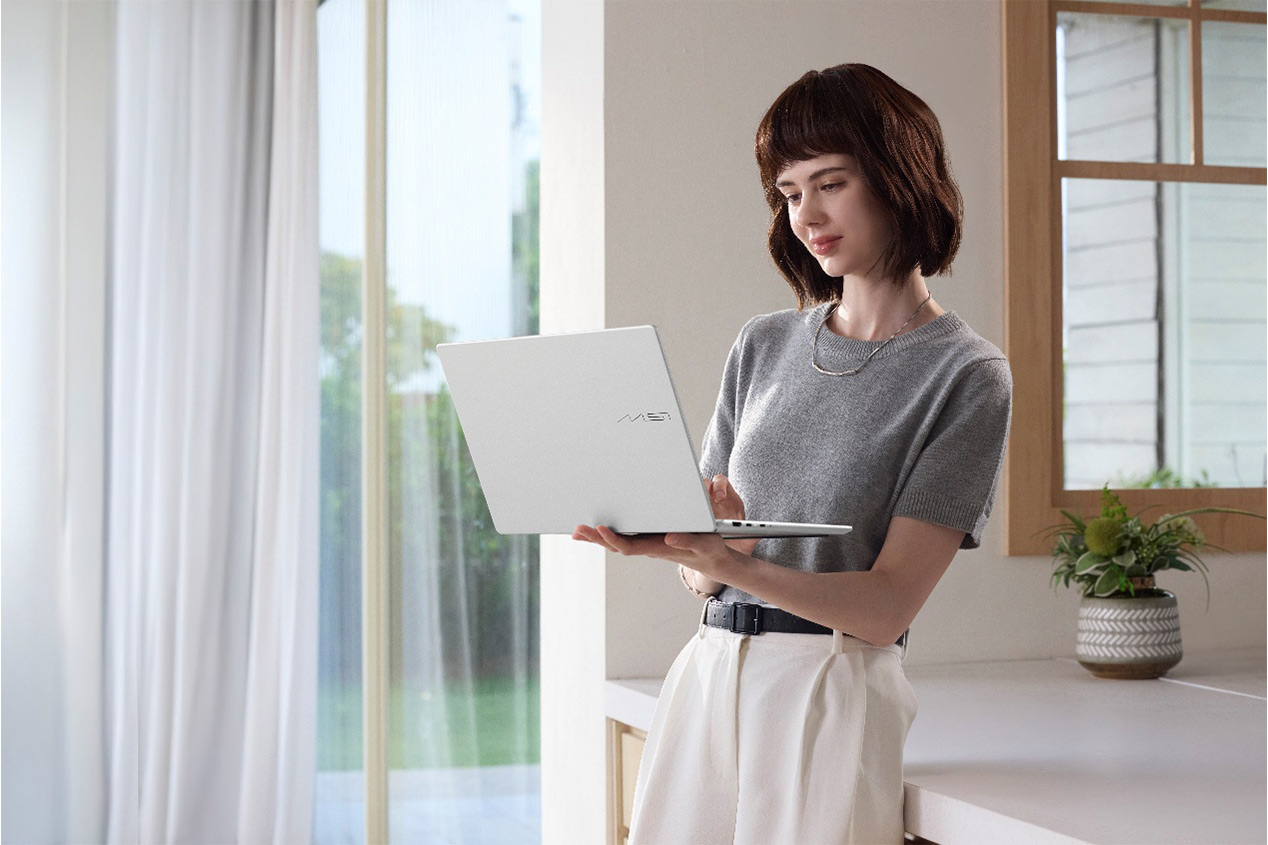
▲ The lightweight design makes Modern S series effortless to carry wherever your day takes you.
The MSI Modern S Series is MSI's lightweight productivity laptop lineup designed for everyday work, study, and entertainment. The MSI Modern S Series combines a lightweight aluminum design with practical features that improve everyday computing. From a taller 16:10 display and intelligent software to Windows Hello security and AI-assisted productivity tools, every feature is designed to make daily work simpler—not more complicated.
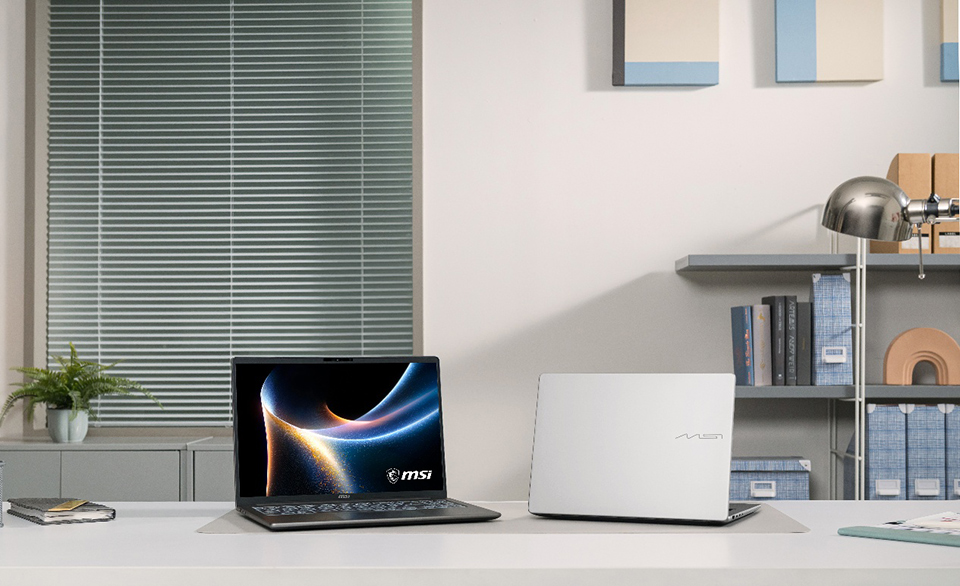
▲ MSI Modern S series is available in 14 and 16 inches with Platinum Gray and Urban Silver color options.
Available in both 14-inch and 16-inch sizes, with Platinum Gray and Urban Silver color options, the Modern S Series gives users the flexibility to choose the form factor that best matches their daily routine. Its slim and aluminum-alloy chassis provides a premium look while remaining easy to carry throughout the day.
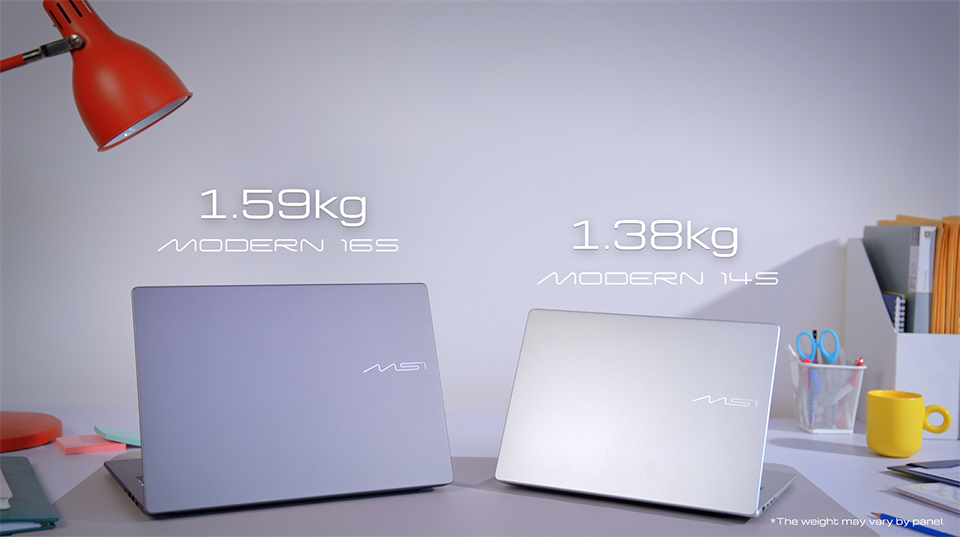
▲ Weighing just 1.38 kg for the 14-inch model and 1.59 kg for the 16-inch model.
A laptop that travels everywhere should feel effortless to carry. The Modern S Series is built with a slim profile and lightweight aluminum-alloy construction, weighing just 1.38 kg for the 14-inch model and 1.59 kg for the 16-inch model. Whether you're heading to class, commuting to the office, or working from your favorite café, it's easy to slip into a backpack and carry throughout the day. The smooth, rounded chassis not only gives the laptop a refined appearance but also makes it comfortable to handle wherever you go.
A Display Built for Productivity and Comfort
Your display is where you spend every working hour, so it should help you stay productive instead of slowing you down.
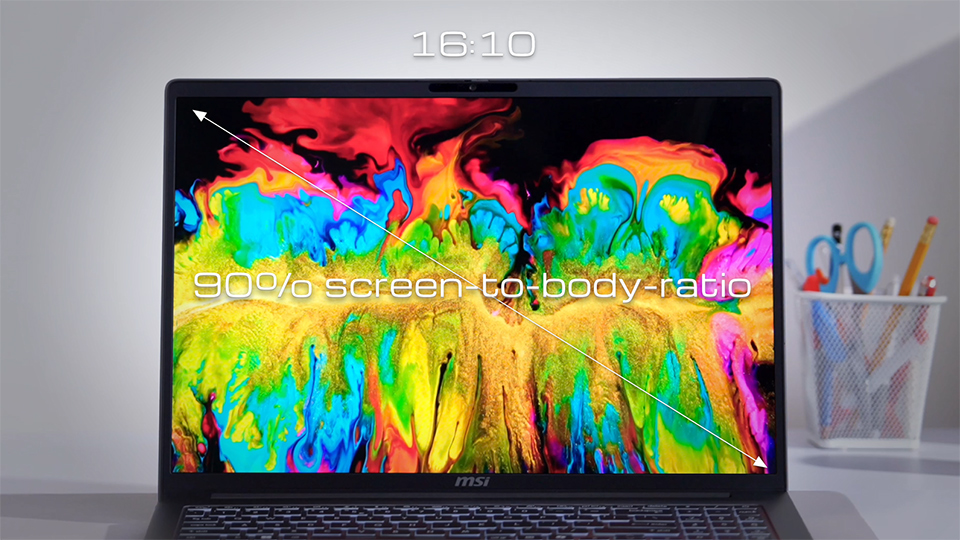
▲ The 16:10 display maximizes your viewing area, helping you stay productive with more content visible on screen.
The Modern S Series features a 16:10 display that provides more vertical workspace than traditional 16:9 screens. The taller 16:10 display reduces scrolling when working with documents and spreadsheets. A narrow-bezel design also increases the screen-to-body ratio for a more immersive viewing experience.
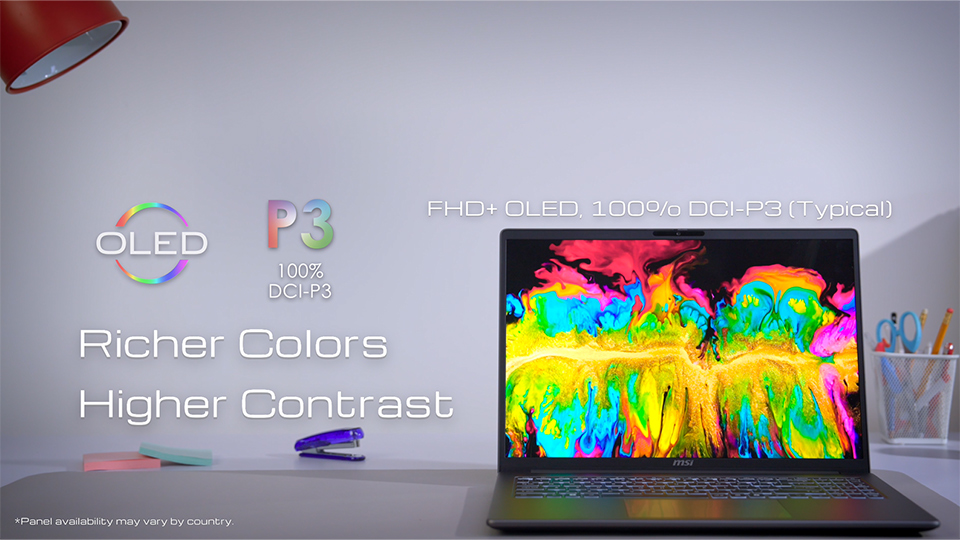
▲ 100% DCI-P3 OLED display with SGS-certified Low Blue Light and Flicker-Free technology for vivid and comfortable viewing.
The 100% DCI-P3 OLED display delivers vibrant colors, deeper contrast, and exceptional color accuracy for an immersive viewing experience. It also features SGS-certified Low Blue Light and Flicker-Free technology to help reduce eye strain and provide greater viewing comfort during extended use.
*Panel availability may vary by country.
Stay Connected with a Complete I/O Ports
Even in a thin-and-light laptop, convenient connectivity remains essential for everyday productivity. The MSI Modern S Series includes a comprehensive selection of I/O ports, allowing you to connect displays, storage devices, and accessories without relying on multiple adapters.
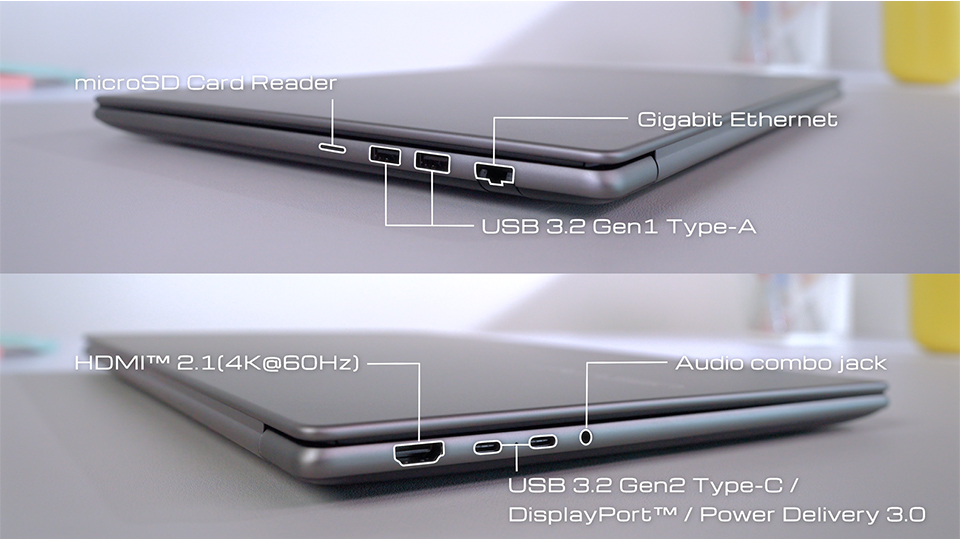
▲ Modern S Series comes with complete I/O ports.
With Two USB Type-A, Two USB Type-C, HDMI™, RJ45 LAN, a microSD card reader, and a 3.5 mm audio combo jack, it's ready to support everything from office presentations and online meetings to file transfers and creative workflows.
Whether you're connecting an external monitor, plugging in a mouse, transferring photos from a camera, or accessing a wired network for greater stability, the Modern S Series helps you stay productive wherever you work.
Action Touchpad and Keyboard Features That Boost Everyday Productivity
Great productivity isn't always about bigger hardware upgrades. Sometimes it's the small details that save time throughout the day.
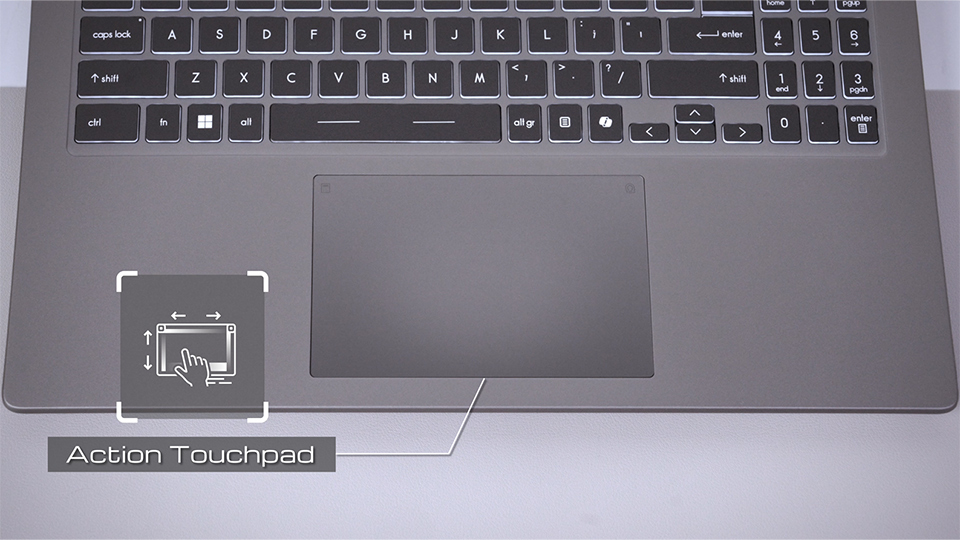
▲ Action Touchpad supports gestures like screen brightness, volume, media playback, Calculator, and MSI Center S.
One example is MSI's new Action Touchpad. Beyond its larger touch surface, it supports intuitive edge gestures for adjusting volume, screen brightness, media playback, and browser navigation—all without interrupting your workflow. A double tap on the upper-left corner opens Calculator, while the upper-right corner launches MSI Center S for quick access to system settings.
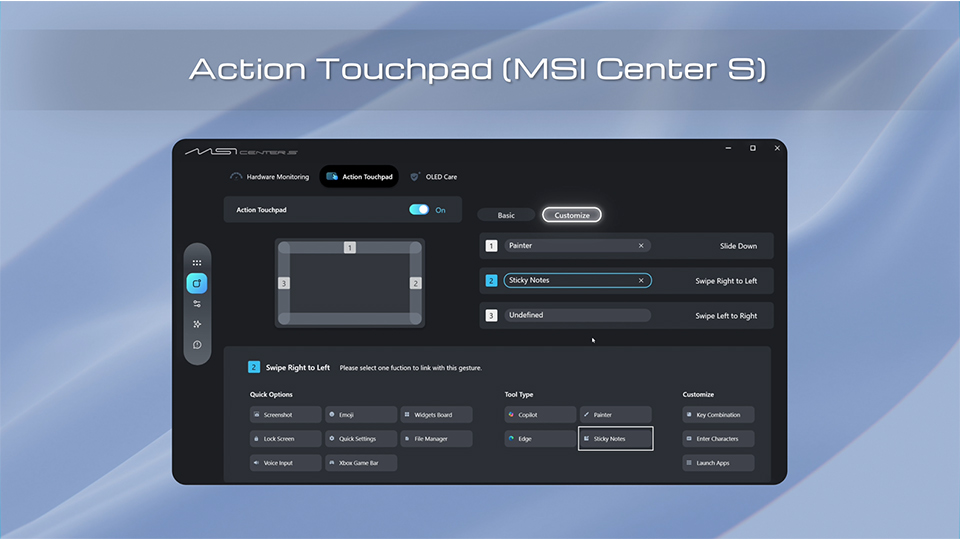
▲ Action Touchpad’s shortcuts can be customized in MSI Center S to match your preferred workflow.
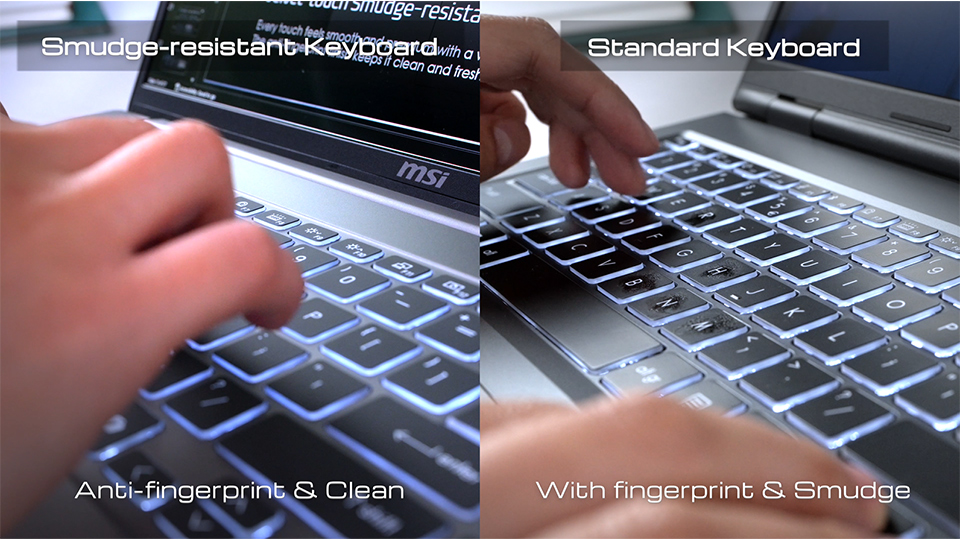
▲ The smudge-resistant keyboard helps reduce fingerprints and smudges, keeping the keyboard clean during everyday use.
The keyboard is equally practical. Its Smudge-resistant keyboard helps resist fingerprints and smudges, keeping the keyboard looking clean even after a full day of typing. For users who frequently work with numbers, the Modern 16S includes a dedicated numeric keypad, making data entry, accounting tasks, and spreadsheet work faster and more efficient.
Secure Login and Privacy Features
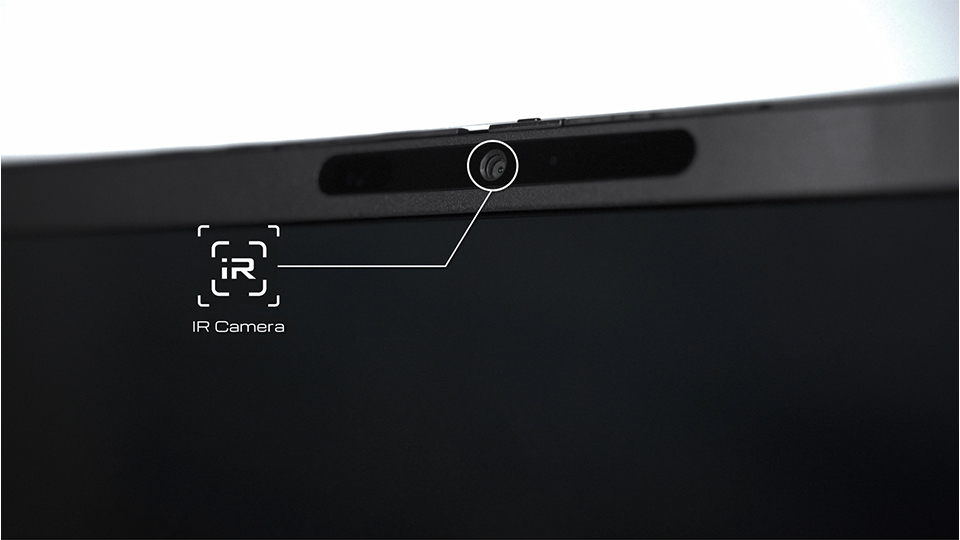
▲ The built-in IR camera supports Windows Hello facial recognition for fast, secure, password-free sign-in.
Convenience and security should work together. MSI Modern 14S/16S AI+ include an IR camera that supports Windows Hello facial recognition, allowing you to sign in quickly without entering a password every time.
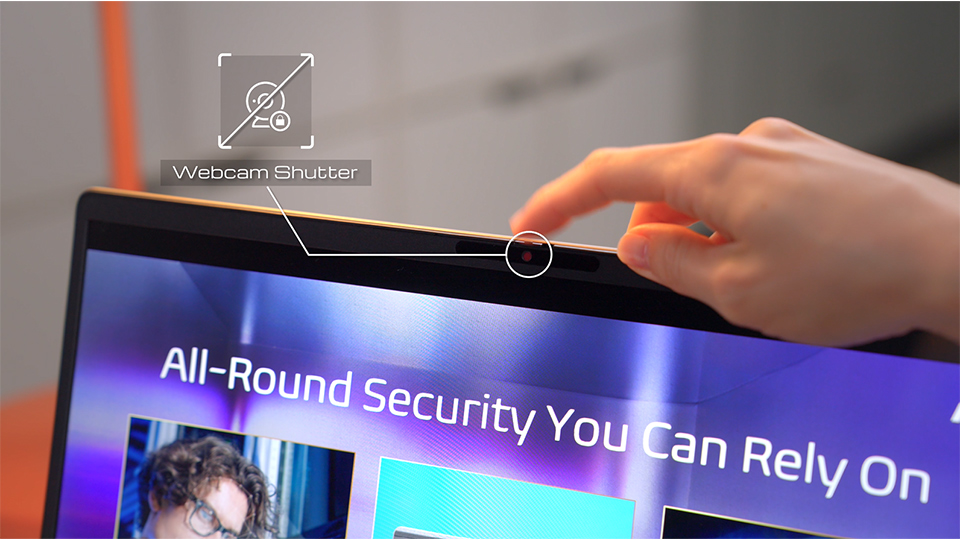
▲ The built-in Webcam Shutter physically blocks the camera to enhance privacy whenever the webcam is not in use.
For additional privacy, every online meeting can begin with confidence thanks to the built-in Webcam Shutter. When the camera isn't needed, simply slide the shutter closed to physically block the lens. It's a simple feature that offers extra peace of mind in both home and office environments.
Software That Works Behind the Scenes
Great hardware is only part of the experience. The software running behind it should make using your laptop simpler—not more complicated.
MSI Center S serves as the central hub for managing your Modern S Series laptop. From one intuitive interface, you can customize system settings, access useful tools, and optimize your laptop for different situations without navigating through multiple Windows menus.
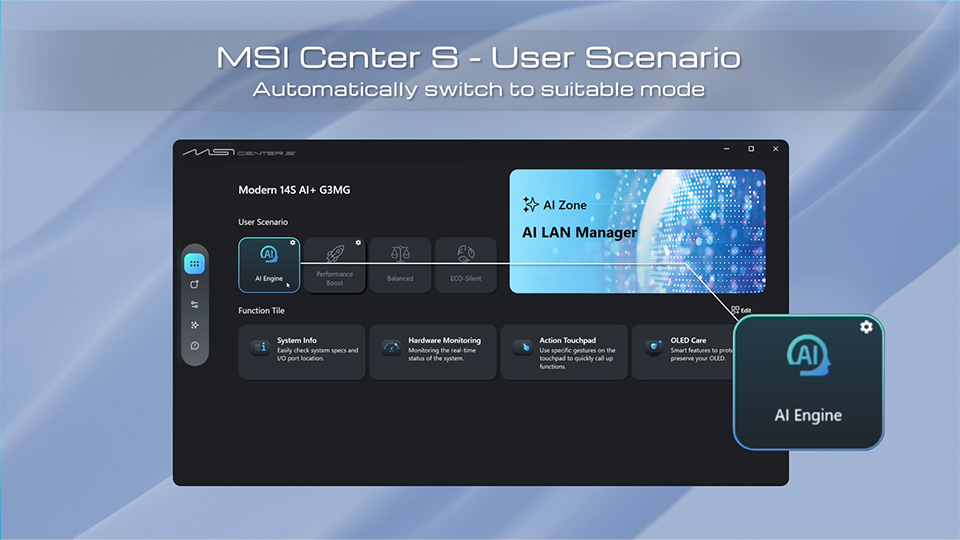
▲ User Scenario lets you switch between Eco Silent, Balance, Performance, and AI Engine modes to optimize your laptop for different workloads.
One of its most useful features is User Scenario, which lets you switch between Eco Silent, Balance, and Performance modes depending on your workload. Whether you're extending battery life during a lecture or maximizing performance while editing large files, changing system behavior only takes a few clicks.
For users who prefer not to adjust settings manually, the exclusive MSI AI Engine can automatically recognize the applications you're using and intelligently select the most appropriate performance mode in the background. Instead of constantly managing system settings, you can stay focused on your work while the laptop adapts automatically.
AI Features That Support Everyday Productivity
Artificial intelligence is becoming part of everyday computing. Rather than replacing your workflow, these AI features automate repetitive tasks and improve everyday efficiency. The Modern S Series integrates AI features that solve practical problems rather than simply showcasing new technology.
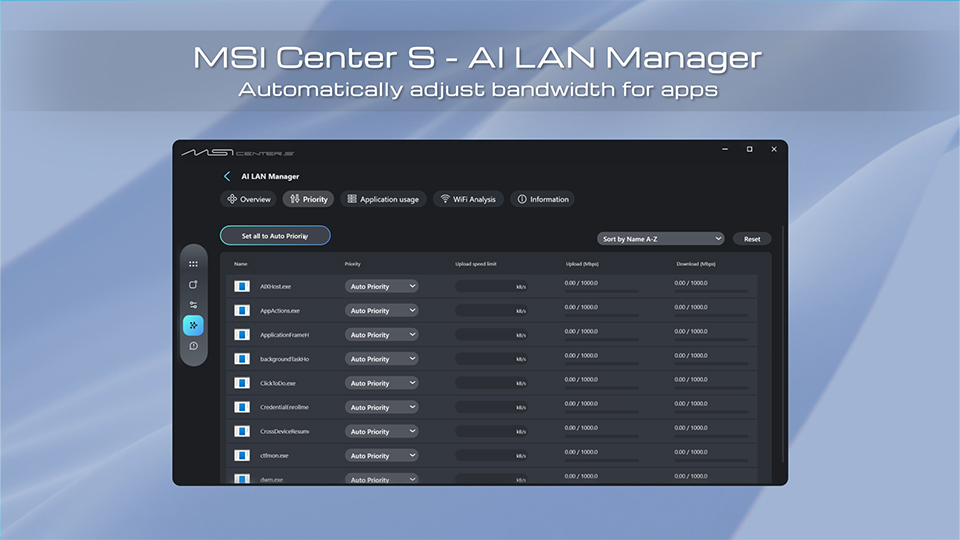
▲ AI LAN Manager automatically prioritizes network bandwidth for different applications.
Inside MSI Center S -AI Zone, AI LAN Manager automatically prioritizes network bandwidth for important applications, helping maintain a smoother experience during video calls, streaming, or games. With just a single click, the system can automatically assign network priority without requiring manual configuration.
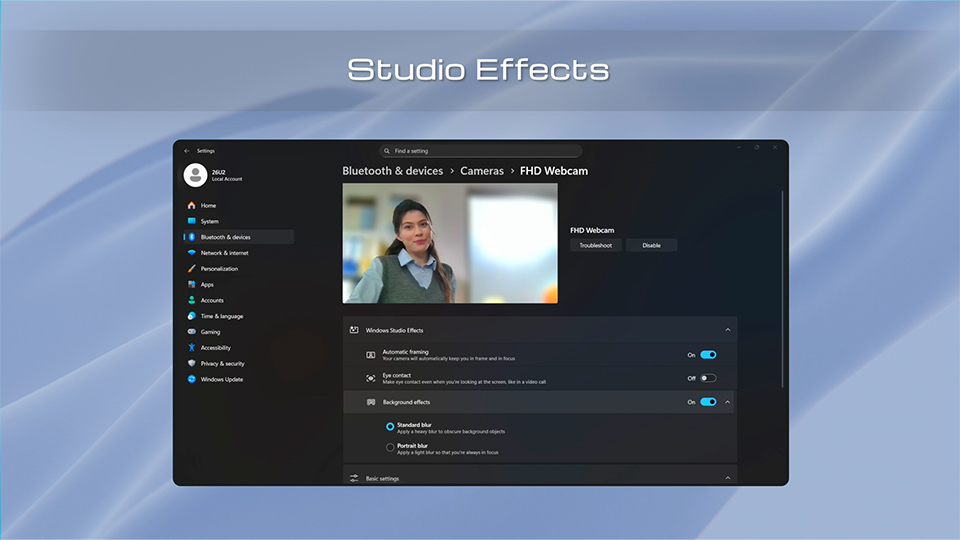
▲ Windows Studio Effects enhances online meetings with AI-powered features.
AI Zone also includes Windows Studio Effects, enhancing online meetings with capabilities such as Background Blur and Auto Framing to keep you centered during video calls.
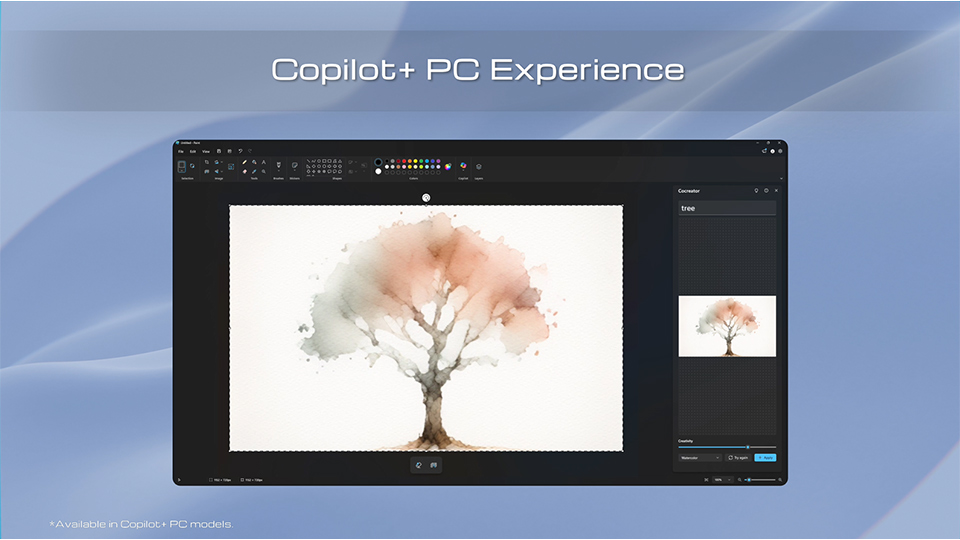
▲ Copilot+ PC experiences help improve creativity, accessibility, and everyday productivity.
For Modern 14S/16S AI+, users can also explore Microsoft's Copilot+ PC experiences, including features such as Cocreator, Live Captions, and Recall, bringing even more intelligent assistance into everyday work.
More Than Just Another Thin-and-Light Laptop
The best everyday laptop isn't always the one with the highest benchmark scores or the most powerful hardware. More often, it's the one that quietly helps you accomplish more throughout the day.
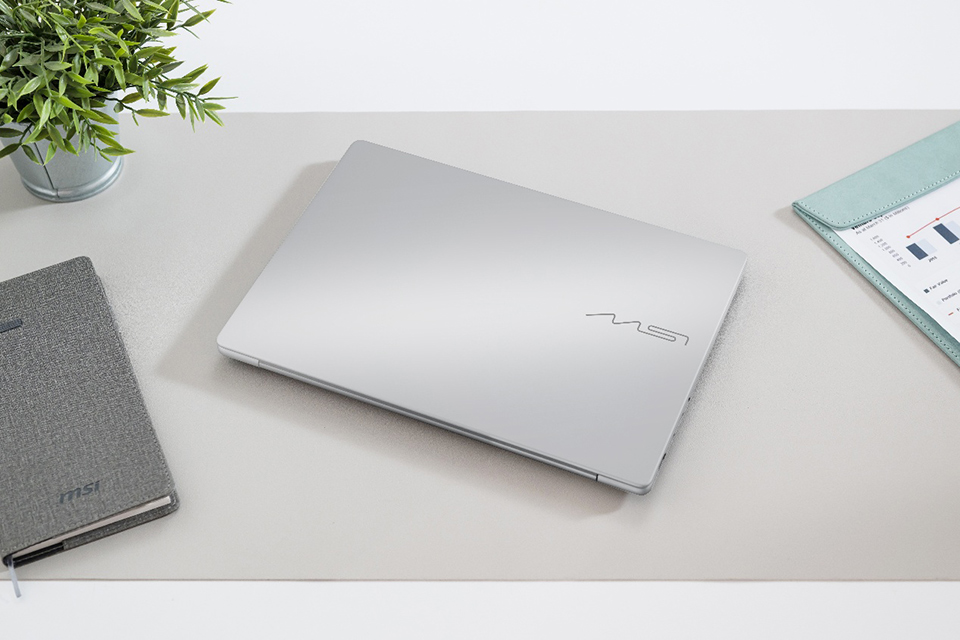
▲ The MSI Modern S Series combines lightweight mobility, AI-powered features, and practical design for today's work, study, and everyday life.
From its lightweight aluminum design and productivity-focused OLED display to thoughtful features like the Action Touchpad, Windows Hello, MSI Center S, and AI-assisted software, the MSI Modern S Series is designed around how people actually work, learn, and create.
Rather than overwhelming users with unnecessary complexity, it focuses on the features that make everyday computing smoother, more comfortable, and more productive. Whether you're buying your first productivity laptop or replacing an aging notebook, the MSI Modern S Series delivers the portability, intelligence, and everyday usability modern users expect.
Learn More About the MSI Modern S Series
Ready to explore the Modern S Series further? Whether you're comparing models or learning how to get the most out of your laptop, the resources below can help you get started.
Official MSI Modern S Series Product Page
- https://www.msi.com/Business-Productivity/Modern-16S-AI-plus-G3MX
- https://www.msi.com/Business-Productivity/Modern-16S-G3MX
- https://www.msi.com/Business-Productivity/Modern-14S-AI-plus-G3MX
- https://www.msi.com/Business-Productivity/Modern-14S-G3MX
MSI Modern S Series Video Guide
Watch a complete walkthrough covering setup, Windows Hello, Action Touchpad, MSI Center S, AI features, and productivity tips.
Frequently Asked Questions
1. What is the MSI Modern S Series?
The MSI Modern S Series is a lineup of lightweight productivity laptops designed for students, professionals, and everyday users. It combines premium design, reliable performance, AI-enhanced features, and practical productivity tools to support work, study, and entertainment.
2. Who is the MSI Modern S Series designed for?
The MSI Modern S Series is ideal for:
- Students who need a portable laptop for classes and assignments
- Professionals working in the office or remotely
- Anyone looking for a lightweight laptop for work and entertainment
3. Does the MSI Modern S Series have an OLED display?
Yes. The MSI Modern S Series features a 100% DCI-P3 OLED display that delivers vibrant colors, deep contrast, and exceptional color accuracy. It also includes Low Blue Light and Flicker-Free technology to help reduce eye strain during extended use.
*Panel availability may vary by country.
4. What AI features are available on the MSI Modern S Series?
Depending on the model, the MSI Modern S Series supports AI-powered features such as Microsoft Copilot+ PC experience, Windows Studio Effects, AI LAN Manager, and MSI AI Engine, which automatically optimize system settings based on how you use your laptop.
5. What is MSI Center S?
MSI Center S is MSI's system management software that lets you monitor system status, optimize performance, customize settings, and access productivity features through an easy-to-use interface.
6. Does the MSI Modern S Series support Windows Hello?
Yes. Selected models support Windows Hello facial recognition, allowing you to sign in quickly and securely without entering a password. A built-in Webcam Privacy Shutter also provides additional privacy when the camera is not in use.
7. What is the Action Touchpad?
The Action Touchpad adds intuitive gesture controls to the touchpad, allowing you to quickly adjust screen brightness, volume, media playback, and launch MSI Center S without interrupting your workflow.
8. Is the MSI Modern S Series suitable for everyday productivity?
Yes. With its lightweight aluminum-alloy design, OLED display, practical connectivity, AI-powered software, and long battery life, the MSI Modern S Series is built to support everyday productivity, whether you're working, studying, or creating on the go.
9. Does the MSI Modern S Series include a numeric keypad?
The MSI Modern 16S features a dedicated numeric keypad, making it easier to work with spreadsheets, financial data, and other number-intensive tasks.
10. Where can I learn more about the MSI Modern S Series?
You can visit the official MSI Modern S Series product page to compare models and specifications, or watch the MSI Modern S Series Video Guide for a complete walkthrough of its features, software, and setup.