MSI RTX 50 Laptop GPU Driver Update
Laptops

Thank you for purchasing an MSI laptop! To ensure you experience the best performance, we strongly recommend updating your GPU drivers before using the device. Below are the detailed update steps:
1. After completing the Windows setup and restarting your laptop, ensure your device remains connected to the internet. You may see a prompt asking you to update your GPU driver. If this appears, click "Update" to proceed.
NOTE: If you don't see this update prompt within an hour after turning on the notebook, please follow the manual update steps below in this article.

2. Once you click "Update", your laptop will begin updating the GPU driver. Do not turn off your laptop during the update, and ensure your device remains connected to the internet. During the update, occasional screen flickering may occur, which is normal.
3. When the update is complete, click "Update Complete" to finish the process.
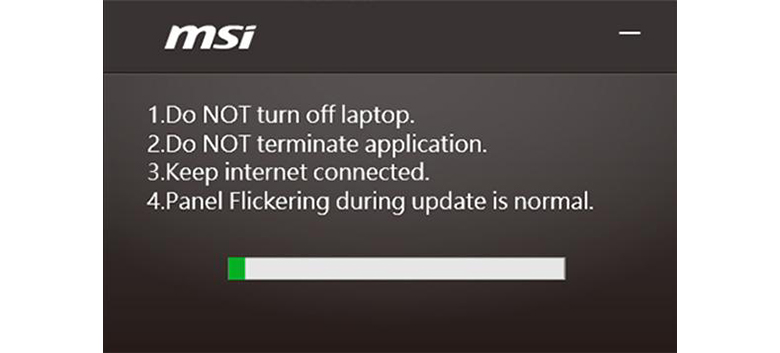
If you encounter any issues preventing the update from completing (as shown in the image above), there is no need to worry. You can manually update the GPU driver by following these steps.
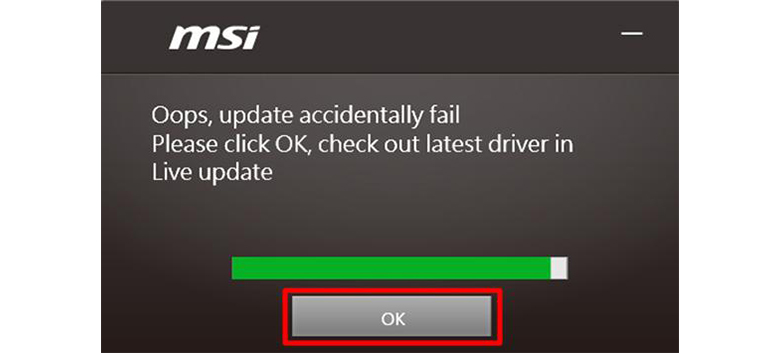
Manually update GPU drivers
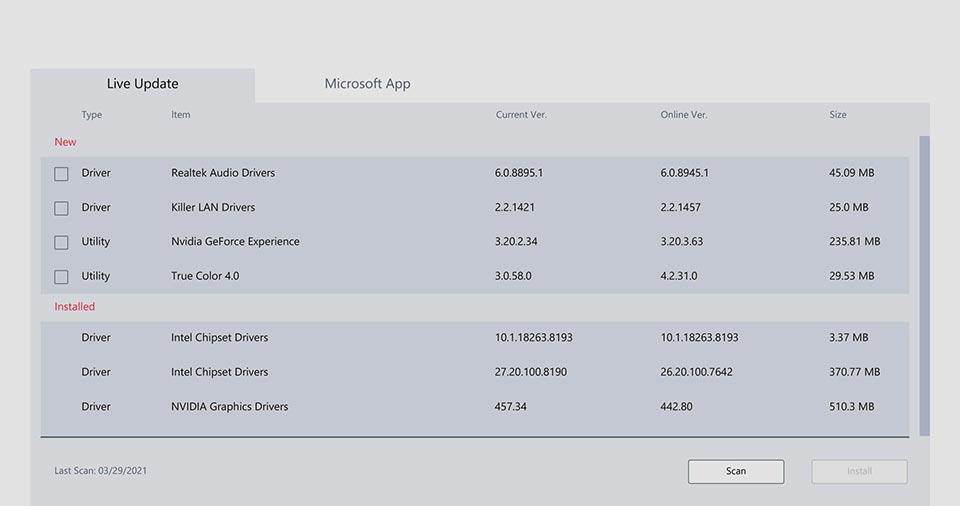
1. Open MSI Center and navigate to “Support” → “Live Update” at the top.
2. Click “Scan” to scan those drivers which need to update and select GPU driver, then click “Download” to start updating.