What to Look for in an RTX 50 Series Gaming PC
Desktops
A balanced GeForce RTX 50 Series gaming PC should pair the right GPU for your monitor with a modern power supply, enough VRAM and memory, and a CPU that can keep up. With this in mind, we’ve put together a comprehensive guide that answers many frequently asked questions with some key factors to consider – ensuring you have the information you need to pick the best prebuilt gaming desktop powered by RTX 50-Series graphics.
Which RTX 50 Series GPU is right for your monitor?
Quick Answer: RTX 5060 and RTX 5060 Ti are perfect for driving 1080p displays, the RTX 5070 and RTX 5070 Ti cover 1440p quite well, while the RTX 5080 and RTX 5090 are excellent picks for ultra-high-refresh 1440p and 4K monitors.
GPU
VRAM
Recommended PSU
Best for
Is the RTX 5070 Ti or RTX 5080 the better buy for a gaming PC?
For most 1440p and entry-level 4K gamers, the RTX 5070 Ti offers better value. It shares the RTX 5080's 16 GB of GDDR7 and 256-bit bus, runs about 12%–15% slower and boasts a much more affordable price point.
The RTX 5080 does earn its premium on high-end 4K OLED monitors, triple-display sim rigs, etc. For heavy local AI work, the RTX 5090 with its 32GB VRAM buffer is the best choice.
RTX 5060 Ti 16 GB vs. 8 GB: is 8 GB of VRAM enough in 2026?
For esports and lighter games at 1080p, yes.
In new AAA games with ray tracing or Frame Generation, which both eat up more VRAM, 8 GB can feel a bit too limiting. If you play new releases almost exclusively, opt for the 16 GB RTX 5060 Ti or move up to an RTX 5070 Ti.
What power supply does an RTX 5090 or RTX 5080 need?
An RTX 5090 needs at least 1,000 W and an RTX 5080 at least 850 W, ideally delivered by an ATX 3.1, PCIe CEM 5.1 unit. These cards spike well above their rated power for fractions of a second, and PCIE5 power supplies are built to handle them and also come equipped with a native 16-pin cable that eliminates the need for ugly adapters.
For a high-end CPU or extreme overclocking, our RTX power supply guide recommends leaving some more headroom:
- RTX 5090: 1,300 W–1,600 W
- RTX 5080: 1,000 W+
- RTX 5070 Ti: 850 W–1,000 W
- RTX 5070: 850 W+
Is the RTX 50 Series 12V-2x6 power connector safe?
Even though there have been some issues with this connector, it is the standard power connector on high-end RTX 50 Series cards, and a few precautions can significantly lower the risk. On a sidenote, most reported issues have been on systems using an RTX 5090, so definitely keep the following in mind if you’re planning your PC around it.
Reports of melted connectors have followed the RTX 5090 since launch, and the cause is still debated.
Some cases involved adapters, worn cables, or loose plugs. Others happened with correctly seated cables, and independent testing has measured uneven current across the connector's wires.
To rule out at least the avoidable causes:
- Follow manufacturer recommendations for adapter use to power the graphics cards.
- Don't reuse worn or third-party cables.
- Push the plug in until it clicks, with no gap.
- Leave at least 36 mm (1.4 inches) of space for the cable, and don't bend it sharply near the plug.
Some power supplies, including a few from our very own lineup, now also come equipped with alarms and sensors that can mitigate this issue.
What CPU and RAM should you pair with an RTX 50 Series GPU?
Pair an RTX 5070 Ti, RTX 5080, or RTX 5090 with the latest AMD 3D V-Cache processor such as the Ryzen 7 9800X3D, along with 32 GB of dual-channel DDR5-6000 memory to enjoy the best gaming performance. The extra cache in these CPUs keeps high-refresh games fed at 1080p and 1440p, whereas a slower CPU holds the GPU back.
You should consider 64 GB of DDR5 if you create content or want to run local LLMs.
For storage, a PCIe Gen 4 NVMe SSD is the better buy these days. Gen 5 drives cost more and run hotter, but they don't load games meaningfully faster. That said, they can offer a significant boost to other storage-intensive workloads.
Does PCIe 5.0 matter for RTX 50 Series graphics cards?
Barely, unless your motherboard is really old.
In independent tests, an RTX 5090 on PCIe 4.0 x16 loses about 1%. The RTX 5060 Ti uses a narrower x8 link, so it loses 1%–2% on PCIe 4.0 but around 4%–5% on PCIe 3.0, and more if an 8GB card runs out of VRAM.
Is DLSS Multi Frame Generation worth turning on?
Yes, if you have a 240Hz–480Hz monitor and already get 60–80+ FPS before frame generation.
It basically makes a high frame rate look smoother, but doesn't fix the latency you ‘feel’ with a low fps, so keep NVIDIA Reflex on to hold input latency down.
Nvidia also regularly adds superior better frame generation capabilities and features for its RTX 50 Series cards with newer DLSS releases, so remember to keep your drivers up-to-date.
What should you check before buying an RTX 50 Series prebuilt PC?
Check the power supply, the parts standards, the memory, and the warranty. When flagship cards are more difficult to buy, a prebuilt can cost close to the card alone, but it's only a good deal if the rest of the system holds up.
Watch for red flags like these:
- Unbranded or uncertified PSUs: skip any RTX 5080 or RTX 5090 system without a decent ATX 3.x-certified power supply.
- Proprietary parts: non-standard motherboards and cases can limit future upgrades. Make sure you research each facet of a prebuilt before settling on one.
- Single-channel or slow RAM: look for 32 GB of dual-channel DDR5-6000 or faster.
- Poor airflow: make sure cooling won’t hold back performance as even high-end hardware will be bottlenecked by thermal issues.
What's the best RTX 50 Series build for your budget?
To get you started, here are a few configurations that will unlock incredible next-gen gaming experiences – ranging from absolute top-of-the-line options to drive fluid 4K experiences to excellent value picks:
Gamer profile
GPU
Memory
PSU
No-compromise 4K, VR, local AI
RTX 5090 (32 GB)
64 GB DDR5-6000
1,300 W+ ATX 3.1
High-refresh 4K and ultrawide
RTX 5080 (16 GB)
32 GB DDR5-6000
850 W–1,000 W ATX 3.1
Best value 1440p and entry 4K
RTX 5070 Ti (16 GB)
32 GB DDR5-6000
750 W–850 W ATX 3.1
Budget 1080p and 1440p
RTX 5070 (12 GB) or
RTX 5060 Ti (16 GB)
RTX 5060 Ti (16 GB)
32 GB DDR5-6000
650 W ATX 3.1
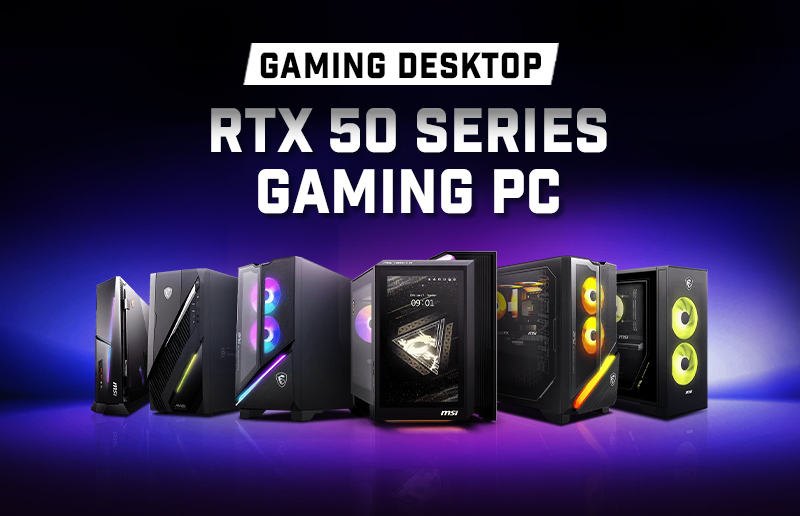
You can browse MSI's GeForce RTX 50-Series prebuilt gaming desktops to find the perfect one here:
https://www.msi.com/Landing/best-gaming-desktop-pc.
https://www.msi.com/Landing/best-gaming-desktop-pc.