Battlefield 6 Best Settings and GPU Benchmarks for GeForce RTX 5080, 5070 and More!
Graphics Cards
Battlefield 6 is here! So, it’s time to head into battle, get mercilessly shot from everywhere, and scream into the void for a revive while your teammates casually step over you. All kidding aside, it’s one of the most successful Battlefield launches of all time – with a whopping 7M sales in the first 3 days!
Well, we found a few gamers in our lab joining in the fun too, so we decided to set them on a quest to benchmark the game to find out how well-optimized it is for RTX 50-series graphics cards.
If you’re undecided on an upgrade, and want to hop into some Battlefield 6 action, these numbers should help you decide as well.
Test Setup: Hardware, Settings, and More
For our CPU, we picked an AMD Ryzen 7 9800X3D to eliminate any CPU bottlenecks and paired it with our RTX 50-series GPUs. You’ll find benchmark numbers from both DLSS upscaling enabled and at native resolution (DLSS OFF) to give you an idea of what sort of performance boost you can expect.
Hardware Setup
Motherboard: MPG X870E CARBON WIFI
CPU: AMD Ryzen 7 9800X3D
Cooling: MEG CORELIQUID S360
Memory: TOUGHRAM XG RGB D5 Memory DDR5 6600MT/s 32GB (16GB x2)
SSD: SPATIUM M570 PRO PCIe 5.0 NVMe M.2 FROZR
PSU: MEG Ai1300P PCIE5
CPU: AMD Ryzen 7 9800X3D
Cooling: MEG CORELIQUID S360
Memory: TOUGHRAM XG RGB D5 Memory DDR5 6600MT/s 32GB (16GB x2)
SSD: SPATIUM M570 PRO PCIe 5.0 NVMe M.2 FROZR
PSU: MEG Ai1300P PCIE5
In-Game Settings
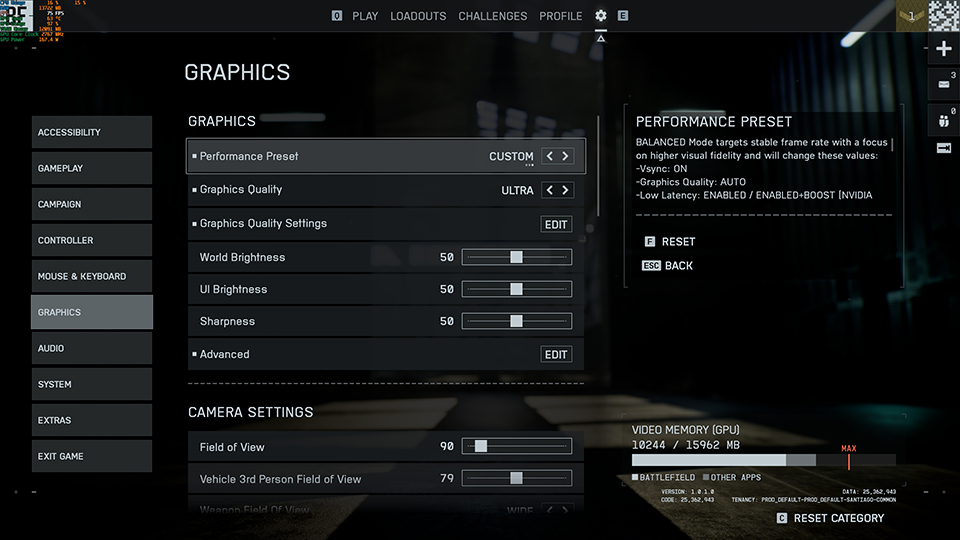
For these tests, we decided to pit native performance at 1080p, 1440p, and 4K against NVIDIA’s DLSS technology (set to Ultra Performance) alongside DLSS MFG (Multi-Frame Generation) @4X to find the FPS gains you can expect with RTX 50-series in Battlefield 6.
Graphics Preset
Ultra
Upscaling Method (when enabled)
DLSS
CPUUpscaling Quality (when DLSS enabled)
Ultra Performance
Frame Generation (only with DLSS enabled)
4X
Limit Frame Rate
Off
Vertical Sync
Off
The graphics preset used was ‘Ultra’, which sits one level below the top ‘Overkill’ preset and is one above ‘High’.
Battlefield 6 GPU Benchmarks for RTX 50-Series: DLSS ON vs. DLSS OFF
Without further ado, let’s go over the numbers, shall we? We'll start with 4K, the most demanding resolution, and work our way down to the 1440p and 1080p benchmarks.
Battlefield 6 GPU Benchmarks for 4K (Ultra Preset): Best Visuals and Performance
Starting with the most demanding resolution, 4K is where even the most powerful GPUs are pushed to their limits. Here, technologies like NVIDIA's DLSS 4 become essential to achieving high frame rates without sacrificing visual quality.
GPUs
(4K Ultra)
(4K Ultra)
Battlefield 6
(DLSS off) Avg.FPS
(DLSS off) Avg.FPS
Battlefield 6
(DLSS 4) Avg.FPS
(DLSS 4) Avg.FPS
DLSS 4
Performance Improvement
Performance Improvement
RTX 5080 16G
98.9
246.3
149.04%
RTX 5070 Ti 16G
85.2
210.4
154.14%
RTX 5070 12G
67.6
171.8
154.14%
RTX 5060 Ti 16G
48.8
127.1
160.45%
RTX 5060 8G
25.4
71.4
181.10%
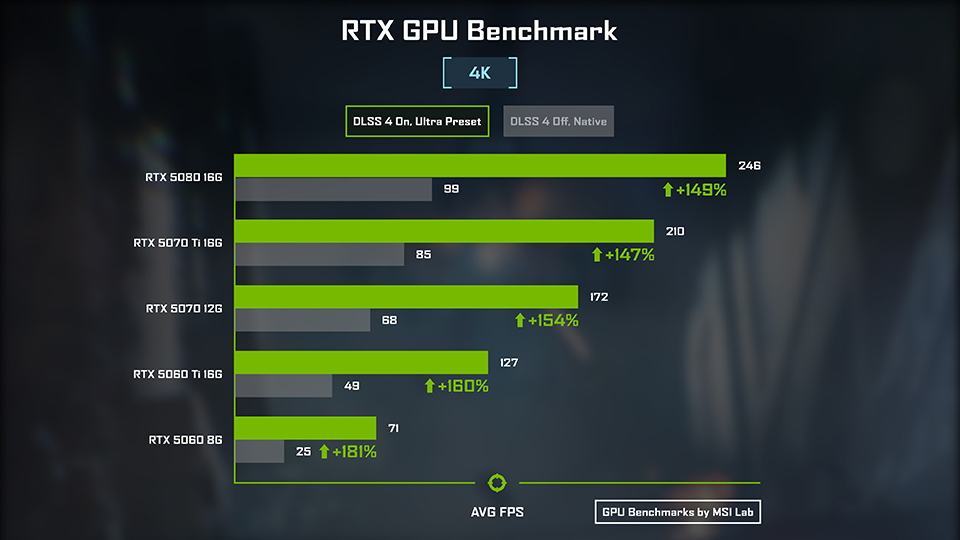
At native 4K resolution, only the very top-tier cards deliver a truly fluid experience.
The RTX 5080 leads the pack with an average of 98.9 FPS, with the RTX 5070 Ti and RTX 5070 also providing a solid performance above 60 FPS. The RTX 5060 Ti falls just short of this mark at 48.8 FPS, while the RTX 5060 is nearly unplayable at 25.4 FPS. That said, if you compromise on visual quality and turn down settings from Ultra to High, you should see a decent jump in performance.
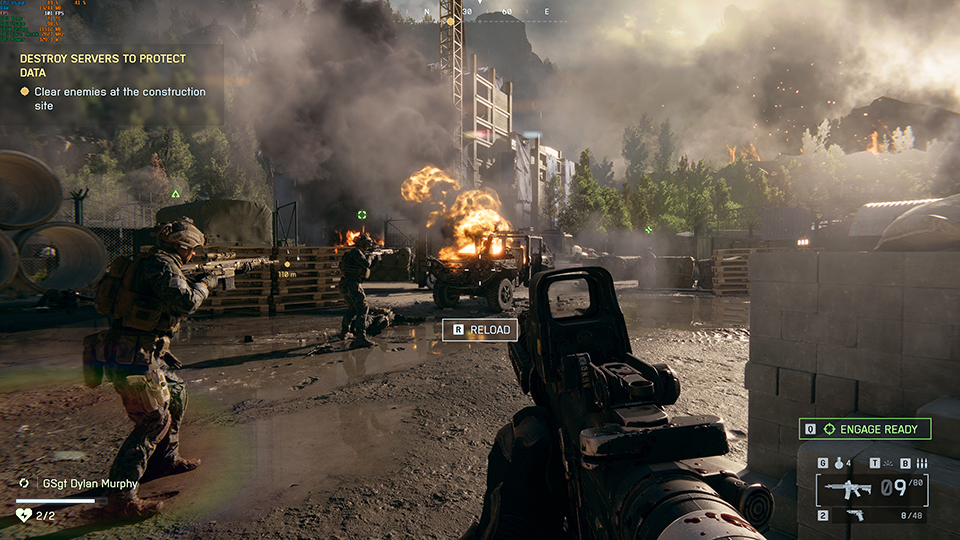
Battlefield 6_RTX 5080 Benchmark_Ultra Mode_4K_DLSS Off
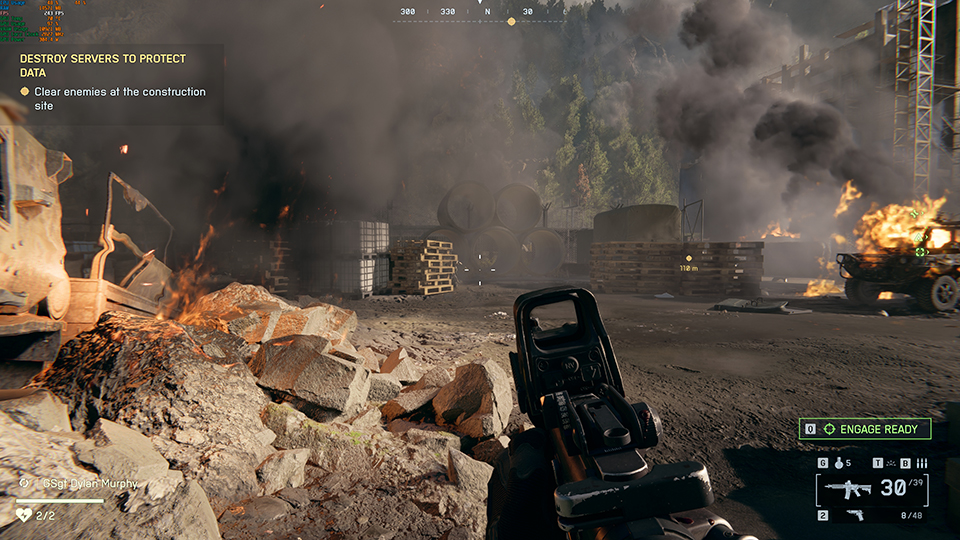
Battlefield 6_RTX 5080 Benchmark_Ultra Mode_4K_DLSS On
However, enabling DLSS 4 with Frame Generation lets you enjoy Ultra settings and transforms the gameplay experience across the board.
Here, the RTX 5080 soars to an incredible 246.3 FPS, perfect for high-refresh-rate 4K monitors. More impressively, the RTX 5060, which struggled at native, jumps to a very playable 71.4 FPS – showcasing a massive 181% performance uplift and making it a viable option for 4K gaming with DLSS enabled. That said, the lack of VRAM at this resolution still results in a sub-par gaming experience overall.
Still, the RTX 5070 Ti and RTX 5070 offer a much more confidence inspiring experience at 4K, as they both deliver a solid 60+ FPS without upscaling and can easily drive high-refresh-rate displays with DLSS 4 enabled.
Battlefield 6 GPU Benchmarks for 1440p (Ultra Preset): Balancing Visuals and High Framerates
Stepping down to 1440p, often considered the sweet spot for high-end gaming, every card in our lineup delivers an excellent experience right out of the box. This resolution is perfect for gamers who want a significant visual upgrade over 1080p without needing the absolute most powerful hardware to drive it.
GPUs
(1440p Ultra)
(1440p Ultra)
Battlefield 6
(DLSS off) Avg.FPS
(DLSS off) Avg.FPS
Battlefield 6
(DLSS 4) Avg.FPS
(DLSS 4) Avg.FPS
DLSS 4
Performance Improvement
Performance Improvement
RTX 5080 16G
168.8
345.9
104.92%
RTX 5070 Ti 16G
151
300.4
98.94%
RTX 5070 12G
122.8
252.2
105.37%
RTX 5060 Ti 16G
90.5
188.5
108.29%
RTX 5060 8G
62.9
163.5
159.94%
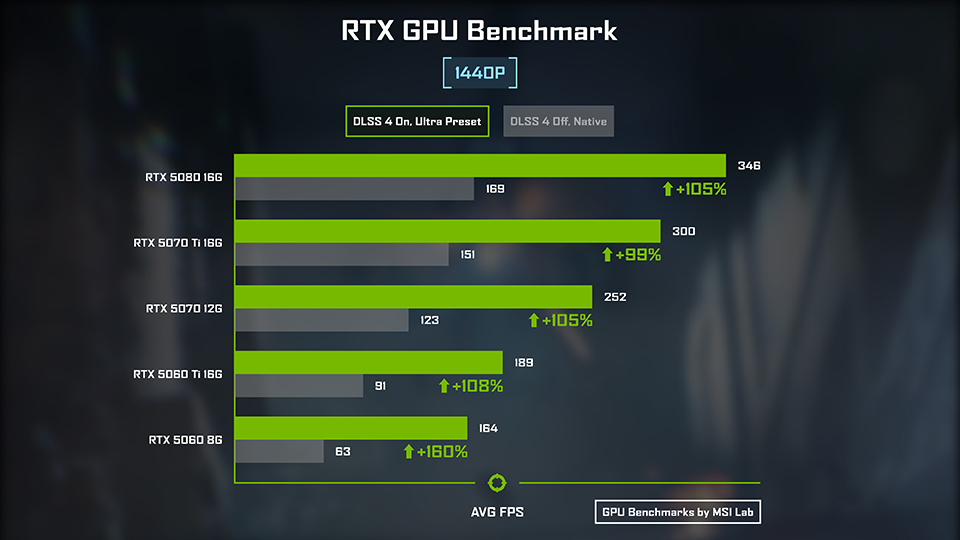
At native 1440p, every single GPU delivers outstanding performance.
The RTX 5080, as expected, leads the pack with a blistering 168.8 FPS, but even the modest RTX 5060 manages a smooth 62.9 FPS without any upscaling.
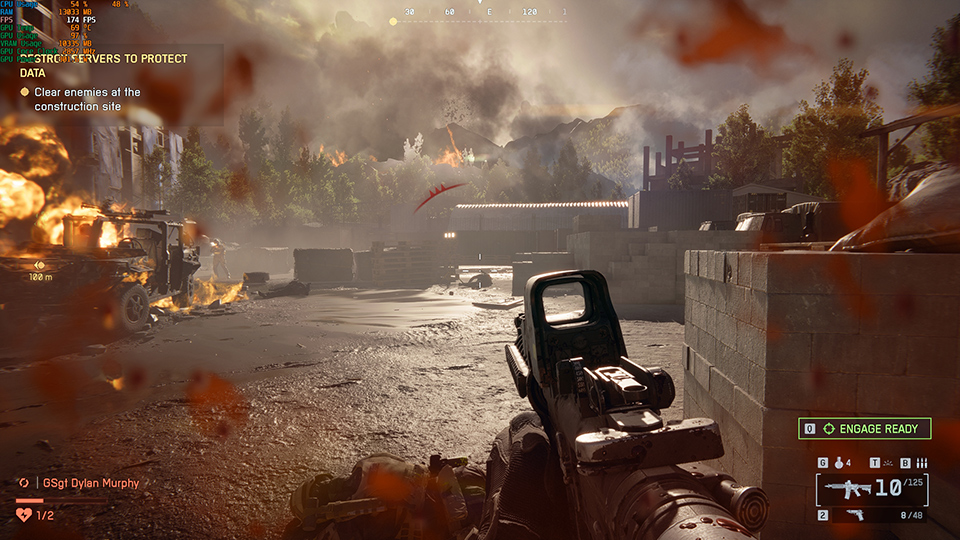
Battlefield 6_RTX 5080 Benchmark_Ultra Mode_1440p_DLSS Off
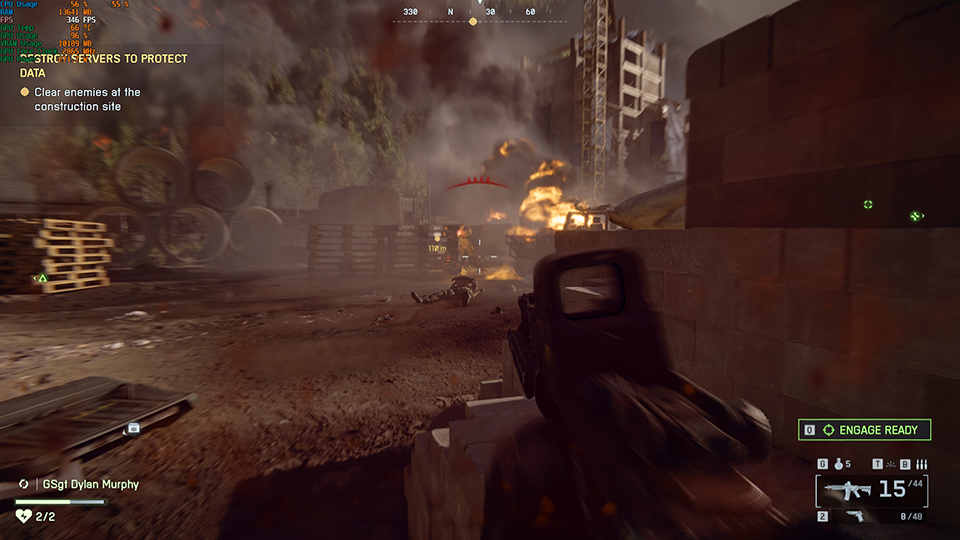
Battlefield 6_RTX 5080 Benchmark_Ultra Mode_1440p_DLSS On
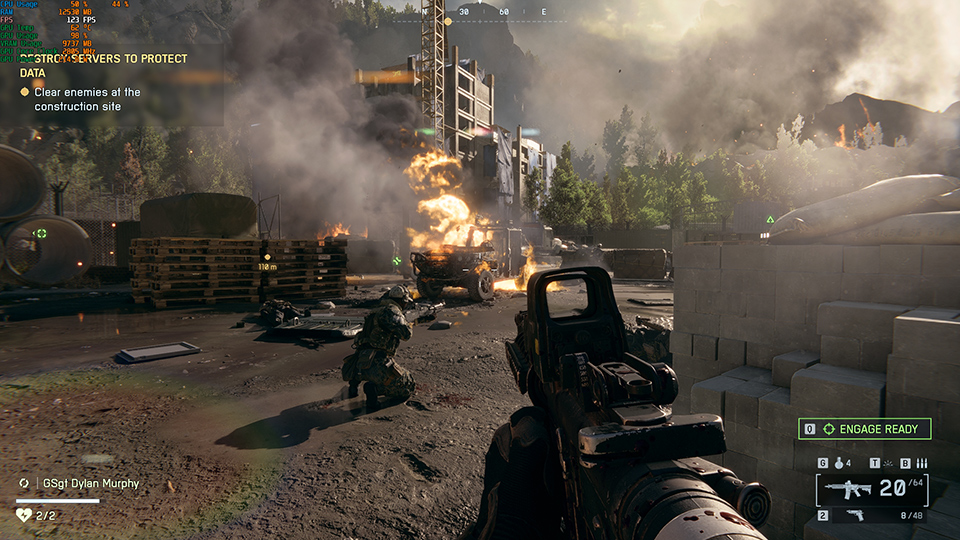
Battlefield 6_RTX 5070 Benchmark_Ultra Mode_1440p_DLSS Off
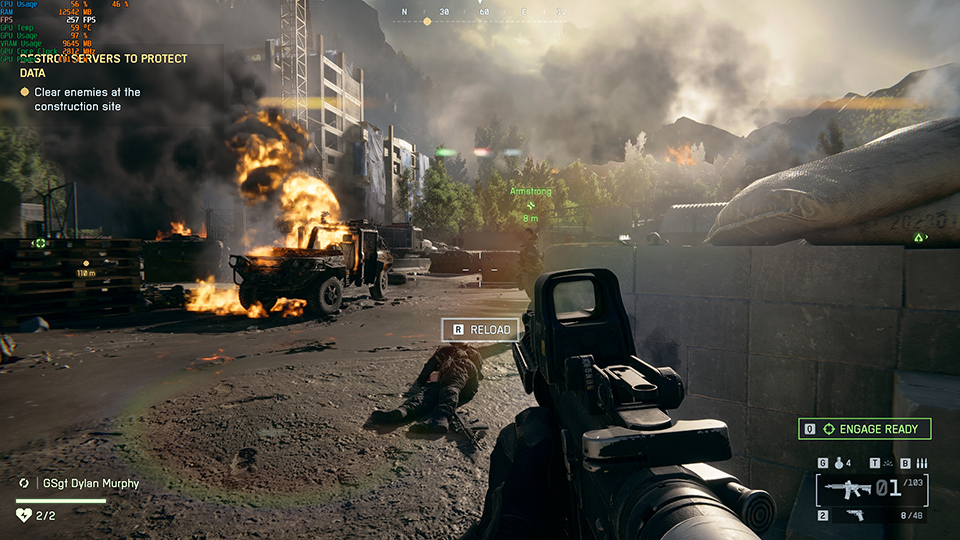
Battlefield 6_RTX 5070 Benchmark_Ultra Mode_1440p_DLSS On
Flipping the switch on DLSS 4 propels these cards into the realm of competitive, high-refresh-rate monitors. The RTX 5080 now offers nearly 350 FPS, while the RTX 5060 sees a massive ~160% uplift to 163.5 FPS – ensuring you can max out a 144Hz or 165Hz display with ease.
For those looking for the best bang for their buck, the RTX 5070 and RTX 5060 Ti stand out as the champions of 1440p. Both cards deliver well over 100 FPS at native settings and push past 200 FPS with DLSS enabled using the Ultra preset to offer a premium, high-refresh-rate experience in Battlefield 6 without the flagship price tag.
Battlefield 6 Benchmarks for 1080p (Ultra Preset): The Competitive, Ultra-High Refresh Rate Pick
Last, we arrive at 1080p, the resolution of choice for competitive players where every single frame counts. While every card in our lineup is overkill for a standard 60 FPS experience, this is where we see the true potential for high-refresh-rate gaming, with frame rates that can give you an edge in the fast-paced, large-scale battles that define the Battlefield experience.
GPUs
(1080p Ultra)
(1080p Ultra)
Battlefield 6
(DLSS off) Avg.FPS
(DLSS off) Avg.FPS
Battlefield 6
(DLSS 4) Avg.FPS
(DLSS 4) Avg.FPS
DLSS 4
Performance Improvement
Performance Improvement
RTX 5080 16G
233.1
430.3
84.60%
RTX 5070 Ti 16G
204.3
376.6
84.34%
RTX 5070 12G
173.9
334.9
92.58%
RTX 5060 Ti 16G
131.6
265.5
101.75%
RTX 5060 8G
110.8
221.7
100.09%
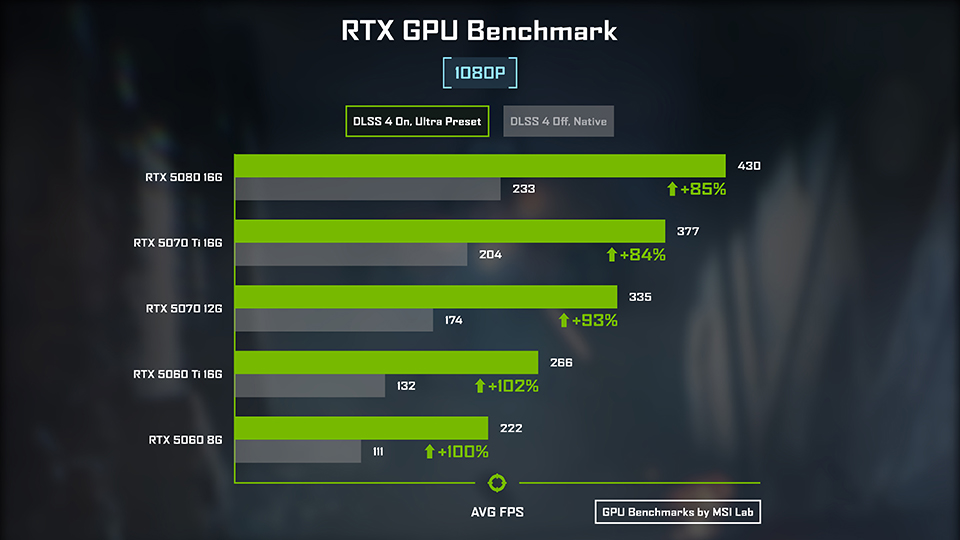
Even at native settings, the performance is exceptional.
The RTX 5080 averages a staggering 233.1 FPS, but the real story is that even the budget RTX 5060 offers a smooth 110.8 FPS – delivering a fluid, competitive experience.
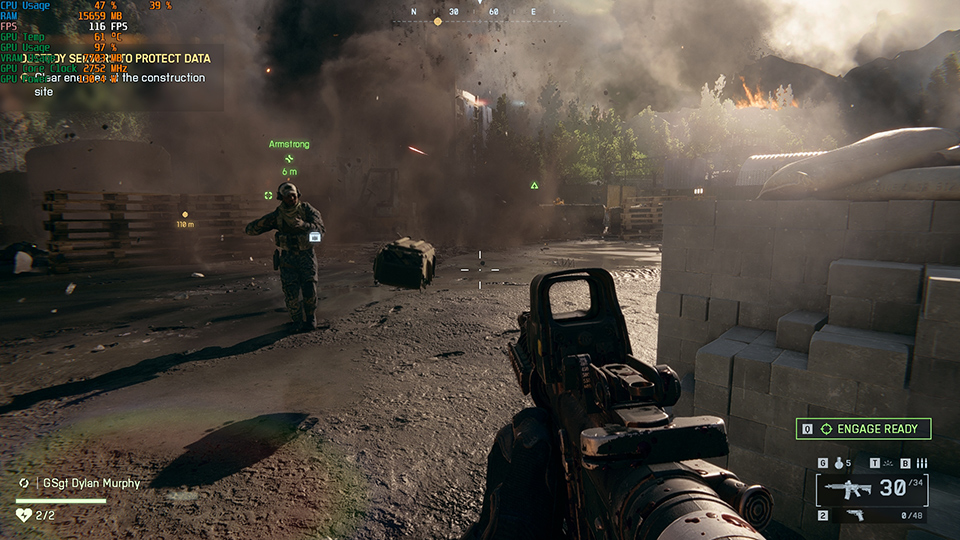
Battlefield 6_RTX 5060 Benchmark_Ultra Mode_1080p_DLSS Off
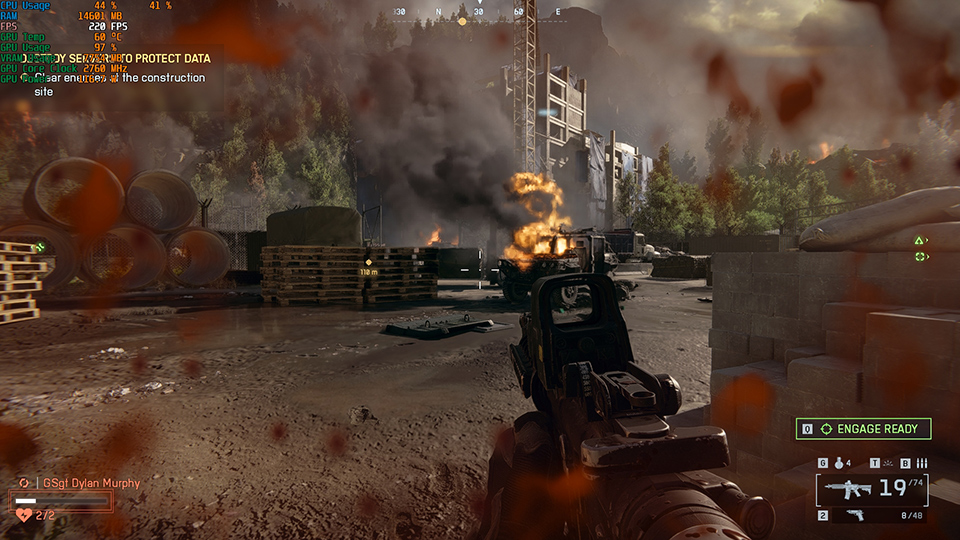
Battlefield 6_RTX 5060 Benchmark_Ultra Mode_1080p_DLSS On
Enabling DLSS 4, however, pushes the RTX 5080 to an astronomical 430.3 FPS, while the RTX 5060 comfortably doubles its native performance, jumping to 221.7 FPS. This ensures that every card in the lineup can easily saturate even the fastest 240Hz and 360Hz esports monitors on shelves today.
For players seeking the ultimate competitive edge without paying a premium, the RTX 5060 Ti and RTX 5060 are outstanding picks. Starting at 131.6 FPS and 110.8 FPS respectively, both cards see their performance double to over 265 FPS and 220 FPS with DLSS 4 enabled.
Let’s Talk Memory: How Much VRAM Does Battlefield 6 Need at 4K, 1440, and 1080p?
While raw FPS is the headline number, you also need to factor in VRAM capacity for a smooth, stutter-free gaming experience. Modern titles with their vast, detailed environments and ultra-high-resolution textures, can be particularly demanding on a card's memory buffer.
Exceeding your GPU's VRAM can lead to jarring performance hitches and textures failing to load correctly – completely wrecking your experience. In this section, we'll dive into how much VRAM Battlefield 6 actually uses at 4K, 1440p, and 1080p to help you make a more informed choice for your next upgrade.
GPUs
(4K Ultra)
(4K Ultra)
Battlefield 6
(DLSS off) Avg.FPS
(DLSS off) Avg.FPS
Battlefield 6
(DLSS off) VRAM Usage
(DLSS off) VRAM Usage
RTX 5080 16G
98.9
11512MB
RTX 5070 Ti 16G
85.2
11150MB
RTX 5070 12G
67.6
11051MB
RTX 5060 Ti 16G
48.8
11204MB
RTX 5060 8G
25.4
7570MB
Battlefield 6 is exceptionally demanding on VRAM at 4K, especially without upscaling.
It looks like without DLSS, Battlefield 6 would want to allocate around 11GB of memory. This puts the RTX 5070 and its 12GB buffer right on the edge of its capacity, while the RTX 5080 and the RTX 5070 Ti 16G have ample free memory.
The clearest example of a VRAM bottleneck, however, is the RTX 5060 8G. The game only allocates nearly all the VRAM on this card (7+GB), a significantly lower amount than the rest of the lineup.
GPUs
(4K Ultra)
(4K Ultra)
Battlefield 6
(DLSS 4) Avg.FPS
(DLSS 4) Avg.FPS
Battlefield 6
(DLSS 4) VRAM Usage
(DLSS 4) VRAM Usage
RTX 5080 16G
246.3
10921MB
RTX 5070 Ti 16G
210.4
10952MB
RTX 5070 12G
171.8
9645MB
RTX 5060 Ti 16G
127.1
10800MB
RTX 5060 8G
71.4
7602MB
Interestingly, enabling DLSS 4 provides some relief, lowering the VRAM usage on the 12GB card and giving it more breathing room for a better gaming experience. Even though the RTX 5060’s 8GB VRAM buffer is still stretched thin, you can get a somewhat playable 60+FPS even at 4K.
That said, do keep in mind that these tests were conducted using the Ultra preset, so playing with a few graphics settings could reduce VRAM usage by quite a bit.
What Graphics Card do You Need for Battlefield 6?
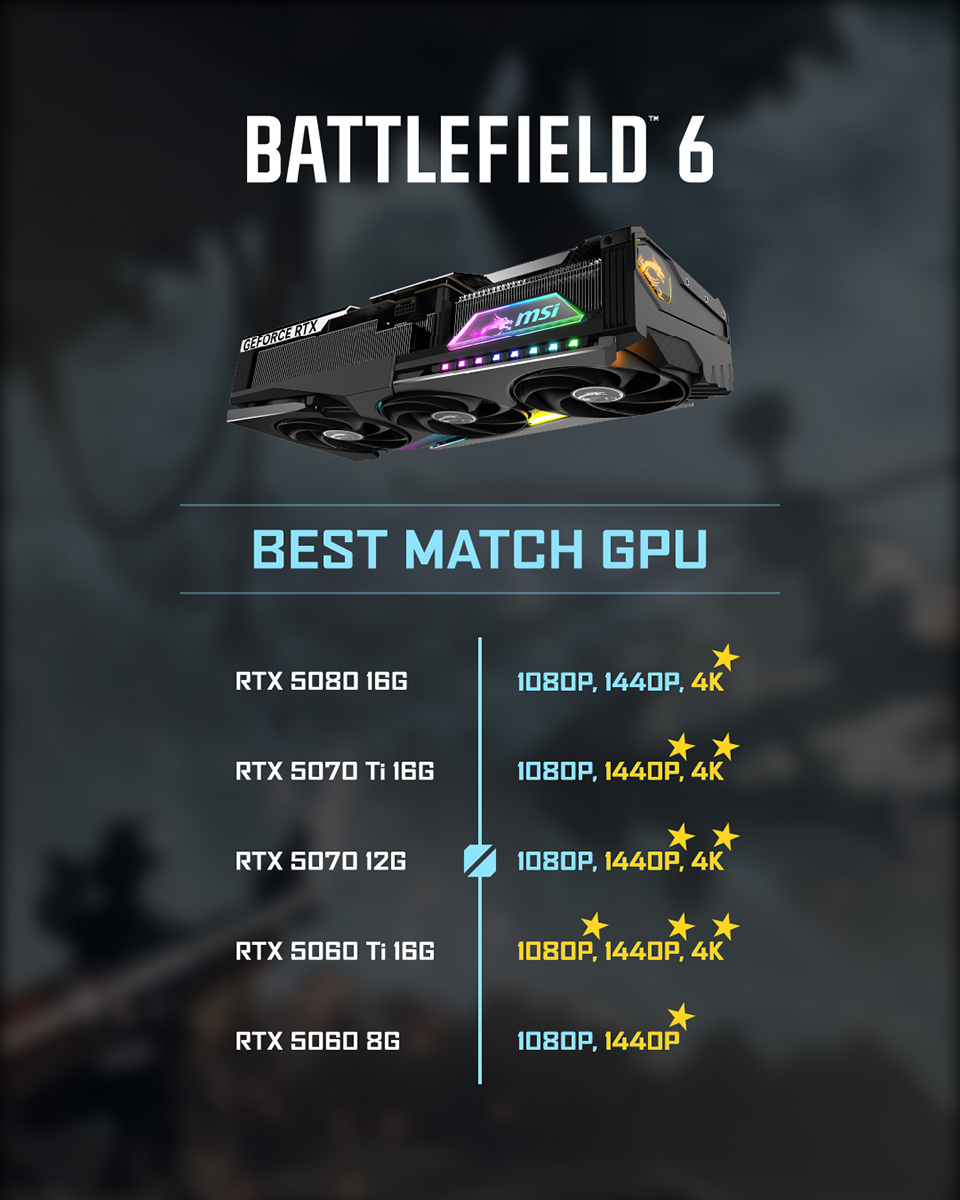
Battlefield 6 is a true next-gen experience, optimized exceptionally well for modern hardware. It not only runs smoothly across most of MSI’s RTX 50 Series lineup but also takes full advantage of NVIDIA’s DLSS 4 technology to deliver fluid gameplay even at demanding resolutions.
For 4K gaming, we recommend the RTX 5080 or RTX 5070 Ti if you want to enjoy the latest titles with high visual fidelity and minimal compromises on settings.
At 1440p, the options open up further — choose the RTX 5080 or RTX 5070 Ti to drive high refresh rate displays, or step down to the RTX 5070 or RTX 5060 Ti for an excellent balance between performance and value.
Meanwhile, both the RTX 5060 and RTX 5060 Ti deliver high frame rates at 1080p and 1440p, and can even handle 4K gaming with DLSS 4 enabled — giving you smooth, competitive performance and a premium experience without needing to jump to top-tier hardware.
Check Battlefield 6 benchmarks video: https://youtube.com/shorts/WZCjlGw--lc?si=wksvA4tgrRCwuFDW