Does PCIe 5.0 Really Make a Difference? Everything You Need to Know Before Upgrading Your PC
Motherboards
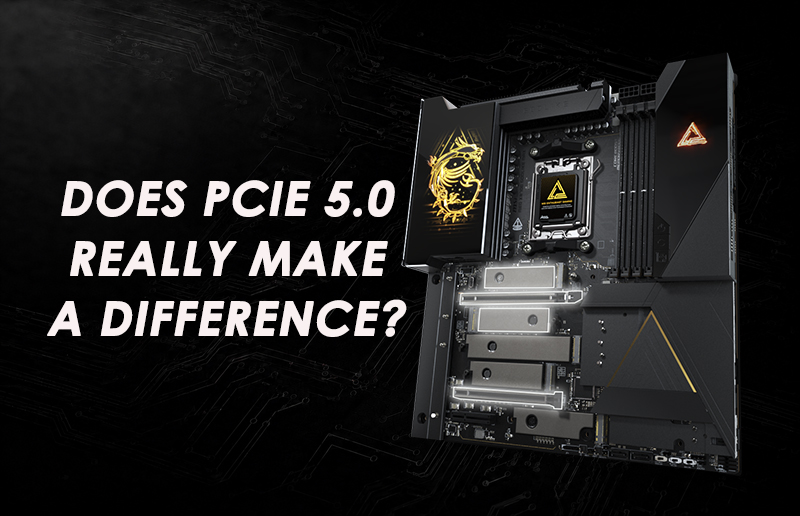
When shopping for a new gaming motherboard, you have probably noticed one feature appearing more frequently than ever: PCIe 5.0. From motherboards and SSDs to the latest graphics cards, PCIe 5.0 has become an important part of modern PC platforms. But one question remains: Does PCIe 5.0 actually improve your gaming experience, or is it primarily a future-ready technology?
The answer depends on how you use your PC.
For most current games, upgrading from PCIe 4.0 to PCIe 5.0 alone will not deliver a dramatic increase in frame rates. However, PCIe 5.0 provides twice the bandwidth of PCIe 4.0, supports ultra-fast Gen5 NVMe SSDs, and gives future graphics cards and expansion devices more room to scale.
If you are building a new high-performance gaming PC in 2026, choosing a PCIe 5.0-ready platform can be a smart long-term investment—especially when the motherboard also provides modern features such as DDR5 memory, Wi-Fi 7, high-speed networking, and advanced storage expansion.
In this guide, we will explain what PCIe 5.0 is, how it affects gaming and storage performance, and which MSI motherboards can help you build a modern, upgrade-ready PC.
What Is PCIe 5.0?
PCI Express, commonly known as PCIe, is the high-speed interface that connects essential components—such as graphics cards, NVMe SSDs, capture cards, and network adapters—to the motherboard.
Each new PCIe generation increases the amount of data that can be transferred through the interface. PCIe 5.0 operates at up to 32 GT/s per lane and provides approximately twice the bandwidth of PCIe 4.0.
A PCIe 5.0 x16 connection offers approximately 64 GB/s of bandwidth in each direction, while a PCIe 5.0 x4 connection—commonly used by Gen5 NVMe SSDs—provides nearly 16 GB/s of theoretical bandwidth in each direction.
In real-world use, actual performance will be lower because of protocol overhead and the limitations of the connected device. Nevertheless, the additional bandwidth gives new GPUs, SSDs, and expansion devices more performance headroom.
Does PCIe 5.0 Improve Gaming Performance?
For many gamers, this is the most important question.
The reality is that PCIe 5.0 does not automatically produce higher frame rates. Even many high-performance graphics cards operate effectively without fully saturating a PCIe 4.0 x16 connection. Therefore, moving the same GPU from PCIe 4.0 x16 to PCIe 5.0 x16 will generally produce little or no noticeable difference in average gaming performance.
However, gaming performance is not measured by FPS alone.
Modern AAA games use increasingly detailed textures, larger environments, and more complex assets. These games require storage systems to load and stream significant amounts of data while the player moves through the game world.
Technologies such as Microsoft DirectStorage are designed to reduce storage-related CPU overhead and make more efficient use of high-speed NVMe storage. DirectStorage does not require a PCIe 5.0 SSD, and a suitable PCIe 4.0 NVMe SSD can also support it.
However, PCIe 5.0 SSDs provide additional bandwidth headroom that future games and data-intensive applications may be able to use. The actual benefit will depend on how individual games implement asset streaming, compression, decompression, and storage I/O.
Therefore, PCIe 5.0 should be viewed as an investment in platform capability rather than a guaranteed source of additional FPS.
PCIe 5.0 SSD vs. PCIe 4.0 SSD
Storage is currently one of the clearest applications for PCIe 5.0.
High-performance PCIe 4.0 NVMe SSDs can reach sequential read speeds of approximately 7 GB/s, while the fastest PCIe 5.0 drives can exceed 12 GB/s. This difference can be valuable when transferring very large files or working with storage-intensive professional applications.
PCIe 5.0 SSDs are particularly beneficial for users who:
- Frequently transfer large files or application packages.
- Edit high-resolution 4K or 8K video.
- Work with 3D rendering, visual effects, or professional creative software.
- Handle large datasets or AI development workloads.
- Want maximum storage performance for a premium PC build.
For everyday gaming, the difference between a high-quality PCIe 4.0 SSD and a PCIe 5.0 SSD may still be relatively modest. Loading times depend on more than sequential drive speed, including the game engine, CPU, asset compression, and software optimization.
PCIe 5.0 SSDs may also consume more power and generate more heat than many PCIe 4.0 models. An effective motherboard M.2 heatsink is therefore especially important for maintaining sustained performance.
A PCIe 4.0 SSD remains an excellent choice for mainstream gaming, while a PCIe 5.0 SSD is more suitable for enthusiasts, professional creators, and users who want maximum performance and additional bandwidth for future applications.
Do Graphics Cards Need PCIe 5.0?
Modern PCIe graphics cards are backward-compatible. This means a PCIe 5.0 graphics card can generally operate in a PCIe 4.0 motherboard slot, although it will use the bandwidth available from the older interface.
Most current high-end graphics cards can still perform exceptionally well through PCIe 4.0 x16. As a result, replacing an otherwise capable
PCIe 4.0 motherboard solely to obtain PCIe 5.0 is unlikely to deliver a significant improvement in current gaming performance.
The situation is different when building an entirely new PC.
Choosing a motherboard with a PCIe 5.0 x16 slot gives your system greater flexibility for future graphics cards and accelerator devices. Additional host-to-device bandwidth may also become more useful in professional workloads involving AI processing, large datasets, content creation, or frequent transfers between system memory and GPU memory.
PCIe 5.0 is therefore not an immediate requirement for every graphics card, but it is a valuable platform feature for users planning to keep and upgrade their systems over several years.
Which MSI Motherboards Support PCIe 5.0?
MSI offers PCIe 5.0 support across multiple motherboard families designed for different types of gamers, enthusiasts, and PC builders.
Available PCIe generations, lane configurations, and M.2 functionality may vary depending on the installed processor. Always review the motherboard specifications and CPU compatibility information before selecting your components.
MEG X870E GODLIKE MAX
For users building an ultimate AMD gaming or enthusiast system, the MEG X870E GODLIKE MAX represents MSI’s flagship X870E platform.
Its 24+2+1 Duet Rail Power System with 110A Smart Power Stages is designed to support sustained performance from high-end AMD Ryzen processors and demanding overclocked configurations.
Key features include:
- PCIe 5.0 support for graphics and Gen5 M.2 storage.
- Support for AMD Ryzen 9000, 8000, and 7000 Series processors.
- Five onboard M.2 slots plus two additional Gen5 M.2 slots through the included expansion card.
- High-speed DDR5 memory support.
- Full-speed Wi-Fi 7.
- 10G and 5G LAN.
- USB4 connectivity.
- Advanced VRM and M.2 cooling.
The MEG X870E GODLIKE MAX is designed for enthusiasts who want maximum expansion capability, extensive connectivity, and uncompromising performance.
MPG X870E CARBON MAX WIFI
The MPG X870E CARBON MAX WIFI offers an excellent balance of premium performance, trend-forward styling, and practical high-end features.
Its 18+2+1 Duet Rail Power System is combined with PCIe 5.0 graphics support, Gen5 M.2 storage, DDR5 memory, Wi-Fi 7, USB4, 5G LAN, and an advanced thermal design.
It is an ideal choice for high-end gaming PCs that require strong expansion and connectivity without moving all the way to the flagship tier.
MAG X870 TOMAHAWK MAX WIFI
For gamers who prioritize practical performance, durability, and strong value, the MAG X870 TOMAHAWK MAX WIFI provides a robust foundation for modern AMD gaming systems.
Its 14+2+1 Duet Rail Power System with 80A Smart Power Stages is complemented by PCIe 5.0 support, DDR5 memory, Wi-Fi 7, 5G LAN, USB4, and high-speed M.2 storage.
The MAG X870 TOMAHAWK MAX WIFI is a strong performance-to-value choice for gamers who want the core features of a next-generation AM5 platform.
MEG Z890 GODLIKE
Intel users seeking maximum performance and extensive expansion capabilities can choose the MEG Z890 GODLIKE.
Designed for Intel Core Ultra processors (Series 2), its 26+2+1+1 Duet Rail Power System supports demanding flagship configurations.
Key features include:
- PCIe 5.0 graphics and storage connectivity.
- High-speed DDR5 memory support.
- Eight total M.2 slots through onboard connectors and the included expansion card.
- Thunderbolt 4 connectivity.
- Wi-Fi 7.
- 10G and 5G LAN.
- Premium VRM architecture.
- Extensive storage and expansion options.
Whether you are gaming, streaming, overclocking, or creating professional content, the MEG Z890 GODLIKE is built to handle demanding workloads.
MPG Z890 CARBON WIFI
The MPG Z890 CARBON WIFI combines enthusiast-class performance with distinctive, trend-forward styling.
Its 20+1+1+1 power design is paired with PCIe 5.0 support, DDR5 compatibility, efficient thermal solutions, high-speed networking, and modern connectivity.
It is an outstanding foundation for Intel gamers who want premium performance and advanced features without moving to the flagship MEG tier.
MAG Z890 TOMAHAWK WIFI
The MAG Z890 TOMAHAWK WIFI focuses on durability, essential performance, and practical value.
Its 16+1+1+1 Duet Rail Power System with 90A Smart Power Stages is paired with a PCIe 5.0 x16 graphics slot, Gen5 M.2 storage, DDR5 memory, Thunderbolt 4, Wi-Fi 7, and 5G LAN.
It is a capable, future-ready platform for Intel gamers who want reliable performance and modern connectivity at a more accessible product tier.
Looking for more options? Explore the complete MSI motherboard lineup to find the right model for your next PC build.
Does a PCIe 5.0 Upgrade Require a New Power Supply?
PCIe 5.0 itself does not require a new power supply.
Your PSU requirements are determined primarily by your graphics card, processor, total system power consumption, power connectors, and the age and quality of your existing power supply.
If you are pairing a new motherboard with a modern high-end graphics card, choosing an ATX 3.1 power supply can provide better compatibility with current GPU power requirements. ATX 3.1 power supplies are designed to meet modern transient-load requirements, while models equipped with a native 12V-2x6 cable can connect directly to compatible graphics cards.
Before upgrading, check the recommended PSU wattage for your graphics card and calculate the total power requirements of your complete system.
Is PCIe 5.0 Worth It in 2026?
If your only goal is to gain a few additional frames per second in current games, PCIe 5.0 should not be the deciding factor. Upgrading an otherwise capable PCIe 4.0 system solely for PCIe 5.0 is unlikely to deliver a noticeable improvement in today’s gaming experience.
However, if you are building a new high-performance PC and the price difference is reasonable, choosing a PCIe 5.0-ready motherboard is generally worthwhile.
PCIe 5.0 provides:
- Twice the bandwidth of PCIe 4.0.
- Support for ultra-fast Gen5 NVMe SSDs.
- Additional bandwidth headroom for future GPUs and expansion devices.
- Greater flexibility for storage and hardware upgrades.
- Better long-term platform capabilities.
The value of PCIe 5.0 is not limited to immediate gaming performance. Its main advantage is providing a modern foundation that can support faster storage, new expansion devices, and future hardware upgrades.
Conclusion: Which MSI Motherboard Should You Choose?
PCIe 5.0 is more than a specification update—it is an important part of a modern, upgrade-ready PC platform.
For AMD systems, the MEG X870E GODLIKE MAX delivers flagship performance and maximum expansion capability. The MPG X870E CARBON MAX WIFI is ideal for gamers who want high-end performance and trend-forward design, while the MAG X870 TOMAHAWK MAX WIFI provides an excellent combination of practical features, durability, and value.
For Intel systems, the MEG Z890 GODLIKE offers a premium experience with extensive storage, networking, and expansion capabilities. The MPG Z890 CARBON WIFI combines enthusiast-class performance with distinctive styling, while the MAG Z890 TOMAHAWK WIFI is a high-value choice for reliable gaming performance and practical next-generation features.
PCIe 5.0 may not substantially increase frame rates in most current games, but it gives your PC greater storage and expansion flexibility. By choosing an MSI motherboard with PCIe 5.0, DDR5, and Wi-Fi 7 support, you are building a modern platform prepared for future GPUs, SSDs, and next-generation applications.
Explore MSI’s complete lineup of PCIe 5.0 motherboards and find the ideal foundation for your next gaming PC.