What Is an AI PC? A Beginner’s Guide to AI Laptops
Laptops
QUICK ANSWER: An AI PC is a computer equipped with hardware designed to accelerate AI, such as an NPU (neural processing unit), a powerful GPU, or both. This allows compatible AI features to run directly on the device, rather than relying entirely on the cloud.
For everyday use, an AI laptop can help translate captions, improve call clarity, and edit photos. More powerful configurations can support AI-assisted video production, coding assistants that run locally, and local AI agents that carry out multi-step tasks.
This guide explains what an AI laptop is, how it differs from a regular laptop, and which MSI options best fit your needs.
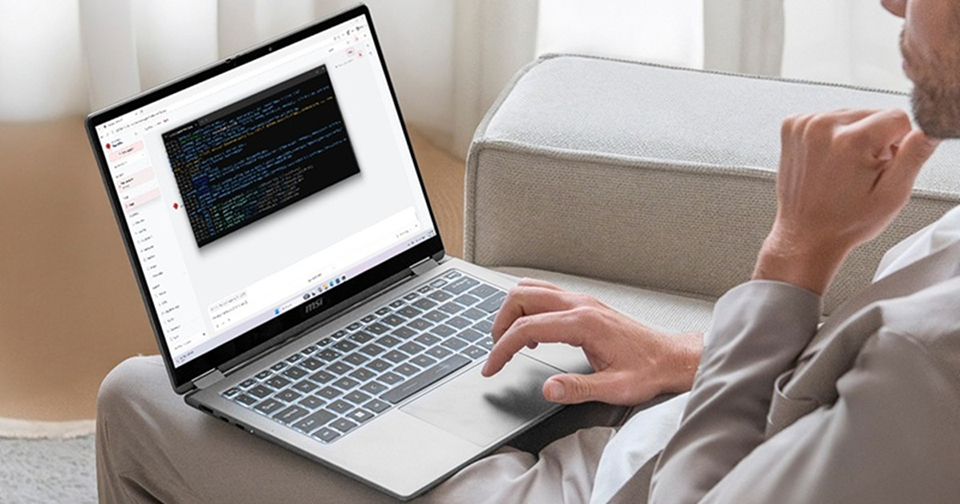
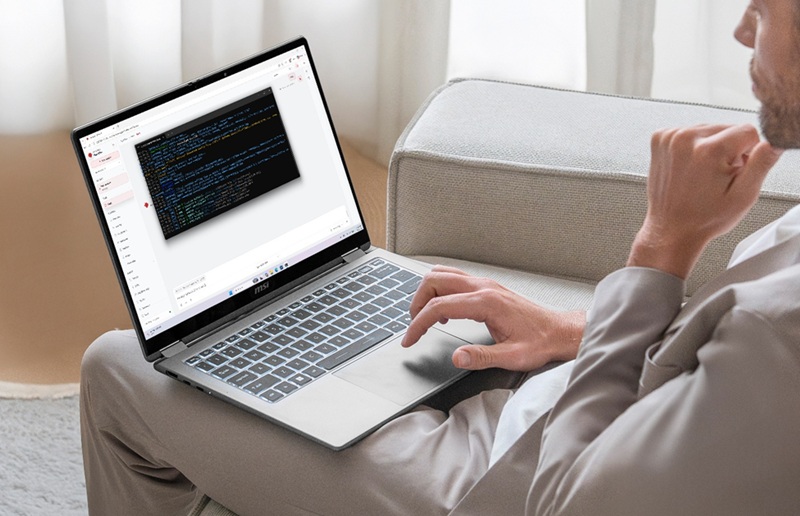
AI PC adds an NPU, a capable GPU, or both to accelerate compatible tasks locally, with capability varying by hardware and software.
What Is an AI PC?
An AI PC has special chips that help it handle AI tasks directly on your computer. Regular computers can use AI too, but these chips can make certain tasks faster or use less power. Some AI features work on your device without sending data online, while others need an internet connection.
An AI laptop brings these capabilities to a portable computer.
Think of the chips inside as a small team. Each has a different strength, and the software decides which ones to use.
Processor
Role on the Team
AI Tasks It Handles
CPU
The organizer
Runs the operating system and apps, prepares data, and handles light AI tasks.
NPU
The efficient specialist
Runs supported features such as camera effects, translated captions, and finding files by describing what you remember, while using power efficiently. Features vary by device and app.
GPU
The heavy lifter
Helps with demanding graphics and supported AI tasks, such as image and video effects, local chatbots, and AI-enhanced gaming. Discrete GPUs add dedicated memory, called VRAM, for larger workloads.
You don’t need to memorize the specifications. Start with what you want to do, then check that the laptop and software support it.
How Is an AI PC Different from a Regular Laptop?
Helps with demanding graphics and supported AI tasks, such as image and video effects, local chatbots, and AI-enhanced gaming. Discrete GPUs add dedicated memory, called VRAM, for larger workloads.
Laptop without an NPU or dedicated GPU
Copilot+ laptop with integrated graphics
Laptop with NVIDIA GeForce RTX™ graphics
Online AI (ChatGPT, Copilot)
Yes
Yes
Yes
Windows AI experiences
Feature-dependent; Copilot+ experiences require qualifying hardware
Supported Copilot+ experiences; availability varies by feature and language
Copilot+ experiences when the configuration also qualifies; other features vary
AI-accelerated gaming and creation
Limited
Supported GPU-accelerated tools and games; results vary by integrated GPU
Yes — e.g. DLSS, NVIDIA Broadcast, GPU-accelerated AI effects
Run AI models locally
Limited performance for local AI; best suited to cloud-based AI tools.
Compatible models using supported processors and system memory
Compatible models; capacity depends on VRAM, system RAM, and software
Best for
Everyday computing and cloud apps
Everyday work, meetings, study
Gaming, content creation, local AI development
These are general tendencies — the exact app you’re using always has the final say.
What Is a Copilot+ PC?
A Copilot+ PC is a specific class of Windows 11 AI PC that meets Microsoft’s requirements for selected on-device AI experiences. These include Live Captions with translation and improved Windows Search on supported configurations. Not every AI laptop is a Copilot+ PC.
To qualify, a PC needs a compatible NPU rated at 40 TOPS or more, at least 16GB of RAM, and 256GB of storage. Windows Studio Effects also works on some other supported NPU-equipped PCs, though available effects depend on the device and drivers.
TOPS (trillions of operations per second) describes an NPU’s rated AI processing capacity—not how fast every app will run. A higher TOPS rating doesn’t automatically mean better performance in every task. A discrete GPU can also accelerate AI workloads, but it does not replace the NPU required for Copilot+ PC qualification. You can learn more at Microsoft’s Copilot+ PC guide
What Can an AI PC Do?
The easiest way to understand an AI PC is to watch it work. Here’s what one can do across four very different kinds of days.
Everyday Work and Study: Easier Online Meetings
For example:
- International meetings and classes. Follow a presentation in a language you don’t speak. On compatible Copilot+ PCs, Live Captions can translate speech in supported languages into English or Simplified Chinese captions. The translation runs on your laptop and can work offline after a one-time language download. Explore Microsoft Live Captions
- Remote work. Spend less time adjusting your camera and mic before a call. On supported laptops, Windows Studio Effects can keep you centered in the frame, blur your background, and use Voice Focus to reduce background noise. You’ll still need an internet connection for the call itself. Explore Windows Studio Effects
- For more everyday business examples, read Your AI Coworker: How AI Business Laptops Are Changing the Way We Work.
Streaming and Gaming: Sound Better, Play Smoother
- Streamers: the fan beside your desk should not be part of the show. On compatible GeForce RTX™ laptops, NVIDIA Broadcast can reduce background noise and apply supported camera effects live, helping you clean up after a late-night stream. Explore NVIDIA Broadcast.
- Gaming. On compatible GeForce RTX™ laptops, NVIDIA DLSS can help supported games look sharper and run more smoothly. The features you can use and the results you’ll see depend on the game, your settings, and your laptop’s graphics chip. Learn about NVIDIA DLSS
Content Creation: Let AI Handle the Tedious Pass
- Photography. Clean up grainy low-light photos or increase a photo’s resolution for a larger print. Adobe Lightroom’s Denoise and Super Resolution tools can help with supported images. Results and processing times vary by image and laptop hardware. Explore Lightroom’s Enhance tools
- Video editors: a client sends grainy footage that needs to stay on your machine. DaVinci Resolve Studio offers local AI-assisted tools such as Super Scale and noise reduction, alongside color-grading tools. Relevant Studio features require a paid license. Keep media local and check cloud collaboration and syncing settings for the complete workflow. Explore DaVinci Resolve Studio
Building Your Own AI: From Private Chatbot to AI Agent
- First-time local AI explorers: after downloading a compatible model, tools such as LM Studio or Ollama can run a chatbot locally without an internet connection. In a local-only workflow, prompts and documents can be processed on the laptop without cloud-model usage fees. Connected tools, cloud features and model licensing may introduce additional requirements or costs. LM Studio offline operation. Ollama local-only settings.
- Solopreneurs: with suitable software and setup, a local AI agent can combine document search with tasks such as checking a client brief against a rate sheet and drafting a status report. All models and tools must support local operation for the workflow to remain offline. Review the output before using it.
Curious how assistants, copilots, and agents are changing work? See From AI Assistant to AI Agent to AI Coworker: How to Choose an AI Business Laptop.
Does AI on an AI PC Run in the Cloud or on the Laptop?
Both — it depends on the app. There are three ways AI can run on a laptop:
- Cloud AI: the model runs on a remote server; your laptop handles the interface. Best for very large models and shared, connected services.
- Local AI: the model runs on your laptop using supported hardware and software. It can work offline after setup and reduce the need to upload data. Privacy still depends on the app and the complete workflow.
- Hybrid AI: one workflow uses both. A freelance creator, for example, could let a local model match a brand’s request against a private rate sheet, then give a cloud AI an approved summary to draft the reply. NVIDIA explains hybrid AI.
For the full comparison of privacy, cost, and performance, see Cloud AI vs. Local AI vs. Hybrid AI: Which Is Right for You?
Which MSI AI Laptop Is Right for You?
MSI offers configurations for everyday AI, creative applications, and more demanding local AI workflows. The groups below are buying guidance, not minimum software requirements. Hybrid AI, AI agents, and 4K editing can span several groups, depending on the workload.
Use case
What It's Built For
Processing & Memory
MSI Series
Everyday Productivity & Cloud AI
Documents, meetings and cloud AI; selected configurations add Copilot+ experiences
Integrated graphics; NPU capability varies. Copilot+ requires a qualifying configuration.
Hybrid to Local AI & Content Creation
Streaming, AI-enhanced gaming, photo and video touch-ups, small local models
GeForce RTX™ 5050 / 5060 Laptop GPUs: 8GB. GeForce RTX™ 5070 Laptop GPU: 8GB or 12GB, depending on model.
Check the exact MSI configuration for Copilot+ certification, GPU memory, and supported software. Specifications and availability vary by model and market.
*Specifications, configurations, and availability may vary by market.
Want to explore more AI use cases?
- AI for everyday work and meetings
- Delegating tasks to AI agents
- Choosing between cloud, local, and hybrid AI
- Finding the right hardware: Laptop GPU Buying Guide
FAQ
Is an AI laptop the same as an AI PC?
An AI laptop is a portable AI PC. Desktop computers can also be AI PCs. The features you can use depend on the hardware and software.
Do I need an AI laptop to use ChatGPT or Copilot?
No. Most modern laptops can use cloud AI tools like ChatGPT and Microsoft Copilot through a compatible browser or app and an internet connection. An AI laptop adds hardware that can run supported AI features directly on the device.
Do I need a Copilot+ PC to use AI?
No. Copilot+ PC is a category of Windows AI PCs. You can use cloud AI tools and other compatible AI apps on laptops outside that category.
Will every AI feature on an AI PC work offline?
No. Some features work locally after setup and downloads; others require cloud services, accounts, or subscriptions. A video call still needs a network, even when the AI processing happens on the laptop.
Should I buy an AI laptop?
Consider one if you want to use AI features that run on your laptop or if your creative apps can take advantage of its AI hardware. If you mainly use cloud chatbots, compare overall performance, battery life, and price based on what you do every day.
Is a higher TOPS rating always better?
Not necessarily. TOPS indicates an NPU’s rated AI capacity, but real-world experience also depends on the CPU, GPU, VRAM, system memory, cooling, battery, and how well the software is optimized.
Related Reading
Want practical business examples? → Your AI Coworker: How AI Business Laptops Are Changing the Way We Work
Choosing between cloud and local AI? → Cloud AI vs. Local AI vs. Hybrid AI: Which Is Right for You?
Ready to delegate tasks to AI? → From AI Assistant to AI Agent to AI Coworker: How to Choose an AI Business Laptop
Comparing GPU power and memory? → Laptop GPU Buying Guide: How to Choose VRAM and Power for Gaming, AI, and Content Creation
Specifications and availability vary by model and region. AI features require compatible hardware and software; language support, downloads, subscriptions, and internet requirements vary. Review AI-generated results before using them.