Killer DoubleShot Pro X3 and Wireless VR
Laptops

MSI has recently launched its latest generation of gaming laptops, featuring innovative and cutting-edge technology waiting to be explored. The Titan GT77 HX and Raider GE78HX, in particular, not only provide unmatched performance, but also come equipped with the latest Intel® Killer™ AX1690 as option on specific configurations, ensuring lightning-fast internet connectivity for the most seamless gaming experience.
The Killer AX-1690 wireless card is fully compliant with the latest Wi-Fi 6E (802.11ax) standards, enabling it to seamlessly connect to the most advanced 6GHz Wi-Fi networks and utilize the additional 160MHz channels. With the exclusive Double Connect Technology, the Intel® Killer™ Wi-Fi 6E AX1690 allows users to combine the bandwidth of two Wi-Fi access points, resulting in an impressive maximum bandwidth of up to 3Gbps. This is achieved by utilizing the power of both 2.4GHz and 5GHz or 2.4GHz and 6GHz of Wi-Fi 6E, offering unprecedented data transfer speeds that are faster than ever before.
It's easy to enjoy the benefits of the Intel® Killer™ AX1690's Double Connect Technology. Simply follow these steps:
1. Open the Killer Intelligence Center to check the status of the AX1690 and make sure that two Wi-Fi adapters are detected.

2. Set the same SSIDs and password on both Wi-Fi access points. (2.4GHz+5GHz or 2.4GHz+6GHz)
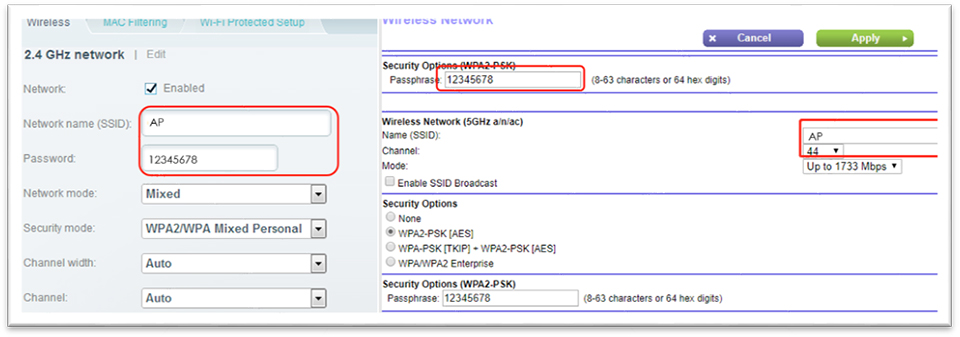
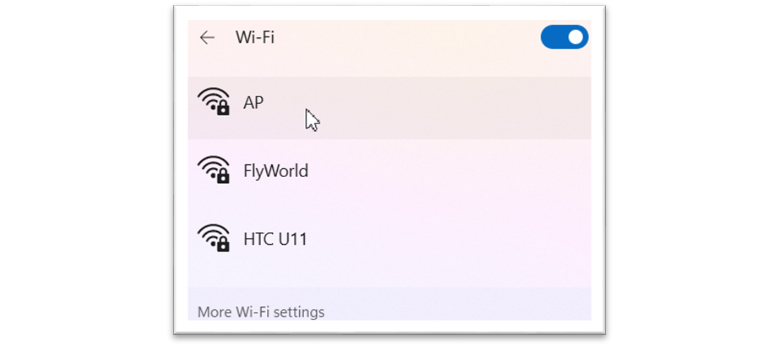
3. Connect to one of the Wi-Fi access points.
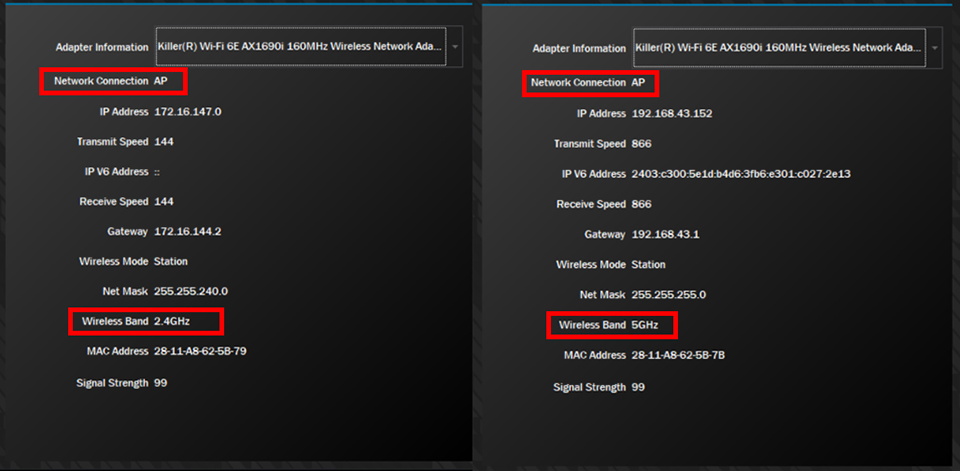
4. Wait for the software to automatically connect to the other Wi-Fi access point.
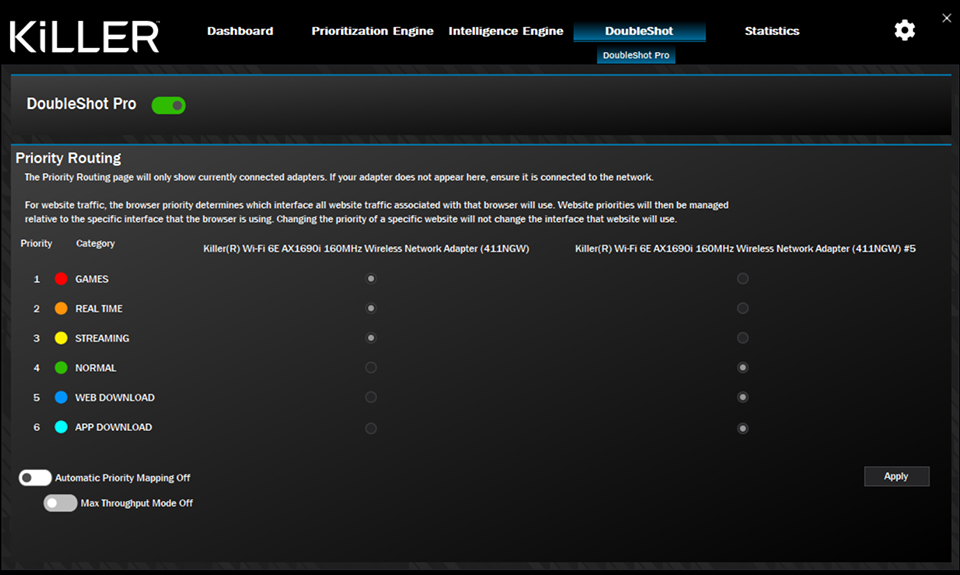
5. Turn on the DoubleShot Pro function and customize the prioritization according to your preferences.
Hidden Trick: Wireless VR with Meta Quest 2
With the Double Connect Technology, we can now take full advantage of its competitive edge, prioritizing gaming on the faster band and utilizing the slower band for downloads and uploads, resulting in ultra-responsive gameplay. Here's an advanced usage scenario: when using a VR device, you can connect both the headset and internet through the laptop's Wi-Fi simultaneously, providing a seamless and uninterrupted virtual reality experience.
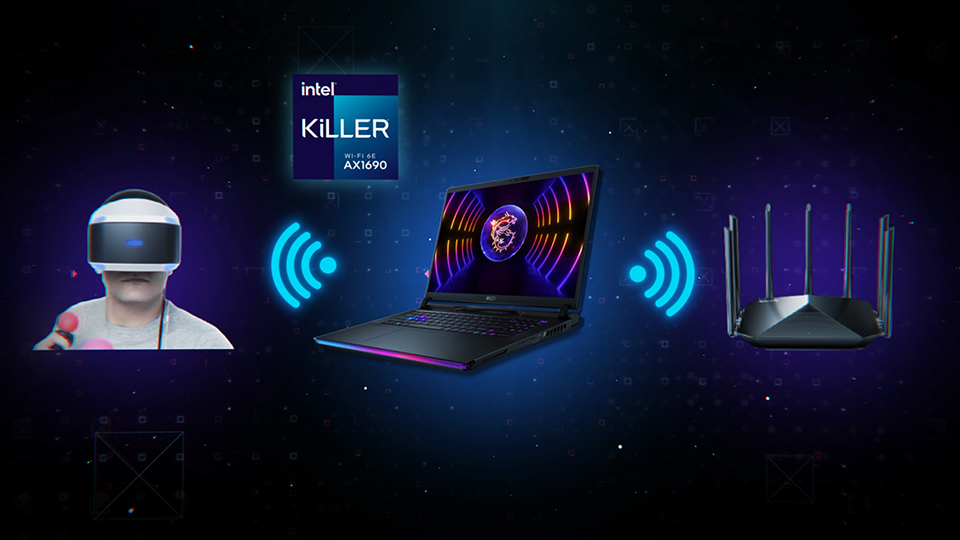
Here’re the steps to enable wireless VR Mode after completing the VR environment:
1. Click on settings icon on the top right corner in Killer Intelligence Center UI.

2. The following settings page will be shown.
3. Set the preferred SSID and password.
4. Toggle the “Wireless Virtual Reality mode” On, the following pop-up details will be shown:

5. Use VR device to connect this access point, then enjoy the wireless VR.
Bonus Tip: When double isn’t enough, try X3!
Moreover, Killer Intelligence Center allows users to combine the bandwidth from 3 networks, up to 2.5 Gbps from LAN plus up to 3Gbps from the Double Technology of Intel® Killer™ AX1690, with up to 5.5Gbps max transfer rate to provide incredible data transfer speed faster than ever before.

This is the “Premium Experience” that MSI has always committed to provide. The latest Titan GT77 HX 13V and Raider GE78 HX 13V sets the bar for high-end gaming laptops.
If you are interested in this charming feature, you could learn more via the following link.
Titan GT77 HX 13V: https://www.msi.com/Laptop/Titan-GT77-HX-13VX
Raider GE78 HX 13V: https://www.msi.com/Laptop/Raider-GE78-HX-13VX