Smarter Workdays Start with MSI Mini PC, a Copilot+ PC
Desktops
In today’s fast-paced work environment, being productive isn’t just about cranking out more work—it’s about working smarter. That’s where the Copilot+ PC comes in. This new generation of AI-powered computers helps users streamline tasks and access cool tools without needing to be connected to the internet all the time. These systems are all about rethinking the desktop experience, and even tiny devices like the MSI Cubi NUC AI+ 2MG show that big performance and intelligence can fit in a small package.
What Makes a PC a Copilot+ PC?
Unlike regular desktops and laptops, Copilot+ PCs are built with a unique AI engine called the NPU (Neural Processing Unit), which can handle over 40 trillion operations per second (TOPS). This means they can manage AI tasks locally, which cuts down on delays and saves power while unlocking some awesome new features in Windows 11.
Copilot+ PCs don’t just go faster—they go smarter. Their context-aware tools and AI features help users stay on track and switch between activities effortlessly. Plus, since these features work right on the device, they offer better privacy and responsiveness than those cloud-only options. This allows for things like instant Recall, real-time translation, and smart Click-to-Do without losing speed or security. In short, AI works quicker, safer, and more responsively, helping professionals keep control over their work.
So, how do Copilot+ PCs boost work efficiency with their AI-powered features? Here are some standout capabilities:
Copilot+ PCs don’t just go faster—they go smarter. Their context-aware tools and AI features help users stay on track and switch between activities effortlessly. Plus, since these features work right on the device, they offer better privacy and responsiveness than those cloud-only options. This allows for things like instant Recall, real-time translation, and smart Click-to-Do without losing speed or security. In short, AI works quicker, safer, and more responsively, helping professionals keep control over their work.
So, how do Copilot+ PCs boost work efficiency with their AI-powered features? Here are some standout capabilities:
Recall: Copilo+ PC Helps Remember Everything
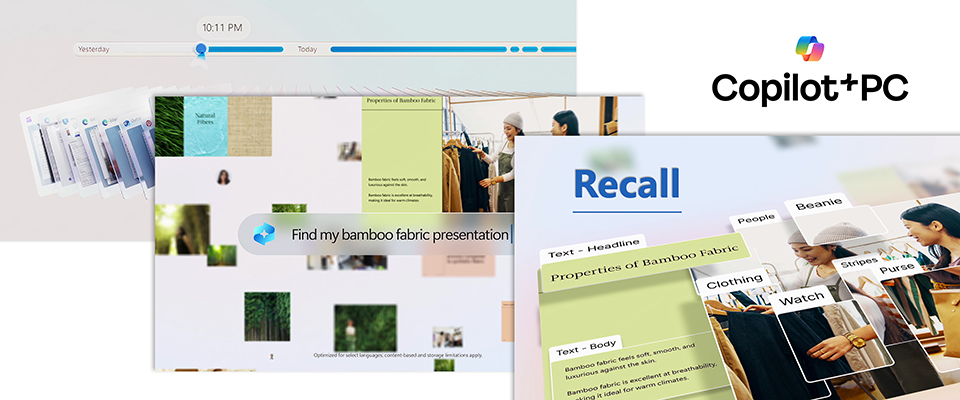
One cool feature of Copilot+ is Recall. Instead of hunting through files or browsing histories, you can just describe what you remember—like “a chart from last Friday’s meeting”—and Recall will pull up visual snapshots of your past activities. It’s a real time-saver and helps cut down on stress, especially if you’re juggling lots of documents and projects during the day.
For folks in jobs like data analysis, project management, admin support, or just browsing online, Recall acts like a second brain, keeping everything organized without the need to remember file names or where everything is. Plus, those snapshots are stored only on the device and locked down with fingerprint security. It checks your fingerprint every time you want to use this feature. You don’t even need the internet for it to work, which keeps your info private. You can delete snapshots whenever you want or set them to automatically clear after one hour, 24 hours, 7 days, or 30 days, making it easy to keep your info safe and accessible.
For folks in jobs like data analysis, project management, admin support, or just browsing online, Recall acts like a second brain, keeping everything organized without the need to remember file names or where everything is. Plus, those snapshots are stored only on the device and locked down with fingerprint security. It checks your fingerprint every time you want to use this feature. You don’t even need the internet for it to work, which keeps your info private. You can delete snapshots whenever you want or set them to automatically clear after one hour, 24 hours, 7 days, or 30 days, making it easy to keep your info safe and accessible.
Live Captions with Translation: Seamless Global Communication
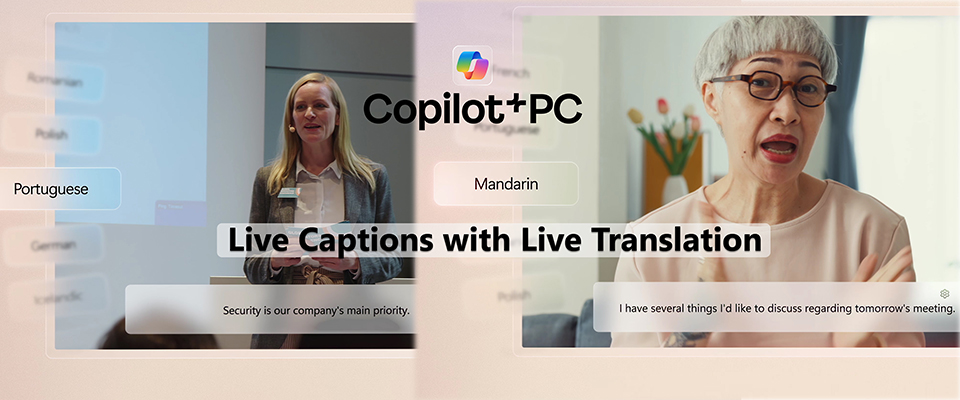
Live Captions with Live Translation makes it super easy to follow along with audio in real time. It turns spoken words into text and translates over 40 languages into English instantly. So whether you’re tuning into a webinar in Japanese or checking out a video tutorial in French, you’ll get the content translated into English right away. Plus, there are plans to add even more languages in the future. This feature really helps break down language barriers, bringing everyone together, no matter where they're from.
It’s a game changer for global meetings or online training sessions, making sure that everyone gets what’s being talked about, regardless of the language. This is especially helpful for educators, support teams, and international businesses that need clear communication on the spot. It truly puts inclusivity and understanding front and center in everyday interactions.
It’s a game changer for global meetings or online training sessions, making sure that everyone gets what’s being talked about, regardless of the language. This is especially helpful for educators, support teams, and international businesses that need clear communication on the spot. It truly puts inclusivity and understanding front and center in everyday interactions.
Cocreator: Transform Prompts into Images in Seconds
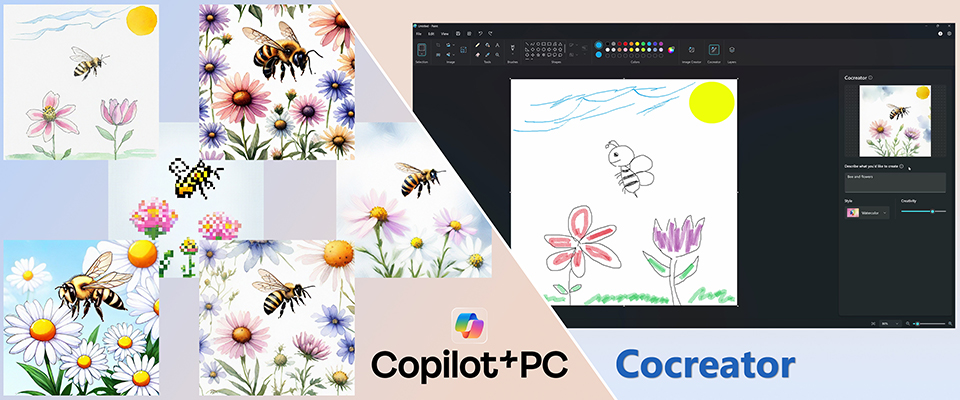
Cocreator is a text-to-image generation tool that helps visual professionals and social content creators bring their ideas to life based on simple written prompts. This tool is especially valuable for marketers, educators, and social media teams, as it enables faster asset creation, prototyping, and creative brainstorming—all without the need for external tools. When used on a desktop with larger screens and better peripherals, Cocreator enhances productivity further, allowing for real-time content generation without disrupting workflow.
Click-to-Do: Do More with What’s on Your Screen
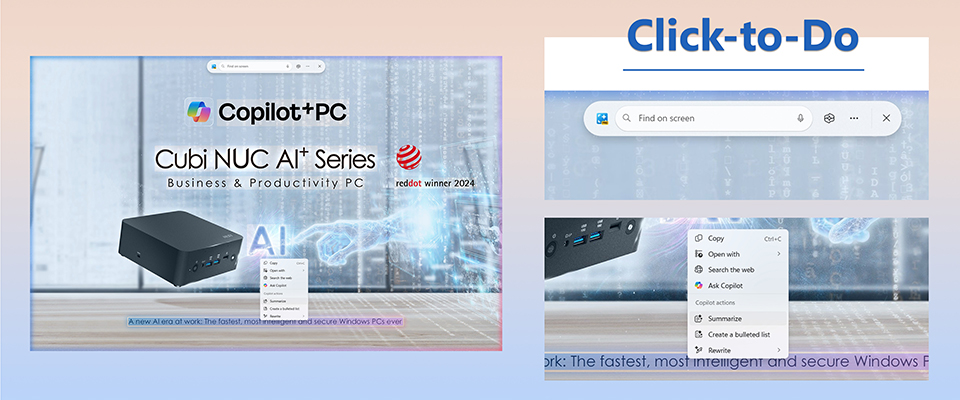
Click-to-Do is a handy feature on Copilot+ PCs that lets you interact with what you see on your screen. Just hit Win + Q or use Win + click, and it’ll do a quick scan of your screen using the on-device Phi Silica model. The cool part? It works offline, giving you extra privacy.
Once it’s activated, the cursor changes to show you what you can do. You can copy, save, share, or take advanced actions without switching between different apps. When it comes to text, Click-to-Do helps you copy, search, open links, or even summarize stuff with AI. For images, you can open them right in Paint or Photos. Everything happens locally, so it’s quick and secure. This makes your tasks smoother and helps you stay focused instead of getting bogged down. Just keep in mind that if you want to remove backgrounds or search visually, you’ll need to be online for that.
Once it’s activated, the cursor changes to show you what you can do. You can copy, save, share, or take advanced actions without switching between different apps. When it comes to text, Click-to-Do helps you copy, search, open links, or even summarize stuff with AI. For images, you can open them right in Paint or Photos. Everything happens locally, so it’s quick and secure. This makes your tasks smoother and helps you stay focused instead of getting bogged down. Just keep in mind that if you want to remove backgrounds or search visually, you’ll need to be online for that.
Mini Size, Maximum AI Power: The MSI Cubi NUC AI+ 2MG
The MSI Cubi NUC AI+ 2MG shows off how you can pack powerful Copilot+ PC features into a tiny desktop. With a compact size of just 0.826 liters, this mini PC fits perfectly in any space, whether it’s a home office or a corporate setting, all without skimping on performance.
It has a power button with fingerprint security, so you can log in quickly and safely. Plus, there are dual 2.5G LAN ports that provide fast, stable, and reliable connectivity—ideal for those intense work situations using AI applications.
And let’s not forget about the Thunderbolt ports! It offers super-fast data transfer and can connect multiple monitors using just one cable, which is awesome for social content creators and engineers who need a responsive setup for data analysis with AI tools.
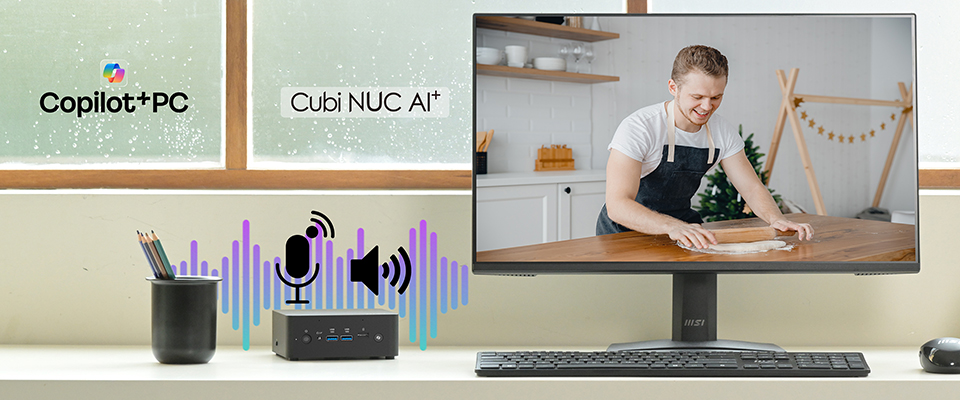
And the best part? Unlike many other mini PCs that need extra gadgets for audio, the Cubi NUC AI+ 2MG comes with a built-in microphone and speaker, making it ready for voice-controlled AI features right out of the box. Whether you’re using voice dictation or activating functions with your voice, it's all set to go right out of the box.
It has a power button with fingerprint security, so you can log in quickly and safely. Plus, there are dual 2.5G LAN ports that provide fast, stable, and reliable connectivity—ideal for those intense work situations using AI applications.
And let’s not forget about the Thunderbolt ports! It offers super-fast data transfer and can connect multiple monitors using just one cable, which is awesome for social content creators and engineers who need a responsive setup for data analysis with AI tools.
And the best part? Unlike many other mini PCs that need extra gadgets for audio, the Cubi NUC AI+ 2MG comes with a built-in microphone and speaker, making it ready for voice-controlled AI features right out of the box. Whether you’re using voice dictation or activating functions with your voice, it's all set to go right out of the box.
Eco-Conscious and Energy Smart
The Cubi NUC AI+ 2MG is all about delivering great performance while also being mindful of the environment. It is made from post-consumer recycled (PCR) plastics, which helps cut down on waste while still looking sleek and professional. Additionally, it comes with the MSI Power Meter, allowing you to monitor your power usage, activate energy-saving modes with a single click, and even track your carbon emissions and electricity costs. It’s a smart setup that balances both efficiency and environmental considerations.
And don’t forget about MSI Power Link! This feature lets you turn it on directly and supports power delivery from compatible MSI monitors. It means less cable mess and a tidier, more efficient workspace—perfect for classrooms, offices, and kiosks.
Copilot+ PCs are more than just hardware; they’re all about changing how we use technology. With real-time AI tools built right into your daily tasks, these systems make it easier to access information and boost creativity. Take the MSI Cubi NUC AI+ 2MG, for example—this mini PC packs smart features into a space-saving design that's perfect for businesses, educators, and social creators alike.
Smaller yet smarter, Copilot+ PCs are here to redefine how we get things done.
And don’t forget about MSI Power Link! This feature lets you turn it on directly and supports power delivery from compatible MSI monitors. It means less cable mess and a tidier, more efficient workspace—perfect for classrooms, offices, and kiosks.
Copilot+ PCs are more than just hardware; they’re all about changing how we use technology. With real-time AI tools built right into your daily tasks, these systems make it easier to access information and boost creativity. Take the MSI Cubi NUC AI+ 2MG, for example—this mini PC packs smart features into a space-saving design that's perfect for businesses, educators, and social creators alike.
Smaller yet smarter, Copilot+ PCs are here to redefine how we get things done.
Visit the following link for more information about the MSI Copilot+ PC:
https://www.msi.com/Landing/Copilot-plus-PC-desktops
More information about the Cubi NUC AI+ 2MG:
https://www.msi.com/Business-Productivity-PC/Cubi-NUC-AI-Plus-2MX
https://www.msi.com/Landing/Copilot-plus-PC-desktops
More information about the Cubi NUC AI+ 2MG:
https://www.msi.com/Business-Productivity-PC/Cubi-NUC-AI-Plus-2MX