What is a PSU? A Beginner's Guide to PC Power Supplies
Case & Components
A PSU (Power Supply Unit) converts mains AC power from the wall into usable, stable DC power for all your PC’s internal components. Choosing the right PSU is an important task to ensure ample power is supplied to the demanding components found in modern PCs, particularly gaming PCs. Many people will invest more in a PSU for improved efficiency, reliability, stability, and safety features. When choosing a PSU, factors like form factor (size), cables (modularity), and noise will also be carefully scrutinized by experienced PC DIYers.
What Does a PSU Actually Do Inside Your PC?
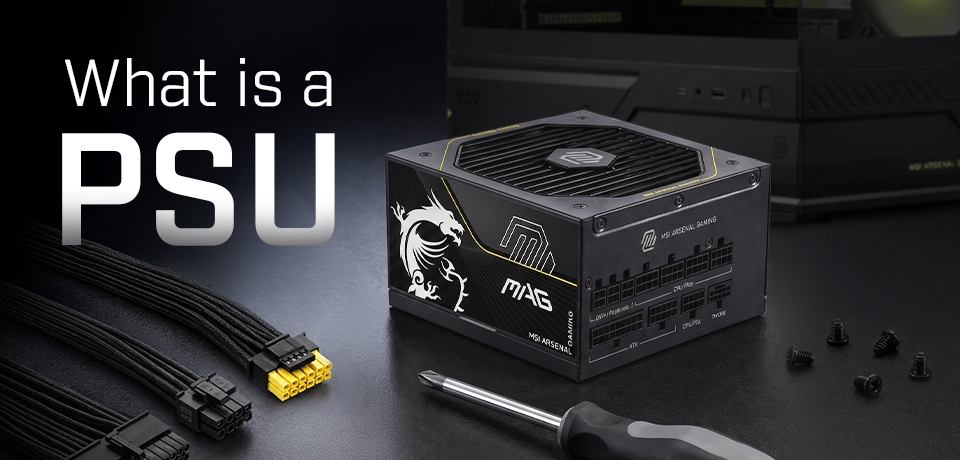
In essence, the PSU’s singular purpose is to convert the power that comes from a wall socket into a form that is directly usable by your PC’s components.
It doesn’t stop there; the PSU also functions to distribute all the different specific amps and voltages your PC components need via an array of cables. Due to design and power requirements, some components need far more watts than others, so you can’t just have one kind of cable for everything.
Another key feature of a good modern PSU is the range of safety features on offer. These protect you and your potentially expensive components from electrical issues with features such as Over‑Voltage Protection (OVP), Short‑Circuit Protection (SCP), Over‑Temperature Protection (OTP).
What Are the Key Specs of a PSU? A Beginner's Decoder
If you are looking for a PSU, the key specs to watch out for are its wattage, its certified efficiency rating, whether it has modular cabling, and the number and types of power cables it can support.
Wattage: How Much Power a PSU Can Provide
The formula for calculating the PSU wattage you need depends on the components in the rest of your PC. By far the most influential components on power demand are the CPU and GPU.
Adding up the power requirements of all your PC components can be a complicated process, but we have good news: MSI offers a carefully honed online Power Supply Calculator. After you plug in a few numbers, you can confidently determine the sweet spot wattage for your next PSU.
If you are building a brand new gaming PC with one of the latest CPUs and graphics cards, we have an even faster method to ensure you buy a PSU with the optimal wattage. Check out the MSI PSU recommendation table and simply cross-reference your Intel or AMD CPU with the appropriate AMD or Nvidia GPU. We’d still recommend using the dedicated calculator page, linked above, but the table can be referenced in a few seconds for a good ‘ballpark’ wattage number.
Efficiency Rating: What Does PSU Efficiency Mean?
PSU efficiency describes how much electricity from the wall is converted into usable power for your PC components. The remaining energy is lost as heat during the conversion process. A more efficient PSU wastes less electricity as heat while delivering the power your system needs.
Higher efficiency can help reduce wasted power and heat. However, the PSU still needs an effective cooling design to remove that heat and protect its internal components over time. Noise levels also depend on factors such as fan size, fan quality, and cooling design. A PSU with poor cooling or a small fan may become noticeably louder under load.
When comparing power supplies, you may see recognized certifications such as 80 PLUS, Cybenetics ETA, and PPLP. Some certification programs also include noise ratings, such as Cybenetics LAMBDA. For beginners, a simple rule is to look for a high-quality PSU with recognized efficiency and noise certifications.
Modular vs. Semi-Modular vs. Non-Modular PSUs: What’s the Difference?
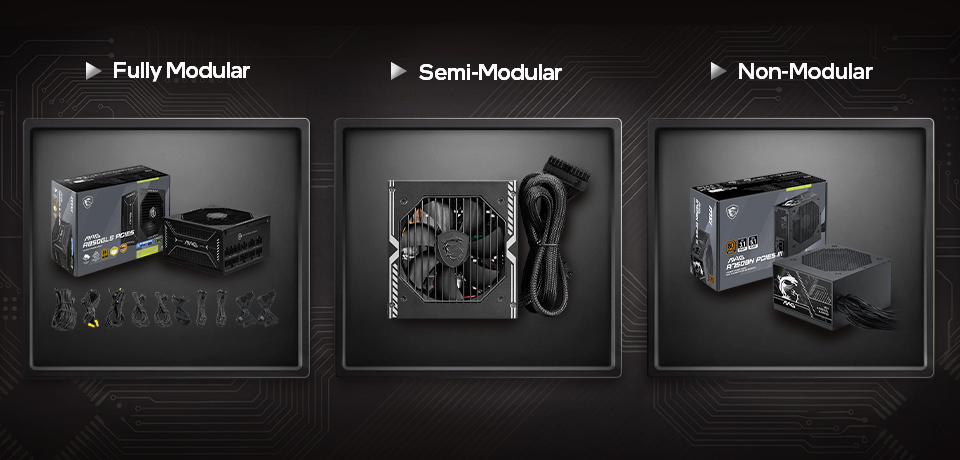
At the budget end of the PSU market, you will find non-modular PSU models are most common. These have all their cables permanently attached on the PSU end. This large array of captive cables can make your system look messy and hinder airflow while causing dust buildup. There won’t be any danger of losing a cable, but if one gets damaged you might have to replace the whole PSU.
The middle ground PSU cable configuration is dubbed semi-modular. Here the product designers will include permanently attached cables for PC components like the motherboard and CPU power, plus sometimes a single PCIe (6+2) cable. This selection will be augmented with sockets on the PSU and matching cables that you can attach if required.
Fully modular PSUs are the most flexible and usually the most expensive premium designs. You’ll get all the cables mentioned in the product description as optional, plug-in both ends cables. Please be warned, modular cables can vary between brands and models, so don’t mix and match modular cables from other PSUs you may own.
PSU Type
Cable Setup
Beginner Benefit / Trade‑off
Fully Modular
All cables are removable.
Offers the cleanest cable‑management flexibility, but the builder must choose and connect every cable.
Semi‑Modular
Essential cables are attached; optional cables can be added when needed.
Reduces some beginner decisions while improving cable management.
Non‑Modular
All cables are permanently attached.
Simple and often cost‑effective, but unused cables still need to be managed.
What Are the Connectors on a Power Supply?
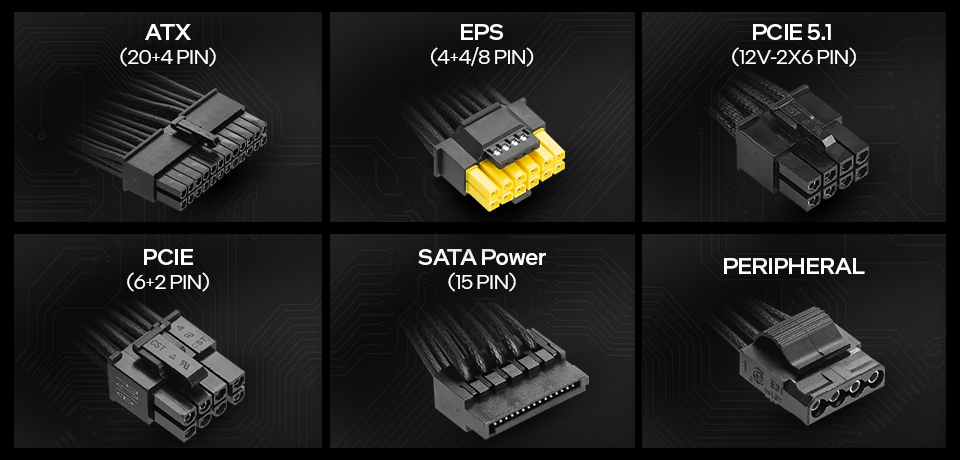
Essential to any PSU are power cables for the PC’s motherboard and CPU.
If you want to install a graphics card(s), depending on the model, you will also need one or more PCIe 6+2 pin connector cables (most AMD and Intel GPUs, plus entry-mid range Nvidia GPUs), or a 12V-2x6 cable(s) (for Nvidia GeForce RTX 40/50 series XX70 cards or better).
Another cable that remains important is the SATA power connector. As well as powering 2.5- and 3.5-inch storage devices, these are often utilized to power RGB lighting setups, fan hubs, and more. Some modern PSUs still support legacy peripherals and accessories using Molex connectors / adaptors, too.
Connector
Usually Powers
24‑pin ATX
Motherboard
4+4‑pin or 8‑pin EPS
CPU power through the motherboard
PCIe 6+2‑pin
AMD graphics cards and low-to-mid range Nvidia cards
12V‑2×6
RTX 40/50 series mid- to high-end graphics cards/div>
SATA power
SATA SSDs, HDDs, and some accessories
What Protection Features Should a PSU Have?
To keep you and your system components safe, modern PSUs come with a broad range of electrical protection mechanisms. The most important collection of protections, which you can use as a checklist, is reproduced below.
- OCP – over current protection
- OTP – over temperature protection
- OVP – over voltage protection
- OPP – over power protection
- UVP – under voltage protection
- SCP – short circuit protection
If your power chain doesn’t already include surge protection, you can get MSI PSUs with this desirable mechanism, dubbed SIP (surge and inrush protection). See models like the MAG A1000PLS PCIE5, for example.
What Makes Modern PSUs Different? ATX 3.1, PCIe 5.1, and 12V-2x6 Explained
Modern PSUs are not just about higher wattage. Newer gaming PCs, especially those with high-performance graphics cards, may need a PSU that can handle demanding power spikes and provide the right GPU power connector. This is where standards like ATX 3.1, PCIe 5.1, and 12V-2x6 become important.

ATX 3.1 is a power supply design standard that helps modern PSUs support newer hardware requirements, including power excursions and updated GPU power connectors. For beginners, the key takeaway is simple: an ATX 3.1 PSU is designed with today’s high-power graphics cards in mind.
PCIe 5.1 ready, when used on a PSU, usually refers to support for newer graphics card power requirements. It does not mean the PSU makes your motherboard’s PCIe slot faster.
12V-2x6 is a modernized 16-pin GPU power connector. Choosing a PSU with native 12V-2x6 support can make the build cleaner and reduce the need for bulky adapters.
What Makes MSI PSUs Beginner-Friendly?
MSI’s experience in the PC industry means it can lead the way in making PSUs better for all users, from beginners to experts and enthusiasts.
Clear Cables and Easier Installation
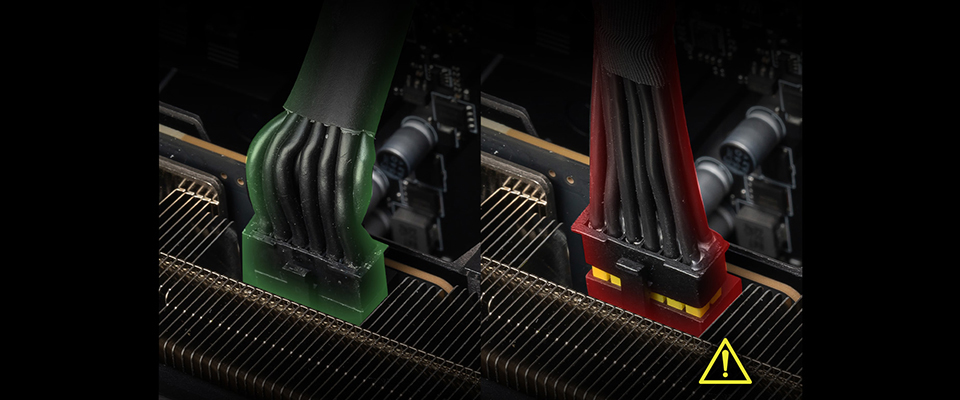
PC building novices and experts alike will appreciate the clearly labeled cables used by MSI power supplies. As part of its EZ DIY initiative, MSI has pioneered the use of high-contrast dual-colored 12V-2x6 cables to ensure DIYers can immediately see if their GPU-to-power-cable mating is made with zero gaps. EZ DIY also means that the cables are thicker than ever – to comfortably handle excess current.
Sometimes it’s the little things that add a feel of quality to your PC build. For example, MSI’s pre-installed slideable cable organizer grip makes your cable management neater, cleaner, and better for system airflow.
Reliable Certifications & Built-in Protection Features
MSI PSUs feature a range of high-level efficiency and noise certifications. When browsing our PSUs, you will be able to check data sheets with 80 PLUS, Cybenetics, and PPLP certification levels and results.
PC DIYers can be assured any MSI PSU they purchase has a complete set of protection mechanisms: OCP/OTP/OPP/SCP/OVP/UVP. Some models also have SIP/NLO for Surge Protection and No‑Load Operation protection, respectively, providing enhanced stability.
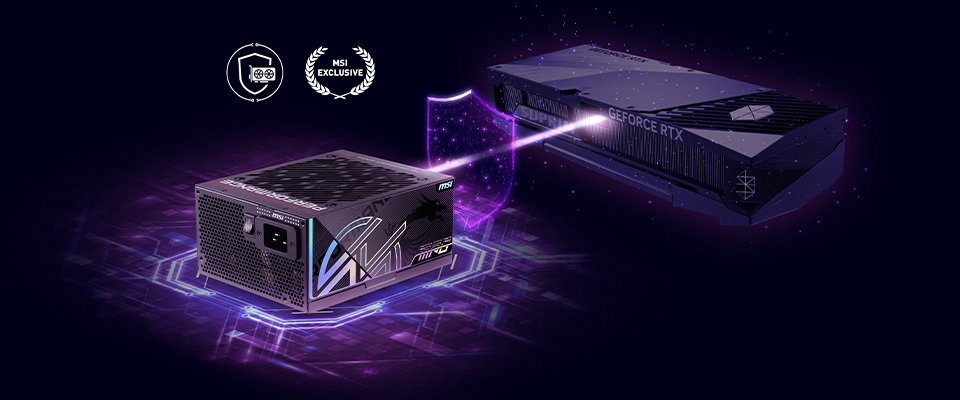
Premium MSI models now come with GPU Safeguard +, a system that surfaces warnings during adverse power situations. These PSUs have real-time per-pin current monitoring across the 12V-2x6 connector. Conditions like current imbalance and overcurrent spikes on the connector are monitored and reported from a dedicated smart IC. Audible beeps from the PSU and an alert from MSI Center will make users aware of any issues.
Ready for Future PC Upgrades
Adopting and adhering to the latest PSU standards like ATX 3.1 and PCIe 5.1 compliance also makes MSI power supplies great for beginners.
Recommended MSI Power Supplies for Beginners
The MSI MAG line is built for simplicity, safety, and reliable power delivery. So it forms a great foundation for beginners upgrading or building a PC with a straightforward feature set and no esoteric tuning required.
Once you have your PSU calculator result, check out the product comparison table, below.
Key features
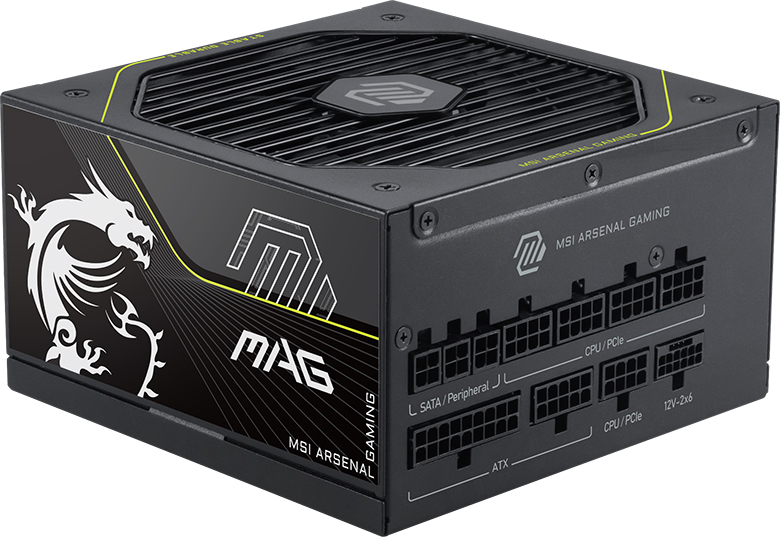
• Premium protection, GPU Safeguard, and fan safeguard
• PCIe 5.1 and ATX 3.1 ready
• Dual-color 12V-2x6 cable
• Platinum efficiency, certified by 80 PLUS, Cybenetics and PPLP
• Optimized the sound level
• UL-certified embossed jacket cables
• Pre-installed cable organizer
• 105°C main electrolytic capacitor
• Semi-digital design
• PCIe 5.1 and ATX 3.1 ready
• Dual-color 12V-2x6 cable
• Platinum efficiency, certified by 80 PLUS, Cybenetics and PPLP
• Optimized the sound level
• UL-certified embossed jacket cables
• Pre-installed cable organizer
• 105°C main electrolytic capacitor
• Semi-digital design
Key features
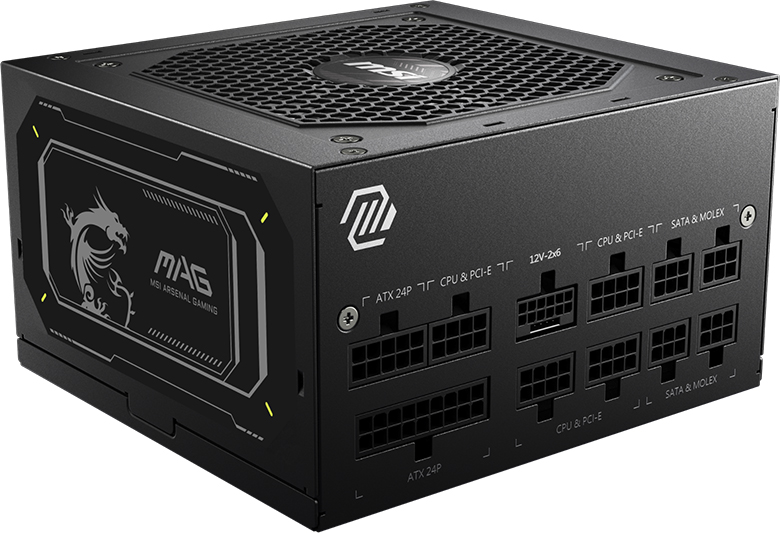
• PCIe 5.1 and ATX 3.1 ready
• Dual-color 12V-2x6 cable
• 80 PLUS Gold certified
• Compact sizing
• Fully modular design
• Flat cables
• LLC Full Bridge Topology with DC-DC module design
• 120mm fluid dynamic bearing fan
• Dual-color 12V-2x6 cable
• 80 PLUS Gold certified
• Compact sizing
• Fully modular design
• Flat cables
• LLC Full Bridge Topology with DC-DC module design
• 120mm fluid dynamic bearing fan
Key features
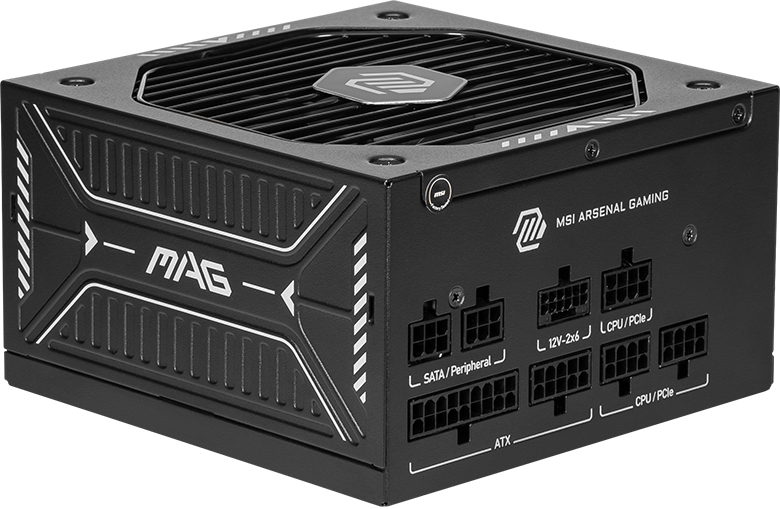
• PCIe 5.1 and ATX 3.1 ready
• Dual-color 12V-2x6 cable
• 80 PLUS Gold certified
• Optimized the sound level
• Embossed jacket cables
• Semi-digital
• 105°C main electrolytic capacitor
• Dual-color 12V-2x6 cable
• 80 PLUS Gold certified
• Optimized the sound level
• Embossed jacket cables
• Semi-digital
• 105°C main electrolytic capacitor
Conclusion
Above we’ve outlined how beginners should work through a clearly defined process to choose the perfect PSU. After determining their target PSU wattage using tools like the MSI PSU calculator or our quick reference table, it is wise to check the certifications to standards like 80 PLUS and Cybenetics.
Modern GPUs and CPUs can both seriously impact PSU planning and efforts at future-proofing. One should check that all the power cables you need for your new or upgraded system will be provided by the new PSU. However, choosing whether to go for a fully modular PSU is a matter of budget, rather than preference. Finally, an informed buyer will weigh the power protections on offer with their shortlisted PSUs.
Of course, choosing a PC power supply is but one of a myriad of choices a DIYer or upgrader will have to face. Please check our PC Building Beginner's Guide for a broader look at the other steps and guidance for a perfect PC build. Advanced pointers for PC assembly, upgrades, and optimization can be found on our Build For Glory page if you’re feeling particularly ambitious.
For a more freeform, conversational, and interactive PC building experience, don’t miss our EZ PC Builder chatbot and AI-powered PC assistant, hosted by MSI’s Lucky the Dragon. Lucky is available to chat and give you PSU tips, as well as other technical assistance, 24/7.
FAQ
How much wattage do I need for my PSU?
The PSU wattage sweet spot is determined by the components you have in your PC system, plus some headroom for efficiency and future upgrades. MSI’s power supply calculator can help you work out the PSU wattage you should aim for.
What is the difference between modular and non-modular PSUs?
With modular PSUs, cables can be completely detached and left out of your PC build. This allows for a cleaner, clutter-free build process and finished result. Non-modular units come with all their cables / connectors permanently attached to the PSU.
How to check what power supply I have?
The only way to check your PSU spec is to physically inspect it. It will likely have a label showing the brand, model, and also perhaps a table detailing its outputs. There isn’t any PC utility or monitoring software that can analyze your PSU’s spec.
Will a 12VHPWR cable work with 12V-2x6?
Yes, the 12VHPWR is physically compatible with the 12V-2x6 connector. However, using the former misses out on two major safety improvements implemented with 12V-2x6 to ensure deeper seating and better retention, plus improved pin sense behavior. Best practice means you should upgrade to a native 12V‑2×6 cable as soon as you can to protect both your sanity and hardware investment.