Become a VTuber the Easy Way with MSI DigiME: AI Motion Capture Without the Clunky Gear
Motherboards ,
Desktops
Are you dreaming of becoming a VTuber, but intimidated by expensive suits, bulky motion‑capture rigs, and complicated setups?
Say goodbye to those frustrating suits and sensors! MSI DigiME completely lowers the barrier to entry for virtual streaming. "Easy to use" is no longer just a promise—it's your everyday creative reality!
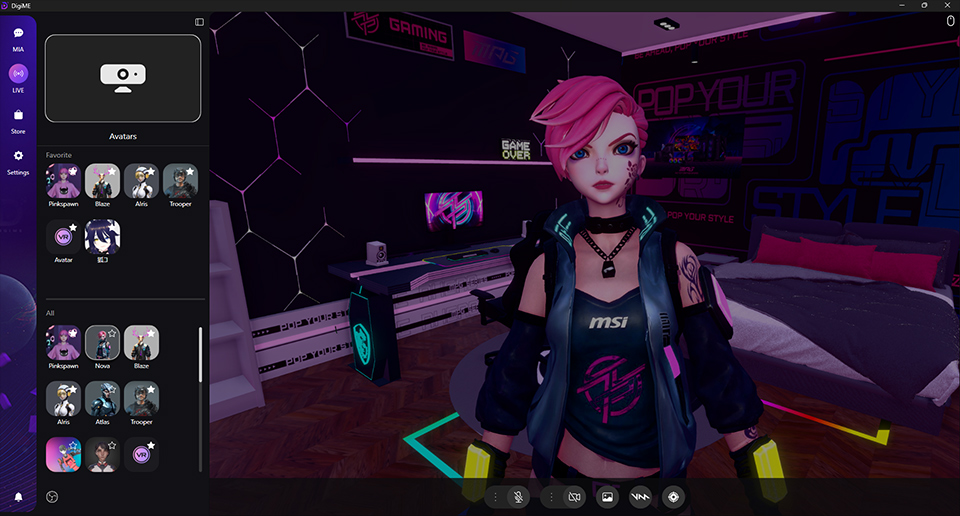
Download now and sign up as an MSI Member! You can unlock all powerful features, effortlessly take control of your virtual character, and boost your virtual streaming content creation efficiency!
You must try Live Avatar – Your Virtual Character Creation Engine (AI Motion Capture)
MSI DigiME uses advanced AI to capture facial expressions, mouth movements, and upper-body motion, instantly translating them into smooth 3D avatar animations.
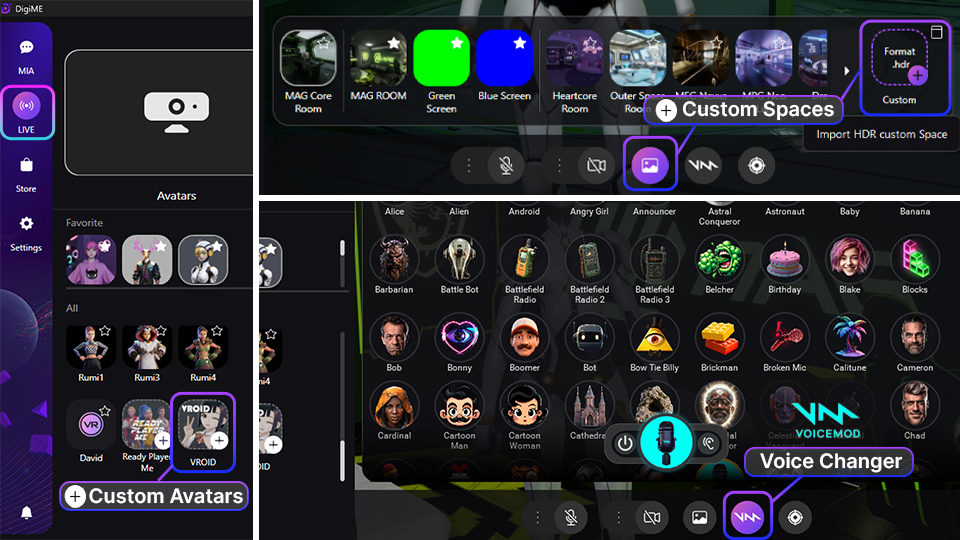
- Unlimited Characters & Scenes: In addition to the rich assets provided by MSI, you can also customize and upload your favorite characters and scenes, fulfilling your personalization needs.
- Whether it’s streaming on OBS, Twitch, YouTube, or chatting on Zoom or Discord, DigiME integrates smoothly with major platforms for live streaming or virtual meetings.
- Voice Magic & Character Creation:
- Voicemod Integration: Easily change your voice with the integrated Voicemod voice changer, giving your virtual persona a unique auditory charm.
- Ready Player Me Integration: Through simple steps, you can quickly create a personalized 3D avatar, establishing your exclusive identity in the virtual world
You must try MIA (MSI Intelligence) AI Assistant — Your Virtual Tech Consultant
MSI DigiME is more than just VTuber software; it also features the powerful MIA (MSI Intelligent Assistant) AI Assistant, designed for your daily companion.
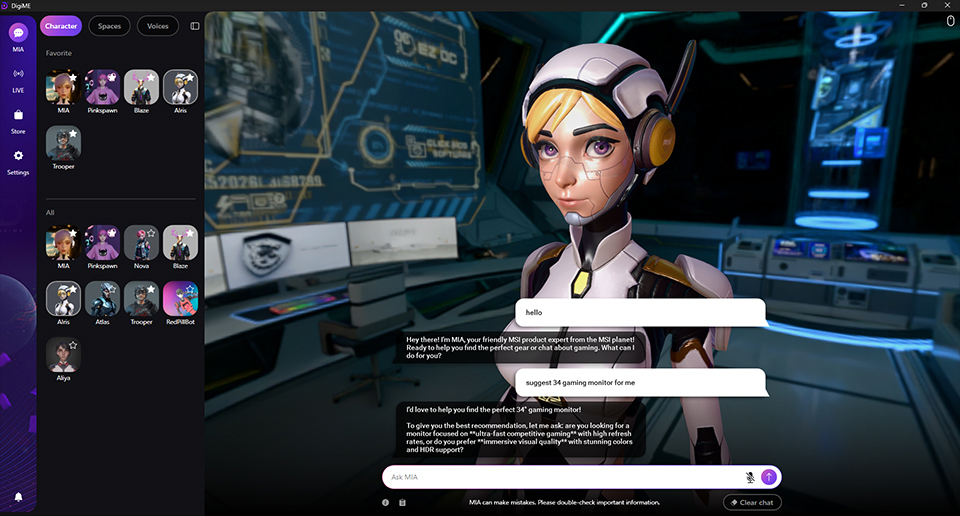
- MSI Product Expert: Instantly answers all questions about MSI products, offering professional advices.
- Tech Industry Insights: Provides real-time tech trends and industry information, keeping you ahead in content creation.
- Personalized Settings: You can freely change MIA's virtual appearance and support multiple voices for more engaging and personalized interaction.
Download Now: Start Your AI Virtual Stream!
Simply download and sign in with your MSI membership to unlock all powerful features!
FAQ
Q1: How can I become a VTuber without expensive gear?
A: You can use MSI DigiME. It utilizes advanced AI motion capture, eliminating the need for expensive suits or sensors. All you require is a standard 60 FPS webcam and a microphone to fully animate your virtual character.
Q2: What specific movements does MSI DigiME track?
A: MSI DigiME tracks real-time upper-body movement, facial expressions, and lip synchronization (lip-sync). This ensures your virtual avatar responds accurately and smoothly during your stream or meeting.
Q3: Can I use my own custom avatars and scenes in MSI DigiME?
A: Yes. MSI DigiME supports the uploading of your own favorite custom characters (e.g., VRoid files) and scenes (e.g., HDR files). Additionally, you can use the Ready Player Me integration to create a unique avatar.
Q4: How do I connect MSI DigiME to streaming apps (OBS, Twitch, Discord)?
A: To connect MSI DigiME to any streaming, meeting, or chatting platform (such as OBS, Twitch, YouTube, Discord, Google Meet, and Teams), you must select “DigiME Camera” as the video input source within that application's camera settings.
Q5: What is the function of the MIA AI Assistant?
A: The MIA (MSI Intelligence) AI Assistant is a virtual consultant built into DigiME. It provides immediate answers on MSI product specs, hardware compatibility, and gives insights into general tech industry trends to support your content creation.
Q6: How to Get Started with DigiME?
A: MSI provides an AI-driven VTuber software suite that is easy to use and set up. For more details, please read our guide.