How to Choose a Business Computer for SMBs: Key Considerations and Recommendations
Desktops
For small and medium-sized businesses (SMBs), selecting the right computer is a vital decision. Computers form the backbone of a business, supporting everything from daily operations to specialized tasks like accounting, marketing, data management, and customer service. Since SMBs often work with limited resources, it’s essential to find scalable and efficient solutions that strike a balance between performance, security, and ease of use.
In this article, we will discuss the key factors SMBs should consider when selecting a business computer. We will also recommend several versatile and powerful machines designed specifically for business use: the MSI Cubi NUC 1M, Cubi NUC 13MQ, PRO DP21 14MQ, PRO DP10 13M, and the PRO DP180 14 series desktop PCs. Each of these systems offers unique features that make them ideal for SMB environments.
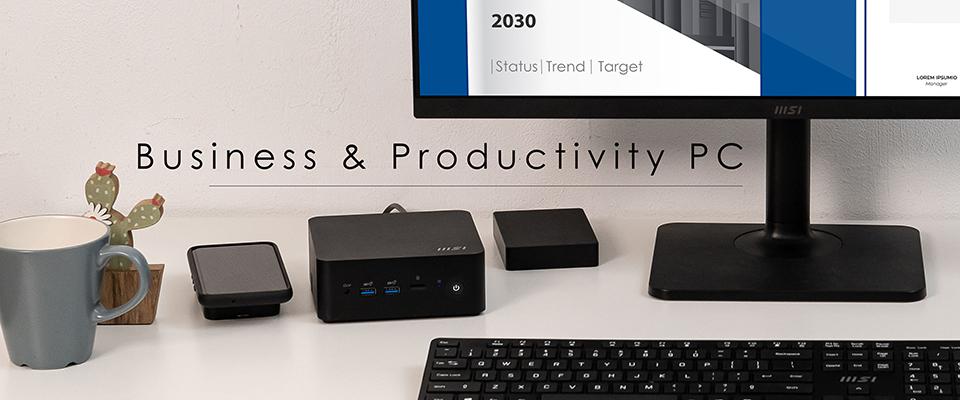
Identifying The Business Needs
Before getting into the nitty-gritty of tech specs and models, it's important to really understand what your business needs when choosing the right computer.
- Usage Requirements: Think about whether you need computers for simple things like checking email, editing documents, and browsing the web, or if you’re going for something more demanding like video editing, software development, or data analysis.
- Analyze Current Workflows: Take a good look at the current business processes and workflows to spot any inefficiencies or hang-ups. This can reveal areas that could use some tweaks, whether it’s upgrading tech or providing staff training.
- Identify Pain Points: Gather some insights on the challenges your business is dealing with. This could range from computers that just can’t keep up to issues with managing equipment, security worries, or productivity roadblocks. Understanding these pain points can help you zero in on the solutions your business really needs.
- Software Compatibility: Make sure the computers slected will work with the business software you plan to use.
- Number of Users: If you're buying several computers for the team, consider their roles when deciding on the hardware.
- Remote Work Capabilities: If your team needs to work remotely, it’s important to have computers that make it easy to collaborate and access everything from afar.

Key Factors for Choosing a Business Computer for SMB
Once you have a clear picture of your business needs, it’s important to nail down what you actually need and check out the key specs to make sure everything runs smoothly. Here are the main things to think about:
1. Performance and Scalability
Nail down what you actually need and check out the key specs to make sure everything runs smoothly. Here are the main things to think about:
- Processor (CPU): The processor is basically the brain of the computer, and its speed and performance are essential for running business applications smoothly. For most SMBs, an Intel® Core™ i5 or i7 is the best bet. Both the MSI PRO DP21 14MQ and PRO DP10 series come with powerful Intel® Core™ i7 options, which are perfect for demanding tasks like CRM, inventory management, or team meetings online. If you're running lighter workloads, the MSI Cubi series will do just fine for everyday tasks while being compact and efficient.
- Memory (RAM): The amount of RAM matters, especially for keeping things running smoothly when multitasking. Most business tasks, like juggling a bunch of browser tabs or using productivity software, need at least 8GB of RAM. If your business relies on heavier programs like video calls or data analysis, go for 16GB or more. The MSI PRO DP21 14MQ and Cubi NUC 13MQ both support DDR5 SO-DIMM dual-channel memory for quick data access—great for running multiple programs without a hitch.
- Storage: Opt for SSDs (Solid-State Drives) for faster data access. Speed and efficiency in accessing and storing data are critical in a business setting. SSDs save you time and energy because they’re quicker, more reliable, and use less power. Aim for at least 256GB of SSD storage, and look for options to upgrade if needed. The recommended MSI models, like the Cubi NUC and PRO DP10 series, typically come with SSD options that ensure speedy boot times and quick access to your data.
- Graphics Capabilities: Not every SMB needs top-notch graphics, but if you're into visual media, design, or presentations, having decent graphics power matters. A discrete graphics card can help with those graphic-heavy applications. The MSI PRO DP180 series can support discrete graphics cards, making them a solid choice for SMBs that do a lot of creative work.
- Scalability is key too, as the business needs might change over time. Make sure the computer can easily be upgraded with more RAM, storage, or a better graphics card if you need it.
By keeping these factors in mind, you’ll be able to choose a business computer that fits your needs now and can grow with you in the future.
2. Reliability and Durability
When it comes to business computers, reliability is key to avoid costly downtime. The 24/7 operation design of MSI Cubi and PRO DP series desktops are built to run around the clock, which means you can count on them for dependable performance. This is especially important in work environments that need to stay up and running. With these desktops, tasks like data processing, monitoring, and server hosting can keep going without any hiccups. Plus, their durable design not only helps keep things stable but also cuts down on maintenance and makes remote management easier, especially with the features offered by Intel vPro® technology.

3. Security and Management Tools
In today’s digital world, keeping your business secure is a must, especially for smaller companies that may not have the resources to bounce back from cyberattacks. Check for systems with built-in security features, such as:
- Intel vPro® Platform: This offers advanced security and management tools like hardware-based encryption and remote management, which makes it easier to protect important data.
- Trusted Platform Module (TPM): This is crucial for ensuring secure boot processes and encrypting sensitive info.
- BIOS Protection: This helps safeguard against firmware attacks right from the hardware level.
Strong security is essential for keeping your sensitive data safe from cyber threats. The MSI PRO DP21 14MQ and Cubi NUC 13MQ come with security features like TPM for better data encryption and secure booting. These enhancements help keep your business data protected from outside risks. Plus, these models support the Intel® vPro® platform, allowing for easy remote management. This is especially helpful for IT teams that need to troubleshoot or update computers in different locations, or for businesses managing remote workers.
4. Connectivity and Expandability
When picking a business computer, it’s important to have a bunch of connectivity options to easily connect to other devices and networks. This way, you can hook up monitors, external drives, printers, and whatever else you might need as your business grows. Here are some key ports to check out:
- USB 10Gbps or Thunderbolt 4: These are great for fast data transfers with your external storage devices.
- Ethernet Port or Dual LAN Design: A solid wired connection is a must for reliable internet access, especially in busy office settings with heavy bandwidth needs. Additionally, a dual LAN setup is beneficial for those who need improved network performance, reliability, security, and customization.
- Multiple Display Support: For businesses requiring multiple monitors (e.g., in finance, design, or IT operations), make sure the computer can handle that.
The MSI models, such as the Cubi NUC and PRO DP10 13M series, come with multiple USB ports, Thunderbolt 4, HDMI, and DisplayPort options.
5. Energy Efficiency
A lot of small and medium-sized businesses (SMBs) are paying more attention to energy costs and their environmental impact. Choosing energy-efficient systems can help lower electricity bills and shrink your carbon footprint. Look for EPEAT, or Energy Star® certified gear, or those with built-in power management features.

6. Compact Form Factor
Since many SMBs are short on office space, going for a computer with a small footprint can be a smart move. Mini PCs are awesome for this — designed to take up next to no desk space while still packing a punch in terms of performance.
MSI Business Computer Recommendations for SMBs
Now that we’ve covered the key factors to consider, Let’s dive into some great options from MSI, a well-known name in business and gaming tech. MSI's lineup combines solid performance, security, and scalability in compact designs, making them perfect for small and medium-sized businesses (SMBs).
1. Cubi NUC 1M
The MSI Cubi NUC 1M is a mini-PC that really packs a punch in its tiny 0.826-liter size. It runs on the latest Intel Core processors and supports DDR5 memory, so it’s quick and effective for multitasking in a business setting.
- Compact Design: At just 0.826 liters, the Cubi NUC 1M takes up hardly any space, which is ideal for those tight office setups.
- Multitasking Power: It can handle up to four displays at once, which is great for businesses that need to keep an eye on multiple data streams.
- Connectivity: The Thunderbolt port allows for super-fast data transfers, making it smooth sailing even for demanding tasks.
- MSI Power Link: It It enables users to power on and off their mini PC directly through the power button on compatible MSI monitors, removing the need to access the PC’s own power button. This feature promotes a cleaner, more organized workspace by reducing the number of cables and streamlining device interactions, making it ideal for users who value convenience and efficiency in their setup.
The Cubi NUC 1M has the processing power and upgrade options to be an excellent fit for SMBs wanting a versatile, high-performing computer.
2. Cubi NUC 13MQ
The MSI Cubi NUC 13MQ takes everything good about the Cubi NUC series and amps it up. A major highlight is its support for the Intel vPro® platform, which boosts security and remote management features that businesses need.
- Intel vPro® Security: This platform has your back against modern threats and helps IT teams manage things remotely and troubleshoot faster.
- Future-Proof Performance: With the latest Intel processors and advanced cooling, the Cubi NUC 13MQ can handle even the toughest business tasks.
- VESA Mount: The system can be mounted on the back of a monitor or under a desk, keeping the workspace neat and tidy.
- External Power Switch: Users can use an external power switch to turn the mini PC on or off, which is especially useful when it is mounted behind a monitor.

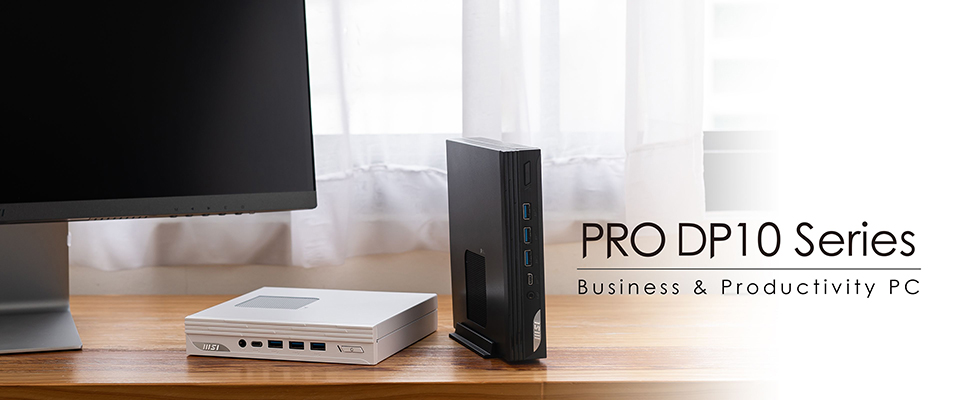
3. PRO DP10 13M
The MSI PRO DP10 13M is a solid all-around workhorse for SMBs. It’s got a powerful Intel Core i7 processor, making multitasking a breeze.
- Intel Iris® Xe Graphics: With a Core i5 above CPU and dual-channel memory, the inclusion of Intel Iris® Xe graphics makes this system ideal for businesses that need some graphic power for things like video editing or design work.
- Thunderbolt 4 Support: Like the other models, the PRO DP10 series also features Thunderbolt 4 for quick data transfers and connecting multiple devices.
4. PRO DP21 14MQ
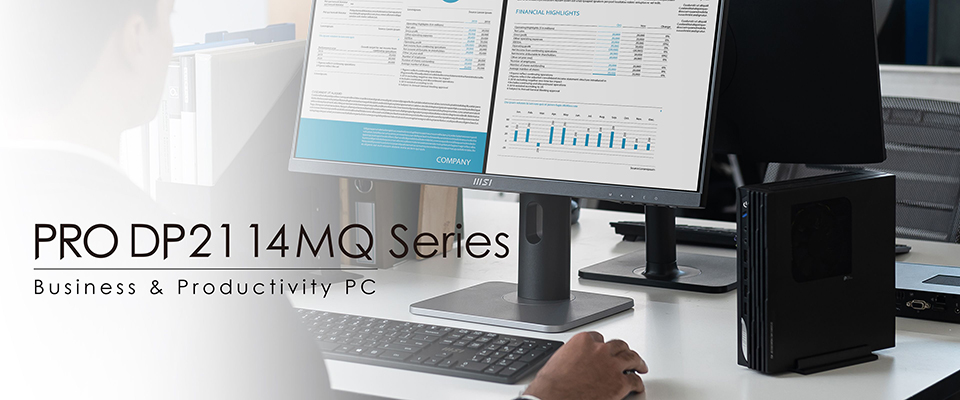
The MSI PRO DP21 14MQ is another awesome pick for SMBs. This mini-tower computer blends Intel’s processor power into a compact 2.3-liter chassis, perfect for those who need to save on space.
- Intel vPro® Platform: Like the Cubi NUC 13MQ, the PRO DP21 14MQ supports Intel vPro®, which boosts security and remote management features—great for businesses managing several systems.
- Upgrade Flexibility: You can easily upgrade memory and storage as your business grows, so it’s adaptable to your needs.
- USB 10Gbps: The built-in USB 10Gbps interface offers ultra-fast data transfers, making file sharing and backups quicker than ever.
- MSI Power Link: This feature lets user turn the mini PC on and off right from the power button on compatible MSI monitors, eliminating the hassle of locating the PC's power button, especially when it's mounted behind a monitor!
The MSI PRO DP21 14MQ is perfect for SMBs that want a high-performance desktop without the bulk of a traditional setup.
5. PRO DP180 14
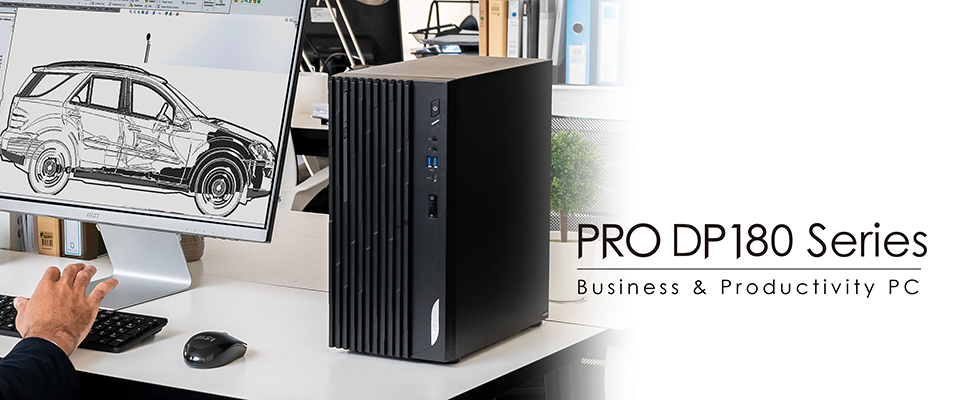
The MSI PRO DP180 14th is a versatile desktop PC designed for business and office use, delivering fast and reliable performance ideal for professionals and creators.
- 24/7 Operation Design: It supports dual-channel memory and is designed for 24/7 operation, ensuring strong multitasking capabilities and dependability.
- Discrete Graphics Card: The PRO DP180 14th offers extensive connectivity options and can support up to four monitors, depending on the discrete graphics card model, which boosts productivity for tasks such as e-commerce content management and data analysis.
With its impressive processing power and expandability, the PRO DP180 series is an excellent choice for small to medium-sized businesses (SMBs) in need of a high-performing computer.
Picking the right business computer for small and medium-sized businesses (SMBs) takes some thought about things like performance, scalability, and security. The MSI Cubi NUC 1M, Cubi NUC 13MQ, PRO DP10 13M, MSI PRO DP21 14MQ, and PRO DP180 14 series are all solid picks if you want power without sacrificing space or security. Each of these models has its own features that are perfect for SMBs, helping them grow and adapt to whatever changes come their way.
By focusing on these important factors and choosing the right hardware, SMBs can build a productive, secure, and scalable IT setup that boosts efficiency and drives success.
For more information about the Cubi Series Mini PC, please visit:
https://www.msi.com/Business-Productivity-PCs/Products#?tag=Cubi-Series
For more information about the PRO Series Desktop PC, please visit:
https://www.msi.com/Business-Productivity-PCs/Products#?tag=PRO-Series
For more information about the MSI B2B Project case study, please visit:
https://www.msi.com/pro-projects/global
https://www.msi.com/Business-Productivity-PCs/Products#?tag=Cubi-Series
For more information about the PRO Series Desktop PC, please visit:
https://www.msi.com/Business-Productivity-PCs/Products#?tag=PRO-Series
For more information about the MSI B2B Project case study, please visit:
https://www.msi.com/pro-projects/global