What Conditions Should the Best RGB Software Have?
Motherboards
Are You Getting the Most Out of Your MSI RGB Setup?
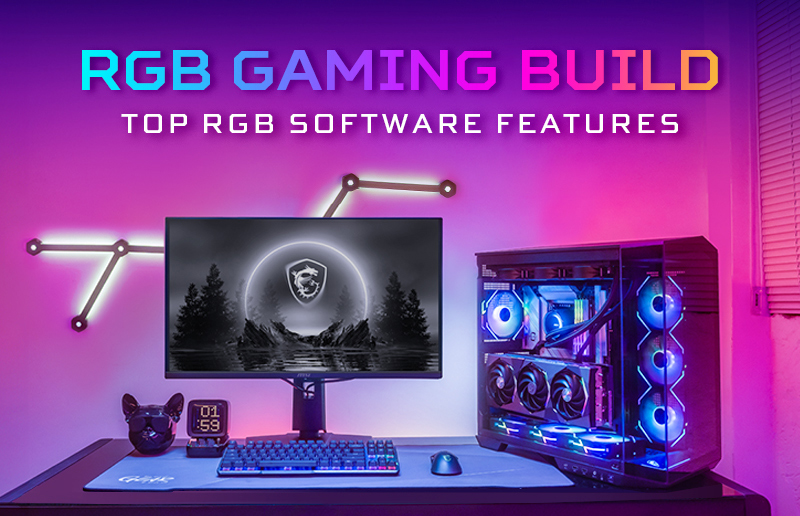
You already have MSI hardware, but have you chosen the right RGB software? While premium hardware lays the foundation, your RGB software determines how seamlessly your devices work together. Choosing the correct solution can help you take full advantage of the MSI ecosystem, avoid unnecessary setup complexity, or even improve the performance of your RGB gaming PC. The best RGB software should enhance your experience, not get in the way, making your choice an important one.
What Are the 5 Key Conditions That Define the Best RGB Software?
1. Does the Software Support Cross-Device Compatibility?
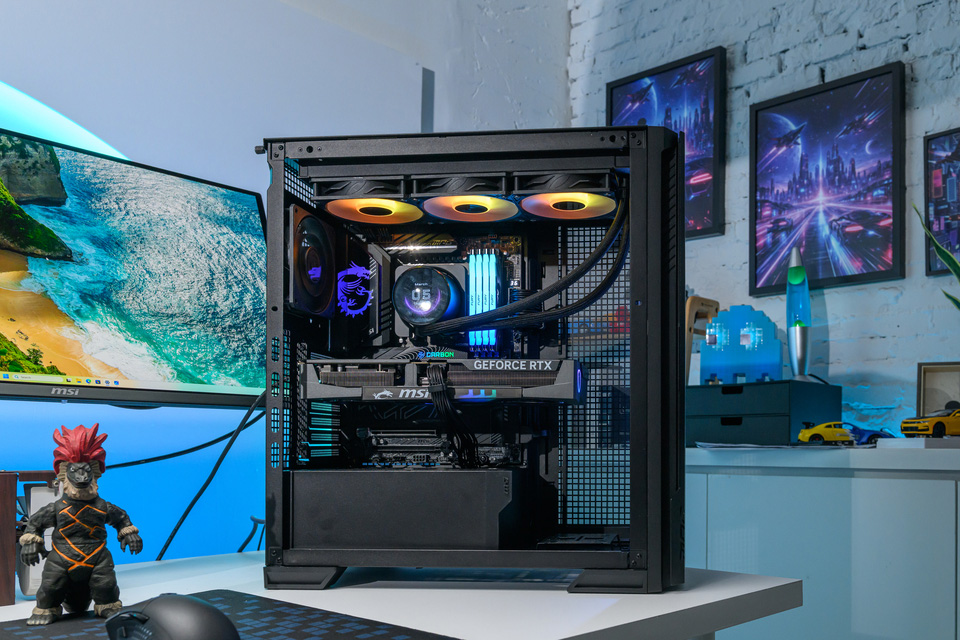
Does the software support seamless compatibility across multiple devices? The best RGB software should allow users to control lighting across motherboards, graphics cards, memory, cooling components, peripherals, and compatible third-party devices from a single interface. Broad compatibility eliminates unnecessary complexity, the need for multiple applications, and the wasting of your valuable processor, RAM, and storage resources. Running a lean, efficient PC is all the more due to the inflated price of components right now.
2. How Deep Is the Customization — Colors, Effects, and Profiles?
How flexible are the lighting customization options, including colors, effects, and profiles?
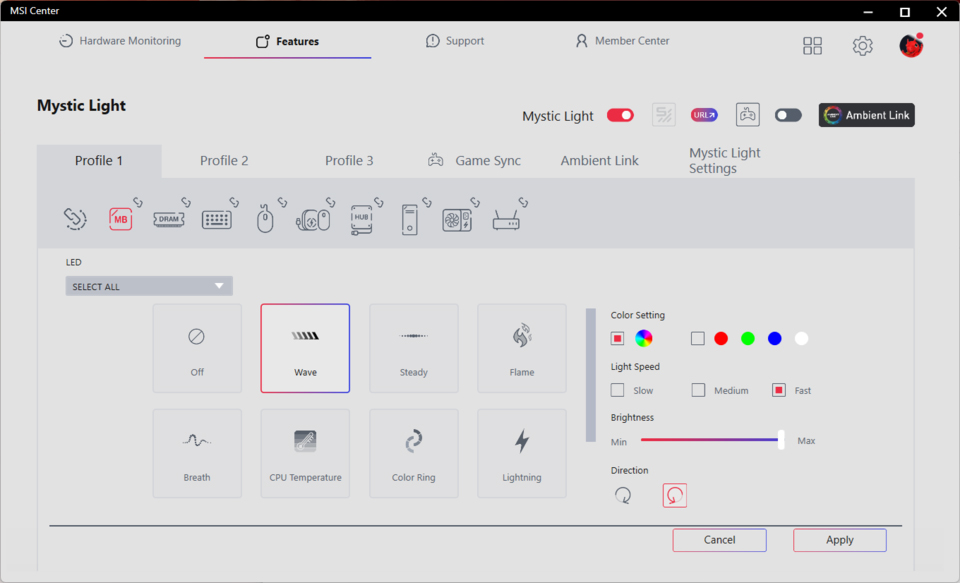
- RGB lighting modes: 10 built-in lighting effects, including Wave, Steady, Flame, Breath, CPU Temperature, Color Ring, Lightning, Recreation, Meteor, and Default. More modes mean more fun and deeper customization options.
- One-click synchronization: Instantly synchronize lighting effects across your RGB motherboard, graphics card, memory modules, and compatible peripherals. Synchronization is a great time saver that also delivers a unified lighting presence so your RGB gaming PC delivers the ultimate visual impact.
- Advanced customization: Customize the RGB LEDs of each supported device individually by selecting your preferred colors, lighting effects, animation speed, and brightness. Advanced controls ensure you can set up your RGB lighting the way you dreamt it. Save your settings as a profile with the Apply button for quick recall anytime.
3. Is the Software Lightweight Enough to Avoid Impacting System Performance?
In gaming tests at MSI, playing PC titles at 1920 x 1080 (FHD) resolution, there was no measurable impact in gaming from the use of Mystic Light RGB software. A system that achieved 60 Hz refresh gaming without Mystic Light, delivered exactly the same 60 Hz performance with the RGB software running in the background.
For comparison, we also tested the web-based Portal X RGB settings software from MSI on an RGB gaming PC. This set-and-forget software solution consumed literally zero CPU resources once settings were set, making it an excellent choice for users who insist on the absolute minimum system overheads while gaming.
4. Does It Offer a User-Friendly Interface for All Skill Levels?
The best RGB software should make lighting customization straightforward with a clean, easy-to-navigate interface. Whether users simply want to synchronize all devices with one click or fine-tune individual lighting settings, the experience should be accessible without requiring advanced technical knowledge. This sounds like an obvious minimum requirement, but you may be surprised how many RGB motherboards, peripherals, and software companies have trouble with the basics like stability, features, and ecosystem support.
5. Is the Best RGB Software Free — and Are There Any Hidden Costs?
A great RGB software solution should provide its core lighting customization and synchronization features without requiring subscriptions, cloud accounts, telemetry services, paid upgrades, or any additional licensing fees. Make sure your chosen software can unlock the full RGB gaming PC experience so you can enjoy the MSI ecosystem’s capabilities to the max.
FAQ: Common Questions About RGB Software for MSI Users
Q1: Can I Control All RGB Devices With One Software Package?
Yes. You can control all supported RGB motherboards, graphics cards, memory modules, fans, monitors, peripherals, and certified third-party RGB devices that are compatible with Mystic Light from a single application. This provides end users with the pinnacle of efficiency with the convenience of assured RGB gaming PC synchronization.
Q2: Does Mystic Light Work on Windows 11?
On supported MSI products, Windows Dynamic Lighting serves as the default lighting control method in Windows 11. When this feature is enabled, Mystic Light displays an on-screen prompt informing users that Windows Dynamic Lighting is currently managing the lighting. Simply click Yes on the prompt to switch lighting control back to Mystic Light.
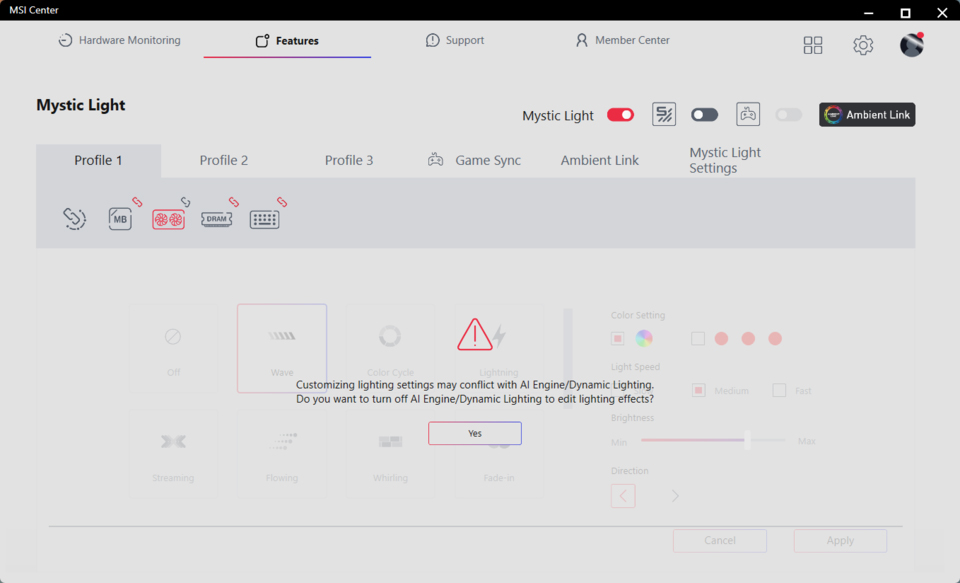
Microsoft’s solution, built into Windows 11 at an OS level, promises to one day be the default RGB gaming PC solution even if you mix hardware from multiple brands. At the time of writing, its native hardware control and RGB effects are more basic than you’ll get from vendor-specific software, but the trajectory is clear, with all the big component brands hopping on board.
MSI products that currently support Windows Dynamic Lighting include GeForce RTX 5000 GAMING, VANGUARD, and SUPRIM series graphics cards, with additional product support for RGB motherboards, and more, planned in future releases.
Q3: How Do I Sync Voicemod with Mystic Light for Streaming?
Follow the official Voicemod Sync setup guide to connect Voicemod with Mystic Light and synchronize RGB lighting effects with your voice and streaming experience.
Q4: What Is the Difference Between Mystic Light and Portal X?
Mystic Light offers comprehensive customization, advanced lighting effects, and broader device synchronization. It is a component of the MSI Center which you may already use for system monitoring, fan and power profile adjustment, updates, and more.
Portal X provides a lightweight, set-and-forget browser-based approach to RGB gaming PC lighting control. Once you make the settings using Portal X, they are stored in the hardware, so your Windows system doesn’t have any more background tasks to consume CPU, RAM, network, or storage resources.
The right choice depends on whether you prioritize extensive personalization or simplicity and minimal system usage.
The Best RGB Software Is the One That Fits Your Setup
If you prioritize advanced customization, detailed lighting control, and multi-device synchronization, Mystic Light is the ideal choice. Moreover, it is right there in the MSI Center if you use our system software for system tuning, updates, and so on. However, if you prefer a lightweight solution with virtually no system overhead and fast, convenient access, Portal X is an excellent alternative.
Whichever you choose, the MSI ecosystem helps you create a personalized and immersive RGB gaming PC experience across gaming, streaming, music, and everyday computing. Furthermore, there are no subscriptions, cloud accounts, telemetry services, paid upgrades, or any additional licensing fees to deal with when using MSI’s software.