What Is a PC Case? Sizes, Layouts, and Beginner Basics
Case & Components
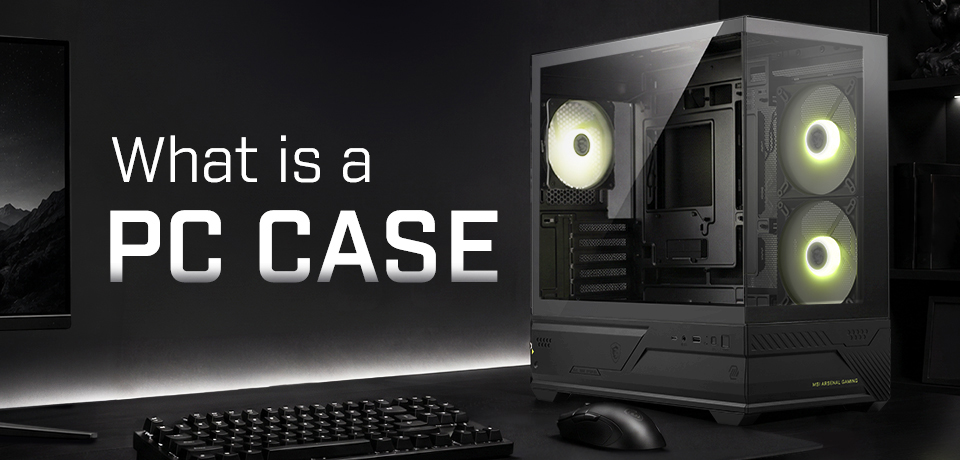
In essence, a PC case is simply a physical housing for the rest of your PC components. Sometimes also referred to as the ‘chassis,’ a PC case holds and protects the parts of a desktop PC, including the motherboard, graphics card, power supply, storage, fans, and cables. It also helps manage airflow, cable routing, dust protection, and the overall look of your build.
What Does a PC Case Do?
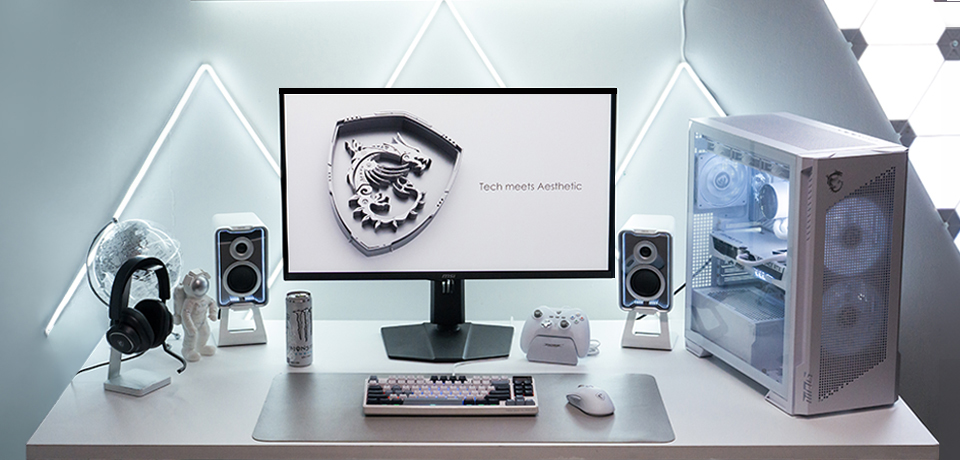
PC cases are designed by a multitude of vendors, but almost all are created with a few simple goals in mind. First and foremost, a case must hold your PC components together. Its design will also be instrumental to airflow and cooling. A well-made PC case protects your internal hardware from dust and damage. Finally, your chosen case will reflect your personal style and taste.
Common PC Case Sizes Explained
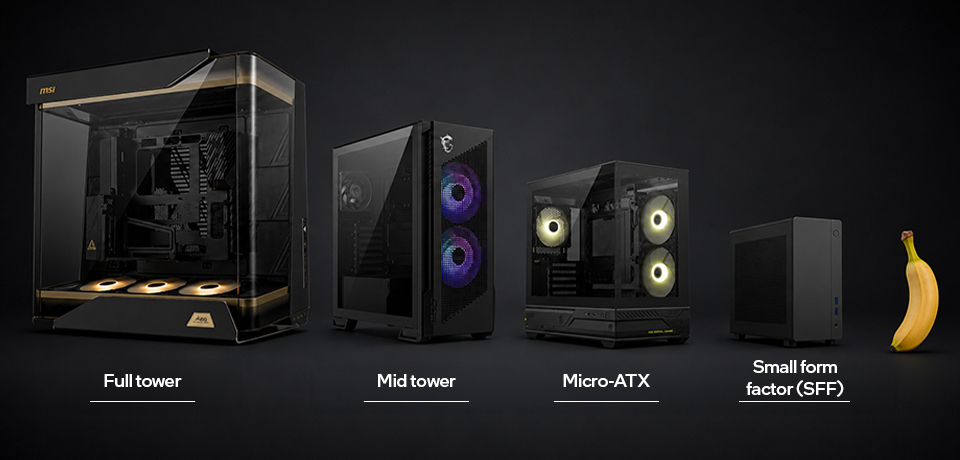
There are four common categories of PC cases available: full tower, mid tower, mini tower, and SFF, though there are plenty of other niche and specialized designs outside of this quartet of form factors. Driving your choice will be the performance components that your PC requires. The most powerful components can benefit from the extra room form factor PC cases provide, but in 2026 you can get a surprising amount of processing power in even the smallest designs.
For a full guide about what can fit into a modern PC and answers to all your compatibility questions, please check out our PC Building Guide: 10 Essential Tips to Check PC Component Compatibility blog.
User preference and experience will also play a significant role in choosing between the four main case size categories, tabulated below.
PC case size
What it means
Beginner notes
Full tower
The largest standard case type, typically supports boards up to E‑ATX, as well as extended cooling setups.
Ideal for performance enthusiasts or heavy workstation builds; usually bulky and heavy.
Mid tower
The most common case size, fits ATX and smaller boards with decent airflow and expansion.
The balanced choice for most users; easier to build in and can fit under most desks.
Mini tower
A compact case supporting micro‑ATX or mini‑ITX motherboards; fewer drive bays and expansion slots.
Great for budget or space‑saving builds; check GPU and cooler clearances carefully.
Small form factor (SFF)
Ultra‑compact case designed for mini‑ITX boards; prioritizes portability and minimal footprint.
Excellent for minimalist setups or travel PCs; requires careful component choice, cable management, and cooling planning.
PC Case Layouts: Where Everything Goes
If you look directly at a typical tower PC from the side, you will probably be able to see the motherboard on the back ‘wall’ of the case. The CPU is installed in the upper portion of the motherboard, but you won’t be able to see it as either an air or liquid cooling block will be fastened to it. To the right of the CPU is typically where your RAM slots (in the motherboard) reside.
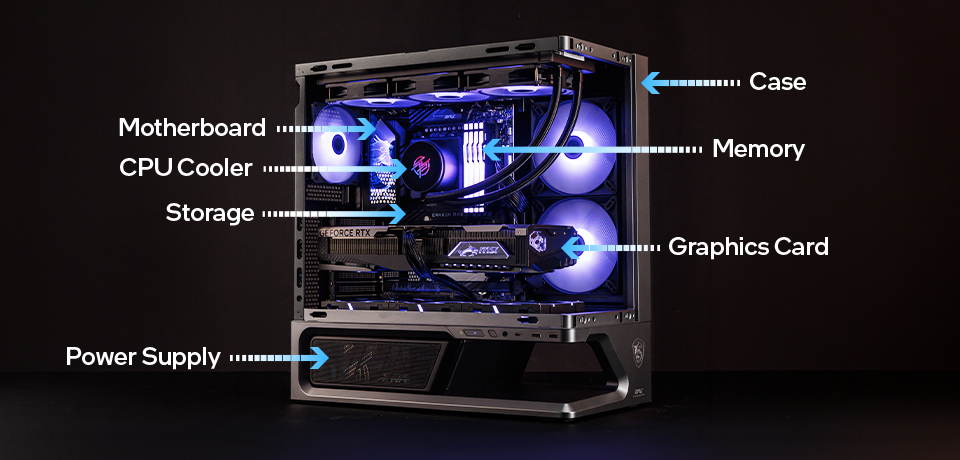
Systems with graphics cards included will have one installed into a PCIe slot beneath the CPU area. Below that, you may have room for more PCIe cards if you have a system based on an E-ATX, ATX, Micro-ATX, or Mini-ITX motherboard.
Lastly, on our downward journey to the bottom of the tower case, most designs choose to include room for the PSU at the base of the case. Please be aware, these ‘design rules’ aren’t always strictly adhered to.
PC Case Basics: Key Terms Beginners Should Know
In this section will consider topics including motherboard types and sizes, GPU clearance, radiator support, airflow, and front I/O.
Motherboard Form Factor
You must pick a case that fits your chosen motherboard size. The largest modern cases can accommodate all the common sizes and types of motherboard, but installing a mini-ITX motherboard in a fully fledged PC tower is a waste of the potential a cavernous case with numerous PCIe slots provides.
Also at this stage, watch out for the newest motherboards featuring a larger range of connectors ‘hidden’ on their back. These rear connectors facilitate neater builds with improved airflow, but as it is a still-emerging standard, please make sure any case you get is compatible. MSI calls these components ‘Project Zero’ or ‘PZ’ parts.
GPU Clearance
Recent generations of graphics cards are larger than ever, with even mid- to entry-level models with triple fans. While the trend for larger graphics cards is established, so conversely is the public’s admiration of SFF builds. Thus, PC DIYers have to pay close attention to physical compatibility and should double-check case and GPU specs to make sure there is ample room.
Radiator Support
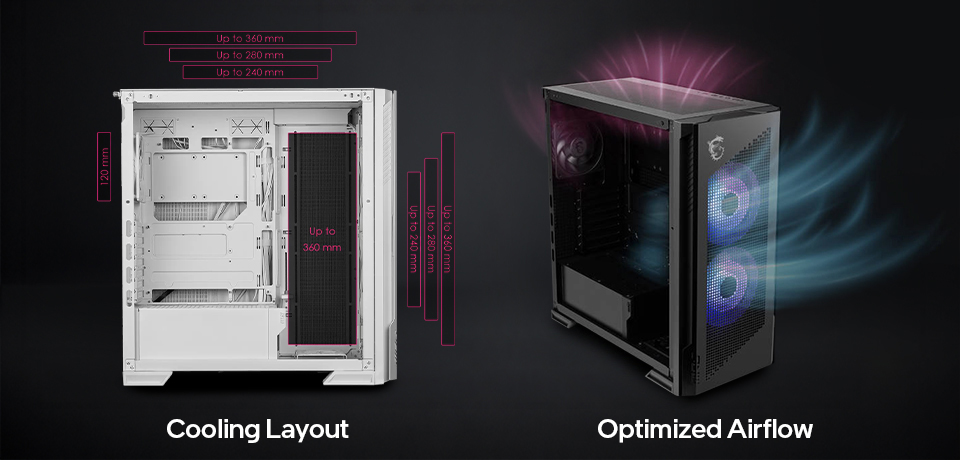
Water cooling radiators on your shopping list must also fit properly within the confines of your chosen case. As with graphics cards, cross-reference the case specs and the liquid cooler / AIO cooler’s radiator specifications. Common radiator sizes include 240mm, 280mm, and 360mm. Both your chosen AIO cooler’s radiator size and mounting location need to be supported by your case.
Larger radiators generally provide greater cooling capacity for high-performance CPUs, but they also require more installation space. Choosing a case with the appropriate radiator support ensures easier installation, better airflow, and optimal cooling performance.
Airflow
Airflow refers to how cool air enters your case and warm air is exhausted to keep your components operating at optimal temperatures. A well-designed PC case airflow layout helps improve cooling performance, reduces noise, and maintains stable system performance during gaming or demanding workloads.
Features such as a ventilated front panel, optimized fan placement, and support for additional cooling options all contribute to efficient airflow. Remember that good airflow is the result of the overall case design, not simply installing more fans.
Different case designs prioritize airflow in different ways. For example, the MPG VELOX 300R AIRFLOW PZ / WHITE is engineered with a high-airflow front panel and pre-installed 160 mm fans to maximize cooling performance. Meanwhile, the MAG PANO M110R / WHITE combines its panoramic 270-degree glass design with carefully planned vent and fan positioning. With Project Zero (PZ) compatibility, builders can enjoy a cleaner-looking interior with fewer visible cables, allowing the hardware to take center stage while still maintaining an airflow-conscious case design.
Front I/O
When we talk about front I/O, we are highlighting the quick-access selection of ports and buttons traditionally located near the front of the case. Alongside system power and reset buttons, look for both USB Type-A and Type-C ports, and at least one 3.5mm audio combo jack within easy reach, situated on the front I/O panel. The goal is convenience: these ports should comfortably support the peripherals you use most often, like portable USB drives, your smartphone, or a headset, without forcing you to reach around the back of the PC.
What Makes MSI PC Cases Beginner-Friendly?
Building your first PC can seem intimidating, but modern PC cases have been refined to make the process easier than ever. MSI goes a step further with a range of builder-friendly features that simplify installation, cable management, and everyday maintenance. We call these our EZ DIY features.
EZ DIY Features for Easier Installation
">EZ DIY features. MSI PC cases offer a range of these features to make PC DIY easier for novices and experts alike.Specific case-centric EZ DIY designs that make life easier for PC enthusiasts include our tool-free panels, the simple-to-plug-into-the-motherboard uni-front-panel cable, MSI’s fan control board, and our removable magnetic dust filter system.
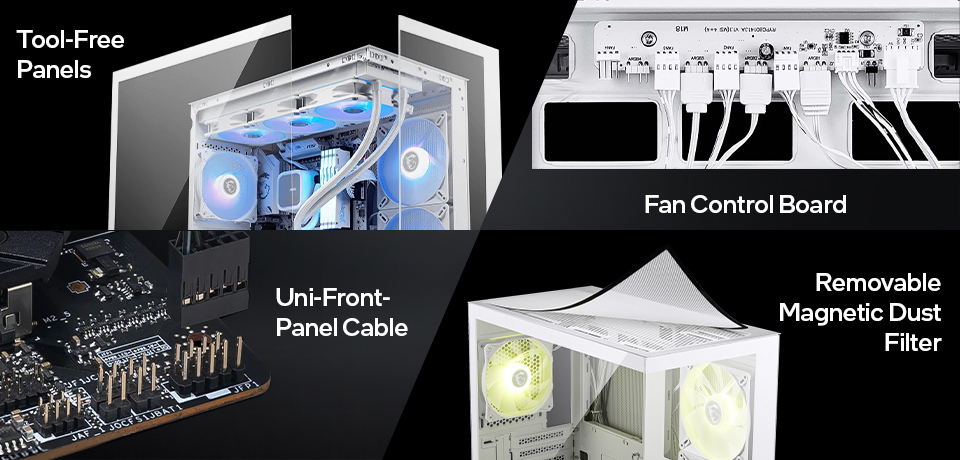
For DIYers who want to take the airflow-centric route with their next PC build, cases like the MPG VELOX 300R AIRFLOW PZ / WHITE and the MAG FORGE 330R AIRFLOW should definitely be shortlisted.
However, others will find the incredibly popular panoramic-style cases visually irresistible. We have that preference covered, too. Get an eyeful of the MAG PANO M110R / WHITE and MAG PANO 130R PZ / WHITE for superb examples of this mid-2020s style phenomenon.
Back-Connect Support for Cleaner Builds
A recent, largely community-led design initiative that is starting to gain traction is the placement of back connectors on motherboards. MSI has embraced this design philosophy with our Project Zero (PZ) range, which has already grown to include PZ motherboards, PZ cases, and PZ graphics cards.
Recommended MSI PC Cases for Beginners
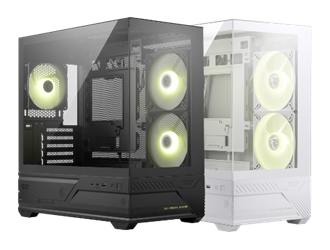
To help you get off to a great PC DIY start, let us steer you towards some sure-fire case winners from the MSI stables. Some are cases that focus on airflow, others on panoramic views. You will also see we’ve highlighted some PZ-compatible models. Whatever you choose, you’ll benefit from a range of EZ DIY convenience features.
Key features
• 270-Degree panoramic view design
• Upgraded Airflow Layout: Supports up to 9 fans with pre-installed reverse blade fans, 360mm radiator ready
• 1-to-4 ARGB Control board
• Motherboard supports up to Micro-ATX in size
• Room for large RTX 50 GPUs
• Tool-free Panels
• Upgraded Airflow Layout: Supports up to 9 fans with pre-installed reverse blade fans, 360mm radiator ready
• 1-to-4 ARGB Control board
• Motherboard supports up to Micro-ATX in size
• Room for large RTX 50 GPUs
• Tool-free Panels
Key features
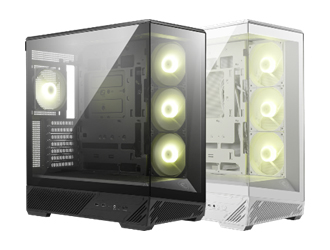
• 270-Degree panoramic view design
• Upgraded Airflow Layout: Supports up to 10 fans with pre-installed reverse blade fans, 360mm radiator ready
• Project Zero ready
• 90-Degree rotatable GPU bracket with support for large RTX 50 GPUs
• Magnetic top and removable bottom dust filters
• Upgraded Airflow Layout: Supports up to 10 fans with pre-installed reverse blade fans, 360mm radiator ready
• Project Zero ready
• 90-Degree rotatable GPU bracket with support for large RTX 50 GPUs
• Magnetic top and removable bottom dust filters
Key features
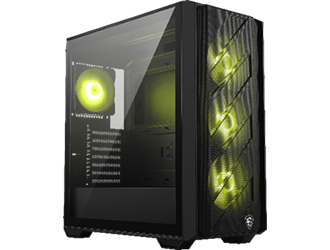
• Max airflow design with support for up to 360 mm AIO liquid coolers
• Supports up to 11 x system fans
• ATX / Micro-ATX / Mini-ITX motherboard support
• Room for large RTX 50 GPUs
• Tempered Glass Side Panel
• Magnetic Dust Filters
• Built-in daisy-chain design simplifies fan and ARGB connections
• Supports up to 11 x system fans
• ATX / Micro-ATX / Mini-ITX motherboard support
• Room for large RTX 50 GPUs
• Tempered Glass Side Panel
• Magnetic Dust Filters
• Built-in daisy-chain design simplifies fan and ARGB connections
Conclusion
Choosing the right PC case is about more than selecting the correct size. It means finding a case that supports your hardware, delivers the cooling performance you need, and matches your preferred build style—whether that's maximum airflow, a panoramic showcase, or a premium flagship system.
A well-designed case can make building easier, improve upgrade flexibility, and continue to support new hardware for years to come. By understanding the basics of compatibility, airflow, and layout, you'll be better equipped to choose a case that fits both your current build and future plans.
As a solid next step on your PC building odyssey, we suggest taking some advice from our PC Building Beginner's Guide feature. Then, for more advanced PC assembly, upgrading, and optimization tips, we have you covered with the MSI Build For Glory page.
Lastly, as we are now firmly in the first AI era of computing, MSI has tuned its AI LLMs to transform Lucky the Dragon from the cutest mascot into the world’s most knowledgeable PC building AI assistant. If you head on over to our EZ PC Builder page, you can enjoy freeform and interactive PC build advice in conversation with our resident dragon.
Summon Lucky and ask about the compatibility between any MSI cases and components you might have shortlisted for your PC build, including PZ designs. Lucky is also a good source for build advice regarding the choice of a PSU or recommending a GPU capable of playing your favorite games in 1080p, 1440p, or 4K, as well as many other important PC-build-related questions.