What Is MSI GPU Safeguard? How GPU Safeguard and GPU Safeguard+ Protect High-End Graphics Cards
Case & Components
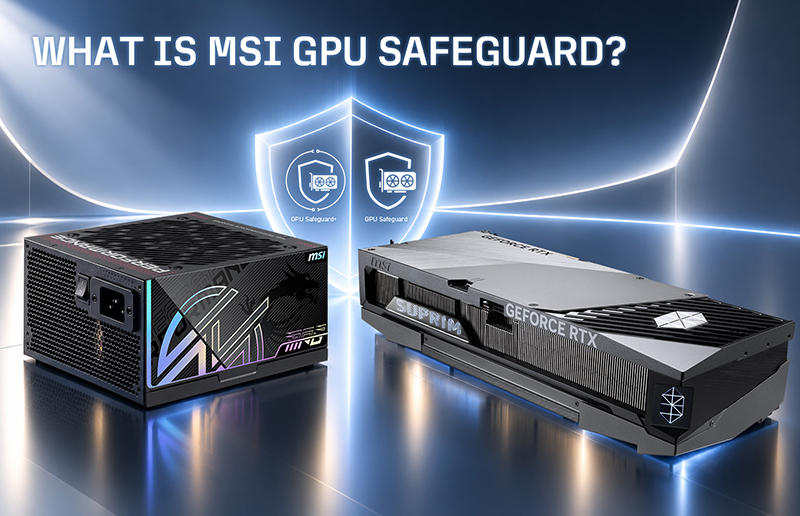
As graphics cards become more powerful, choosing the right power supply is no longer only about wattage. Modern high-performance GPUs can place significant and rapidly changing demands on the power delivery system, making connector stability, current monitoring, and protection technologies increasingly important.
This is where MSI GPU Safeguard and GPU Safeguard+ come in.
Available on select MSI power supplies, these technologies are designed to detect abnormal current conditions through the 12V-2x6 connection and provide an additional layer of protection for today's high-performance graphics cards.
But what exactly does GPU Safeguard do, and how is GPU Safeguard+ different?
Why Is 12V-2x6 Per-Pin Current Detection Important?
The 12V-2x6 connector is designed to deliver substantial amounts of power through a compact connection, making it well suited to modern high-performance graphics cards.
Under normal conditions, current is distributed reliably through the connector. However, if an abnormal current condition occurs, such as uneven current distribution or an unexpected electrical condition, dedicated per-pin current detection can help identify the issue before it develops further.
This becomes increasingly important as GPU power requirements rise.
Traditional PSU protection mechanisms such as OCP (Over Current Protection), OVP (Over Voltage Protection), OTP (Over Temperature Protection), OPP (Over Power Protection), SCP (Short Circuit Protection), and UVP (Under Voltage Protection) continue to protect the overall power supply and system.
MSI GPU Safeguard complements these conventional protections with dedicated per-pin current detection for the 12V-2x6 GPU power connection.
What Is MSI GPU Safeguard?
GPU Safeguard is MSI's dedicated protection technology designed to detect the current flowing through each pin of the 12V-2x6 connector and identify abnormal current conditions.
GPU Safeguard is available on the MAG A1200PLS PCIE5 and MAG A1000PLS PCIE5 power supplies. When an abnormal per-pin current condition is detected, the system provides an immediate warning so users can check the GPU power connection.
Rather than relying only on overall PSU-level protection, GPU Safeguard adds dedicated per-pin current detection for the graphics card power connection.
This proactive detection can help users identify an abnormal condition sooner and check the 12V-2x6 cable and connector before continuing to place the system under heavy load.
For users building powerful gaming or content-creation systems, it provides another layer of protection for one of the most important components in the PC.
What Is GPU Safeguard+?
For flagship and enthusiast systems, MSI takes this concept further with GPU Safeguard+.
GPU Safeguard+ is available on the MPG Ai1600TS PCIE5 and MPG Ai1300TS PCIE5 power supplies and builds on the protection provided by GPU Safeguard with enhanced real-time monitoring capabilities.
Both GPU Safeguard and GPU Safeguard+ can detect the current flowing through each pin of the 12V-2x6 connection and identify abnormal current conditions.
The key difference is how that information is presented and used. GPU Safeguard detects abnormal per-pin current conditions and provides an alert when an issue is identified. GPU Safeguard+ goes further by allowing users to monitor the current of each individual pin in real time, providing greater visibility into GPU power delivery.
This real-time per-pin monitoring makes it easier to observe current distribution across the 12V-2x6 connection and identify abnormal conditions as they occur.
How Does GPU Safeguard+ Respond to Abnormal Current?
GPU Safeguard+ combines hardware monitoring with software integration to provide a multi-layer protection process.
When abnormal current or current imbalance is detected, the power supply can first generate an audible warning through its built-in buzzer.
At the same time, MSI Center can display an alert to notify the user that the GPU power connection should be checked.
If the abnormal condition continues, the PSU can shut down its output to help protect the graphics card.
This provides a clear sequence of protection:
Detect → Alert → Allow User Action → Protect the Hardware
The goal is not simply to react after a system problem occurs, but to provide earlier visibility into abnormal GPU power conditions.
With real-time individual-pin current monitoring and MSI Center alerts, the MPG Ai1600TS PCIE5 and MPG Ai1300TS PCIE5 can detect abnormal current conditions and notify users accordingly. If the abnormal condition persists, the PSU can shut down its output to help protect the graphics card.
GPU Safeguard+ Works with MSI Afterburner
GPU Safeguard+ also integrates with MSI Afterburner, adding another layer of proactive protection.
With MSI Afterburner v4.6.7 Beta 2 or later configured for GPU Safeguard+, the software can respond automatically when abnormal current is detected.
When triggered, MSI Afterburner can automatically reduce the graphics card's Power Limit to 75%.
Reducing the GPU Power Limit lowers the immediate power demand on the connection and gives users an opportunity to stop their workload, save their work, and inspect the 12V-2x6 cable and connector.
The protection process can therefore become:
Detect abnormal current → Alert the user → Reduce GPU Power Limit → Inspect the connection
This power reduction serves as an additional protective measure rather than a replacement for checking the hardware. If an abnormal-current warning occurs, users should inspect the 12V-2x6 connector installation and cable condition before returning the system to full load.
GPU Safeguard vs. GPU Safeguard+: What's the Difference?
Both technologies are designed to add dedicated GPU power protection, but they target different levels of monitoring and system integration.
Feature
GPU Safeguard
GPU Safeguard+
Individual-pin current detection
Yes
Yes
Abnormal-current detection
Yes
Yes
Proactive warning
Yes
Yes
Real-time per-pin monitoring
—
Yes
MSI Center integration
—
Yes
MSI Afterburner integration
—
Yes
Automatic GPU Power Limit reduction
—
Yes
Supported series
MAG PLS
MPG Ai TS
GPU Safeguard focuses on per-pin current detection and proactive warning for the 12V-2x6 power connection, while GPU Safeguard+ builds on that protection with real-time per-pin monitoring and software-based response capabilities.
Which MSI Power Supplies Support GPU Safeguard?
GPU Safeguard and GPU Safeguard+ are available on selected MSI MAG and MPG power supplies, with different levels of monitoring and protection depending on the model.
GPU Safeguard: MAG A1200PLS PCIE5 and MAG A1000PLS PCIE5
The MAG A1200PLS PCIE5 and MAG A1000PLS PCIE5 feature GPU Safeguard, providing per-pin current detection and proactive alerts for the 12V-2x6 GPU power connection.
Both models also support ATX 3.1 and PCIe 5.1, feature native 12V-2x6 connectivity, and carry 80 PLUS Platinum certification.
These models are well suited to high-performance gaming systems where users want strong power capacity, high efficiency, and additional GPU power protection.
GPU Safeguard+: MPG Ai1600TS PCIE5 and MPG Ai1300TS PCIE5
For more demanding flagship systems, the MPG Ai1600TS PCIE5 and MPG Ai1300TS PCIE5 feature the more advanced GPU Safeguard+ platform.
These models add:
- Real-time per-pin current monitoring
- Dual native 12V-2x6 connectors
- MSI Center monitoring
- MSI Afterburner integration
- Automatic GPU Power Limit reduction
- SiC interleaved PFC MOSFETs
- 80 PLUS Titanium efficiency
The MPG Ai1600TS PCIE5 and MPG Ai1300TS PCIE5 feature GPU Safeguard+ and dual native 12V-2x6 connectors, making them well suited for high-performance systems with demanding GPU power requirements.
Does GPU Safeguard+ Only Work with MSI Graphics Cards?
GPU Safeguard+ operates through the power supply and the 12V-2x6 connection rather than relying on an MSI graphics card.
This means the protection technology is not limited to MSI graphics cards. It can monitor compatible GPUs using the supported 12V-2x6 power connection.
For users who already own a compatible high-performance GPU, these protection features can be added by upgrading to a supported MSI power supply rather than replacing the graphics card itself.
Choosing a PSU Is About More Than Wattage
When choosing a power supply for a modern high-performance PC, wattage is only one part of the decision.
Users should also consider factors such as:
- ATX 3.1 compatibility
- PCIe 5.1 support
- Native 12V-2x6 connectivity
- Power excursion capability
- Conversion efficiency
- Thermal design
- Component quality
- PSU protection features
MSI GPU Safeguard provides dedicated per-pin current detection for the GPU power connection, while GPU Safeguard+ builds on that foundation with real-time per-pin monitoring, MSI Center integration, and automatic GPU power reduction through MSI Afterburner.
For systems built around today's high-performance graphics cards, these technologies provide greater visibility into GPU power delivery and another layer of protection for the graphics card and overall system.
Whether you are building a high-end gaming PC or a flagship workstation, selecting a PSU with the right capacity, connectivity, efficiency, and protection technologies can help create a more reliable foundation for the entire system.