Why and How to Use a Mini PC as a Home Server?
Desktops
With time and technology progressed desktop PC performance up gradually and supports multi-function. It does not only deal with office work or general usage, it also can handle many tasks. For example, a desktop PC can become a server for your family. A home server can allow family member’s devices to communicate with each other and share files. In addition, the home server can become a media center for personal or family to use, listen to music, or watch videos like a network streaming. Moreover, a home server can become a security center for your household to monitor the territory of your home. Or design a data center to store personal data for the backup solution. Even, we can build up a website to start a personal business to fulfill the stay-at-home economy. A home server can have many tasks in your home. No matter entertainment, home business, or security job. No matter what kind of usage, you will need a reliable and power-efficient PC to begin. The MSI Business & Productivity PCs, Cubi and PRO DP series, are the best choices for your home server.

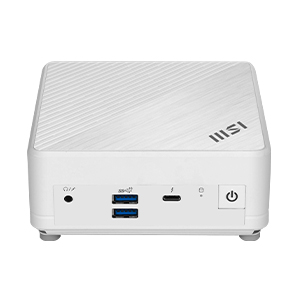
The Cubi series is MSI's smallest form factor PC, designed with aesthetics in mind. Its tiny size makes it perfect for workspaces and home decor, providing great space utilization and alleviating any concerns about space limitations. Traditional PCs are usually big, heavy, and hard to place. But MSI Cubi is small in size and just fits in a palm, so you don’t need to worry about space problems. In addition, it is compatible VESA mount, so you can easily install Cubi behind the monitor, or on the wall to save space.

The Cubi comes with a VESA mount that is compatible and can be easily installed behind a TV or monitor. Moreover, it has an external power switch that makes it more convenient to turn on the computer. When the computer is located in a hard-to-reach area, the external power switch on the desk is a better option than bending down to turn it on.

We talked about many home server use cases in the beginning, but how could make it happen? There are so many applications and services we can use in the market. Here, we list the most popular applications for the reference. It allows users can easily build up the home server. If you understand network and PC knowledge, you can easily build up by following the instructions. Here are the applications and scenarios below for your reference.
Data Sharing - Nextcloud
This application can help to build up a private cloud space for your family members. Make the home server like a NAS Server for sharing files, music, pictures…etc. Or for your data backup solution.
Media Center - Plex, Jellyfin
The application can help to build up a personal or home media center, you can play photos, videos, and music by streaming ways.
Network Security - Pi-hole
The service can manage your household network security. It can block spam or harmful ads away from your children when your family members surfing the internet.
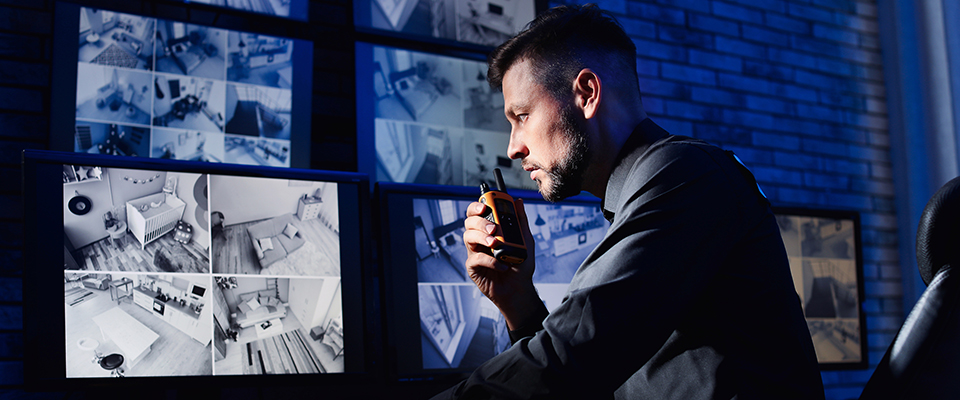
Home Surveillance - Use Cubi to become a thin Client PC
For home security, you can install IP cams in the household and then monitor it. So you can use Cubi be a thin client PC to do the daily checks or unexpected situations.
There is a crucial part of a home server, which is the network components. MSI Cubi features a Dual LAN design, providing more flexibility in various scenarios, such as failover in case of cable network failure, the other LAN port can take over and keep running. Or we can plan 2 different networks for different environments, internet or intranet. Both LAN ports support to gigabyte per second transfer speed. (To know more about the Dual LAN, please Click HERE). Cubi 5 even supports 2.5G bandwidth and Thunderbolt 4. Moreover, the Cubi series supports TPM 2.0* for data vault functions, encrypting sensitive data and passwords to prevent theft of valuable information. The TPM design can protect your system data from hackers breaking in. (*Spec varies by model)

If you find it difficult to build up a home server, MSI provides a convenient data-sharing application to you, MSI Cloud Center. The application can help users share or upload their data to MSI desktop PCs just like your home private cloud server. You don’t need an additional cable to transfer data to the desktop PC. The transfer progress is wireless. And, it supports platforms iOS and Android. In other words, your smartphone, tablet, or iPhone can easily share or backup your data to the desktop PC seamlessly. For more details about MSI Cloud Center please visit the link below.
Learn more about MSI Cloud Center: Link

MSI Cloud Center is the most simple application to make your desktop PC a private cloud server.
You can check the SOP here and understand how to set up the MSI Cloud Center: Link
You can check the SOP here and understand how to set up the MSI Cloud Center: Link
Learn more about MSI Business & Productivity Product solutions, please visit the product list.
Business & Productivity PCs

All-in-One PCs